Introducció
The REXING M2 Smart Dual Mirror Dash Cam is designed to enhance driving safety and provide comprehensive recording capabilities. This manual provides detailed instructions for installation, operation, and maintenance of your device, ensuring optimal performance and longevity.
Què hi ha a la caixa
- REXING M2 Smart Dual Mirror Dash Cam
- Rear Camera (Full HD)
- Logger GPS
- Power Cable (12V car charger)
- Corretges de goma per al muntatge
- Mounting Screws and Double-Sided Tape for Rear Camera
- Eina de gestió de cables
- Drap de neteja
- Manual d'usuari
- Targeta de memòria
Característiques del producte
- Full HD Dual Channel Recording: Captures simultaneous 1080p video from both front and rear cameras.
- Blind Spot Detection (BSD) & Advanced Driver-Assistance System (ADAS): Utilizes radar sensors to monitor blind spots and assist with lane changes by providing alerts.
- Registrador GPS: Records time, date, location, and speed data with your video recordings.
- Pantalla tàctil IPS d'12 polzades: Provides a wide, live-stream rearview display with intuitive finger-touch operation.
- Automatic Backup Camera: Displays rear footage in real-time, assisting with driving and backing up.
- Sensor G: Automatically detects impacts and locks video footage per evitar la sobreescritura.
- Enregistrament en bucle: Registra contínuament sobreescrivint el desbloquejat més antic files quan la targeta de memòria està plena.
- Monitor d'aparcament les 24 hores: Automatically records 20-second videos when vibration is detected while the vehicle is parked.
Producte acabatview
The REXING M2 dash cam is designed to seamlessly integrate with your vehicle's rearview mirror. Below is an overview dels seus components físics i connexions.

The REXING M2 mirror dash cam showcasing its Blind Spot Detection (BSD) and Advanced Driver-Assistance System (ADAS) capabilities. The image illustrates how the system detects vehicles in blind spots and provides visual alerts for safe lane changes.

The REXING M2 dash cam highlighting its dual channel 1080p recording for both front and rear views, along with Super Night Vision capabilities for clear footage en condicions de poca llum.

The 12-inch IPS touch screen of the REXING M2 dash cam, demonstrating its adjustable field of view by swiping on the interactive display.

The REXING M2 dash cam featuring its integrated GPS Logger for real-time speed and location tracking, alongside a 170-degree wide-angle lens for extensive road coverage.
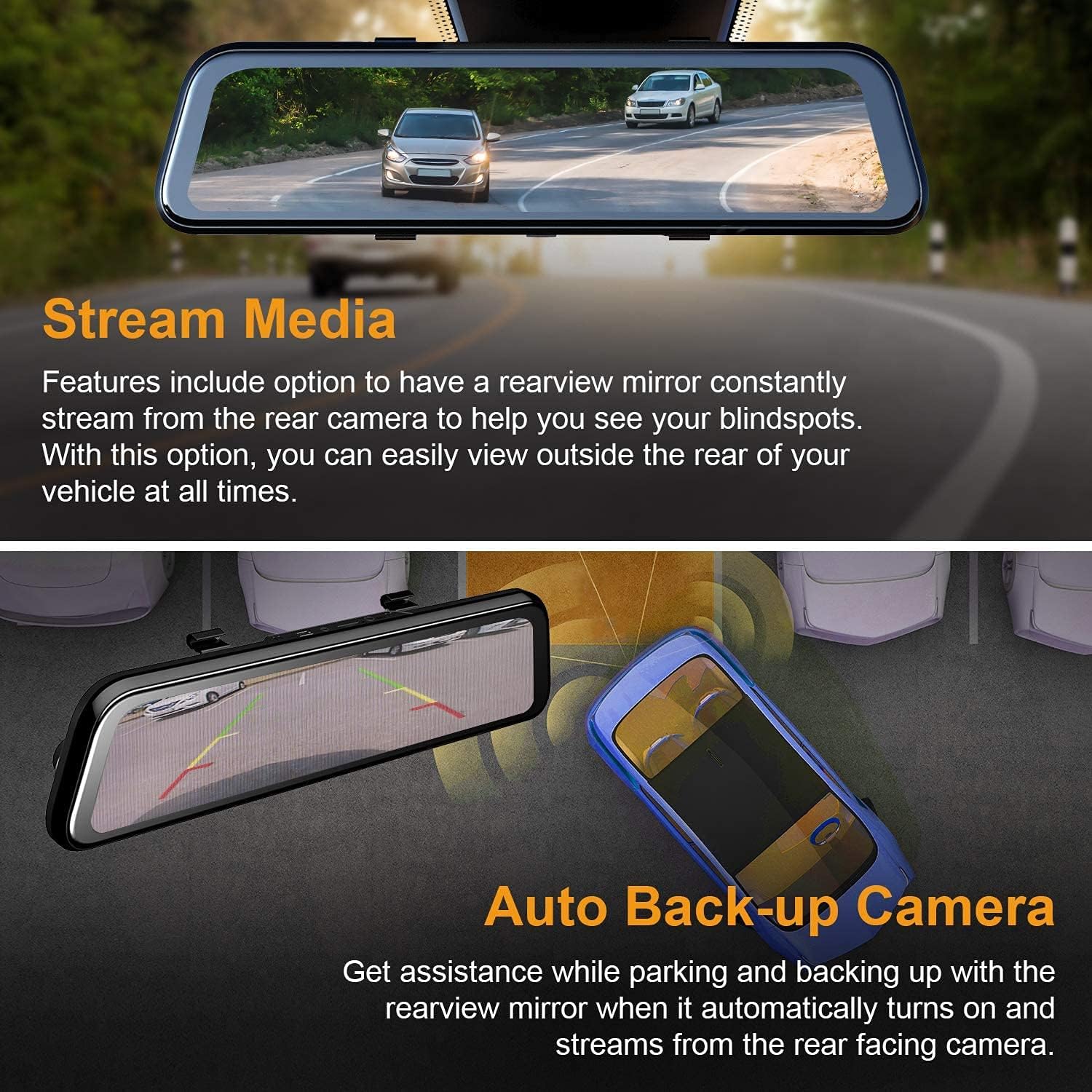
The REXING M2 dash cam's Stream Media function, allowing continuous rearview streaming, and its Auto Backup Camera feature, which automatically activates when reversing for enhanced safety.

The REXING M2 dash cam illustrating its Gravity Sensor for collision detection, Loop Recording for continuous footage, and 24-Hour Parking Monitor for vehicle surveillance.
Ports i controls
- Ports principals: Includes connections for GPS, Micro SD card slot (requires user-provided card), AV input for the rear camera, and a Mini USB port for power.
- posterior: Features a reset hole and four rubber anchor points for secure mounting. The front-facing camera is adjustable, allowing for pivot movement (up/down, side-to-side) to optimize the recording angle.
- A baix: Contains a speaker grill, a power button (to turn the device on/off), and a microphone.
Guia d'instal·lació
Follow these steps to properly install your REXING M2 Dash Cam in your vehicle.
- Muntatge del mirall: Use the provided rubber straps to securely attach the REXING M2 mirror dash cam over your vehicle's existing rearview mirror. Ensure the mirror is centered and stable.
- Potència de connexió: Plug the power cable into the Mini USB port on top of the dash cam and connect the other end to your vehicle's 12V power outlet (cigarette lighter socket).
- Installing the Rear Camera:
- Connect the rear camera cable to the AV input port on the dash cam.
- Route the rear camera cable discreetly along the headliner and side panels to the rear of your vehicle. Use the provided cable management tool to tuck wires neatly.
- Mount the rear camera using the included screws or double-sided tape. For automatic reverse camera activation, connect the red wire from the rear camera cable to your vehicle's reverse light power source.
- Connecting the GPS Logger: Plug the GPS logger into its dedicated port on top of the dash cam. Mount the GPS unit on your windshield, ensuring it has a clear view del cel per a una recepció òptima del senyal.
- Inseriu la targeta de memòria: Insert a compatible Micro SD card (not included) into the designated slot on top of the dash cam. The device requires a memory card for recording.
Official REXING video demonstrating the installation process of the M2 BSD Dash Cam, including mounting the mirror, connecting cables, and setting up the rear camera.
Guia d’operacions
The REXING M2 features an intuitive 12-inch IPS touchscreen for easy navigation and control.
Controls de pantalla tàctil
- Canvi Views: Swipe left or right on the screen to switch between front camera view, càmera posterior view, or a split view showing both simultaneously.
- Ajust de l'angle de la càmera: Swipe up or down on the left side of the screen (for front view) or right side (for rear view) to adjust the vertical viewangle de càmera.
- Ajust de la brillantor de la pantalla: Swipe up or down on the right side of the screen to adjust the display brightness.
- Accés al menú: Tap the screen to reveal the menu bar at the bottom.
Opcions del menú
From the menu bar, you can access various settings and functions:
- Controls de gravació: Start/stop recording, take photos, or manually lock current video footage.
- Reproducció: Swipe left from the main screen to access recorded files. You can play back front or rear videos, locked videos, and photos directly on the screen.
- Configuració (icona d'engranatge): Access advanced settings including:
- Sensibilitat del sensor G: Adjust sensitivity (Low, Medium, High, Off) for impact detection during driving and parking.
- Enregistrament en bucle: Set video segment duration (1, 2, or 3 minutes).
- Monitor d'aparcament: Enable/disable and adjust sensitivity for 24/7 surveillance.
- Codificació de vídeo: Choose between H.264 and H.265 for video compression.
- Idioma: Seleccioneu el vostre idioma preferit.
- Data/Hora: Estableix la data i l'hora correctes.
- Format SD: Formateu la targeta Micro SD.
- Unitat de velocitat: Switch between MPH and KM/H.
- Reconeixement de la parla: Enable voice commands for hands-free operation (e.g., "Turn on screen," "Show front camera," "Lock the video").
Manteniment
Regular maintenance ensures the longevity and optimal performance of your dash cam.
- Neteja: Use the provided cleaning cloth to gently wipe the screen and camera lenses. Avoid abrasive materials or harsh chemicals.
- Gestió de la targeta SD: Regularly format your Micro SD card (at least once a month) to prevent data corruption and ensure smooth recording. Replace the card if it shows signs of wear or error.
- Actualitzacions de firmware: Consulta el REXING weblloc web periòdicament per obtenir actualitzacions de firmware per assegurar-vos que el dispositiu tingui les darreres funcions i correccions d'errors.
Resolució de problemes
If you encounter issues with your REXING M2 Dash Cam, refer to the following common solutions:
- Screen Glare at Night: Some users report glare from headlights at night. Adjust screen brightness or turn off the screen to use it as a normal mirror if visibility is affected.
- Poor Rear Camera Visibility in Rain: Ensure the rear camera lens is clean and free from water droplets. Consider repositioning the camera if it's frequently obstructed.
- Dash Cam Not Recording: Ensure a compatible Micro SD card is inserted and formatted. Check loop recording settings.
- GPS no rastrejant: Verify the GPS logger is securely plugged in and mounted with a clear view del cel.
- El dispositiu no respon: Use the reset hole on the back of the device to perform a factory reset.
Especificacions
| Dimensions del producte | 12 x 2.75 x 0.75 polzades |
| Pes de l'article | 13.7 unces |
| Número de model de l'article | M2 |
| Mida de la pantalla | 12 polzades |
| Tecnologia de visualització | LCD |
| Tecnologia de sensors òptics | CMOS |
| Angle real de View | 170 graus |
| Característiques especials | G-Sensor, Loop Recording, Night Vision, Blind Spot Detection, ADAS, GPS |
| Tecnologies de connectivitat | USB |
| Color | Negre |
Garantia i Suport
The REXING M2 Smart Dual Mirror Dash Cam comes with an 18 mesos de garantia. For any assistance, technical support, or warranty claims, please contact REXING customer support directly.


