1. Introducció
The DELUX M618DB is an ergonomic wireless vertical mouse designed to provide a more natural and comfortable hand position, reducing wrist and arm strain during prolonged use. This mouse offers dual connectivity modes (2.4G USB receiver and Bluetooth) and features a rechargeable battery for convenience. This manual provides detailed instructions for setting up, operating, maintaining, and troubleshooting your DELUX M618DB mouse.
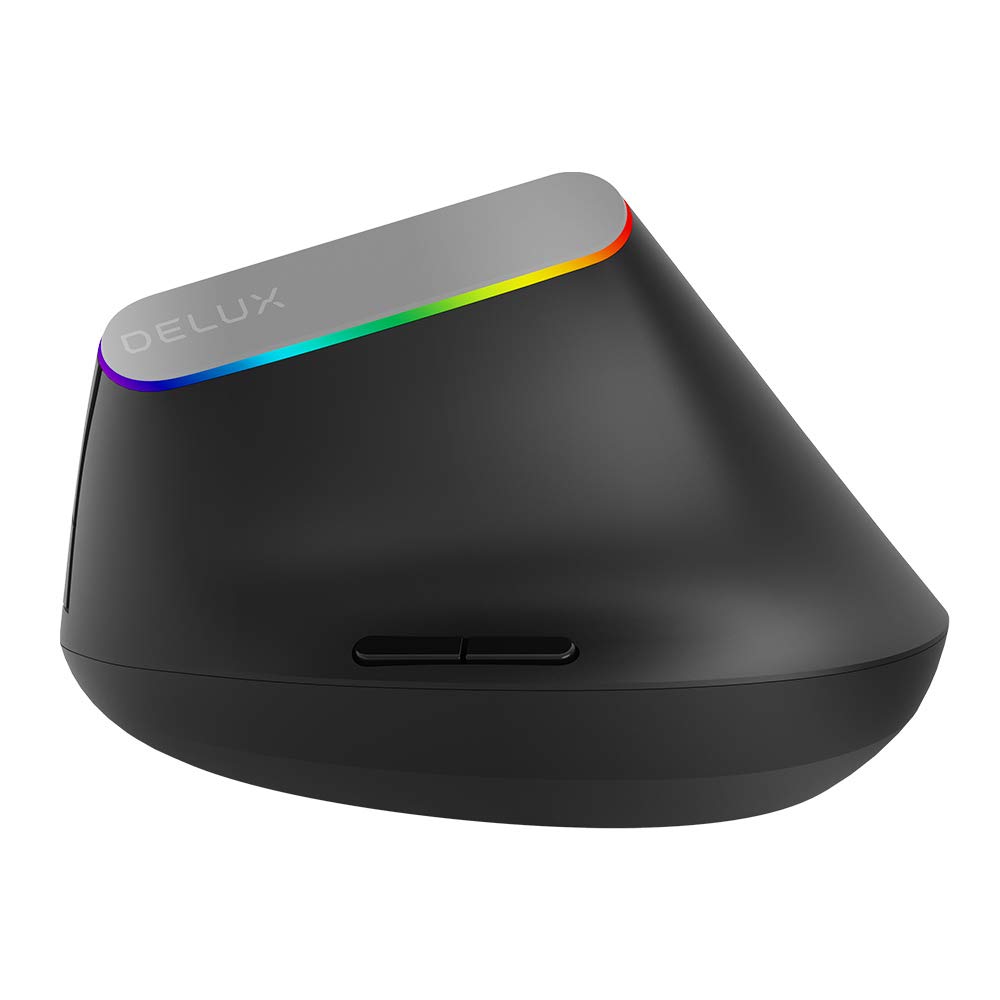
Imatge 1.1: Frontal view of the DELUX M618DB Wireless Vertical Mouse.
2. Característiques del producte
- Disseny vertical ergonòmic: Promotes a natural handshake position to alleviate wrist and arm discomfort.
- Connectivitat dual: Supports both 2.4G wireless (via USB receiver) and Bluetooth connections.
- Bateria recarregable: Equipped with a built-in 500mA Lithium Polymer battery.
- Sis botons: Includes Left Click, Right Click, Scroll Wheel, DPI Cycle Button, Forward, and Backward buttons for enhanced productivity.
- DPI ajustable: Allows for customization of cursor sensitivity.
- Indicador LED: Multicolor LED lighting indicates power status and connectivity.

Image 2.1: Illustration demonstrating the ergonomic vertical design for comfortable hand posture.
3. Contingut del paquet
Si us plau, comproveu el contingut del paquet per assegurar-vos que hi hagi tots els elements:
- 1 x DELUX M618DB Wireless Vertical Mouse
- 1 x USB Nano Receiver (stored in the mouse base)
- 1 x cable de càrrega USB-A a USB-C
- 1 x Manual d'usuari (aquest document)
4. Instruccions de configuració
4.1 Càrrega del ratolí
Before first use, it is recommended to fully charge the mouse. Connect the provided USB-A to USB-C charging cable to the USB-C port on the front of the mouse and plug the USB-A end into a computer's USB port or a USB wall charger (not included). The charging indicator light (a small pinhole light) will illuminate during charging and turn off when fully charged.

Imatge 4.1: Lateral view of the mouse, highlighting the USB-C charging port and the storage compartment for the USB receiver.
4.2 Encès/Apagat
Localitza l'interruptor d'engegada a la part inferior del ratolí. Fes-lo lliscar a la posició "ON" per engegar el ratolí. Fes-lo lliscar a "OFF" quan no estigui en ús per estalviar bateria.
4.3 Connexió del ratolí
The M618DB offers two connection methods:
4.3.1 2.4G Wireless Connection (USB Receiver)
- Remove the USB Nano receiver from its storage slot on the bottom of the mouse.
- Connecteu el nanoreceptor USB a un port USB disponible de l'ordinador.
- Turn on the mouse using the power switch. The mouse should automatically connect to your computer. No additional drivers are typically required.
4.3.2 Connexió Bluetooth
- Assegureu-vos que el ratolí estigui encès.
- A l'ordinador, navega fins a la configuració de Bluetooth.
- Initiate the pairing process on your computer to search for new Bluetooth devices.
- Select 'DELUX M618DB' (or similar name) from the list of available devices and follow any on-screen prompts to complete the pairing.
5. Instruccions de funcionament
The DELUX M618DB mouse features six programmable buttons and a scroll wheel for various functions:

Image 5.1: Diagram illustrating the button layout of the DELUX M618DB mouse.
- Botó esquerre de clic: Funció de clic principal estàndard.
- Botó dret: Funció de clic secundari estàndard.
- Roda de desplaçament: Used for vertical scrolling. Can also be pressed for middle-click functionality.
- Botó de cicle de DPI: Located behind the scroll wheel, this button allows you to cycle through different DPI (Dots Per Inch) settings to adjust cursor sensitivity.
- Botó Endavant: Navega cap endavant web navegadors o file exploradors.
- Botó enrere: Navega cap enrere web navegadors o file exploradors.
5.1 Comportament de l'indicador LED
The multicolor LED light around the DELUX logo provides visual feedback:
- When the mouse is turned on or a button is pressed without a connected receiver, the LED will illuminate.
- When the USB Nano receiver is connected and the mouse is moved, the multicolor LED will stay on.
- The light will turn off after a few seconds of inactivity to conserve power.
6. Manteniment
6.1 Gestió de la bateria
The 500mA rechargeable battery provides extended usage. Battery life varies depending on usage patterns and whether the mouse is turned off when not in use. Recharge the mouse when the cursor becomes erratic or the LED indicator shows signs of low power.
6.2 Neteja
Per netejar el ratolí, feu servir un drap suau i sec. Per a la brutícia persistent, feu servir un drap lleugerament sec.amp es pot fer servir un drap, assegurant-se que no entri humitat al dispositiu. Eviteu utilitzar productes químics agressius o materials abrasius.
7. Solució De Problemes
| Problema | Causa possible | Solució |
|---|---|---|
| Mouse not responding or erratic cursor movement | Low battery; connectivity issue; USB receiver not properly connected. | 1. Charge the mouse fully. 2. Ensure the USB receiver is securely plugged into a working USB port. 3. For Bluetooth, ensure the mouse is paired and selected in your device's Bluetooth settings. 4. Try a different USB port or restart your computer. |
| No es pot connectar mitjançant Bluetooth | Mouse not in pairing mode; Bluetooth on computer is off; interference. | 1. Ensure the mouse is powered on. 2. Verify Bluetooth is enabled on your computer. 3. Remove any previous pairings and attempt to re-pair. 4. Move closer to the computer to reduce interference. |
| L'indicador LED no s'encén | Mouse is off; low battery. | 1. Ensure the mouse is powered on. 2. Charge the mouse. |
8. Especificacions
| Característica | Detall |
|---|---|
| Model | M618DB |
| Marca | DELUX |
| Tecnologia de connectivitat | 2.4G Wireless (USB Receiver), Bluetooth |
| Nombre de botons | 6 (Esquerra, Dreta, Roda de desplaçament, DPI, Endavant, Enrere) |
| Tipus de bateria | Polímer de liti |
| Capacitat de la bateria | 500 mA |
| Port de càrrega | USB-C |
| ASIN | B08NB9KXTK |
| Primera data disponible | 12 de novembre de 2020 |
9. Garantia i Suport
Specific warranty information is not available in the provided product details. For warranty claims, technical support, or further assistance, please refer to the official DELUX website or contact the retailer from whom you purchased the product. Keep your purchase receipt as proof of purchase.


