1. Introducció
This manual provides instructions for the Xgody Mate10+ smartphone. It covers device setup, operation, features, and maintenance to ensure optimal performance and user experience. The Mate10+ operates on Android 8.1, features a 5.5-inch HD display, dual 5MP cameras, and supports dual SIM functionality.
2. Contingut del paquet
Verifiqueu que tots els elements siguin presents a l'embalatge del producte:
- 1 x Xgody Mate10+ Smartphone
- 1 x adaptador de carregador
- 1 x cable USB
- 1 x Funda del telèfon
- 1 x manual d'usuari en anglès
- 1 x HD Film (Screen Protector)
- 1 x Tempered Film (Screen Protector)

Image: Contents of the Xgody Mate10+ smartphone package.
3. Primers passos
3.1. Instal·lació de la targeta SIM i la targeta d'emmagatzematge
The Xgody Mate10+ supports dual SIM dual standby, allowing the use of two SIM cards simultaneously. It has two independent card slots: one for a Nano SIM and one for a Micro SIM or a TF (microSD) card for expandable storage.
- Localitza la safata de la targeta SIM/TF al lateral del dispositiu.
- Feu servir l'eina d'expulsió de la SIM proporcionada per obrir la safata.
- Carefully place your Nano SIM card, Micro SIM card, and/or TF card into the designated slots. Ensure correct orientation.
- Empenyeu suaument la safata cap a dins del dispositiu fins que quedi al mateix nivell.
3.2. Càrrega del dispositiu
Before first use, fully charge the smartphone using the provided charger and USB cable.
- Connecteu el cable USB a l'adaptador del carregador.
- Connecteu l'adaptador del carregador a una presa de corrent.
- Connecteu el cable USB al port de càrrega del telèfon.
- La icona de la bateria a la pantalla indicarà l'estat de càrrega.
3.3. Encès / apagat
- Per engegar: premeu i manteniu premut el botó d'engegada fins que la pantalla s'il·lumini.
- Per apagar: manteniu premut el botó d'engegada i, a continuació, seleccioneu "Apagar" de les opcions que apareixen a la pantalla.
3.4. Configuració inicial
Upon first power-on, follow the on-screen prompts to complete the initial setup, including language selection, Wi-Fi connection, Google account setup, and security settings.
4. Característiques principals i funcionament
4.1. Visualització
The Xgody Mate10+ features a 5.5-inch HD full-view display, providing a wide visual experience for viewing contingut.

Image: The 5.5-inch full-view display of the Xgody Mate10+.

Image: The compact design of the Xgody Mate10+ for easy portability.
4.2. Operating System (Android 8.1)
The device runs on Android 8.1, offering a user-friendly interface and enhanced performance for daily tasks.
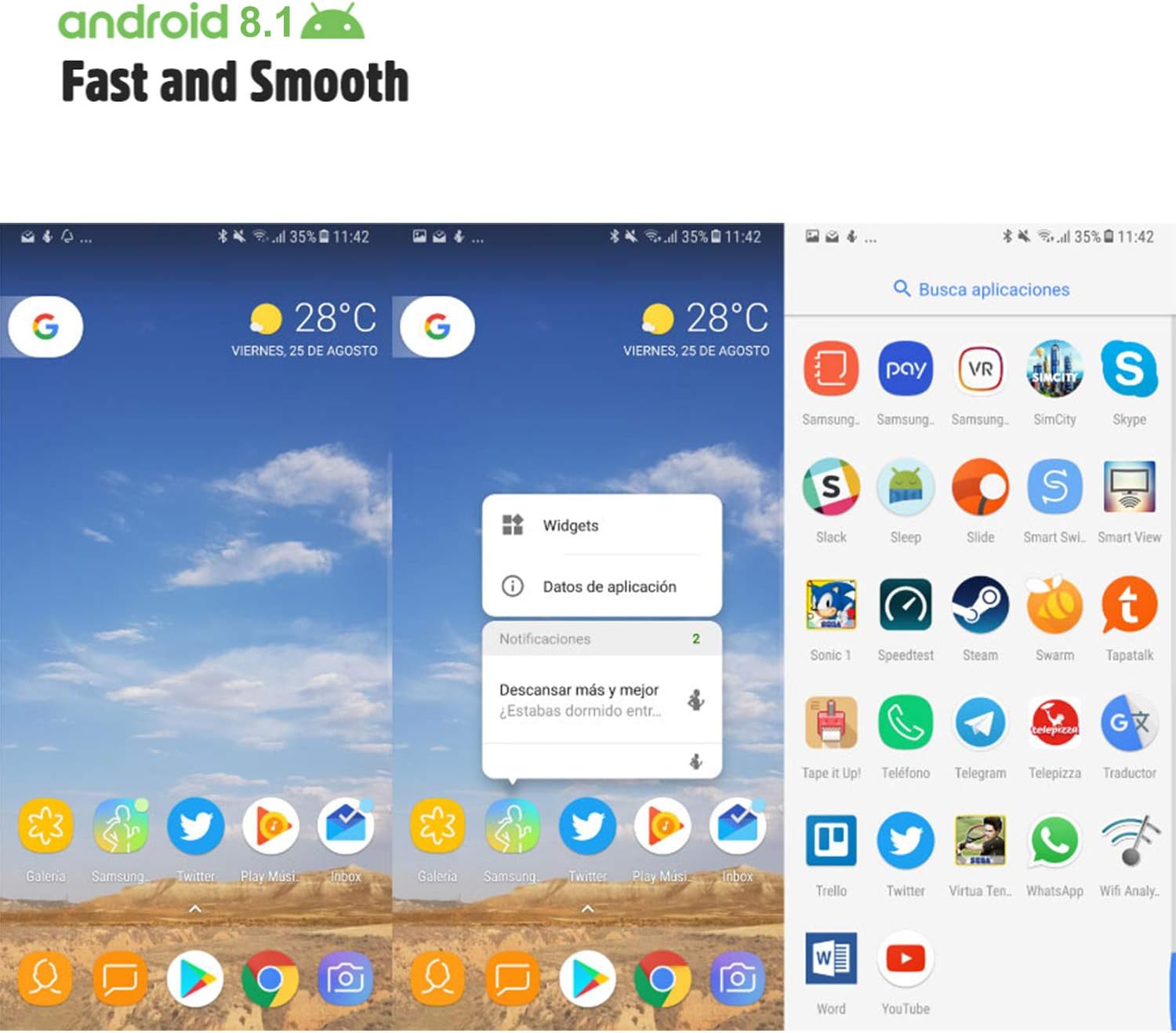
Image: Android 8.1 interface on the Xgody Mate10+.
4.3. Càmera
The Xgody Mate10+ is equipped with dual 5MP cameras, including a rear camera and a front beauty camera, for capturing photos and videos.

Image: Using the front camera for selfies.
4.4. Rendiment i emmagatzematge
The device includes 1GB RAM and 8GB internal storage (ROM), expandable up to 32GB with an external SD card, providing sufficient space for applications and media.

Image: Internal components and storage capabilities.
4.5. Connectivitat
The Xgody Mate10+ is a 3G unlocked smartphone, supporting WCDMA 850/1900/2100MHz and GSM 850/900/1800/1900 MHz network bands. It is compatible with most WCDMA SIM carriers but not with CDMA carriers (e.g., Sprint, Verizon, Boost Mobile).
4.6. Seguretat
The device supports Face ID for unlocking, providing a convenient and secure method to access your phone.
Vídeo: Acabatview of Xgody Mate10+ features, including camera, processor, memory, Face ID, 5.5-inch screen, dual SIM, and Android 8.1 operating system.
5. Especificacions
| Model | Mate10+ |
| Sistema operatiu | Android 8.1 |
| Mostra | 5.5 inch HD Full View Pantalla |
| RAM | 1 GB |
| ROM (emmagatzematge intern) | 8 GB |
| Emmagatzematge ampliable | Up to 32GB (TF card) |
| Càmera posterior | 5MP |
| Càmera frontal | 5MP (Beauty Camera) |
| Suport de la targeta SIM | Dual SIM Dual Standby (1 Nano SIM, 1 Micro SIM or TF card) |
| Bandes de xarxa | 3G WCDMA 850/1900/2100MHz, 2G GSM 850/900/1800/1900 MHz |
| Capacitat de la bateria | 2000 mAh |
| Tecnologies sense fil | Bluetooth, Wi-Fi, Cellular |
| Connectivitat | USB |
| GPS | GLONASS |
| Pes de l'article | 14 unces |
| Dimensions del producte | 0.39 x 0.39 x 0.39 polzades |
6. Solució De Problemes
If you encounter issues with your Xgody Mate10+, refer to the following common solutions:
- El dispositiu no s'encén: Assegureu-vos que la bateria estigui carregada. Connecteu el carregador i espereu uns minuts abans d'intentar tornar-lo a engegar.
- Poca durada de la bateria: Reduce screen brightness, close unused apps running in the background, disable Wi-Fi/Bluetooth when not in use, and limit background data usage.
- Problemes de connectivitat de xarxa: Check if your SIM card is properly inserted. Verify that your SIM card supports the device's network bands (3G WCDMA 850/1900/2100MHz & 2G GSM 850/900/1800/1900 MHz). Restart the device.
- Aplicacions que es bloquegen o es bloquegen: Close and restart the application. If the issue persists, clear the app's cache and data in Settings > Apps. Consider uninstalling and reinstalling the app.
- Rendiment lent: Close unnecessary background applications. Clear cache data regularly. Ensure sufficient free storage space.
- La pantalla no respon: Reinicieu el dispositiu mantenint premut el botó d'engegada. Si no respon, forceu el reinici mantenint premut el botó d'engegada durant un període prolongat (normalment de 10 a 15 segons).
7. Garantia i Suport
For warranty information and technical support, please refer to the warranty card included in your product package or contact Xgody customer service through their official website or designated support channels. Keep your purchase receipt as proof of purchase for warranty claims.


