1. Introducció
The CooSpo Bike Computer Mount Base (Model BM230) is designed to securely attach your bike computer to your bicycle handlebars. This quick-release adapter base offers broad compatibility with various bike computer brands, ensuring a stable and reliable connection during your rides. It is constructed from high-quality plastic for durability.
2. Contingut del paquet
Verifiqueu que tots els components siguin presents al vostre paquet:
- CooSpo Bike Computer Mount Base
- Rubber O-rings (various sizes for different handlebar diameters)
- T25 Hexagon Wrench (for installation)

Image: The mount base, an adapter, and two rubber O-rings are included in the package.

Image: A different perspective of the mount base, adapter, and O-rings.
3. Configuració i instal·lació
Follow these steps to install the CooSpo Bike Computer Mount Base on your bicycle handlebar:
- Selecciona la ubicació: Choose a suitable location on your handlebar for the mount. Ensure it does not obstruct your view or access to other controls. The mount fits handlebars up to one inch (2.54 cm) in diameter.
- Fixeu la base del muntatge: Place the mount base on the handlebar. Use the appropriate size rubber O-rings to secure the mount firmly around the handlebar. The O-rings should be stretched sufficiently to provide a tight fit without overstretching.
- Estrenyeu bé: Use the provided T25 hexagon wrench to tighten any screws on the mount, if applicable, ensuring the mount is stable and does not rotate freely on the handlebar.
- Verifica l'estabilitat: Gently attempt to move the installed mount to confirm it is securely fastened and will not shift during your ride.

Image: The mount base installed on a handlebar with a bike computer.

Imatge: Una altra view of the mount base and computer on the handlebar.
4. Instruccions de funcionament
Once the mount base is securely installed, you can attach your compatible bike computer:
- Align Computer: Align the tabs on the back of your bike computer with the slots on the mount base.
- Inserir i girar: Gently press the bike computer onto the mount base and twist it clockwise until it clicks into place. This action securely locks the computer onto the mount.
- Remove Computer: To remove the bike computer, twist it counter-clockwise until it unlocks, then lift it off the mount.
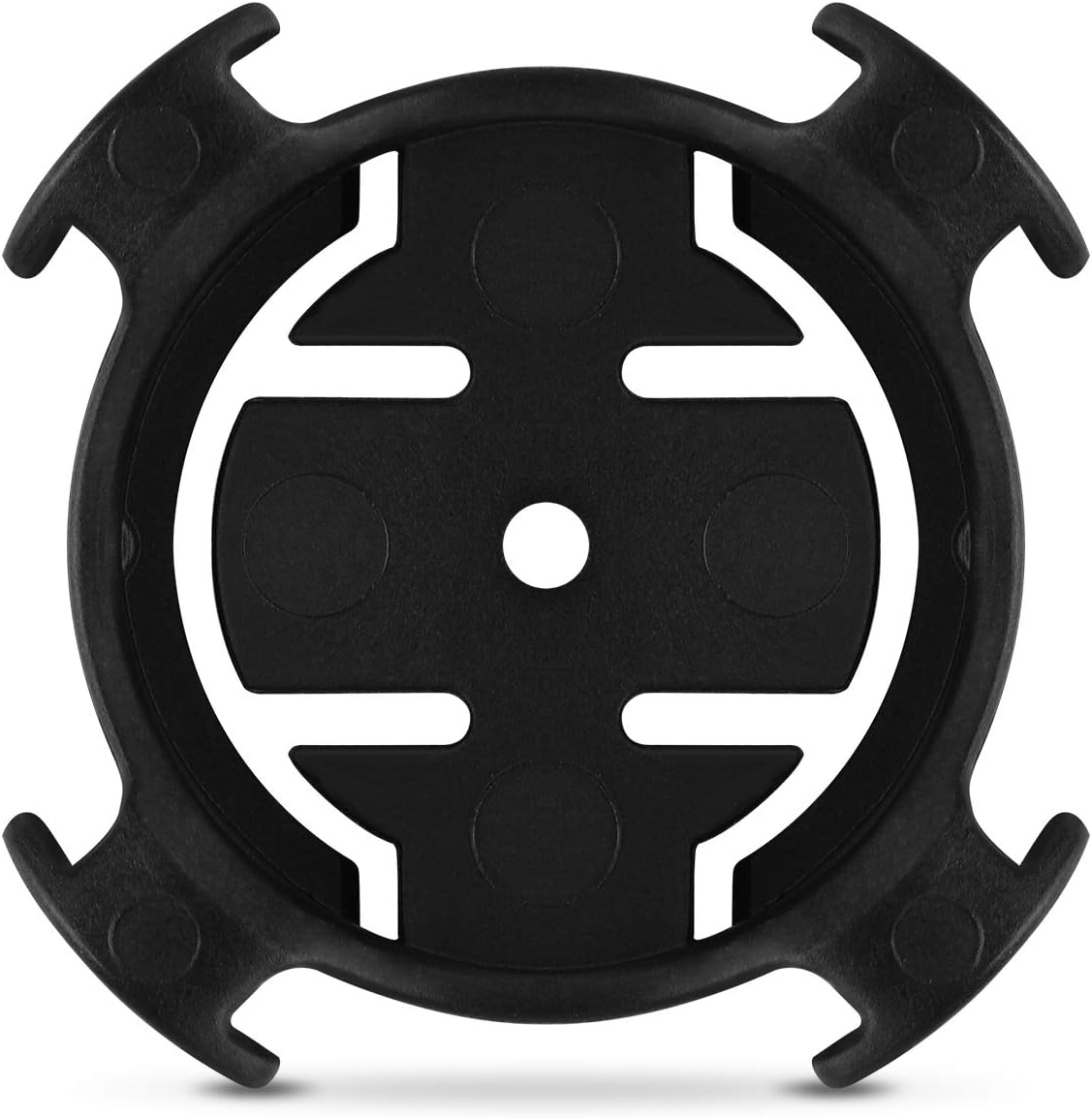
Imatge: Superior view of the mount base, illustrating the locking mechanism.

Imatge: Anglesa view of the mount base.
5. Manteniment
To ensure the longevity and proper function of your CooSpo Bike Computer Mount Base, follow these maintenance guidelines:
- Neteja: Wipe the mount base with a damp drap per eliminar la brutícia i la pols. Eviteu utilitzar productes químics agressius o netejadors abrasius.
- Inspecció: Periodically inspect the mount base and O-rings for any signs of wear, cracks, or damage. Replace components if necessary.
- Secureness Check: Before each ride, ensure the mount is still tightly secured to the handlebar and that your bike computer locks firmly into place.
6. Solució De Problemes
If you encounter issues with your CooSpo Bike Computer Mount Base, refer to the following common problems and solutions:
- Problema: The bike computer spins freely or does not lock securely in place.
Solució:- Ensure the computer is fully twisted clockwise until it clicks.
- Check for any debris or obstruction in the mount's locking mechanism or on the computer's tabs.
- Inspect the mount base for wear or damage to the locking tabs. If damaged, replacement may be necessary.
- Problema: The mount base slides or rotates on the handlebar.
Solució:- Ensure the correct size O-rings are used and that they are stretched sufficiently to create a tight fit.
- Re-tighten any screws on the mount using the T25 hexagon wrench.
- Clean the handlebar surface and the inside of the O-rings to remove any slippery residue.
- Problema: Difficulty attaching or detaching the bike computer.
Solució:- Ensure proper alignment of the computer tabs with the mount slots.
- Apply gentle, consistent pressure while twisting. Avoid excessive force.
- Check for any physical damage to the computer's tabs or the mount's slots.
7. Especificacions
| Característica | Detall |
|---|---|
| Número de model | BM230 |
| Marca | CooSpo |
| Pes de l'article | 0.81 unces (aproximadament 23 grams) |
| Dimensions del paquet | 8 x 5 x 0.05 polzades |
| Tipus de muntatge | Muntatge de bicicleta |
| Característiques especials | Cap inclinat |
| Dispositius compatibles | Bike Computers |
| Models compatibles | CooSpo BC200, BC107, BC26, CS300, CS500; XOSS; iGPSPORT; Bryton; Garmin Edge 530, 830, 130, 130 Plus, 1030 Plus, 520 Plus |

Image: The mount base with its dimensions.
8. Garantia i Suport
For warranty information or technical support, please refer to the official CooSpo weblloc web o contacteu directament amb el seu servei d'atenció al client. Conserveu el rebut de compra com a comprovant de compra per a qualsevol reclamació de garantia.
CooSpo Official Weblloc: www.coospo.com