1. Introducció
This manual provides detailed instructions for the assembly, operation, and maintenance of your Tribesigns Computer Desk with Storage Shelves. Please read this manual thoroughly before beginning assembly to ensure correct setup and safe use of the product. Retain this manual for future reference.
2. Especificacions del producte
| Característica | Detall |
|---|---|
| Marca | Signes de tribus |
| Número de model | fd6aa2dc-c4aa-4aa9-bb82-773bcdb15661 |
| Color | Vintagi marró |
| Estil | Industrial |
| Material base | Fusta |
| Tipus de material superior | Fusta |
| Tipus d'acabat | Recobert de pols |
| Característica especial | Storage Shelves and Drawer |
| Tipus d'habitació | Oficina |
| Nombre de calaixos | 1 |
| Mida (LxWxH) | 120 x 50 x 92 centímetres |
| Nombre de prestatgeries | 3 |
| Muntatge obligatori | Sí |
| Recomanació de pes màxim | 50 quilos |
| Eines recomanades per al muntatge | Controlador de cargol |
3. Contingut del paquet
Upon unpacking, verify that all components and hardware are present and undamaged. The package should contain all necessary parts for assembling the Tribesigns Computer Desk, including:
- Desktop panels
- Components del suport del monitor
- Side shelf panels
- Components del marc metàl·lic
- Drawer components
- Assembly hardware (screws, bolts, connectors)
- Assembly tools (e.g., screwdriver, if included)
Si falta alguna peça o hi ha alguna danyada, poseu-vos en contacte amb el servei d'atenció al client abans de continuar amb el muntatge.
4. Informació de seguretat
- Munta sempre l'escriptori sobre una superfície suau i neta per evitar ratllades.
- Assegureu-vos que tots els cargols i elements de fixació estiguin ben ajustats abans d'utilitzar-los. Comproveu-los periòdicament i torneu-los a apretar segons calgui.
- Do not exceed the maximum weight recommendation of 50 kilograms for the desk.
- Mantingueu les peces petites i els materials d'embalatge fora de l'abast dels nens i les mascotes per evitar riscos d'asfíxia.
- Eviteu estar dret o assegut a l'escriptori.
- Place the desk on a level surface to prevent wobbling and instability.
5. Instruccions de muntatge i instal·lació
Assembly of the Tribesigns Computer Desk requires a screwdriver. Follow the steps below carefully.

Figura 5.1: A technical diagram illustrating the precise measurements of the Tribesigns Computer Desk, including height, width, and depth of the main desk surface, monitor stand, and side shelves. Refer to these dimensions for space planning.

Figura 5.2: This image displays the Tribesigns Computer Desk with Storage Shelves, featuring a monitor, keyboard, and various office accessories, set up in a modern home office environment.
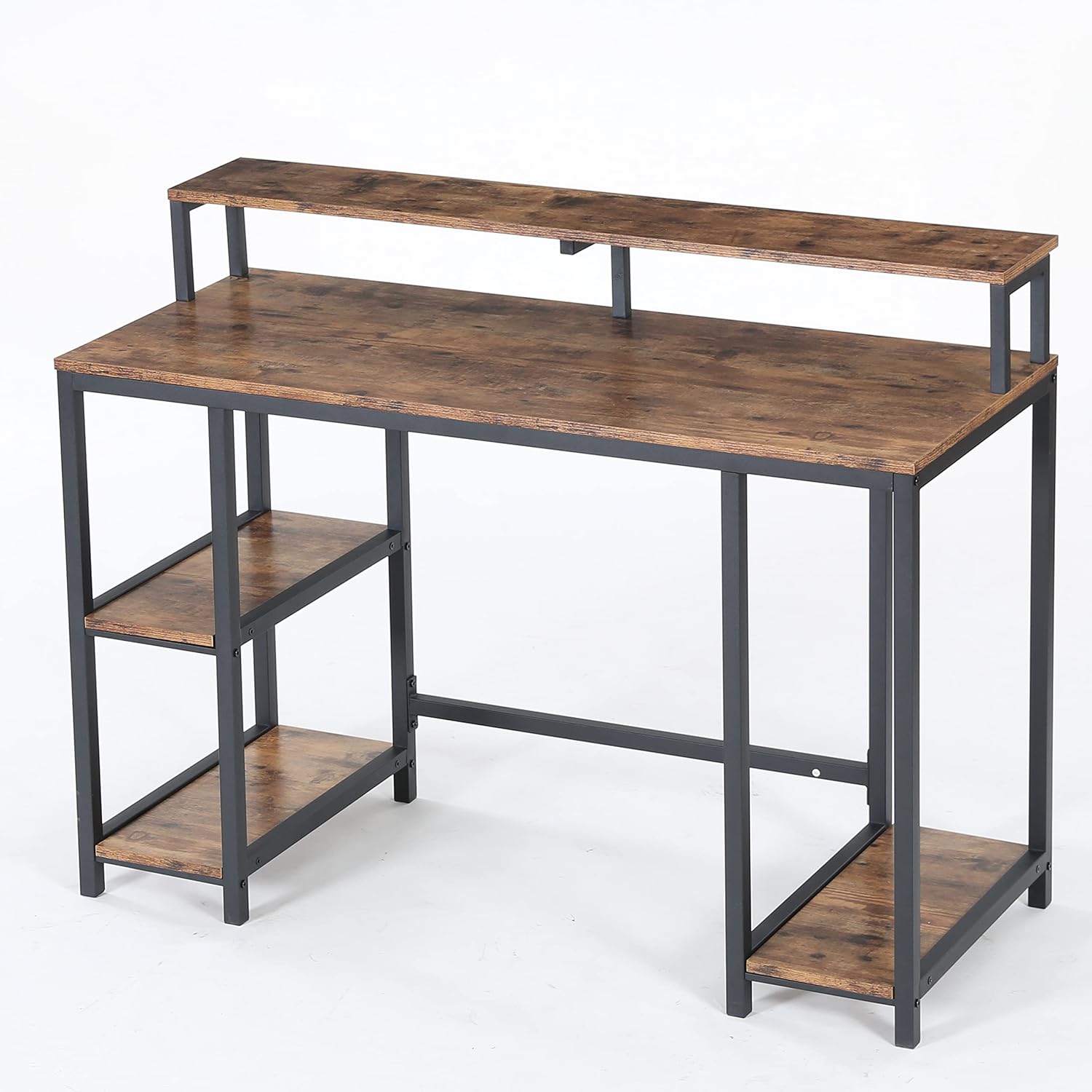
Figura 5.3: A view of the Tribesigns Computer Desk from a different angle, highlighting its industrial aesthetic with a vintage brown wood finish and black metal frame.

Figura 5.4: A close-up image focusing on the wide desktop surface and the integrated monitor stand, emphasizing the ample space available for work and display.

Figura 5.5: This image provides a close-up of the desk's storage features, including two open side shelves for books and supplies, and a dedicated open shelf designed for a computer tower (CPU).
Passos de muntatge:
- Desempaquetar i identificar les peces: Carefully remove all components from the packaging. Lay them out on a soft, clean surface. Refer to the included parts list (not provided in this manual, typically found in the product box) to identify each piece.
- Muntar el marc metàl·lic: Begin by connecting the main metal frame components using the provided screws and the recommended screwdriver. Ensure all connections are firm but do not fully tighten screws until the entire frame is assembled.
- Attach Side Shelves: Secure the wooden side shelf panels to the designated sections of the metal frame. Pay attention to the orientation of the shelves.
- Install the Desktop: Place the main wooden desktop panel onto the assembled frame. Align the pre-drilled holes and secure it with screws.
- Assemble the Monitor Stand: Attach the monitor stand components to the main desktop as indicated in the product's specific assembly diagram.
- Instal·leu el calaix: If your model includes a drawer, follow the specific instructions for assembling and installing the drawer mechanism and drawer box.
- Ajustament final: Un cop tots els components estiguin al seu lloc, estrenyeu sistemàticament tots els cargols i elements de fixació. No els estrenyeu massa.
- Posicionament: Carefully move the assembled desk to its desired location. Ensure it is stable and level.
6. Instruccions de funcionament
The Tribesigns Computer Desk is designed for straightforward use as a workstation. Place your computer, monitor, and other office equipment on the main desktop and monitor stand. Utilize the integrated side shelves and drawer for organizing books, documents, and supplies.

Figura 6.1: The Tribesigns Computer Desk positioned in a room, complete with a computer monitor, keyboard, and a chair, demonstrating its functional use as a workstation.

Figura 6.2: Un detallat view of the Tribesigns Computer Desk's main surface, featuring a computer monitor on the elevated stand, a keyboard, mouse, and decorative items.

Figura 6.3: An illustration of two Tribesigns Computer Desks placed adjacent to each other, creating an extended workspace suitable for multiple users or a larger setup.
7. Manteniment
To maintain the appearance and longevity of your Tribesigns Computer Desk, follow these simple care instructions:
- Neteja: Neteja les superfícies amb l’anunciamp cloth to remove dust and spills. Follow with a dry cloth to prevent water marks.
- Eviteu productes químics durs: No utilitzeu netejadors abrasius ni dissolvents químics forts, ja que poden danyar l'acabat.
- Protegir superfícies: Use coasters for drinks and pads under hot items to protect the desktop surface.
- Comprovacions periòdiques: Inspeccioneu periòdicament tots els cargols i connexions per assegurar-vos que romanen ajustats. Torneu a apretar-los si cal.
8. Solució De Problemes
If you encounter any issues with your Tribesigns Computer Desk, consider the following common solutions:
- L'escriptori és tambaleant: Ensure the desk is placed on a level surface. Check that all assembly screws are fully tightened. Adjust any leveling feet if present.
- Peces que falten: If you find parts missing during assembly, refer to the package contents section and contact customer support for assistance. Do not attempt to substitute parts.
- Dificultat de muntatge: Review the assembly instructions carefully. Ensure you are using the correct hardware for each step. Sometimes, loosening screws slightly before final tightening can help align components.
9. Garantia i Suport
The Tribesigns Computer Desk comes with a Garantia limitada. For specific details regarding warranty coverage, duration, and terms, please refer to the warranty information provided with your purchase or contact Tribesigns customer support directly.
For further assistance, technical support, or to report missing/damaged parts, please contact Tribesigns customer service through their official weblloc web o la informació de contacte proporcionada en el moment de la compra.


