Introducció
This manual provides detailed instructions for the operation and maintenance of your Audizio Parma Portable DAB Radio. Please read this manual thoroughly before use to ensure proper functionality and to maximize your listening experience.
Producte acabatview
Característiques clau
- DAB, DAB+, and FM Radio Reception
- Bluetooth for Wireless Audio Streaming
- 2-inch TFT Color Display with Dimmer
- 30 Presets for DAB and FM Radio
- Automatic Scan Function
- Clock with Date, Dual Alarm, and Sleep Timer
- Conector d'auriculars
- Line Out for External Audio Systems
- USB (5V) or Battery Powered (4x AAA, not included)
Controls i connexions
Familiarize yourself with the controls and connections of your Audizio Parma radio.

Imatge 1: Frontal View of Audizio Parma Radio. This image displays the front of the radio, featuring the speaker grille on the left and the color display on the right. Below the display are control buttons for 'SOURCE', '-TU+', 'PRESET', 'MENU', 'INFO', and the power button. The display shows "Welcome to Digital Radio".

Image 2: Side Panel Controls and Connections. This image shows the right side of the radio. From top to bottom, it includes a 'SELECT/ENTER SNOOZE' rotary knob, 'VOL-' and 'VOL+' indicators, a headphone jack, an 'AUX IN' port, and a '5V 1A' USB power input port.
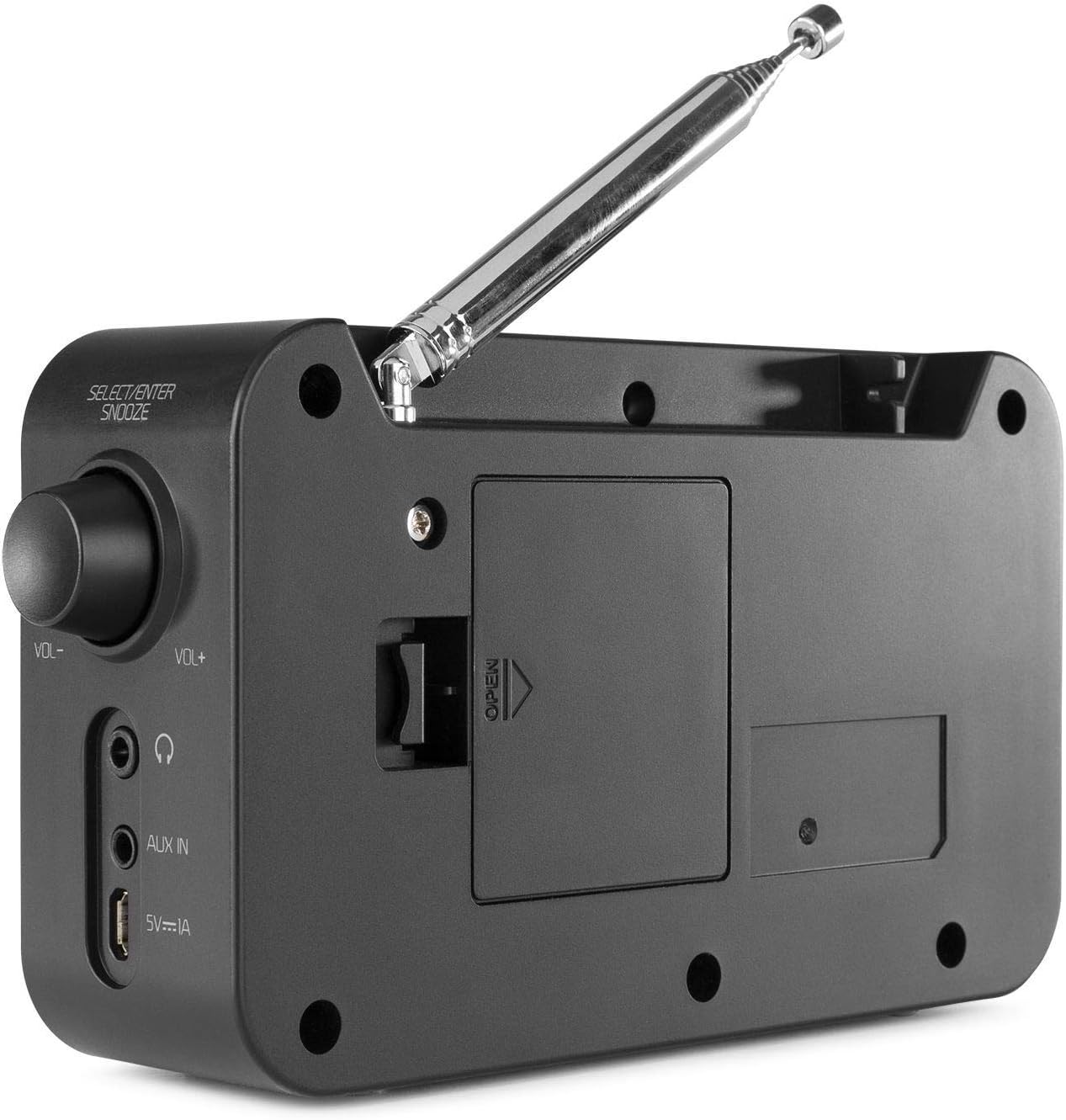
Imatge 3: posterior View of Audizio Parma Radio. This image shows the back of the radio, highlighting the extendable telescopic antenna at the top and the battery compartment cover with an "OPEN" indicator in the center.
Configuració
Alimentació de la ràdio
The Audizio Parma radio can be powered in two ways:
- Potència USB: Connect the supplied USB cable to the 5V 1A USB port on the side of the radio and to a compatible USB power adapter (not included) or a powered USB port.
- Potència de la bateria: For portable use, insert 4x AAA batteries (not included) into the battery compartment located on the rear of the radio. Ensure correct polarity.
Ajust de l'antena
Esteneu completament l'antena telescòpica per a una recepció òptima de ràdio DAB/DAB+ i FM.
Encès inicial
Premeu el botó Poder button to turn on the radio. The display will illuminate.
Instruccions de funcionament
Selecting a Mode (Source)
Premeu el botó FONT button repeatedly to cycle through available modes: DAB, FM, Bluetooth.
Mode de ràdio DAB/DAB+
- Seleccioneu DAB mode utilitzant el FONT botó.
- Upon first use, the radio will automatically perform a full scan for available DAB/DAB+ stations. This may take a few minutes.
- Un cop finalitzada la cerca, la ràdio sintonitzarà la primera emissora disponible.
- To navigate between stations, use the -TU+ botons.
- A view station information (e.g., program type, signal strength), press the INFO botó repetidament.
- Escaneig manual: If reception is poor or you move to a new location, you can initiate a manual full scan via the MENÚ opcions.

Image 4: DAB Full Scan in Progress. The radio is shown on a kitchen counter, with its display indicating "Full scan" and "Scanning".

Image 5: DAB Station Information Display. The radio's screen shows "DAB" at the top, "Veronica" as the station name, and "Billy Ocean - When the going gets tough" as the current track information.
Mode de ràdio FM
- Seleccioneu FM mode utilitzant el FONT botó.
- Escaneig automàtic: Manteniu premut el botó -TU+ buttons to automatically scan for the next available FM station.
- Sintonització manual: Premeu breument -TU+ botons per ajustar la freqüència pas a pas.
- A view station information (e.g., RDS data), press the INFO botó repetidament.
Desar i recuperar preajustos
The radio supports 30 presets for both DAB and FM modes.
- Per desar una configuració predefinida:
- Sintonitza l'emissora desitjada.
- Manteniu premut el botó PRESET fins que aparegui "Preset Store" a la pantalla.
- Utilitza el -TU+ buttons to select the desired preset number (1-30).
- Premeu el botó SELECCIONAR/ENTRAR knob to confirm and save the station.
- Per recuperar un valor predefinit:
- Premeu breument PRESET botó.
- Utilitza el -TU+ botons per seleccionar el número preestablert desitjat.
- Premeu el botó SELECCIONAR/ENTRAR botó per sintonitzar l'emissora desada.
Mode Bluetooth
- Seleccioneu Bluetooth mode utilitzant el FONT button. The display will show "Bluetooth Pairing" or similar.
- Al dispositiu amb Bluetooth (telèfon intel·ligent, tauleta, etc.), activeu el Bluetooth i cerqueu els dispositius disponibles.
- Select "Audizio Parma" from the list of devices.
- Once paired, you can stream audio wirelessly from your device to the radio.
- Ajusteu el volum amb el botó VOL- i VOL+ controls on the radio or your connected device.
Funció de despertador
The Audizio Parma features a dual alarm function.
- Premeu el botó MENÚ botó.
- Navigate to "Alarm" using the -TU+ botons i premeu SELECCIONAR/ENTRAR.
- Select "Alarm 1 Setup" or "Alarm 2 Setup".
- Follow the on-screen prompts to set the alarm time, duration, source (Buzzer, DAB, FM), and frequency (Daily, Once, Weekdays, Weekends).
- Premeu SELECCIONAR/ENTRAR per confirmar cada configuració.
- Per posposar una alarma activa, premeu la tecla DORMITAR button (located on the SELECCIONAR/ENTRAR pom).
- Per desactivar una alarma, premeu la tecla Poder botó.
Funció Sleep Timer
El temporitzador de son permet que la ràdio s'apagui automàticament després d'un període de temps definit.
- Premeu el botó MENÚ botó.
- Navigate to "Sleep" using the -TU+ botons i premeu SELECCIONAR/ENTRAR.
- Utilitza el -TU+ buttons to select the desired sleep duration (e.g., 15, 30, 45, 60, 90 minutes, or Off).
- Premeu SELECCIONAR/ENTRAR to confirm. The radio will turn off automatically after the selected time.
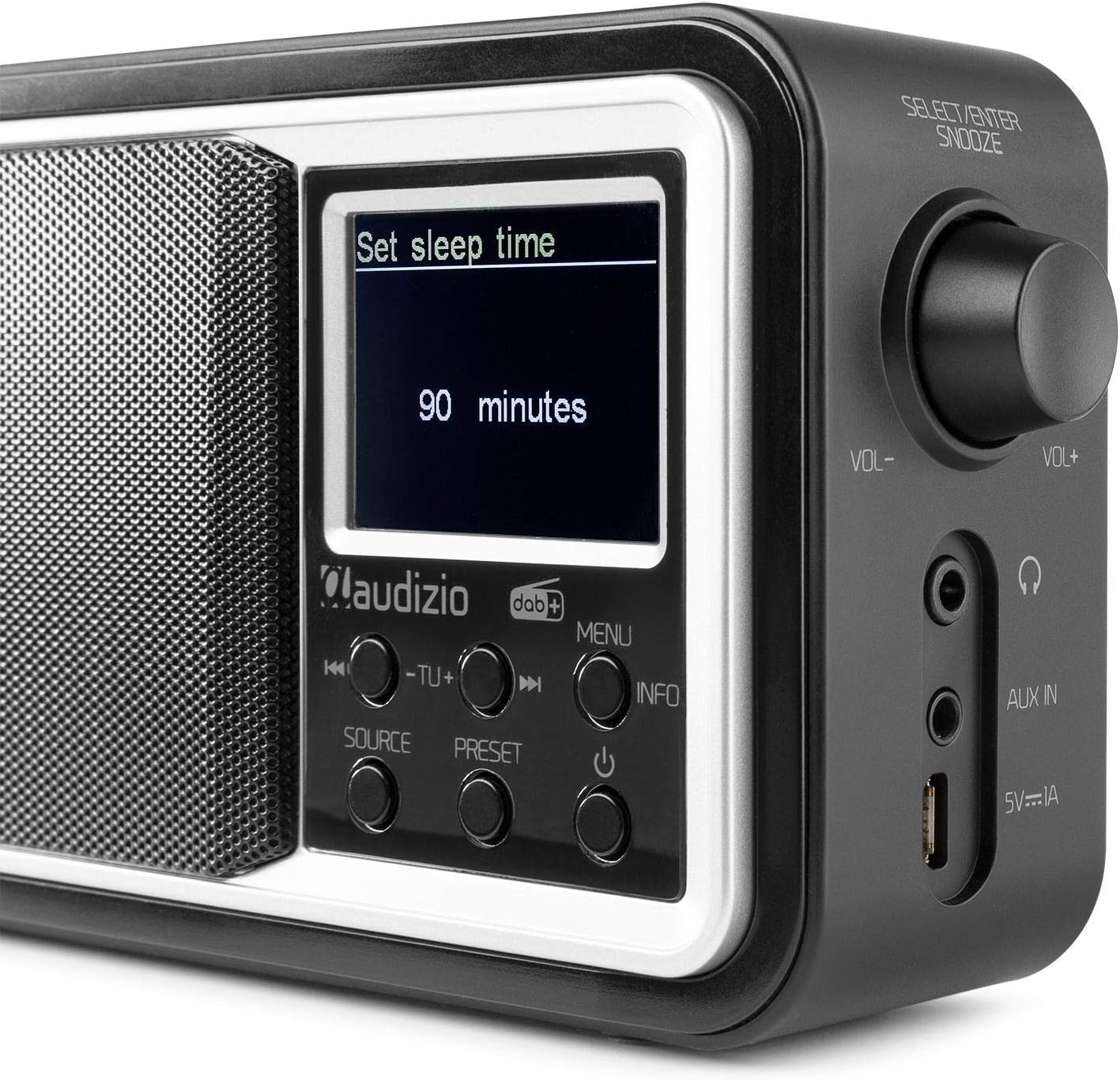
Image 6: Sleep Timer Setting. The radio's display shows "Set sleep time" with "90 minutes" highlighted, indicating the selected duration for the sleep timer.
Headphone and Line Out Connections
- Auriculars Jack: Connect standard 3.5mm headphones to the headphone jack for private listening. The internal speaker will be muted.
- Sortida de línia: Use the 3.5mm Line Out jack to connect the radio to an external audio system or ampmés viu.
Manteniment
- Neteja: Netegeu la ràdio amb un drap suau i sec. No utilitzeu productes de neteja abrasius ni dissolvents.
- Substitució de la bateria: If using batteries, replace all four AAA batteries when the low battery indicator appears or when performance degrades.
- Cura de l'antena: Handle the telescopic antenna carefully to prevent bending or damage.
- Emmagatzematge: Si guardeu la ràdio durant un període prolongat, traieu-ne les piles per evitar fuites.
Resolució de problemes
| Problema | Causa possible | Solució |
|---|---|---|
| No hi ha alimentació / La ràdio no s'encén. | No USB power or flat batteries. | Check USB connection and power adapter. Replace batteries if using battery power. |
| Mala recepció DAB/FM. | Antena no estesa, senyal feble o interferències. | Fully extend the telescopic antenna. Try repositioning the radio. Perform a full scan for stations. |
| El dispositiu Bluetooth no es pot emparellar. | Radio not in Bluetooth mode, device too far, or already paired with another device. | Ensure radio is in Bluetooth mode. Move device closer. Disconnect from other Bluetooth devices. |
| No hi ha so de l'altaveu. | Volume too low, headphones connected, or Line Out connected. | Increase volume. Disconnect headphones or Line Out cable. |
Especificacions
| Característica | Especificació |
|---|---|
| Marca | Audizio |
| Número de model | Parma |
| Color | Negre |
| Bandes de ràdio compatibles | DAB, DAB+, FM |
| Tecnologia de connectivitat | Bluetooth, USB |
| Mostra | Pantalla TFT a color de 2 polzades |
| Potència de sortida dels altaveus | 15 watts |
| Font d'alimentació | USB 5V (adapter not included), 4x AAA Batteries (not included) |
| Conector d'auriculars | 3.5 mm |
| Sortida de línia | 3.5 mm |
| Dimensions (L x A x A) | 155 x 45 x 115 mm |
| Pes | 0.4 kg |
Garantia i Suport
For warranty information and technical support, please refer to the documentation provided with your purchase or visit the official Audizio website. Information regarding spare parts availability and software updates is not available in this manual.


