1. Producte acabatview
The APC Smart-UPS SMX750C is an ENERGY STAR® Certified Line Interactive Uninterruptible Power Supply (UPS) designed to provide reliable power backup and protection for critical electronic equipment. This model offers extended runtime capabilities and can be scaled with external battery packs to ensure business continuity during prolonged power outages.
Key features include remote monitoring and management options via Network Management Card, SmartConnect, or EcoStruxure IT. The SMX750C is versatile, usable as a standalone tower unit or convertible to a 2U rackmount configuration for integration into NetShelter SX, SV, CX2, and WX series wall-mount racks.
Beneficis clau:
- Volum automàtictage Regulació (AVR): Corrects voltage fluctuations without using battery power, prolonging battery life.
- Mode verd: Bypasses unused electrical components in good power conditions to achieve very high operating efficiency.
- Intuitive LCD Interface: Provides clear and accurate information in multiple languages.
- Pure Sinewave Output: Compatible with active power factor corrected servers and sensitive electronics.
- Predictive Battery Replacement Date: Helps in proactive maintenance.
- Comptador d'energia: Displays actual kilowatt hours of usage.
- Emergency Power Off (EPO) Switch: Provides an immediate shutdown option.

Figura 1: Frontal view of the APC Smart-UPS SMX750C in its tower configuration, showcasing the LCD display and ventilation grille.
2. Configuració i instal·lació
2.1 Desembalatge i inspecció
Carefully unpack the UPS and inspect it for any shipping damage. Retain the packaging materials for future use or transport.
2.2 Col·locació
The SMX750C can be deployed in two primary configurations: as a standalone tower unit or installed in a 2U rackmount setup. Ensure adequate ventilation around the unit, avoiding placement near heat sources or in direct sunlight.

Figura 2: Frontal view of the APC Smart-UPS SMX750C configured for rackmount installation. Rail kits are sold separately (part # AP9625).
2.3 Connexió a l'alimentació i als dispositius
Connect the UPS to a grounded power outlet using the integrated NEMA 5-15P input plug. Connect your critical equipment to the eight NEMA 5-15R output receptacles on the rear of the UPS. Ensure that the total load does not exceed the UPS's capacity (750VA / 600W).

Figura 3: posterior view of the UPS, highlighting the NEMA 5-15R output receptacles, NEMA 5-15P input, network port, and other connectivity options.
2.4 Optional External Battery Pack Installation
For extended runtime, the SMX750C supports external battery packs (model SMX48RMBP2U, sold separately). Refer to the external battery pack's manual for specific installation instructions. Connect the external battery pack to the designated port on the rear of the UPS.
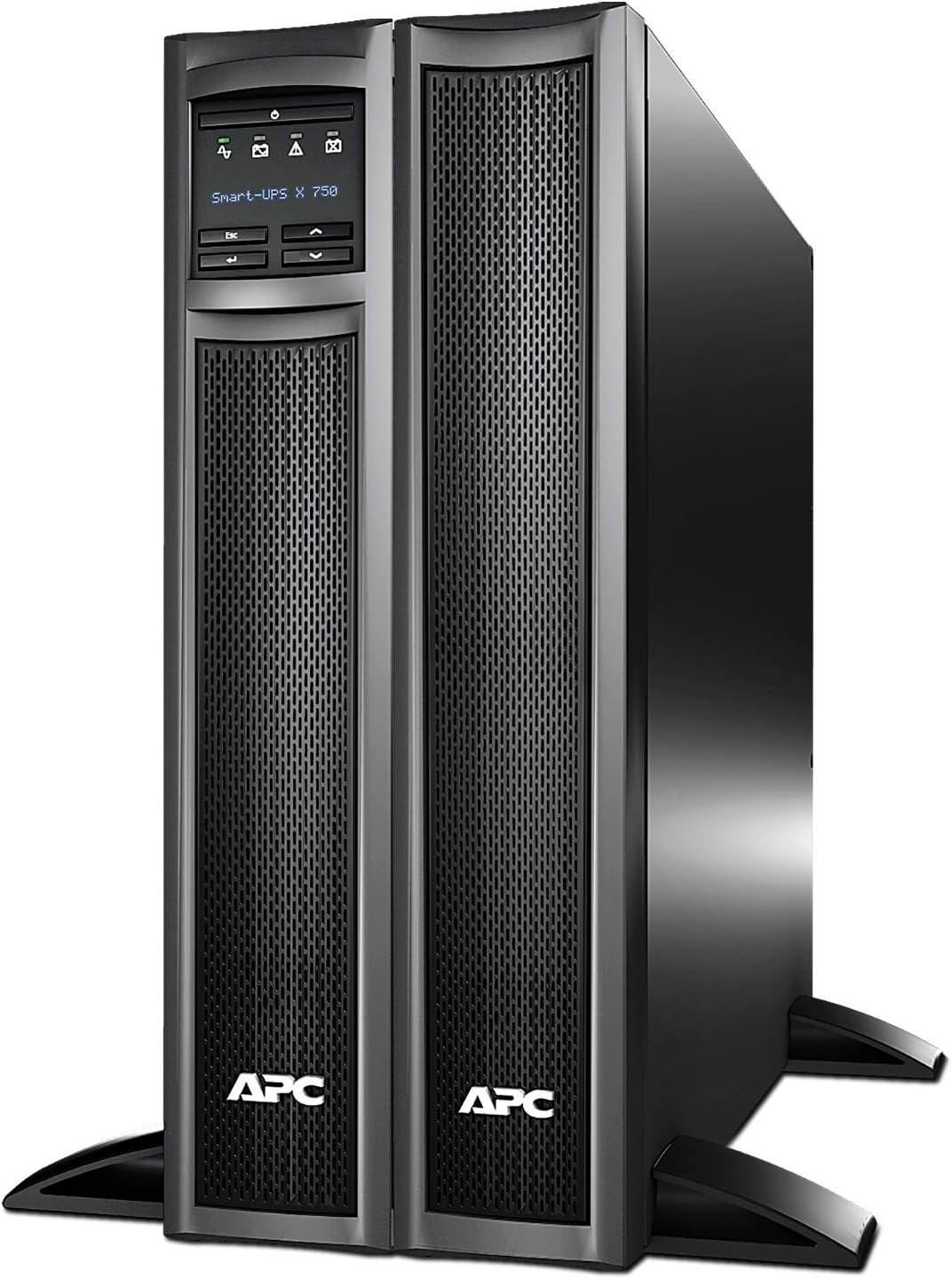
Figura 4: Frontal view of the UPS connected to an optional external battery pack for extended runtime.
2.5 Configuració de SmartConnect
The APC SmartConnect feature allows for easy remote monitoring via a secure portal. This provides automatic notifications, firmware updates, and advanced support services. For units purchased or registered after August 1, 2023, a 6-month free trial of SmartConnect is offered. Connect the UPS to your network via the Ethernet port and follow the instructions provided with your unit for SmartConnect activation.
3. Funcionament del SAI
3.1 Engegada/apagada
To power on the UPS, press the power button on the front panel. To power off, press and hold the power button until the unit shuts down. For emergency situations, use the Emergency Power Off (EPO) switch if installed and configured.
Pantalla LCD 3.2 i navegació
The intuitive LCD interface provides real-time status, configuration options, and alarm notifications. Use the navigation buttons (up, down, enter, escape) to browse menus and adjust settings. Information such as input/output voltage, percentatge de càrregatage, battery charge, and estimated runtime are displayed.
3.3 Green Mode Operation
The UPS operates in Green Mode when power conditions are stable, bypassing internal components to maximize efficiency and reduce energy consumption. The UPS automatically switches to line-interactive mode or battery mode when power quality degrades or during an outage.
3.4 comptador d'energia
Monitor your power consumption using the integrated Energy Meter, which displays actual kilowatt hours of usage. This feature helps in understanding and managing energy costs.
4. Manteniment
4.1 Cura i substitució de la bateria
The UPS uses a 12V Lead Acid battery (included). Batteries are consumable items and have a finite lifespan. The UPS provides a predictive battery replacement date to help you plan for timely replacement. It is recommended to replace batteries when indicated by the UPS or every 2-3 years, whichever comes first, to ensure optimal performance.
For extended runtime models, external battery packs (SMX48RMBP2U) also require periodic maintenance and replacement. Always use genuine APC replacement batteries to maintain warranty and performance.
4.2 Neteja
Keep the UPS clean and free of dust. Use a dry cloth to wipe down the exterior. Do not use liquid cleaners or solvents. Ensure ventilation openings are not obstructed.
5. Solució De Problemes
This section provides general guidance for common issues. For detailed troubleshooting, refer to the full product manual available on the APC website or contact APC technical support.
5.1 Common Indicators and Solutions
- El SAI no s'encén: Ensure the input power cord is securely connected to a live outlet. Check the circuit breaker.
- El SAI emet un so continu: This usually indicates the UPS is operating on battery power due to a power outage or severe voltage fluctuation. Save your work and shut down connected equipment if the outage és prolongat.
- "Replace Battery" Indication: The UPS has detected that the battery is nearing the end of its service life. Order a replacement battery as soon as possible.
- Alarma de sobrecàrrega: The total power draw of connected equipment exceeds the UPS's capacity. Disconnect non-essential equipment until the load is within limits.
The LCD display will provide specific error codes or messages that can help diagnose issues. Consult the manual's error code section for detailed explanations.
6. Especificacions
| Característica | Detall |
|---|---|
| Número de model | SMX750C |
| Capacitat | 750 VA / 600 W |
| Entrada Voltage | 120 Volts |
| Connexió d'entrada | NEMA 5-15P |
| Connexions de sortida | 8 x NEMA 5-15R |
| Tipus de bateria | Plom-àcid (1 x 12V inclosa) |
| Dimensions del producte (P x A x A) | 19.3" x 3.5" x 17" (49.02 cm x 8.89 cm x 43.18 cm) |
| Pes de l'article | 28.3 lliures (12.84 kg) |
| Factor de forma | Tower / 2U Rackmount Convertible |
| Color | Negre |
| Primera data disponible | 15 de desembre de 2020 |
7. Informació de la garantia
The APC Smart-UPS SMX750C typically comes with a 3-year warranty for the unit i a 2-year warranty for the included battery. Warranty terms may vary by region and retailer. Please retain your proof of purchase for warranty claims.
For detailed warranty terms and conditions, please refer to the official APC weblloc web o la targeta de garantia inclosa amb el producte.
8. Suport
For technical assistance, product inquiries, or to purchase accessories and replacement parts, please contact APC Customer Support.
- Recursos en línia: Visita l'oficial Botiga APC a Amazon or the main APC website for FAQs, downloads, and support documentation.
- Suport tècnic: Refer to the contact information provided in your product packaging or on the APC website for phone and email support options.


