1. Introducció
The EasySMX V07W Wireless Gaming Headset offers a versatile audio solution for gamers across multiple platforms. Featuring 2.4G wireless, Bluetooth 5.2, and 3.5mm wired connectivity, it provides ultra-low latency for gaming and broad compatibility with various devices. Designed for comfort during extended use, it includes a detachable noise-cancelling microphone and immersive Hi-Fi stereo sound with 50mm drivers.
2. Contingut del paquet
Marqueu la casella per als elements següents:
- EasySMX V07W Wireless Gaming Headset
- Dongle USB 2.4G
- Micròfon desmuntable amb cancel·lació de soroll
- Cable d'àudio de 3.5 mm
- Cable de càrrega tipus C.
- Manual d'usuari (aquest document)

Figure 2.1: Contents of the EasySMX V07W Headset package, including the headset, USB dongle, detachable microphone, 3.5mm audio cable, and Type-C charging cable.
3. Producte acabatview
Familiarize yourself with the various components and controls of your EasySMX V07W Wireless Gaming Headset.

Figure 3.1: The EasySMX V07W Wireless Gaming Headset, showcasing its sleek design and integrated RGB lighting on the earcups.
3.1 Controls i indicadors

Figure 3.2: Detailed diagram highlighting the LED button, Power button, USB-C Charging Jack, Indicator Light, Microphone, 3.5mm Audio Jack, Volume Control Wheel, and Mute button on the headset.
- Botó d'encesa: Press and hold to power on/off the headset.
- Botó LED: Controls the RGB lighting effects on the earcups.
- Roda de control de volum: Ajusta el volum de sortida d'àudio.
- Botó de silenci: Silencia o activa el micròfon.
- USB-C Charging Jack: For charging the headset's internal battery.
- Conector d'àudio de 3.5 mm: For wired connection to compatible devices.
- Port del micròfon: Connects the detachable noise-cancelling microphone.
3.2 Característiques clau
- Connectivitat multimodal: Supports 2.4G Wireless USB, Bluetooth 5.2, and 3.5mm Wired connections for broad compatibility.
- Àudio immersiu: Equipped with 50mm drivers and dual-chamber design for stereo Hi-Fi level sound and 3D surround sound experience.
- Micròfon desmuntable amb cancel·lació de soroll: Provides clear voice communication and can be removed when not needed.
- Disseny còmode: Lightweight with soft memory foam earmuffs and an adjustable headband for extended wear.
- Il·luminació RGB: Dynamic RGB gradient lighting on earcups for enhanced aesthetics.
- Bateria de llarga durada: Built-in 1200mAh lithium battery provides up to 25 hours of continuous use (at 50% volume in Bluetooth mode).
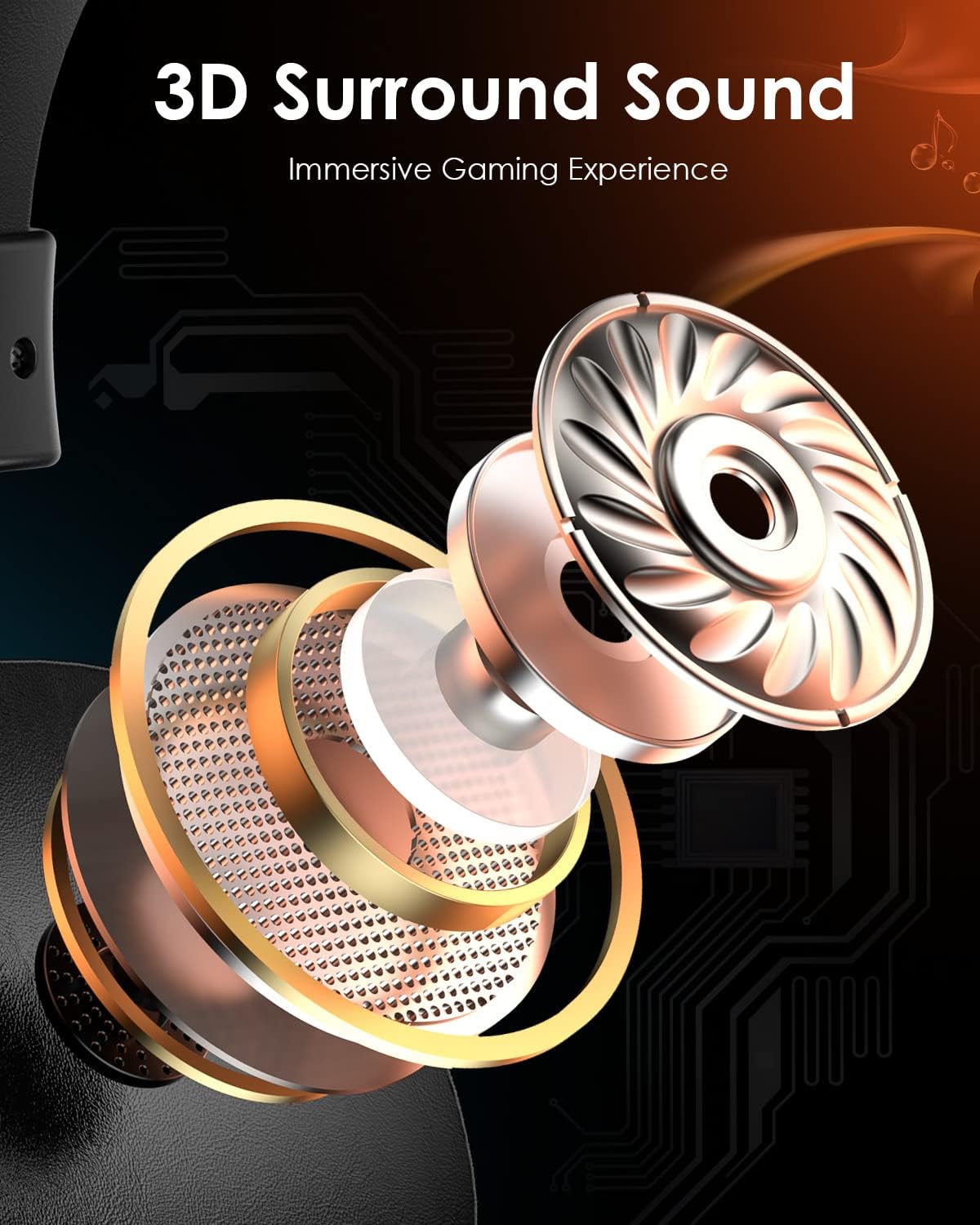
Figura 3.3: Una explosió view illustrating the components that contribute to the headset's 3D surround sound capability, enhancing the immersive gaming experience.
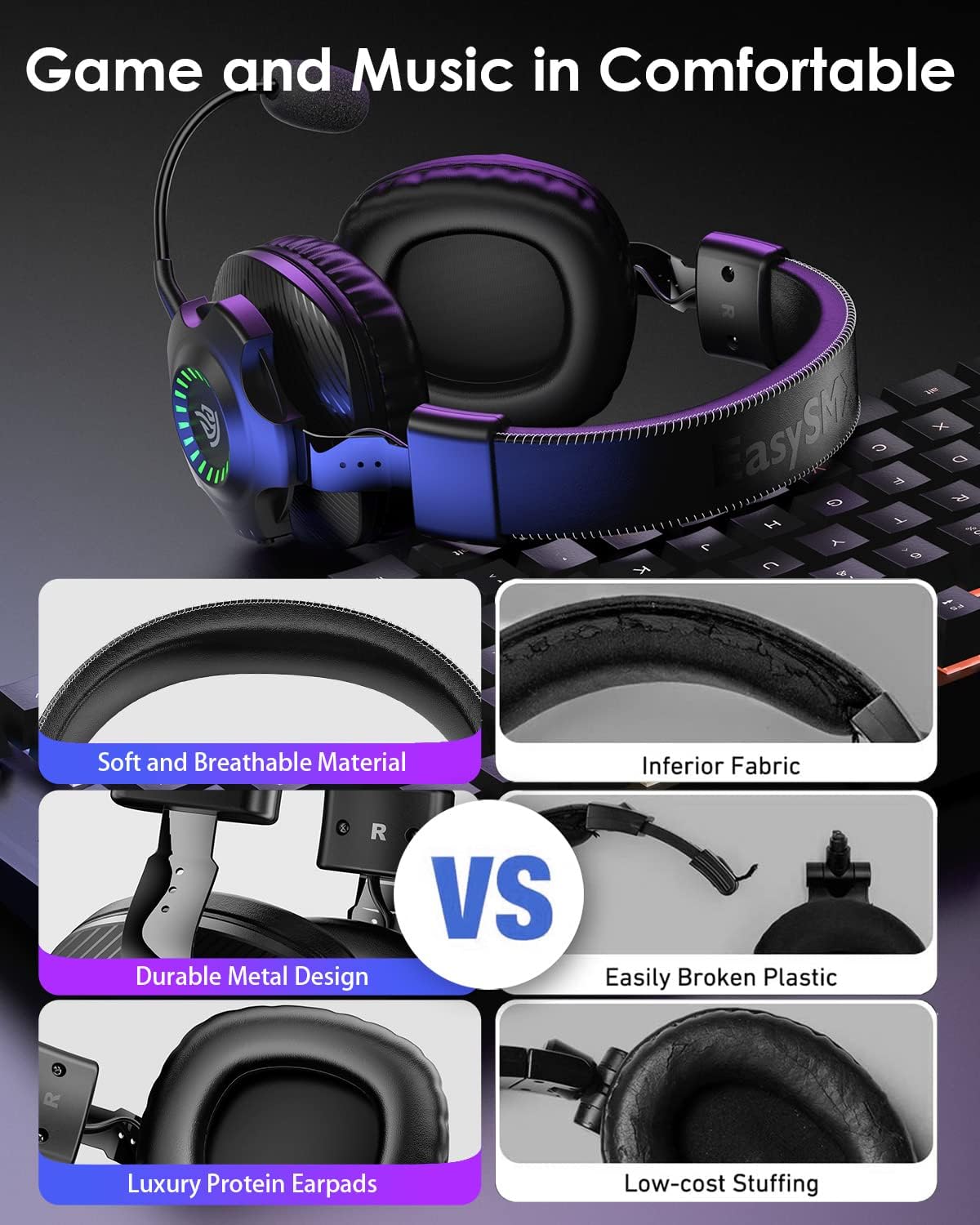
Figure 3.4: Visual comparison highlighting the soft and breathable material, durable metal design, and luxury protein earpads for superior comfort.
4. Configuració
Before using your EasySMX V07W headset, ensure it is fully charged. Connect the Type-C charging cable to the headset's USB-C port and a power source. The indicator lights will show charging status.
4.1 Connectar el micròfon
The microphone is detachable. Align the microphone's 3.5mm jack with the port on the left earcup and push firmly until it clicks into place. To remove, gently pull the microphone straight out.
4.2 Engegada/apagada
Press and hold the Power Button on the earcup for approximately 3 seconds to turn the headset on or off. You will hear an audible prompt.
5. Instruccions de funcionament
The EasySMX V07W headset supports three connection modes: 2.4G Wireless, Bluetooth, and 3.5mm Wired. Choose the appropriate mode based on your device and preference.

Figura 5.1: Mésview of the three available connection modes and compatible devices for each mode.
5.1 2.4G Wireless Connection (for PC, PS4, PS5, Nintendo Switch)
- Plug the 2.4G USB dongle into an available USB port on your PC, PS4, PS5, or Nintendo Switch dock.
- Power on the headset by holding the Power Button. The headset will automatically attempt to pair with the dongle.
- Once connected, the indicator light on the dongle and headset will stabilize.
- On your device, ensure the EasySMX V07W headset is selected as the audio input and output device in sound settings.
5.2 Bluetooth Connection (for Mobile Phones, Laptops, Mac, Nintendo Switch)
- Encendre els auriculars.
- Activate Bluetooth on your mobile phone, laptop, Mac, or Nintendo Switch.
- On your device, search for "EasySMX V07W" in the Bluetooth device list and select it to pair.
- The headset will indicate a successful connection.
5.3 3.5mm Wired Connection (for Xbox One/Series X/S, PC, PS4/PS5 Controller, Nintendo Switch, Mobile Phones)
- Ensure the headset is powered off for wired use.
- Connect one end of the provided 3.5mm audio cable to the 3.5mm audio jack on the headset.
- Connect the other end of the 3.5mm audio cable to the audio port on your device (e.g., Xbox controller, PC audio jack, phone).
- Audio will now be transmitted via the wired connection. Note: RGB lighting and wireless functions are not available in wired mode.
5.4 Device Compatibility Matrix

Figure 5.2: A detailed compatibility matrix showing audio and microphone support for different devices across 2.4GHz USB, Bluetooth, and Wired connections.
6. Manteniment
To ensure the longevity and optimal performance of your EasySMX V07W headset, follow these maintenance guidelines:
- Neteja: Feu servir un drap suau i sec per netejar els auriculars. Per als auriculars, una mica deamp Es pot fer servir un drap, però assegureu-vos que no entri humitat a les reixetes dels altaveus.
- Emmagatzematge: Guardeu els auriculars en un lloc fresc i sec, allunyat de la llum solar directa i de temperatures extremes.
- Càrrega: Carregueu els auriculars regularment, fins i tot si no els feu servir amb freqüència, per mantenir la bateria en bon estat. Eviteu sobrecarregar-los.
- Manipulació: Avoid dropping the headset or subjecting it to strong impacts. Do not pull on cables excessively.
7. Solució De Problemes
If you encounter issues with your EasySMX V07W headset, please refer to the following common troubleshooting steps:
- Sense so/Volum baix:
- Check the volume control wheel on the headset and your device's volume settings.
- Ensure the headset is properly connected (dongle inserted, Bluetooth paired, or 3.5mm cable fully plugged in).
- Verify that the headset is selected as the default audio output device in your system settings.
- El micròfon no funciona:
- Ensure the detachable microphone is securely plugged into its port.
- Check if the microphone mute button on the headset is disengaged.
- Verify that the headset microphone is selected as the default input device in your system's sound settings.
- For PC, check privacy settings to ensure applications have access to the microphone.
- Problemes de connexió (sense fil/Bluetooth):
- Assegureu-vos que els auriculars estiguin completament carregats.
- Move closer to the USB dongle or Bluetooth device to reduce interference.
- Try re-pairing the headset (for Bluetooth) or re-inserting the USB dongle (for 2.4G wireless).
- Avoid using the headset near other strong wireless signals (e.g., Wi-Fi routers).
- Les llums RGB no funcionen:
- Press the LED button on the earcup to cycle through lighting modes or turn them on/off.
- Assegureu-vos que els auriculars tinguin prou càrrega de bateria.
Per a una resolució de problemes més detallada, consulteu el servei oficial Guia de resolució de problemes (PDF) disponible en línia.
8. Especificacions
Key technical specifications for the EasySMX V07W Wireless Gaming Headset:
| Característica | Especificació |
|---|---|
| Nom del model | V07W |
| Tecnologia de connectivitat | 2.4GHZ Wireless, Bluetooth 5.2, 3.5mm Jack Wired |
| Conector d'auriculars | 3.5 mm Jack |
| Tipus de controlador d'àudio | Controlador dinàmic (50 mm) |
| Interval de freqüència | 20 Hz - 20,000 Hz |
| Latència d'àudio | 15 Milliseconds (2.4G) |
| Interval Bluetooth | 10 metres |
| Capacitat de la bateria | Ió de liti de 1200 mAh |
| Temps de càrrega | 4 hores |
| Continuous Use (Wireless) | Up to 25 Hours (50% volume, Bluetooth mode) |
| Pes de l'article | 0.085 unces (aproximadament 2.4 grams) |
| Col·locació de l'orella | Sobre l'orella |
| Control de soroll | Cancel·lació activa de soroll (micròfon) |
| Dispositius compatibles | Windows, Nintendo Switch, PlayStation 4, PlayStation 5, Xbox One (wired only) |
9. Garantia i Suport
EasySMX products are designed and manufactured to the highest quality standards. For information regarding warranty coverage, technical support, or service inquiries, please visit the official EasySMX weblloc web o contacteu directament amb el seu servei d'atenció al client.
També podeu trobar més informació i recursos de suport a EasySMX Store on Amazon.


