1. Introducció
This manual provides detailed instructions for the proper installation, operation, and maintenance of your AIYIMA T8 6N3 Digital Tube Preamplifier. Please read this manual thoroughly before using the device to ensure optimal performance and safety. The AIYIMA T8 is a versatile audio component designed to enhance your listening experience with its tube preamplification, digital-to-analog conversion (DAC), and multiple input options.
2. Instruccions de seguretat
- Font d'alimentació: Use only the provided DC 12V power adapter. Using an incorrect power supply may damage the device and void the warranty.
- Ventilació: Ensure adequate ventilation around the unit. Do not block ventilation openings or place the unit in an enclosed space.
- Humitat: Keep the device away from water, moisture, and high humidity environments. Do not operate with wet hands.
- Calor: Eviteu col·locar la unitat a prop de fonts de calor com ara radiadors, registres de calor, estufes o altres aparells que produeixin calor.
- Neteja: Disconnect the power before cleaning. Use a dry, soft cloth. Do not use liquid cleaners or aerosol sprays.
- Manteniment: No intenteu atendre aquest producte vosaltres mateixos. Consulteu tots els serveis a personal de servei qualificat.
- Manipulació de tubs: The vacuum tube can become hot during operation. Exercise caution when handling or replacing the tube.
3. Contingut del paquet
Verifiqueu que tots els elements que s'enumeren a continuació s'inclouen al vostre paquet:
- AIYIMA T8 Tube Preamplificador x 1
- Antena Bluetooth x 1
- Control remot x 1
- Manual d'usuari x 1
- 6N3 Vacuum Tube x 1
- Adaptador d'alimentació de 12 V CC x 1

Image: Contents of the AIYIMA T8 package, including the preamplifier, remote, antenna, tube, power adapter, and user manual.
4. Característiques del producte
- Múltiples entrades d'àudio: Supports Bluetooth 5.0, PC-USB, Optical (OPT), Coaxial (COA), and RCA inputs for connectivity with various devices such as smartphones, tablets, PCs, TVs, DVD players, and more.
- Auriculars Ampmés viu: Functions as a dedicated headphone amplifier with a 3.5mm output, suitable for headphones with impedance ranging from 16Ω to 300Ω.
- Bluetooth 5.0 with APTX: Features QCC3031 Bluetooth 5.0 chip with APT-X and APT-X LL lossless transmission for stable and high-quality wireless audio streaming.
- 6N3 Tube Design: Incorporates a 6N3 vacuum tube for warm, retro audio characteristics. The tube is replaceable with compatible types (e.g., 6H3, GE5657, 396A, 2C51, 12B4A, GE5670, 6H3n-E).
- Control de tons: Independent gain adjustment for treble and bass via the remote control.
- OLED Digital Display: Provides clear indication of input mode, sampling rate, and volume level.
- Comandament a distància: Full-function remote control for convenient operation, including input selection, volume, mute, and tone adjustments.
- Construcció robusta: Features an all-aluminum alloy shell and heavy gold PCB for durability and aesthetic appeal.
5. Controls i connexions
5.1 Tauler frontal
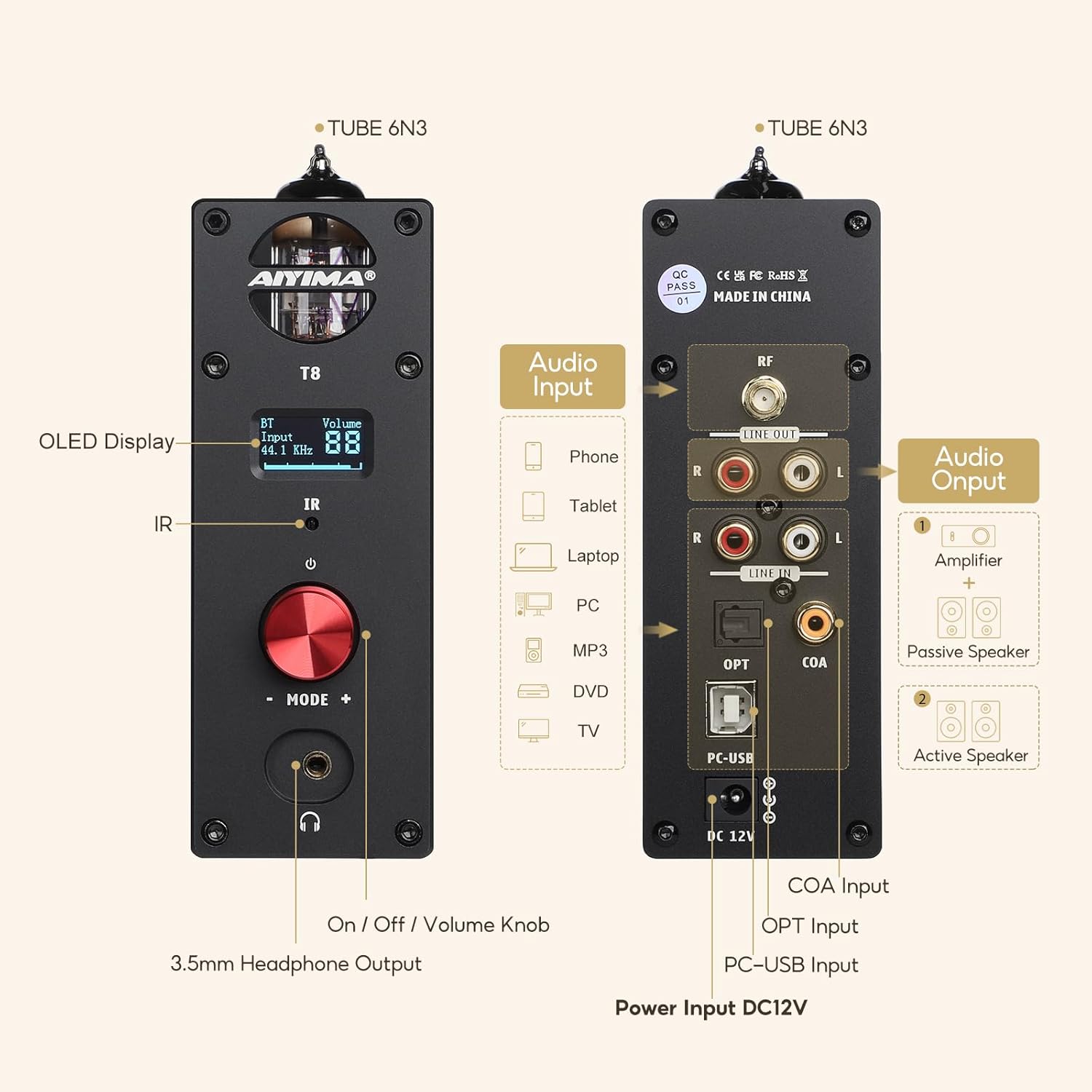
Image: Diagram showing the front and rear panels of the AIYIMA T8, highlighting inputs, outputs, and controls.
- Pantalla OLED: Mostra l'entrada actual, sampling rate, and volume.
- Receptor IR: Per a senyals de comandament a distància.
- Botó d'encesa: Premeu per activar/desactivar.
- Volume Knob / Mode Selector: Rotate to adjust volume. Press to cycle through input modes (BT, PC-USB, OPT, COA, RCA).
- Sortida d'auriculars de 3.5 mm: Connect headphones. This output has priority over RCA line out.
5.2 Panell posterior
- Connector d'antena Bluetooth: Attach the included Bluetooth antenna.
- Sortida de línia RCA (E/D): Connect to powered speakers, a stereo amplifier, or passive speakers via an ampmés viu.
- RCA Line In (L/R): Connect analog audio sources.
- Optical (OPT) Input: Connect digital audio sources via optical cable.
- Coaxial (COA) Input: Connect digital audio sources via coaxial cable.
- PC-USB Input: Connect to a computer for use as a USB DAC.
- Entrada d'alimentació DC 12V: Connecteu l'adaptador de corrent proporcionat.
6. Guia de configuració
Seguiu aquests passos per a la configuració inicial:
- Install Vacuum Tube: Carefully insert the 6N3 vacuum tube into its socket on the top of the unit. Ensure it is seated firmly.
- Connecteu l'antena Bluetooth: Screw the included Bluetooth antenna onto the connector on the rear panel.
- Connectar fonts d'àudio:
- Entrada analògica: Connect your analog audio source (e.g., CD player, phono preamp) to the RCA Line In ports.
- Entrada digital: Connect your digital audio source (e.g., TV, game console) to the Optical (OPT) or Coaxial (COA) input.
- PC-USB Input: Connect the T8 to your computer using a USB cable. Your computer may require driver installation (refer to AIYIMA support for specific drivers if needed).
- Connecta la sortida d'àudio:
- To Speakers/Ampmés viu: Connect the RCA Line Out ports to your powered speakers or a stereo ampmés viu.
- Als auriculars: Plug your headphones into the 3.5mm headphone output on the front panel.
- Connectar l'alimentació: Connect the DC 12V power adapter to the power input on the rear panel, then plug the adapter into a wall outlet.
- Encès: Press the power button on the front panel or the remote control to turn on the unit. The OLED display will illuminate.

Image: The AIYIMA T8 preamplifier shown with its remote control, illustrating the compact design and main components.
7. Instruccions de funcionament
7.1 Selecció d'entrada
Press the volume knob on the front panel or the 'Input' button on the remote control to cycle through the available input modes: Bluetooth (BT), PC-USB, Optical (OPT), Coaxial (COA), and RCA.
7.2 Control de volum
Rotate the volume knob on the front panel or use the 'VOL+' and 'VOL-' buttons on the remote control to adjust the output volume. The volume level will be displayed on the OLED screen.
7.3 Vinculació Bluetooth
- Select 'BT' input mode on the T8. The OLED display will show 'BT' and indicate pairing mode.
- Al dispositiu mòbil, activeu el Bluetooth i cerqueu els dispositius disponibles.
- Select 'AIYIMA T8' from the list to pair. Once connected, the display will confirm the connection.
7.4 PC-USB DAC Function
When connected to a computer via the PC-USB input, the T8 acts as an external sound card. Ensure the correct audio output device ('AIYIMA T8' or similar) is selected in your computer's sound settings.
7.5 Sortida d'auriculars
Plug your headphones into the 3.5mm jack on the front panel. When headphones are connected, the RCA Line Out will be muted automatically.
7.6 Tone Control (Remote Only)
Use the 'Bass+' / 'Bass-' and 'Treble+' / 'Treble-' buttons on the remote control to adjust the bass and treble levels. The OLED display will show the current adjustment values.
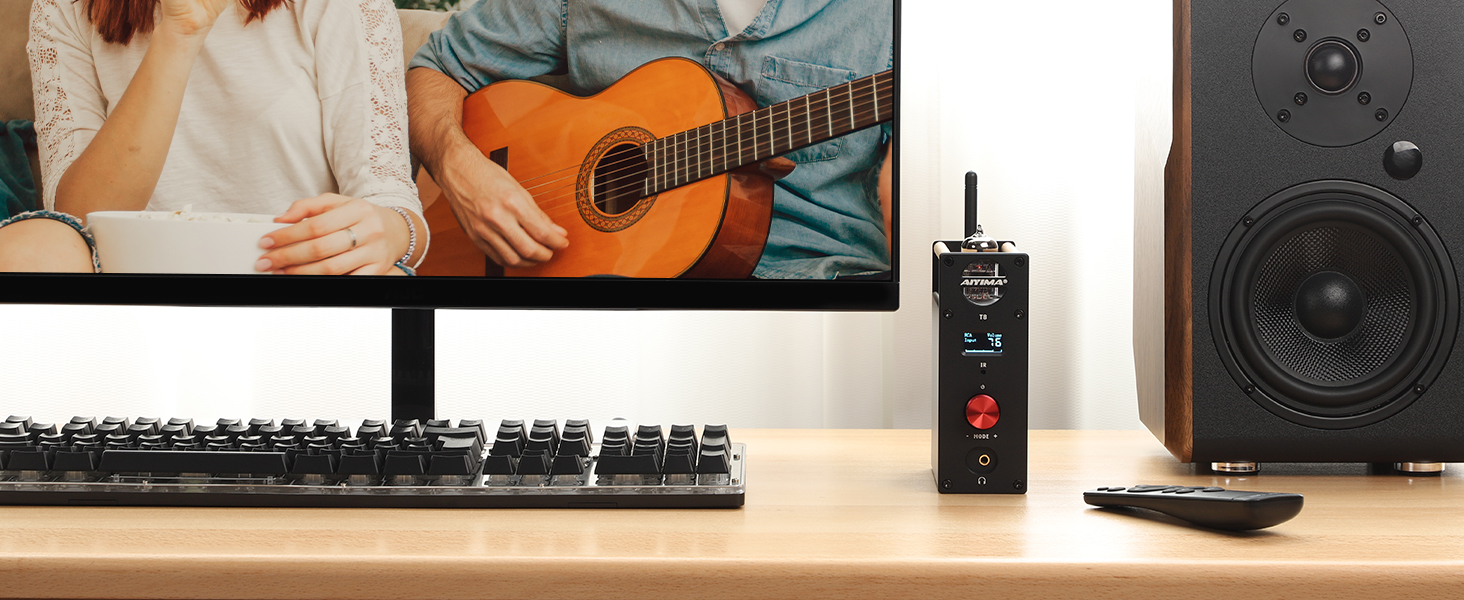
Image: Detailed diagram of the AIYIMA T8 remote control functions and examples of information displayed on the OLED screen for different input modes and tone controls.
7.7 TV Optical/Coaxial Output Setup
If connecting your TV via Optical or Coaxial input, ensure your TV's audio output settings are configured correctly. Navigate to your TV's sound settings and select 'Optical/Coaxial Output' or 'External Speaker' mode. Disable internal TV speakers if necessary.
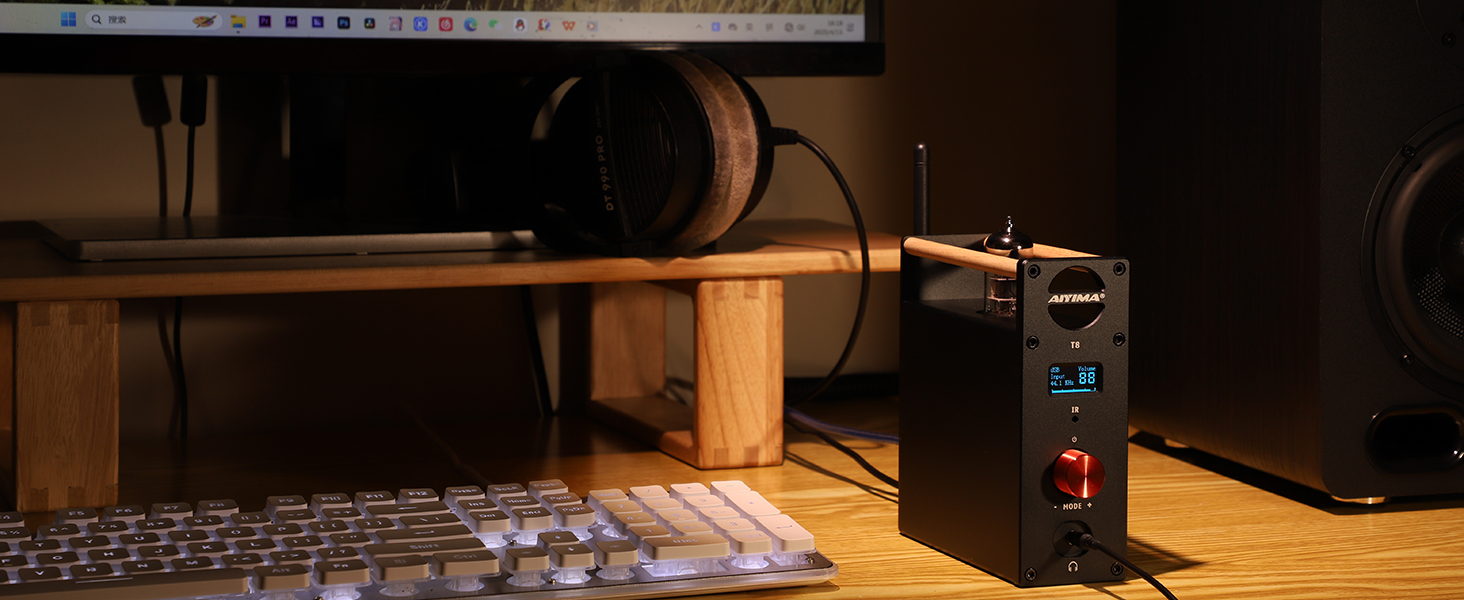
Image: Visual guide on how to configure a TV's audio settings for optical or coaxial output to the AIYIMA T8.
8. Solució De Problemes
- Sense sortida de so:
- Check if the power adapter is securely connected and the unit is powered on.
- Verify that the correct input source is selected on the T8.
- Assegureu-vos que el volum no estigui al mínim ni silenciat.
- If using headphones, ensure they are fully plugged in. The RCA Line Out is muted when headphones are connected.
- Check all audio cables for secure connections and damage.
- Ensure the vacuum tube is correctly seated in its socket.
- Problemes de vinculació de Bluetooth:
- Make sure the T8 is in Bluetooth input mode.
- Assegureu-vos que el Bluetooth del dispositiu estigui activat i que estigui dins del seu abast.
- Try forgetting 'AIYIMA T8' from your device's Bluetooth list and re-pairing.
- PC-USB Driver Issues (Windows):
- If experiencing audio dropouts or driver crashes, especially on older operating systems like Windows 7, ensure you have the latest drivers from the AIYIMA weblloc.
- Try restarting the T8 unit and your computer.
- Ensure the T8 is selected as the default audio output device in your computer's sound settings.
- El control remot no funciona:
- Check if the batteries are correctly inserted and not depleted.
- Ensure there are no obstructions between the remote and the T8's IR receiver.
- So distorsionat:
- Reduce the volume level from both the source device and the T8.
- Comproveu si els cables d'àudio estan danyats o connectats incorrectament.
- Ensure the vacuum tube is properly seated.
9. Especificacions
| Característica | Especificació |
|---|---|
| Nom del model | AIYIMA T8 |
| Tecnologia de connectivitat | Bluetooth, PC-USB, RCA, Optical, Coaxial |
| Versió Bluetooth | 5.0 (APTX, APTX LL support) |
| Conector d'auriculars | 3.5 mm Jack |
| Impedància dels auriculars | 16 - 300 Ohms |
| Interval de freqüència | 20 Hz - 20,000 Hz |
| Material | Alumini |
| Tipus de control | Remote, Touch (Knob) |
| Dimensions del producte | 4.84 x 1.97 x 5.47 polzades (123 x 50 x 139 mm) |
| Pes de l'article | 2.07 lliures |
| Entrada de potència | DC 12V |

Image: Diagram illustrating the dimensions of the AIYIMA T8 preampmés viu.
10. Manteniment
- Neteja: Feu servir un drap suau i sec per netejar l'exterior de la unitat. Eviteu productes de neteja o dissolvents abrasius.
- Substitució del tub: The 6N3 vacuum tube is replaceable. To replace, ensure the unit is powered off and unplugged. Carefully pull the old tube straight up from its socket. Align the pins of the new tube with the socket holes and gently push it straight down until it is firmly seated.
- Emmagatzematge: If storing the unit for an extended period, disconnect the power adapter and store it in a cool, dry place.
11. Garantia i Suport
AIYIMA offers technical support and a 2-year warranty service for the T8 Preamplifier. For any issues or inquiries, please contact AIYIMA customer support through their official channels or the retailer where the product was purchased. Please retain your proof of purchase for warranty claims.


