1. Introducció
This user manual provides comprehensive instructions for the safe and efficient use of your PRIXTON Expert Tablet. Please read this manual thoroughly before operating the device and retain it for future reference. This document covers product overview, configuració, funcionament, manteniment, resolució de problemes i especificacions tècniques.
2. Producte acabatview
2.1 Característiques clau
- 10-inch IPS display with 800 x 1280 resolution.
- Android 10.0 operating system.
- Octa Core Unisoc T618 processor.
- 3GB RAM and 64GB internal storage.
- Supports Micro USB, microSD, and SIM card inputs.
- Integrated Wi-Fi, Bluetooth, and 3G connectivity.
- Bateria de 6000 mAh per a un ús prolongat.
- Front 5 Mpx camera and rear 8 Mpx camera.
2.2 Components del dispositiu
Familiarize yourself with the physical components of your tablet:

Figura 2.2.1: Davant i darrere view of the PRIXTON Expert Tablet, showcasing its metallic finish and camera placement.
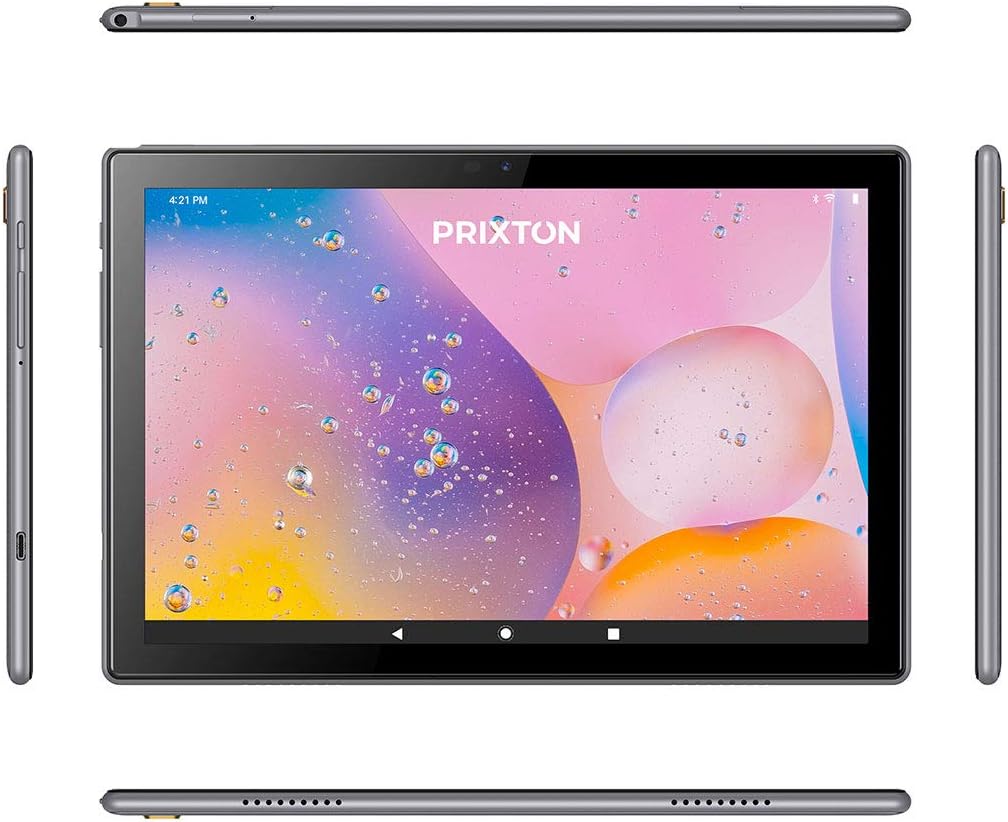
Figure 2.2.2: Various angles of the tablet, illustrating the placement of buttons, ports, and speakers on its sides, top, and bottom.

Figure 2.2.3: Close-up of the tablet's side, detailing the micro USB port, microSD card slot, SIM card slot, and earphone jack.
3. Configuració
3.1 Càrrega inicial
Before first use, fully charge the tablet using the provided USB cable and power adapter. Connect the micro USB end to the tablet's charging port and the other end to a power outlet. The battery indicator on the screen will show charging status.
3.2 Engegada/apagada
- Per encendre: Press and hold the Power button (usually located on the side) until the PRIXTON logo appears on the screen.
- Per apagar: Press and hold the Power button until a power options menu appears. Select 'Power off' and confirm.
- Per reiniciar: Al menú d'opcions d'energia, seleccioneu "Reiniciar".
3.3 Instal·lació de la targeta SIM i la targeta MicroSD
The tablet supports a SIM card for 3G connectivity and a microSD card for expandable storage.
- Localitza la safata de la targeta SIM/microSD al lateral de la tauleta.
- Feu servir l'eina d'expulsió de la SIM proporcionada per obrir la safata.
- Carefully place the SIM card and/or microSD card into their respective slots on the tray, ensuring correct orientation.
- Empenyeu suaument la safata cap a dins de la tauleta fins que encaixi al seu lloc.
3.4 Assistent de configuració inicial
Upon first power-on, the tablet will guide you through an initial setup process. Follow the on-screen prompts to:
- Seleccioneu el vostre idioma preferit.
- Connecteu-vos a una xarxa Wi-Fi.
- Set up your Google account (optional, but recommended for app downloads).
- Configure date, time, and other basic settings.
4. Instruccions de funcionament
4.1 Navegació bàsica
The tablet features a 10-inch IPS touchscreen for intuitive interaction.

Figure 4.1.1: The tablet's 10-inch IPS screen with 800 x 1280 resolution, displaying a vibrant background.
- Toca: Toqueu la pantalla una vegada per seleccionar un element o obrir una aplicació.
- Toca i mantén premut: Mantingueu premut un element per obtenir més opcions o per moure'l.
- Llisca: Arrossega el dit per la pantalla per desplaçar-te o navegar entre pàgines.
- Pessigar: Feu servir dos dits per ampliar o reduir les imatges i web pàgines.
4.2 Connectivity (Wi-Fi, Bluetooth, 3G)
La tauleta admet diverses opcions de connectivitat:
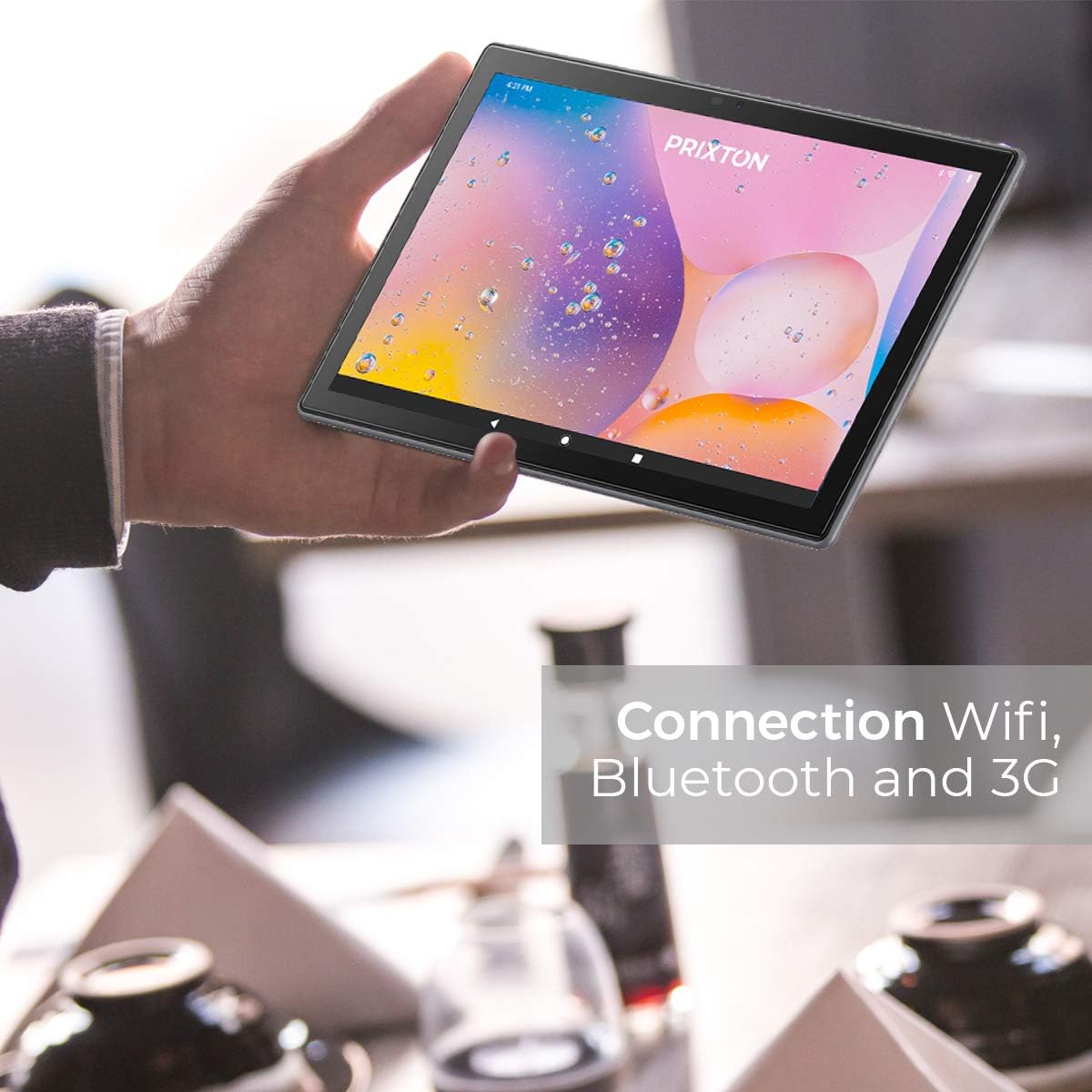
Figure 4.2.1: A person holding the tablet, illustrating its portability and highlighting its Wi-Fi, Bluetooth, and 3G connection capabilities.
- Wi-Fi: Vés a Configuració > Xarxa i Internet > Wi-FiActiveu el Wi-Fi i seleccioneu la xarxa desitjada. Introduïu la contrasenya si se us demana.
- Bluetooth: Vés a Configuració > Dispositius connectats > Bluetooth. Turn Bluetooth on and pair with compatible devices.
- 3G: Ensure a valid SIM card is inserted. Go to Configuració > Xarxa i Internet > Xarxa mòbil to configure mobile data settings.
4.3 Ús de les càmeres
The tablet is equipped with a 5 Mpx front camera and an 8 Mpx rear camera.

Figura 4.3.1: Detallada view of the tablet's rear 8 Mpx camera module, including its flash.
Open the Camera application from the home screen or app drawer. You can switch between front and rear cameras, select photo or video mode, and adjust settings like flash and timer.
4.4 Gestió d'emmagatzematge
The tablet comes with 64GB of internal storage, expandable via microSD card.

Figure 4.4.1: The tablet's back panel, indicating its Android 10.0 operating system, Octa Core Spreadtrum processor, 3GB RAM, and 64GB internal storage.
Per comprovar l'ús de l'emmagatzematge o gestionar-lo files, aneu a Configuració > Emmagatzematge. Tu pots view available space, format the microSD card, and manage applications or media files.
5. Manteniment
5.1 Neteja del dispositiu
Per netejar la tauleta, feu servir un drap suau i sense borrissol. Per a taques difícils, fregueu-la lleugerament.ampNetegeu el drap amb aigua o un netejador de pantalles dissenyat específicament per a electrònica. Eviteu utilitzar productes químics agressius, materials abrasius o humitat excessiva.
5.2 Cura de la bateria
- Eviteu exposar la tauleta a temperatures extremes (calor o fred), ja que això pot degradar la durada de la bateria.
- No deixeu la tauleta completament descarregada durant períodes prolongats.
- Feu servir només els carregadors originals o compatibles certificats.
5.3 Actualitzacions de programari
Comproveu periòdicament si hi ha actualitzacions de programari per garantir un rendiment i una seguretat òptims. Aneu a Configuració > Sistema > Actualització del sistema per comprovar i instal·lar les actualitzacions disponibles.
6. Solució De Problemes
| Problema | Causa possible | Solució |
|---|---|---|
| La tauleta no s'encén | Bateria baixa; Fallada del sistema | Carrega la tauleta durant almenys 30 minuts. Prem i mantén premut el botó d'engegada durant 10-15 segons per forçar el reinici. |
| Problemes de connexió Wi-Fi | Incorrect password; Router issue; Tablet Wi-Fi disabled | Verify Wi-Fi password. Restart your router. Ensure Wi-Fi is enabled in Settings. |
| Rendiment lent | Too many apps running; Low storage; Outdated software | Close unnecessary apps. Free up storage space. Check for system updates. |
| Les aplicacions es bloquegen | App bug; Insufficient RAM | Update the app. Clear app cache/data (Settings > Apps). Restart the tablet. |
| La pantalla no respon | Error temporal de programari | Force restart the tablet by holding the Power button. |
7. Especificacions
| Característica | Detall |
|---|---|
| Marca | Prixton |
| Número de model | Tablet 10 3 G |
| Sèrie | Expert |
| Color | Metàl·lic |
| Sistema operatiu | Android 10 |
| Processador | Octa Core Unisoc T618 |
| RAM | 3 GB |
| Emmagatzematge intern | 64 GB |
| Emmagatzematge ampliable | microSD |
| Mida de la pantalla | 10.1 polzades |
| Resolució | 800 x 1280 IPS |
| Targeta gràfica | Integrat |
| Connectivitat | Wi-Fi, Bluetooth, 3G |
| Interfície del maquinari | Micro USB, Micro SD, SIM slot, 3.5mm Audio Jack |
| Bateria | 6000 mAh Lithium metal |
| Càmera frontal | 5 Mpx |
| Càmera posterior | 8 Mpx |
| Dimensions del producte (L x A x A) | 50 x 50 x 28 cm |
| Pes del producte | 980 grams |
| Fabricant | PRIXTON |
| Date of Availability | 9 de juliol de 2022 |
8. Garantia i Suport
For warranty information and technical support, please refer to the documentation included with your purchase or visit the official PRIXTON website. When contacting support, please have your product model (Tablet 10 3 G) and purchase details ready.


