Imou Bullet 2C Outdoor Security Camera User Manual
Model: IPC-F22P-D
Introducció
The Imou Bullet 2C is a high-performance outdoor security camera designed to provide reliable surveillance for your home or business. Featuring 1080P Full HD video, advanced night vision, and intelligent human detection, this camera ensures comprehensive monitoring day and night. Its IP67 weatherproof design allows for robust operation in various outdoor conditions. This manual provides essential information for setting up, operating, maintaining, and troubleshooting your Imou Bullet 2C camera.
Image: The Imou Bullet 2C outdoor security camera, showcasinel seu disseny compacte i les seves antenes dobles.
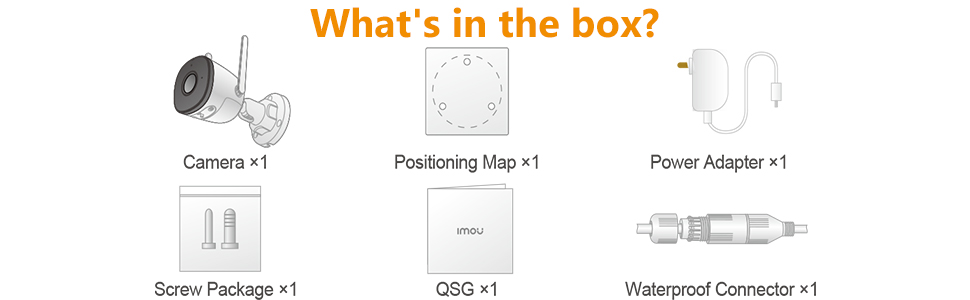
Què hi ha a la caixa?
Abans de començar, assegureu-vos que hi hagi tots els components:
Càmera x1
Mapa de posicionament x1
Adaptador d'alimentació x1
Paquet de cargols x1
Guia d'inici ràpid (QSG) x1
Connector impermeable x1
Image: Diagram illustrating the contents included in the Imou Bullet 2C product package.
Guia de configuració
Follow these steps to set up your Imou Bullet 2C camera:
1. Download the Imou Life App
The Imou Life app is essential for controlling and managing your camera. Download it from your device's app store:
Create an account or log in if you already have one. Grant all necessary permissions to the app for proper functionality.
Image: Visual guide for downloading the Imou Life app and connecting the camera.
2. Engegueu i connecteu
Connect the camera to a power source using the provided power adapter. The camera's LED indicator will flash red during its boot sequence. Wait until the LED flashes green, indicating it's ready for setup.
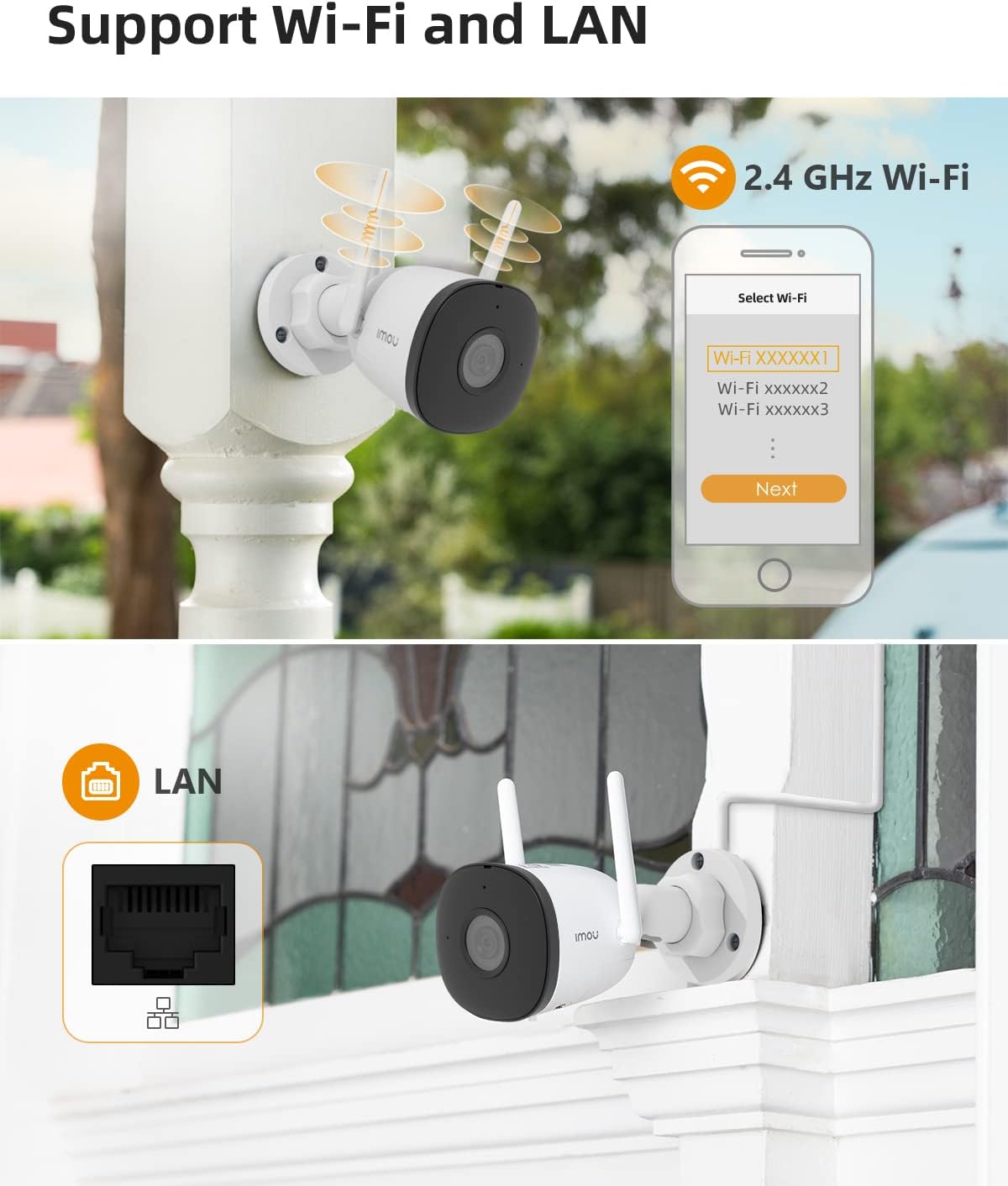
Open the Imou Life app, tap the '+' button in the top right corner, and select 'Scan QR Code'. Scan the QR code located on the camera itself. The app will then guide you to connect the camera to your Wi-Fi network. Ensure you connect to a 2.4 GHz Wi-Fi signal, as the camera does not support 5 GHz networks.
Video: Official Imou Bullet 2C Wi-Fi Setup Guide, demonstrating the app and connection process.
Image: The Imou Bullet 2C camera supporting both 2.4 GHz Wi-Fi and wired LAN connections for flexible installation.
3. Instal·lació física
Once connected, choose a suitable outdoor location for mounting. Use the provided positioning map and screw package to securely attach the camera to a wall or desired surface. Ensure the camera has a clear field of view i està dins de l'abast de la teva xarxa Wi-Fi.
Video: Official Imou video showcasing the Bullet 2C camera's features and ease of installation.
Funcionament de la càmera
The Imou Bullet 2C offers a range of features for effective surveillance:
Viu View i Enregistrament
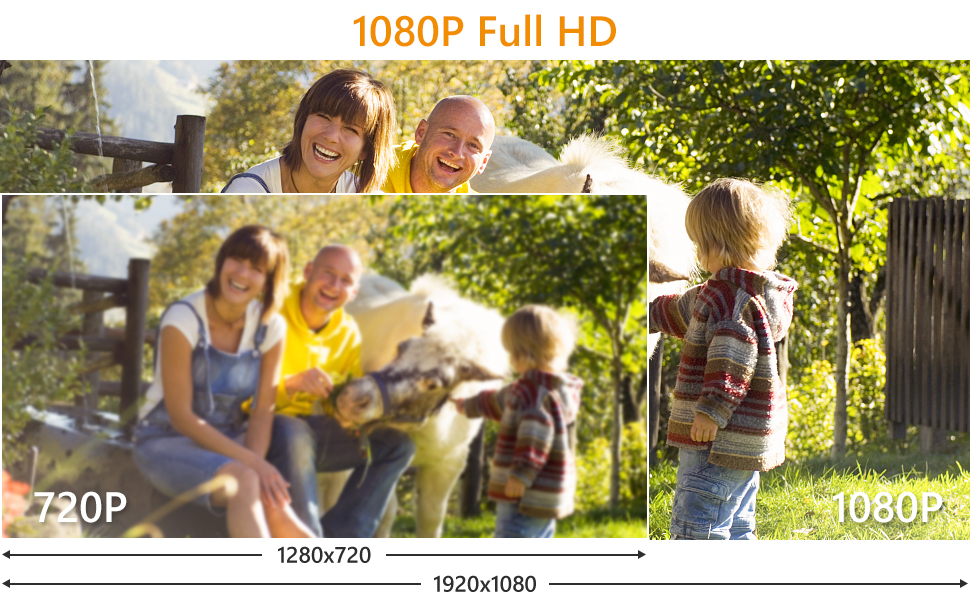
Access live video streams and recorded footage directly through the Imou Life app. The camera records in 1080P Full HD, providing clear and detailed images. It utilizes H.265 video compression technology, which efficiently reduces storage space and network bandwidth usage by up to 50% compared to H.264, without compromising video quality.
Image: Demonstrates the crystal clear picture quality of the Imou Bullet 2C camera, capturing fine details.
Image: A visual comparison highlighting the superior detail and clarity of 1080P Full HD video from the camera compared to 720P.
Image: Illustration of H.265 compression, showing reduced storage and bandwidth usage compared to H.264.
Visió nocturna
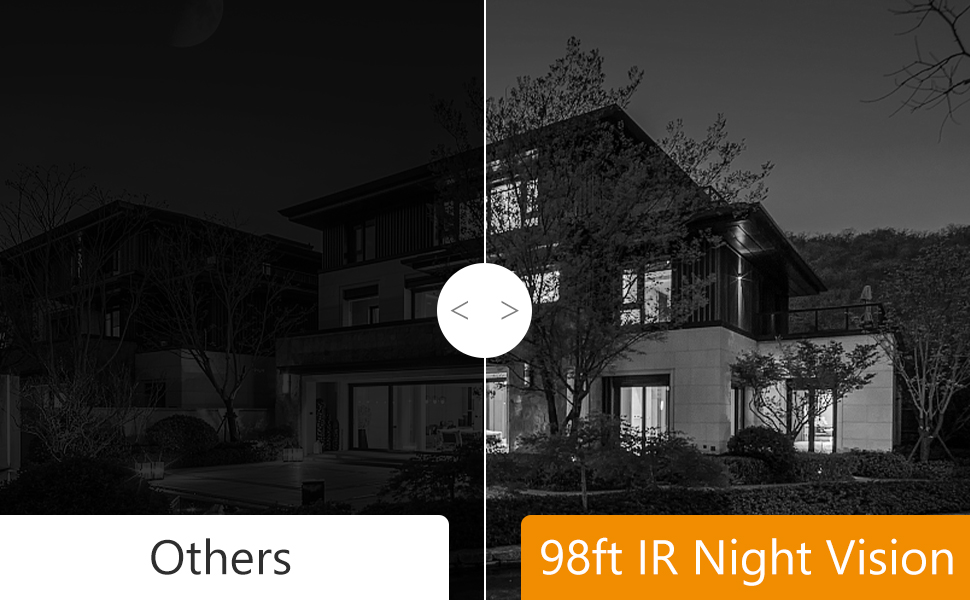
The camera is equipped with advanced night vision capabilities, allowing it to capture clear images up to 98 feet (30 meters) in complete darkness. This ensures continuous protection around the clock.
Image: A night scene viewed through the Imou Bullet 2C, demonstrating its 98-foot night vision capability.
Image: Comparison of night vision quality, showing the superior clarity of Imou's 98ft IR Night Vision compared to other cameras.
Detecció i alertes humanes
The camera features AI-powered human detection, which helps to accurately identify human figures and reduce false alarms triggered by pets, insects, or environmental factors. When a human is detected, you will receive immediate alerts on your smartphone.
Image: Illustrates the camera's ability to filter false alarms, correctly identifying a human while ignoring a pet.
Enregistrament d'àudio
The camera supports audio recording, capturing sound along with video footage. This provides additional context for events captured by the camera.
Opcions d'emmagatzematge
Your Imou Bullet 2C camera offers flexible storage solutions:
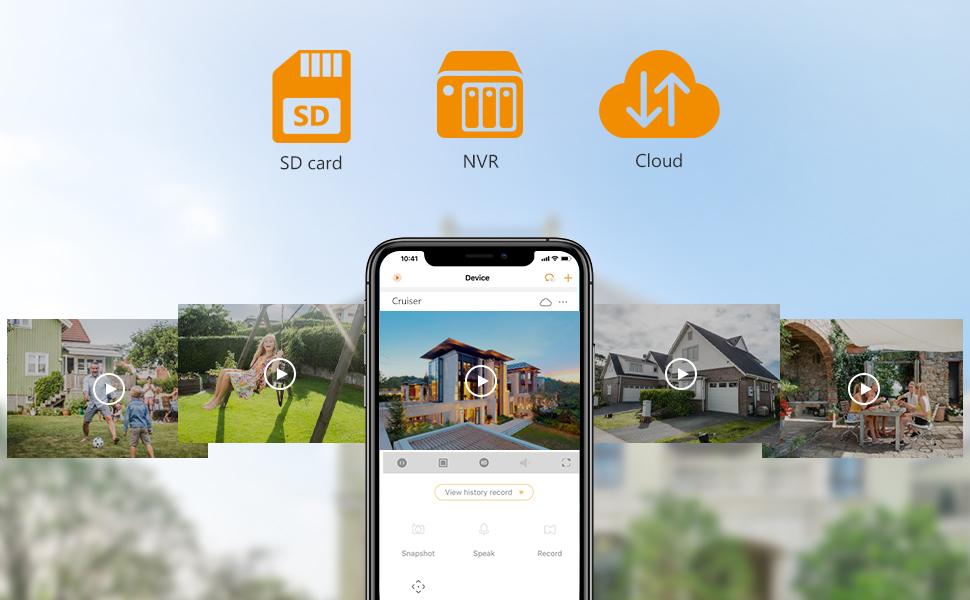
Targeta micro SD: Supports local storage on a Micro SD card (up to 256GB).
Emmagatzematge al núvol: Optional cloud storage service for secure, remote access to your recordings.
NVR: Compatible with Network Video Recorders (NVR) for centralized storage.
Image: Visual representation of the multiple storage options available for the Imou Bullet 2C camera: SD card, Cloud Storage, and NVR.
Image: The Imou app interface displaying various storage options and recorded events.
Compatibilitat
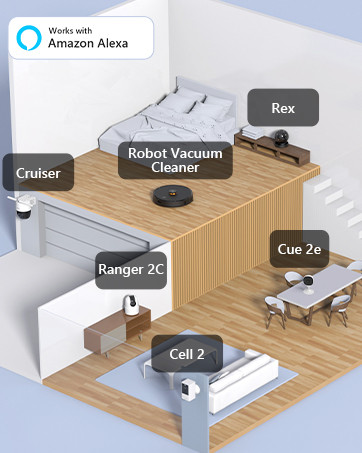
The Imou Bullet 2C camera is compatible with Amazon Alexa, allowing for voice control and integration into your smart home ecosystem.
Image: An illustration showing various Imou devices, including the Bullet 2C, integrated into a smart home setup and compatible with Amazon Alexa.
Manteniment
Un manteniment regular garanteix un rendiment òptim i una llarga vida útil de la càmera:
Neteja de lents: Periodically clean the camera lens with a soft, dry cloth to remove dust, dirt, or water spots that may affect image clarity.
Actualitzacions de firmware: Check the Imou Life app regularly for firmware updates. Keeping your camera's firmware up-to-date ensures you have the latest features, security patches, and performance improvements.
Comprovació de la connexió: Ensure all cables (power, LAN if used) are securely connected and free from damage. Verify Wi-Fi signal strength in the app to prevent connectivity issues.
Inspecció física: Inspect the camera's mounting and housing for any signs of wear, damage, or loose components, especially after severe weather conditions.
Resolució de problemes
Aquí teniu solucions a problemes comuns que podeu trobar:
Camera Offline / Connectivity Issues
Banda Wi-Fi: Ensure your camera is connected to a 2.4 GHz Wi-Fi network. It does not support 5 GHz.
Intensitat del senyal: Place the camera within optimal range of your Wi-Fi router. Walls and other obstructions can weaken the signal.
Cicle d'alimentació: Disconnect the camera from power for 10 seconds, then plug it back in. This can resolve temporary connectivity glitches.
Reinici de l'encaminador: Reboot your Wi-Fi router.
Remote Power Switch: For outdoor installations, consider using a remote power switch to easily power cycle the camera without needing to physically access it.
Falses alarmes freqüents
Detecció humana d'IA: While the camera has AI human detection, environmental factors like rain, dust, bugs, or moving objects (e.g., windchimes, leaves, pets) can sometimes trigger alerts.
Ajustar la sensibilitat: Within the Imou Life app's camera settings, adjust the motion detection sensitivity to reduce unwanted alerts. Experiment with different levels to find the optimal setting for your environment.
Zona de detecció: Configure specific detection zones in the app to monitor only critical areas and exclude busy areas or objects that frequently trigger alerts.
Motion Blur or Choppy Image
Ample de banda de xarxa: Ensure your internet connection has sufficient upload bandwidth for smooth video streaming, especially if viewen viu footagi a distància.
Local Network Congestion: If multiple devices are using your local network heavily, it can affect camera performance.
Col·locació de la càmera: For optimal clarity, ensure the camera is positioned to capture subjects clearly without excessive background movement that could cause blur.
Restabliment de la càmera
The camera has a reset button, typically located under a removable panel. Pressing this button will restore the camera to its factory default settings. Precaució: This will erase all custom settings and disconnect the camera from your Wi-Fi network. You will need to re-add and reconfigure the camera through the Imou Life app after a reset.
Especificacions tècniques
Característica
Detall
Número de model
IPC-F22P-D
Resolució de captura de vídeo
1080p Full HD (2 MP Effective Still Resolution)
Tecnologia de connectivitat
Wireless (2.4G Wi-Fi), Wired (LAN)
Gamma de visió nocturna
98 peus (30 metres)
Classificació resistent a la intempèrie
IP67
Característiques especials
Night Vision, Motion Sensor, Human Detection
Opcions d'emmagatzematge
Micro SD Card (up to 256GB), Cloud Storage, NVR
Font d'alimentació
Elèctric amb cable
Dimensions (L x A x A)
5.8 x 2.9 x 2.9 polzades
Pes de l'article
1.1 lliures
Temperatura de funcionament
Fins a 60 graus centígrads
Dispositius compatibles
Telèfon intel·ligent (Android)
Mètode de control
Voice (via Amazon Alexa)
Garantia i Suport
Per obtenir informació sobre la garantia i assistència tècnica, consulteu la pàgina oficial d'Imou. website or contact Imou customer service directly. The Imou Life app also provides a support section with FAQs and contact options.
Protecció de dades
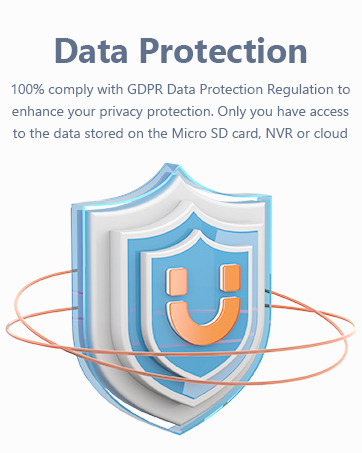
Imou is committed to protecting your privacy. The Imou Life app and cloud services comply with GDPR Data Protection Regulations. You have full control over the data stored on your Micro SD card, NVR, or cloud storage.
Image: A graphic representing Imou's commitment to data protection and privacy compliance.
Imou Cell 3C Tot en Un: Càmera de bateria Wi-Fi de 3MP amb panell solar Descobreix l'Imou Cell 3C All in One, una càmera amb bateria i Wi-Fi H.265 de 3 MP amb un panell solar de 2.2 W per a una alimentació contínua. Compta amb resolució 2K, resistència a la intempèrie IP66, visió nocturna intel·ligent, conversa bidireccional i opcions d'emmagatzematge flexibles.
Càmera de seguretat Imou Cell Go: guia de l'usuari i especificacions Guia d'usuari completa per al sistema de càmeres de seguretat sense fil Imou Cell Go, amb resolució de 2304 x 1296, visió nocturna, àudio bidireccional i panell solar opcional. Inclou la configuració, el funcionament i les especificacions tècniques dels models IPC-B32P-V2 i KIT/IPC-B32P/FSP12.
Càmera dual de 10 MP d'Imou Ranger: característiques, especificacions i contingut del paquet Acabat integralview de la càmera Imou Ranger Dual de 10MP, que detalla el seu sistema de doble lent, les capacitats de detecció d'IA, els modes de visió nocturna, les opcions d'emmagatzematge, la connectivitat de xarxa i les especificacions tècniques. Inclou una llista dels elements inclosos a la caixa.
Guia d'inici ràpid de la càmera de seguretat Wi-Fi Imou Cell PT de 3 MP Guia d'inici ràpid per a la càmera de seguretat amb bateria Wi-Fi Imou Cell PT de 3 MP. Aprèn sobre les seves característiques com ara l'energia solar, la detecció PIR humana, la visió nocturna en color, l'àudio bidireccional i la classificació IP66, i segueix les instruccions de configuració.