Introducció
This user manual provides detailed instructions for the setup, operation, maintenance, and troubleshooting of your iFFALCON 43K71 4K Ultra HD Smart Android LED TV. Please read this manual thoroughly before using the television and retain it for future reference.

Imatge: Frontal view of the iFFALCON 43K71 4K Ultra HD Smart Android LED TV, showcasinel seu disseny prim i la seva pantalla vibrant.
Informació de seguretat
Always adhere to the following safety precautions to prevent fire, electric shock, or injury:
- No exposeu el televisor a la pluja o la humitat.
- Assegureu-vos que la ventilació sigui adequada; no obstruïu les obertures de ventilació.
- Feu servir només el cable d'alimentació que s'inclou amb el televisor.
- No obriu el moble del televisor; encarregueu totes les tasques de manteniment a personal qualificat.
- Mantingueu el televisor allunyat de la llum solar directa, de fonts de calor i de camps magnètics forts.
- Col·loqueu el televisor sobre una superfície estable i plana o fixeu-lo fermament a la paret.
Què hi ha a la caixa
Verifiqueu que tots els components siguin presents en desembalar-lo:
- 1 x iFFALCON 43K71 LED TV
- 1 x Remote Controller (with 2 AAA batteries)
- 2 x Table Stand components
- 1 x Manual d'usuari
- 1 x Targeta de garantia
- 1 x cable d'àudio
Configuració
1. Instal·lació física
You can install your TV using the included table stands or by wall-mounting (wall mount bracket sold separately).
Instal·lació del suport de taula:
- Col·loqueu amb cura el televisor cap per avall sobre una superfície suau i plana per evitar que es faci malbé la pantalla.
- Attach the two table stand components to the designated slots on the bottom of the TV using the provided screws. Ensure they are securely fastened.
- Aixequeu amb cura el televisor fins a la posició vertical sobre una superfície estable i anivellada.
Instal·lació de muntatge a la paret:
For wall mounting, consult a professional installer. Ensure the wall mount bracket is compatible with the TV's VESA mounting pattern and can support the TV's weight (approximately 6.9 kg).

Imatge: Superior view of the iFFALCON 43K71 TV, showing its slim profile i punts de fixació del suport.
2. Engegada inicial i connexió de xarxa
- Connecteu el cable d'alimentació al televisor i després a una presa de corrent.
- Premeu el botó d'engegada del televisor o del comandament a distància per encendre el televisor.
- Seguiu les instruccions que apareixen a la pantalla per completar la configuració inicial, inclosa la selecció d'idioma, el país i la connexió de xarxa (Wi-Fi o Ethernet).
- Sign in with your Google account to access Android TV features and download apps.
Funcionament del televisor
Control remot
The supplied remote control allows you to navigate the TV's interface and access various functions.
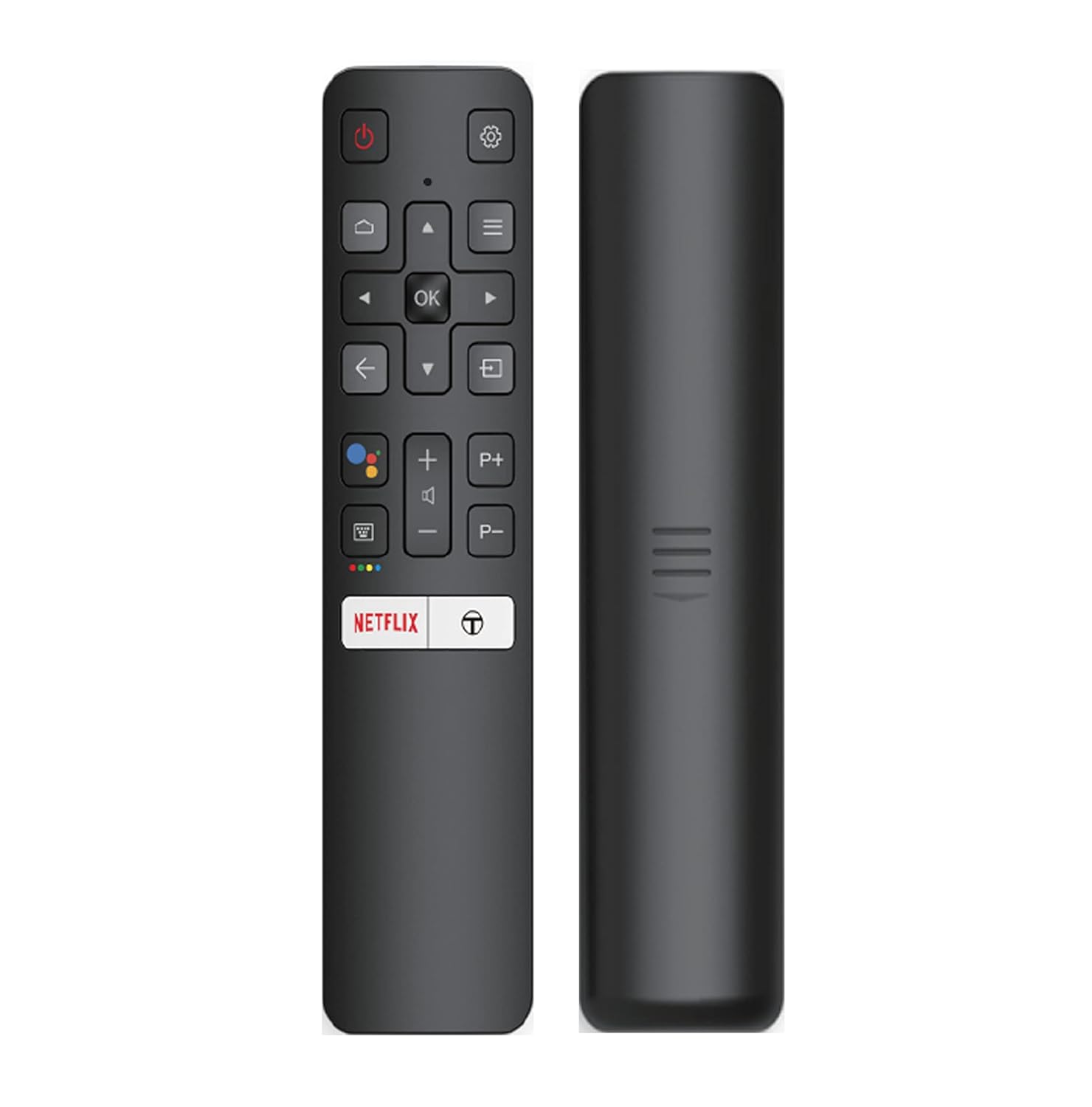
Image: The iFFALCON 43K71 remote control, featuring dedicated buttons for Netflix, Amazon Prime Video, Zee5, and Google Assistant.
Key buttons include:
- Potència: Encén/apaga el televisor.
- Navigation (Up/Down/Left/Right/OK): Navega pels menús i confirma les seleccions.
- Enrere: Torna a la pantalla anterior.
- Inici: Accedeix a la pantalla d'inici d'Android TV.
- Volum +/-: Ajusta el volum.
- Channel P+/P-: Canvi de canals.
- Assistent de Google: Activa el control per veu.
- Netflix, Prime Video, Zee5: Direct access buttons for streaming services.
Funcions de Smart TV (Android TV)
Your iFFALCON 43K71 TV runs on Android 9.0, providing access to a wide range of applications and smart functionalities.

Image: The Android TV home screen on the iFFALCON 43K71, displaying various streaming apps like Netflix, YouTube, and Prime Video.
- Aplicacions: Download and install apps from the Google Play Store, including Netflix, YouTube, Prime Video, Disney+Hotstar, and more.
- Control de veu mans lliures: Use the built-in Google Assistant to control your TV, search for content, and manage smart home devices by speaking commands directly to the TV.
- Chromecast integrat: Cast content from your smartphone, tablet, or computer directly to the TV screen.
- AI-IN: iFFALCON's AI-IN technology integrates with Google Assistant for enhanced smart home connectivity and personalized recommendations.
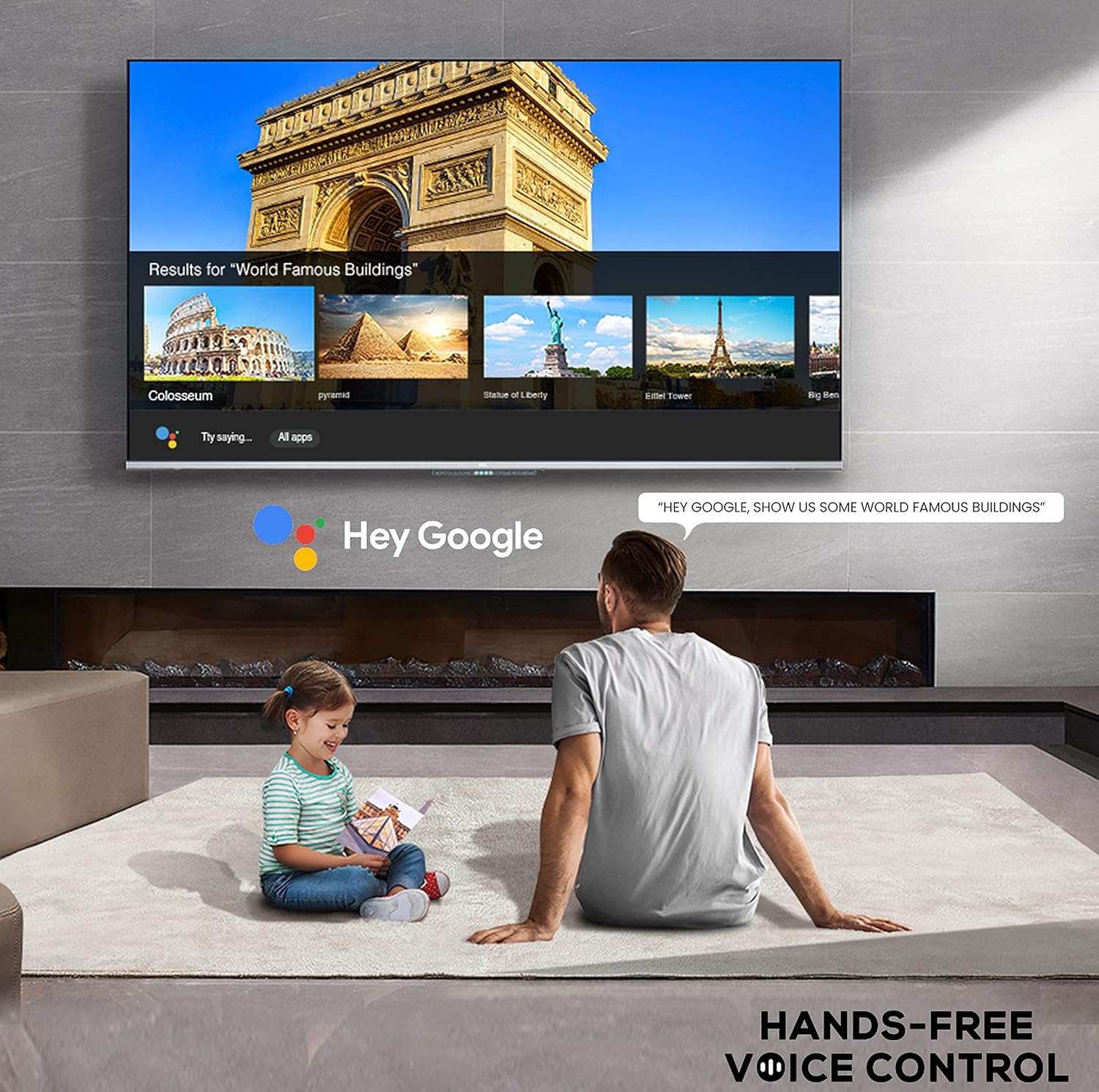
Image: A user interacting with the iFFALCON 43K71 using hands-free voice control, demonstrating the Google Assistant feature.
Connectivitat
El televisor ofereix diversos ports per connectar dispositius externs:
- Ports HDMI (2): Connect set-top boxes, Blu-ray players, gaming consoles, etc.
- Port USB (1): Connect hard drives, USB flash drives for media playback.
- Bluetooth: Connecteu auriculars sense fil, barres de so o altres accessoris compatibles amb Bluetooth.
- Wi-Fi: Connecteu-vos a la xarxa sense fil de casa per accedir a Internet.
- Cable d'àudio: Per a connexions d'àudio externes.
Configuració d'imatge i so
Ajusteu la configuració d'imatge i so per optimitzar el vostre viewexperiència.
- Modes d'imatge: Select from various preset picture modes (e.g., Standard, Dynamic, Movie, Sport) or customize settings like brightness, contrast, color, and sharpness.
- 4K Ultra HD & HDR 10: Experience stunning detail and vibrant colors with 4K resolution and High Dynamic Range (HDR 10) support.
- Micro atenuació: Enhances contrast by analyzing video content in hundreds of separate zones and adjusting brightness and darkness independently.
- Modes de so: Choose from preset sound modes (e.g., Standard, Music, Movie, Clear Voice) or adjust equalizer settings.
- Dolby Audio: Enjoy immersive audio with Dolby Audio processing, delivering rich, clear, and powerful sound from the 30 Watts speakers.
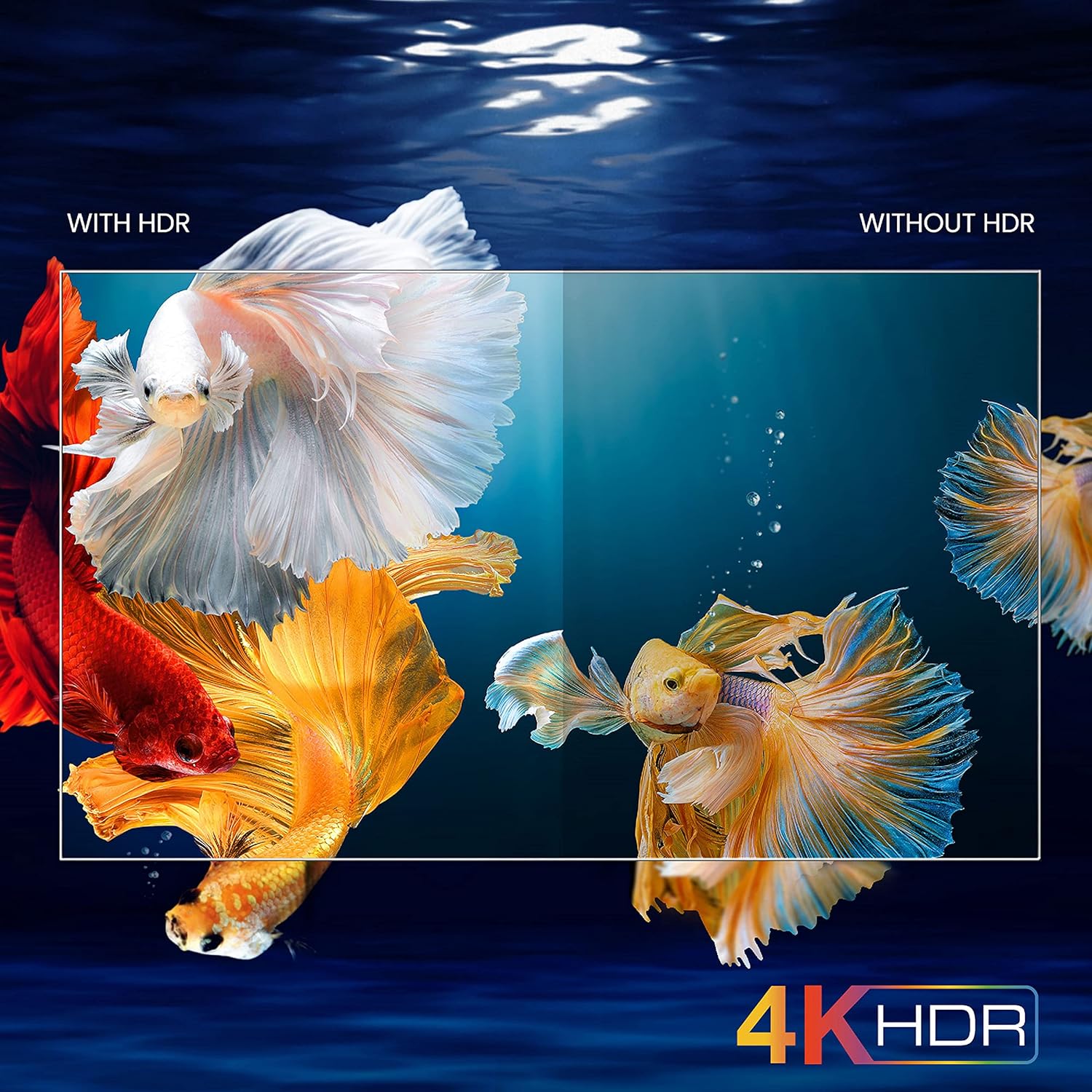
Image: A visual comparison demonstrating the enhanced color and contrast with 4K HDR enabled versus disabled on the iFFALCON 43K71 TV.
Manteniment
Neteja
- Desendolla sempre el televisor abans de netejar-lo.
- Feu servir un drap suau i sec per netejar la pantalla i la carcassa. Per a marques difícils, fregueu suaument.ampNetegeu el drap amb aigua o un netejador de pantalles suau i no abrasiu.
- No utilitzeu alcohol, benzè, diluents ni altres substàncies volàtils.
Actualitzacions de programari
The TV may receive software updates periodically to improve performance and add new features. Ensure your TV is connected to the internet to receive these updates automatically or check for them manually in the settings menu.
Resolució de problemes
If you encounter issues, refer to the following common solutions before contacting support:
| Problema | Possible solució |
|---|---|
| La televisió no s'encén. | Check if the power cord is securely plugged into the TV and the power outlet. Ensure the power outlet is working. Try pressing the power button on the TV itself. |
| No hi ha imatge, però hi ha so. | Check the input source. Ensure external devices are properly connected and powered on. Try restarting the TV. |
| No hi ha so, però hi ha imatge. | Check the volume level and ensure the TV is not muted. Verify audio output settings. If using external speakers, check their connections and power. |
| El comandament a distància no funciona. | Canvieu les piles (2 AAA). Assegureu-vos que no hi hagi obstacles entre el comandament a distància i el sensor d'infrarojos del televisor. |
| No es pot connectar a la Wi-Fi. | Check your router and modem. Restart them if necessary. Ensure you are entering the correct Wi-Fi password. Try moving the TV closer to the router or using an Ethernet cable. |
| Rendiment lent o bloquejos de l'aplicació. | Close unused applications. Clear cache for problematic apps. Restart the TV. Consider a factory reset as a last resort (this will erase all data and settings). |
Especificacions
Key technical specifications for the iFFALCON 43K71 TV:
| Característica | Detall |
|---|---|
| Model | 43K71 |
| Mida de la pantalla | 43 polzades (108 cm) |
| Resolució | 4K Ultra HD (3840 x 2160 píxels) |
| Freqüència d'actualització | 60 Hz |
| Sistema operatiu | Android 9.0 |
| RAM | 2 GB |
| Emmagatzematge | 16 GB |
| Sortida de so | 30 Watts (Dolby Audio Power Speakers) |
| Ports HDMI | 2 |
| Ports USB | 1 |
| Connectivitat | Wi-Fi, Bluetooth |
| Dimensions (LxWxH) | 96 x 4.1 x 55.8 cm (sense suport) |
| Pes de l'article | 6.9 kg |

Image: Diagram showing the physical dimensions of the iFFALCON 43K71 TV in centimeters and inches.
Garantia
The iFFALCON 43K71 TV comes with a 1 any de garantia provided by the manufacturer from the date of purchase. Please retain your purchase receipt for warranty claims. For detailed terms and conditions, refer to the included Warranty Card.
Suport
For further assistance, technical support, or service requests, please contact iFFALCON customer service. Contact details can typically be found on the manufacturer's official weblloc web o a la targeta de garantia.
Producte acabatview Vídeo
Vídeo: Una breu presentacióview presentació de vídeoasing key features and visual enhancements of the iFFALCON 43K71 4K Ultra HD Smart Android LED TV, including 4K HDR, dynamic tone mapping, color enhancement, Android TV interface, and hands-free voice control.


