Introducció
Gràcies per la compraasing the IPEGA Wireless Switch Controller. This manual provides detailed instructions on how to set up, operate, and maintain your new gamepad. Please read this manual thoroughly before use to ensure optimal performance and longevity of your device.

Figure 1: IPEGA Wireless Switch Controller in use with a tablet device, showcasing its telescopic design.
Característiques del producte
- Compatibilitat multiplataforma: Designed for N-Switch, P3, Android devices, and PC (Win 7/8/10). Note: Does not support MediaTek chips.
- Experiència de joc millorada: Features six-axis gyroscope function for precise motion control and dual motor vibration for immersive feedback.
- Disseny ergonòmic: Full ergonomic structure provides a comfortable hand feeling during extended gaming sessions.
- Suport telescòpic: Integrated lever telescopic bracket with a super long telescopic function, adjustable from 130mm to 280mm (approximately 5.1 to 11 inches), suitable for various devices including N-Switch host and tablets.
- Llarga vida útil de la bateria: Built-in 300mAh high-performance lithium battery offers over 10 hours of continuous use and up to 30 days of standby time on a full charge.
- Controles convenients: Equipped with a screen capture button and multimedia buttons (volume+, -, last, next, Play/Pause) for Android devices.

Figure 2: The controller's telescopic design, suitable for various devices.
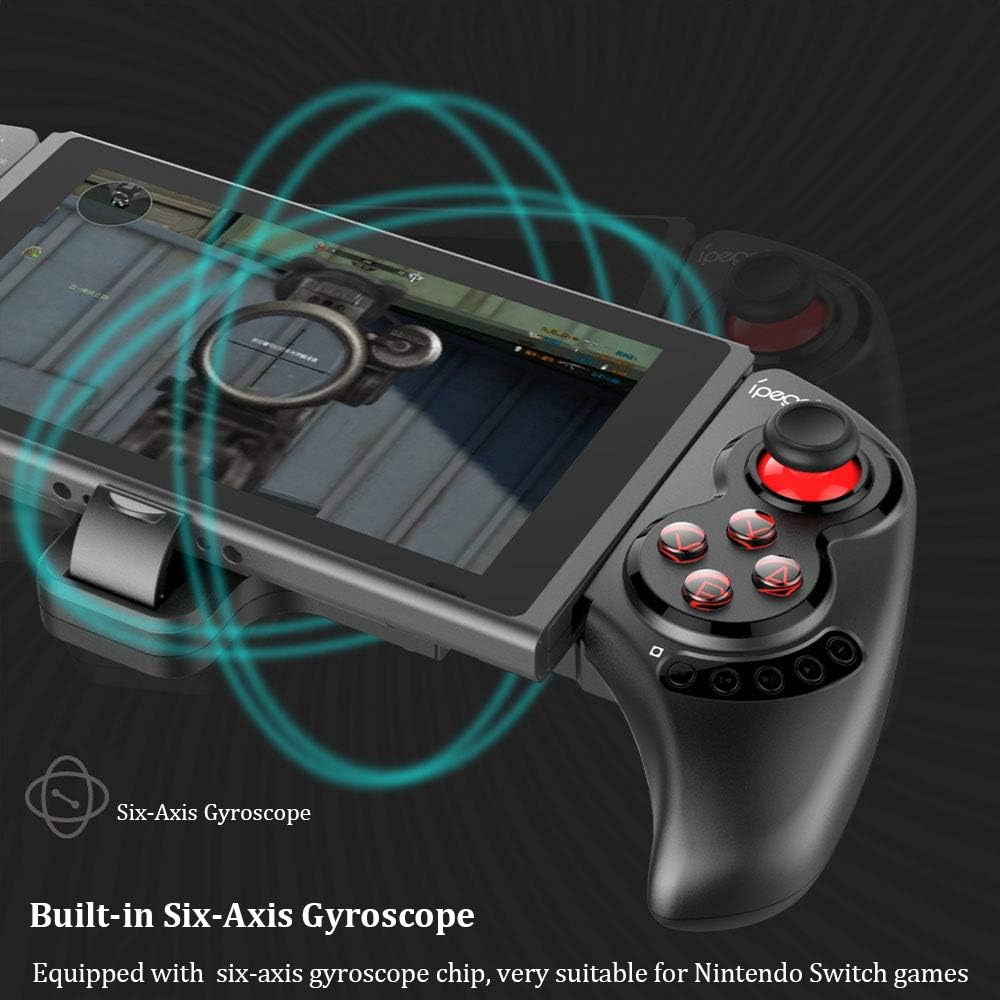
Figure 3: Illustration highlighting the built-in six-axis gyroscope for motion control.

Figure 4: Illustration demonstrating the dual motor vibration feature for haptic feedback.

Figure 5: The telescopic rod's adjustable range (130-280mm) and compatibility with Switch Mobile Device, Android Phone, and PC Tablet.

Figure 6: Detail of the controller's ergonomic structure designed for comfortable hand feeling.
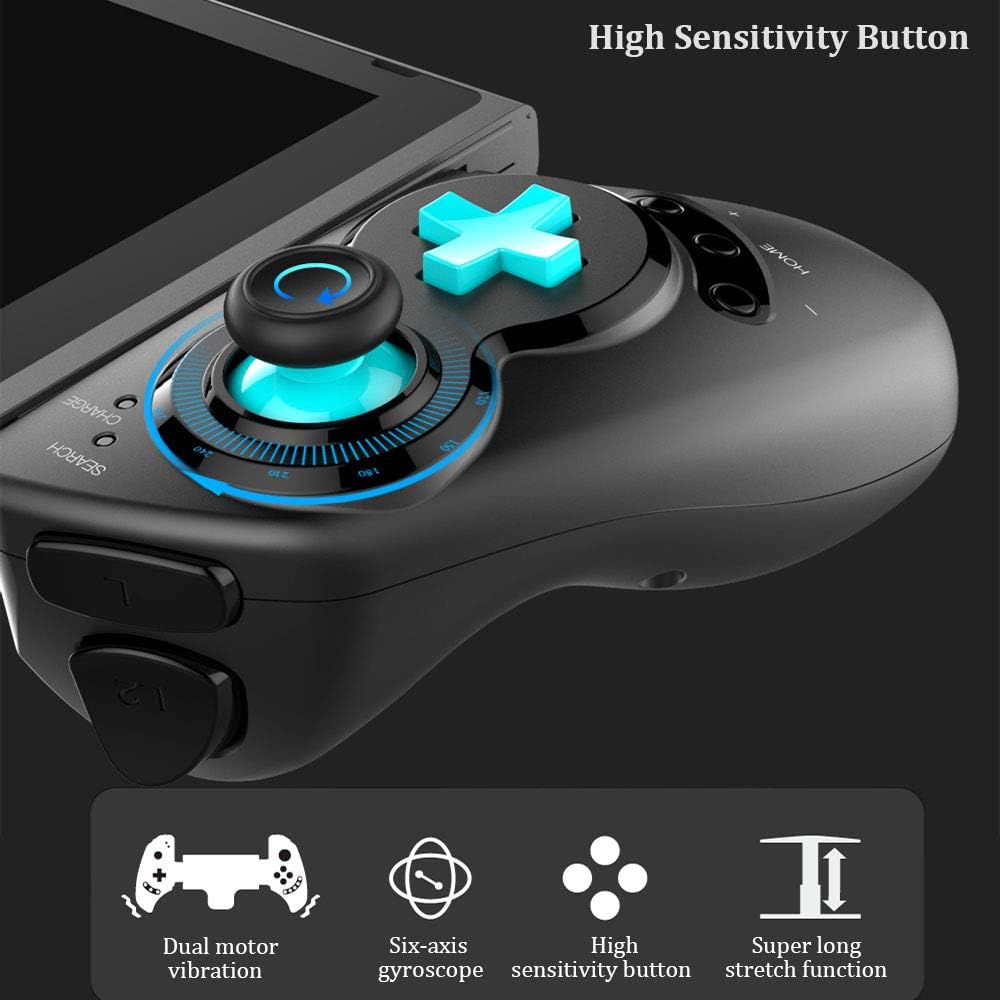
Figure 7: Highlighting the high sensitivity buttons and other key features like dual motor vibration, six-axis gyroscope, and super long stretch function.
Configuració
Before using your IPEGA Wireless Switch Controller, ensure it is adequately charged. Connect the included USB cable to the controller's charging port and to a USB power source (e.g., computer, USB wall adapter). The charge indicator will show charging status.
Modes de funcionament
N-Switch Connection Mode
- Primera parella:
- Turn on your Nintendo Switch Console.
- From the HOME Menu, navigate to Controladorsi, a continuació, seleccioneu Canvia Grip i Ordre.
- On the IPEGA controller, press and hold down the "B" + "HOME" buttons simultaneously for 2 seconds. The SEARCH indicators on the controller will flash quickly.
- Once successfully paired, the indicators will turn on solid. Press "A" on the controller when prompted to confirm.
- Torna a emparellar:
- Premeu i manteniu premut "HOME" button for 2 seconds to turn on the controller.
- The SEARCH indicator will flash slowly, indicating it's in re-pair mode. The controller will automatically attempt to connect to the previously paired console.
- Un cop connectat, premeu "A" when you're ready to play.
- Controlador de despertador:
- If the controller is in sleep mode, press the "HOME" botó per despertar-lo.
- It will automatically connect to the console.
- Premeu "A" when you're ready.
Mode Android
- Premeu i manteniu premut "Y" + "HOME" buttons simultaneously for 2 seconds to turn on the controller. The SEARCH indicators will flash quickly.
- On your Android device, enable Bluetooth and search for available devices. Select "PG-SW029" emparellar.
- Once successfully paired, the SEARCH indicator on the controller will turn on solid, indicating it has entered Android Mode.
- The controller supports standard Android HID games.
P3 Mode (PlayStation 3)
- Premeu i manteniu premut "A" + "HOME" buttons simultaneously for 2 seconds to turn on the controller. The SEARCH indicators will flash quickly.
- Connect the controller to your P3 console using the provided USB cable. Press the "HOME" button to initiate pairing.
- Once paired successfully, the corresponding SEARCH indicator will turn on solid, indicating the gamepad has entered P3 mode.
- You can then unplug the USB cable, and the controller will operate in wireless connection mode.
Manteniment
- Keep the controller away from extreme temperatures, direct sunlight, and humid environments.
- Eviteu deixar caure el controlador ni sotmetre'l a impactes forts.
- Clean the controller with a soft, dry cloth. Do not use chemical solvents or abrasive cleaners.
- When not in use for extended periods, store the controller in a cool, dry place.
- No intenteu desmuntar ni modificar el controlador, ja que això anul·larà la garantia i pot causar danys.
Resolució de problemes
| Problema | Possible solució |
|---|---|
| El controlador no s'encén. | Assegureu-vos que el controlador estigui completament carregat. Connecteu-lo a una font d'alimentació amb el cable USB. |
| El controlador no s'ha pogut emparellar amb el dispositiu. |
|
| Retard d'entrada o desconnexió durant el joc. |
|
| Els botons o els joysticks no responen. |
|
Especificacions
| Característica | Detall |
|---|---|
| Número de model | PG-SW029 |
| Marca | ipega |
| Connectivitat | Sense fil (Bluetooth) |
| Distància de transmissió | ≤ 26ft (8 meters) |
| Capacitat de la bateria | Bateria de liti de 300 mAh |
| Temps d'ús continu | > 10 hores |
| Temps d'espera | Fins a 30 dies |
| Abast telescòpic | 130mm - 280mm (approx. 5.1 - 11 inches) |
| Dimensions del producte | 23.7 x 12.5 x 5.99 cm (9.33 x 4.92 x 2.36 polzades) |
| Compatibilitat | Nintendo Switch, PlayStation 3, Android Phones/Tablets, PC (Win 7/8/10) |

Figure 8: Detailed dimensions of the controller and its retail packaging.
Llista de paquets
Els següents elements s'inclouen al paquet del producte:
- Wireless Gamepad x1
- Manual d'usuari x1 (Aquest document)
- USB cable x1
Garantia i Suport
For warranty information and technical support, please refer to the contact details provided by your retailer or visit the official IPEGA weblloc web. Conserveu el rebut de compra com a comprovant de compra per a reclamacions de garantia.
Si trobeu algun problema que no es tracta en aquest manual, poseu-vos en contacte amb el servei d'atenció al client per obtenir ajuda.


