Introducció
This manual provides essential instructions for the safe and effective use of your Welch Allyn Contact-Free Clinical-Grade Forehead Thermometer. Please read this manual thoroughly before initial use and retain it for future reference. This device is designed for accurate, non-contact temperature measurement of the forehead.
Informació de seguretat
- Do not use the thermometer for purposes other than measuring human body temperature.
- Mantingueu el dispositiu fora de l'abast dels nens.
- Eviteu deixar caure el termòmetre o sotmetre'l a impactes forts.
- No exposeu el termòmetre a la llum solar directa, a temperatures extremes o a una humitat elevada.
- Consult a physician if you have concerns about temperature readings or your health.
- No intenteu desmuntar o reparar el dispositiu vosaltres mateixos.
Què hi ha a la caixa
En desembalar, comproveu que tots els articles siguin presents i no estiguin danyats:
- (1) Welch Allyn Contact-Free Clinical-Grade Forehead Thermometer
- (2) Piles AAA
Característiques del producte
The Welch Allyn Contact-Free Thermometer offers several key features for efficient and accurate temperature measurement:
- Contact-Free Measurement: Eliminates the need for disposable probe covers and disinfection between readings, promoting hygiene.
- Clinical-Grade Accuracy: Designed for reliable temperature readings.
- Measurement Feedback System: Detects the proper operating distance to ensure consistent accuracy.
- Llarga vida útil de la bateria: Capable of approximately 3,000 readings on two "AAA" batteries.
- Bright Backlit Display: Garanteix una visibilitat clara de les lectures en diverses condicions d'il·luminació.
- Botons de funció dedicats: Includes buttons for pulse timer, Celsius/Fahrenheit conversion, and memory recall.

Imatge 1: Frontal view of the Welch Allyn Contact-Free Forehead Thermometer, showing the display, measurement button, memory button, C/F button, and pulse timer button.
Configuració
1. Instal·lació de la bateria
- Locate the battery compartment cover on the back or bottom of the thermometer.
- Feu lliscar o desenganxeu suaument la tapa per obrir el compartiment.
- Insert the two "AAA" batteries, ensuring correct polarity (+ and -) as indicated inside the compartment.
- Col·loqueu la coberta del compartiment de la bateria amb seguretat.
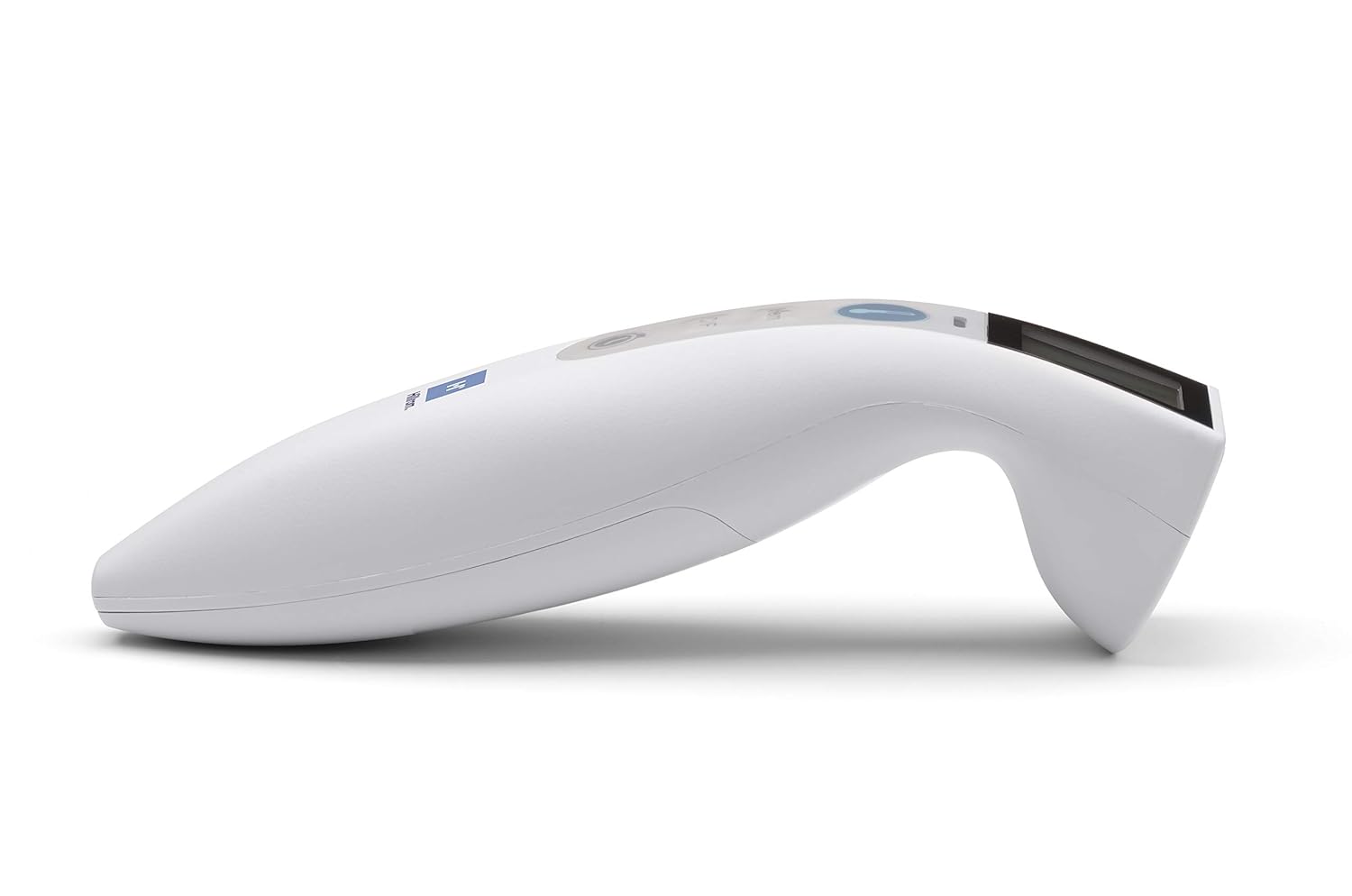
Imatge 2: Lateral view of the Welch Allyn Contact-Free Forehead Thermometer, illustrating its ergonomic design. The battery compartment is typically located on the underside or rear of the device.
2. Engegada inicial
After installing batteries, press the power/measurement button once to turn on the device. The display will illuminate, and the thermometer will perform a brief self-check before entering standby mode, ready for measurement.
Instruccions de funcionament
1. Taking a Temperature Measurement
- Ensure the thermometer is clean and free of obstructions.
- Position the thermometer approximately 1-2 inches (2.5-5 cm) from the center of the patient's forehead. The device features a measurement feedback system to guide you to the correct distance.
- Press and release the measurement button (often indicated by a thermometer icon).
- Hold the thermometer steady until a beep sounds and the temperature reading appears on the display.
- Record the reading if necessary. The thermometer will automatically turn off after a period of inactivity or can be manually turned off by pressing and holding the power button.

Imatge 3: View of the Welch Allyn Contact-Free Forehead Thermometer, highlighting the infrared sensor area at the front, which should be aimed at the forehead for accurate readings.
2. Switching Between Celsius and Fahrenheit
To change the temperature unit, press the "C/F" button. The display will toggle between Celsius (°C) and Fahrenheit (°F). The selected unit will be indicated on the screen.
3. Record de memòria
The thermometer stores previous temperature readings. To access these, press the "Mem" button. Repeated presses will cycle through stored readings. The number of stored readings may vary by model.
4. Pulse Timer Function
To use the pulse timer, press the dedicated pulse timer button (often indicated by a clock icon). Follow the on-screen prompts or refer to the specific timing sequence for accurate pulse measurement. This feature assists in manually counting pulse rates over a set period.
Manteniment
Neteja del termòmetre
- Wipe the thermometer body with a soft cloth dampened with isopropyl alcohol (70% concentration) or a mild disinfectant.
- Pay special attention to the sensor lens. Use a cotton swab lightly moistened with alcohol to gently clean the lens. Avoid excessive pressure or abrasive materials, as this can damage the sensor.
- Do not immerse the thermometer in water or any cleaning solution.
- Allow the thermometer to air dry completely before storage or next use.
Emmagatzematge
- Guardeu el termòmetre en un lloc fresc i sec, allunyat de la llum solar directa i de temperatures extremes.
- If the thermometer will not be used for an extended period, remove the batteries to prevent leakage and potential damage to the device.
Resolució de problemes
If you encounter issues with your thermometer, please refer to the following common problems and solutions:
| Problema | Possible causa/solució |
|---|---|
| Missatge "Err" a la pantalla |
|
| Lectures inexactes o inconsistents |
|
| Thermometer does not turn on |
|
| La pantalla és tènue o parpelleja |
|
Especificacions
- Model: B08T5TLHMF
- Mètode de mesura: Infrarojos sense contacte
- Font d'alimentació: 2 x "AAA" batteries
- Durada de la bateria: Aproximadament 3,000 lectures
- Visualització: LCD retroil·luminat
- Unitats: Celsius (°C) / Fahrenheit (°F)
- Memòria: Stores previous readings (specific capacity may vary)
- Fabricant: Hillrom (Welch Allyn is a Hillrom brand)
- Dimensions del paquet: 10.24 x 6.42 x 2.24 polzades
- Pes: 8.78 unces (incloses les piles)
Garantia i Suport
For warranty information, technical support, or service inquiries, please contact the manufacturer directly.
Informació de contacte del fabricant:
- Marca: Welch Allyn (a Hillrom brand)
- Telèfon: 800-535-6663
- Weblloc: www.welchallyn.com (or relevant Hillrom support site)
Please have your product model number (B08T5TLHMF) and date of purchase available when contacting support.


