1. Introducció i finalview
Welcome to the instruction manual for your Devialet Phantom I 103dB High-Fidelity Wireless Speaker. This guide will help you set up, operate, and maintain your speaker to ensure optimal performance and enjoyment. The Phantom I is engineered to deliver an implosive soundstage with zero distortion and zero saturation, providing a precise and unaltered sound reproduction across a wide frequency range.

Imatge 1.1: Davant view of the Devialet Phantom I 103dB speaker, showcasing its distinctive spherical design and front grille.
2. Desembalatge i configuració inicial
Follow these steps to safely unbox your Phantom I speaker and prepare it for first use.
2.1. Unboxing Your Phantom I
Ensure the Phantom I is in an upright position before unboxing. Carefully cut the protective seals on the outer layer of the packaging. Gently slide the casing and the cable box away from you to free them. Then, cut the protective seal of the cable box to unbox the remote. To reveal the Phantom I, cut the protective seal to the front of the casing and remove the sleeve.
Vídeo 2.1: This video demonstrates the unboxing process for the Devialet Phantom I speaker, guiding you through each step from opening the packaging to revealing the device and its accessories.
2.2. Connexió d'alimentació
Carefully place your hands underneath the speaker body, avoiding the woofers, to lift it. Connect the power cable at the rear of the Phantom I, then plug the speaker into a power socket. The speaker will automatically power on.

Imatge 2.2: posterior view of the Devialet Phantom I 103dB speaker, highlighting the power input and other connectivity ports.
3. Connecting Your Speaker
The Phantom I offers multiple ways to connect to your audio sources.
3.1. Devialet App Setup (Wi-Fi)
For full control and advanced features, download the Devialet App. The app allows you to set up your Phantom I, fine-tune settings, and receive updates. Ensure your Phantom is connected to your Wi-Fi network via the app for optimal performance.

Imatge 3.1: Screenshot of the Devialet App, illustrating the user interface for adjusting settings such as bass levels, latency for A/V, and activating Standby Mode.
3.2. Connectivitat Bluetooth
To connect via Bluetooth, ensure your Phantom I is plugged in and the indicator light is white. Enable Bluetooth on your smartphone, tablet, or computer. Select 'Phantom I' from the list of available devices. If using a Phantom II, press and hold the Bluetooth button for two seconds until the indicator light turns blue, then select 'Phantom II' from your device's Bluetooth list.
Vídeo 3.2: This tutorial demonstrates how to pair your Bluetooth devices with the Devialet Phantom speaker, covering both Phantom I and Phantom II models.
3.3. Spotify Connect
To use Spotify Connect, ensure your Phantom I is connected to your Wi-Fi network via the Devialet App. Open the Spotify app on your phone, laptop, or tablet and play any track. Click on the speaker icon (bottom left on mobile, left of volume bar on desktop) and select your Phantom from the list of available devices. Ensure both devices are on the same Wi-Fi network.
Vídeo 3.3: This video tutorial explains how to set up and use Spotify Connect with your Devialet Phantom speaker, allowing you to control playback from your Spotify app.
3.4. Other Connectivity Options
The Phantom I also supports:
- AirPlay 2: For seamless streaming from Apple devices.
- UPnP: For accessing music from local networks.
- Cable òptic: For direct audio input.
- Roon llest: For high-resolution audio management.
Imatge 3.4: Visual representation of the diverse connectivity options available for the Devialet Phantom I, including Wi-Fi, Bluetooth 5.0, AirPlay, Spotify Connect, UPnP, Optical Cable, and Roon Ready.
4. Funcionament de l'altaveu
Control your Phantom I with ease using the dedicated remote or the Devialet App.
4.1. Using the Devialet Remote
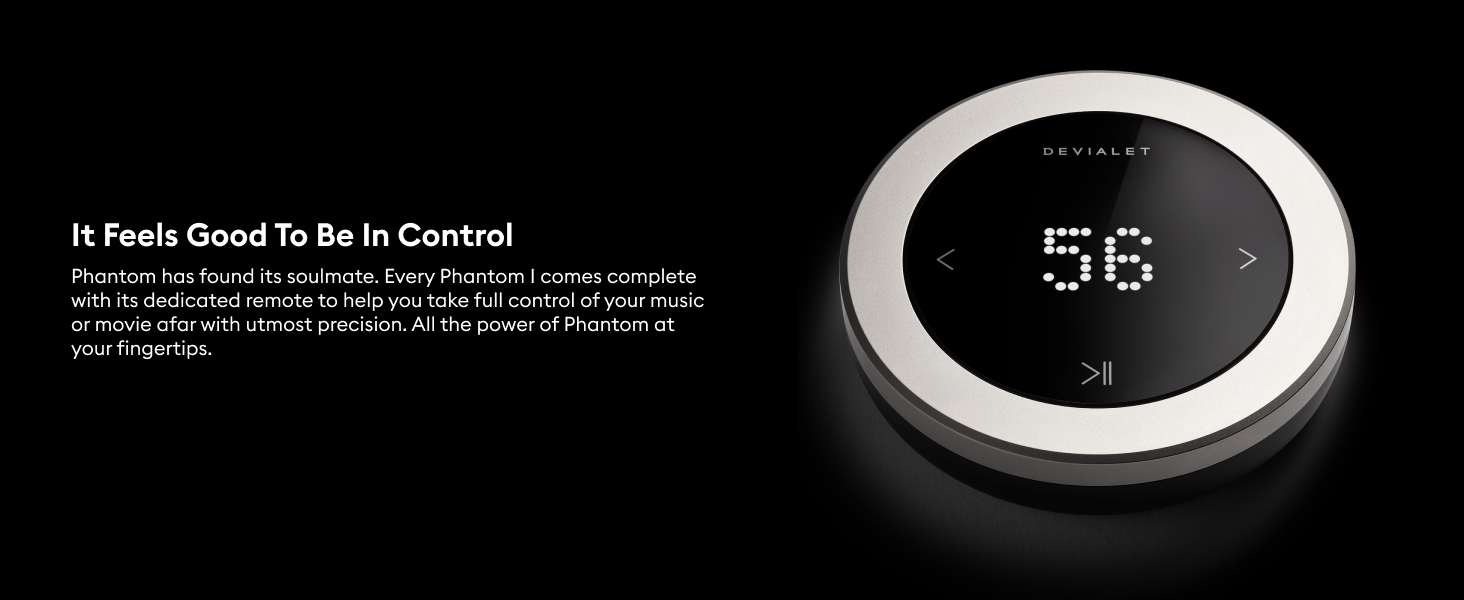
The Phantom I comes with a dedicated remote for precise control of your music. To switch on the remote, use the button underneath. To pair the remote with a Phantom, bring it close to the speaker until it emits a sound. Use the volume scroll wheel to adjust the volume. Press the pause button once to pause or resume playback. Use the arrow buttons on the side to move across tracks.
Vídeo 4.1: This tutorial provides instructions on how to use the Devialet Remote with your Phantom speaker, covering basic controls like volume adjustment, play/pause, and track navigation.
4.2. Stereo Configuration
If you have two Phantom speakers for a stereo setup, you can control both with a single remote. Bring the remote near one of the Phantoms in the pair until it emits a sound. The remote will then control both Phantoms simultaneously. If you have multiple remotes for multiple Phantoms, turn all remotes off first. Then, turn on one remote, pair it with one Phantom, and repeat for each remote and Phantom until all are paired.
4.3. Multi-Room Capabilities
Sync your entire home in symphony or stream different audio in every room using the Devialet App's multi-room features.

Imatge 4.2: Devialet Phantom I speakers positioned in various rooms, illustrating their multi-room audio capabilities for synchronized or independent playback.
5. Tecnologies avançades
The Devialet Phantom I incorporates several patented technologies to deliver its exceptional sound quality.
Vídeo 5.1: Aquest vídeo ofereix un finalview of the advanced technologies integrated into the Devialet Phantom I, showcasing its innovative engineering.
5.1. ADH Analog Digital Hybrid
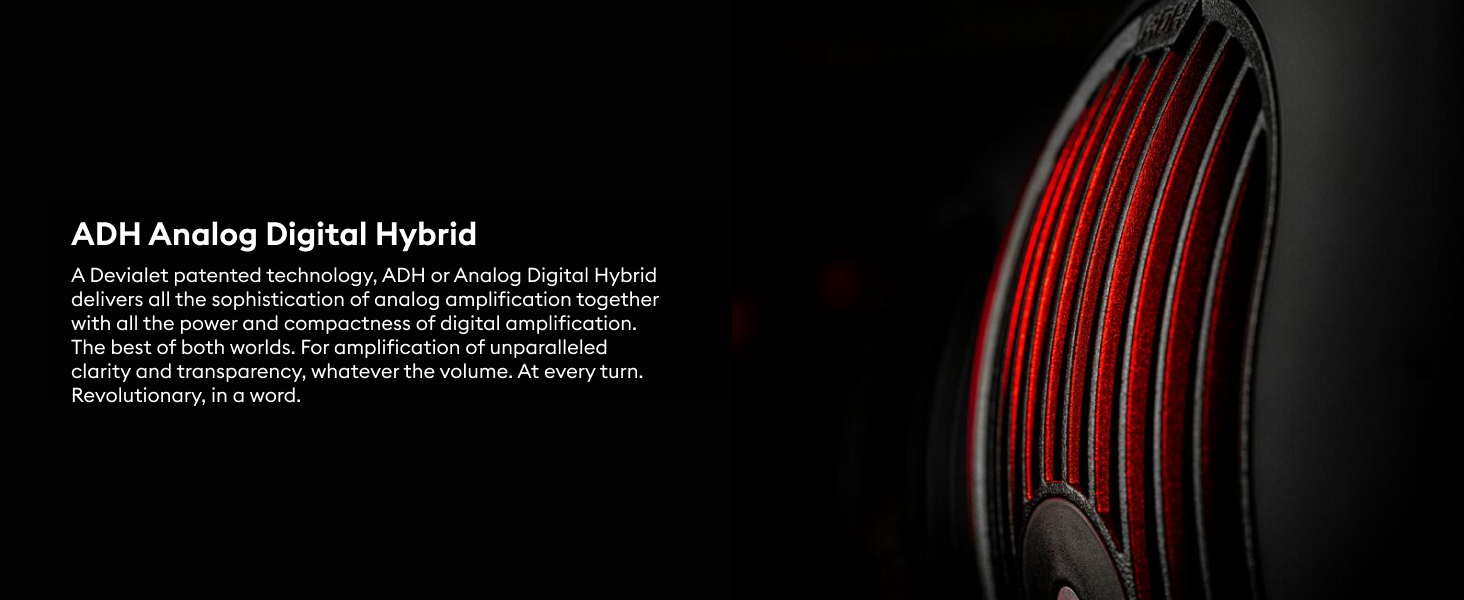
ADH (Analog Digital Hybrid) is a Devialet patented technology that combines the sophistication of analog amplification with the power and compactness of digital amplification. This fusion delivers unparalleled clarity and transparency, regardless of volume levels.

Imatge 5.2: Un intern view of the Devialet Phantom I, illustrating the ADH (Analog Digital Hybrid) technology that combines analog and digital amplification for superior sound.
5.2. SAM Speaker Active Matching
SAM (Speaker Active Matching) is a mathematical model developed by Devialet to ensure extreme fidelity throughout playback. It allows the Phantom to reproduce the exact rhythm and tempo of your music with absolute precision, ensuring you experience every last emotion as the artist intended.
Imatge 5.3: Detallada view of the internal components of the Devialet Phantom I, showcasing the SAM (Speaker Active Matching) technology for precise audio reproduction.
5.3. HBI Heart Bass Implosion
HBI (Heart Bass Implosion) is a unique system developed exclusively for Phantom, designed to reach the lowest frequencies ever emitted. Its hermetically sealed architecture features two lateral woofers working together, generating ultra-dense sound with physical impact, extending right down to infrasound (14Hz).

Imatge 5.4: The woofers of the Devialet Phantom I in motion, demonstrating the HBI (Heart Bass Implosion) technology that delivers deep and impactful bass.
5.4. EVO Platform
The EVO Platform provides continuous performance and compatibility updates directly to your Phantom I wirelessly and hassle-free. Simply connect to the Devialet app, and EVO cybernetics will handle the rest, ensuring your speaker remains up-to-date.

Imatge 5.5: The Devialet App displaying the EVO Platform, which provides wireless performance and compatibility updates for the Phantom I speaker.
6. Especificacions
Detailed technical specifications for the Devialet Phantom I 103dB speaker.
| Característica | Detall |
|---|---|
| Tipus de muntatge | Altaveu |
| Material | Full Matte Black |
| Nom del model | ZM610 |
| Tipus d'altaveu | Integrat |
| Característica especial | Multi Room Audio, Stereo Pairing |
| Usos recomanats per al producte | Interior/Exterior |
| Dispositius compatibles | Ordinador de sobretaula, portàtil, reproductor MP3, projector, telèfon intel·ligent, tauleta, televisió |
| Recompte d'unitats | 1 recompte |
| Configuració del canal de so envoltant | 2.0 |
| Color | Crom clar |
| Components inclosos | Phantom I |
| Dimensions del producte | 5.28 "P x 3.9" W x 3.94" H |
| És impermeable | FALSA |
| Tipus de garantia | Limitat |
| Nombre d'articles | 1 |
| Mètode de control | Remot |
| Tecnologia de comunicació sense fils | AirPlay 2 |
| Mida de l'altaveu | 252 mil·límetres |
| Font d'alimentació | Funciona amb bateria |
| Diàmetre del Tweeter | 1 polzades |
| Nombre de bateries | Necessites 1 bateries de ions de liti. (inclòs) |
| Tipus de controlador d'àudio | Conductor dinàmic |
| Tecnologia de connectivitat del subwoofer | Sense fil |
| Usos específics per al producte | Interior |
| Estil | Chrome |
| Número d'identificació comercial global | 03663424013055 |
| Fabricant | Devialet Inc. |
| Forma | prisma rectangular |
| Estableix el nom | Fantasma |
| Pes de l'article | 32.5 lliures |
| ASIN | B08T7V6NS6 |
| Número de model de l'article | ZM615US |
| Bateries | Necessites 1 bateries de ions de liti. (inclòs) |
| Data de primera disponibilitat | 27 de gener de 2021 |
| Marca | Devialet |
| Potència de sortida màxima dels altaveus | 100 watts |
| Resposta de freqüència | 25 kHz |
| Tecnologia de connectivitat | Línia elèctrica |
| Mode de sortida d'àudio | estèreo |
7. Manteniment
To ensure the longevity and optimal performance of your Devialet Phantom I, follow these maintenance guidelines:
- Col·locació: Always keep the Phantom I on a stable surface. Avoid placing it in direct sunlight, near heat sources, or in excessively humid environments.
- Manipulació: When moving the speaker, avoid touching the side woofers. Always lift the speaker by its main body.
- Neteja: Use a soft, dry, lint-free cloth to clean the exterior of the speaker. Do not use abrasive cleaners, solvents, or sprays directly on the device.
- Ventilació: Ensure the rear of the speaker, where the power connection and heat sink are located, is not obstructed to allow for proper ventilation.
8. Solució De Problemes
If you encounter any issues with your Phantom I, refer to the following common troubleshooting steps:
- Sense energia: Ensure the power cable is securely connected to both the speaker and a working power outlet. Check if the power outlet is functional.
- Problemes de connectivitat (Bluetooth/Wi-Fi):
- Verify that Bluetooth is enabled on your source device and that the Phantom I is selected.
- For Wi-Fi connections, ensure both your source device and the Phantom I are connected to the same Wi-Fi network.
- Restart your router, the Phantom I, and your source device.
- If using the Devialet App, ensure it is updated to the latest version.
- El comandament a distància no respon: Check the battery in your remote. Re-pair the remote with the Phantom I by bringing it close to the speaker until it emits a sound.
- Sound Distortion/No Sound: Check the volume levels on both the speaker and your source device. Ensure all cables are securely connected. If using a streaming service, check your internet connection.
For persistent issues, please consult the official Devialet support resources or contact customer service.
9. Garantia i Suport
The Devialet Phantom I 103dB speaker comes with a limited warranty. For detailed information regarding warranty coverage, terms, and conditions, please refer to the warranty card included in your product packaging or visit the official Devialet weblloc.
For technical support, product registration, or to access frequently asked questions and user forums, please visit the Devialet support page online. You can also find contact information for customer service there.


