Introducció
This manual provides comprehensive instructions for the installation, operation, and maintenance of your XFX Speedster QICK319 AMD Radeon RX 6800 Black Gaming Graphics Card. Please read this manual thoroughly before installation and use to ensure optimal performance and longevity of your product.
The XFX Speedster QICK319 series is designed with a modern aerodynamic style, focusing on clean and elegant design to maximize airflow for improved cooling and performance. It features AMD RDNA 2 architecture, which enhances gaming performance and visuals for both consoles and PCs, and includes new Ray Accelerators for high-performance hardware-accelerated raytracing.
Contingut del paquet
Upon opening the package, please verify that all components are present and undamaged. The standard package should include:
- XFX Speedster QICK319 AMD Radeon RX 6800 Graphics Card
- CD de controladors (per a la instal·lació inicial del controlador)
If any items are missing or damaged, please contact your retailer or XFX customer support immediately.
Configuració i instal·lació
Proper installation is crucial for the performance and stability of your graphics card. Please follow these steps carefully.
Requisits del sistema
- PCI Express-enabled motherboard with one x16 graphics slot.
- Minimum 650W power supply with two 8-pin PCIe power connectors.
- Memòria del sistema mínima de 8 GB (es recomana 16 GB).
- Operating System: Windows 10 64-bit or Linux 64-bit.
- Internet connection for driver updates.
Instal·lació física
- Preparació: Apagueu l'ordinador i desconnecteu tots els cables. Obriu la carcassa de l'ordinador.
- Localitza la ranura PCIe: Identify an available PCI Express x16 slot on your motherboard. Remove the corresponding expansion slot cover(s) from the back of your computer case.
- Inseriu la targeta gràfica: Alineeu amb cura la targeta gràfica amb la ranura PCIe i premeu fermament fins que quedi ben col·locada. Assegureu-vos que el clip de retenció de la placa base encaixi al seu lloc.
- Targeta segura: Secure the graphics card to the computer case using the screw(s) from the removed expansion slot cover(s).
- Connectar l'alimentació: Connect the two 8-pin PCIe power connectors from your power supply to the corresponding ports on the top edge of the graphics card. Ensure a firm connection.
- Tanca el cas: Tanqueu la carcassa de l'ordinador i torneu a connectar tots els cables.
Instal·lació del controlador
- Encès: Enceneu l'ordinador.
- Pantalla inicial: Your computer may boot with a basic display driver.
- Instal·leu els controladors:
- Using Driver CD: Insert the provided Driver CD into your optical drive and follow the on-screen instructions.
- Baixeu els controladors més recents (recomanat): Visiteu l'AMD oficial weblloc (www.amd.com/en/support) and download the latest drivers for the AMD Radeon RX 6800 series. Run the installer and follow the prompts.
- Reinicia: Reinicieu l'ordinador després que s'hagi completat la instal·lació del controlador.
Funcionament de la targeta gràfica
Once installed and drivers are updated, your XFX Speedster QICK319 graphics card is ready for use. It will automatically handle graphics processing for your system.
Mostra connexions
The graphics card supports multiple display outputs:
- 1 x port HDMI
- 3 x DisplayPort (DP) ports
Connect your monitor(s) to the desired output ports. The card supports a maximum resolution of 7680 x 4320 pixels.
Software and Features
Utilize the AMD Radeon Software Adrenalin Edition for advanced control over your graphics card. This software allows you to:
- Monitor performance metrics (temperature, clock speeds, fan speeds).
- Adjust game settings for optimal performance and visual quality.
- Actualitza els controladors.
- Access features like Radeon Anti-Lag, Radeon Boost, and Radeon Image Sharpening.
Manteniment
Un manteniment regular ajuda a garantir la longevitat i el rendiment òptim de la targeta gràfica.
- Mantenir els controladors actualitzats: Regularly check for and install the latest graphics drivers from the AMD website. Driver updates often include performance improvements, bug fixes, and new features.
- Eliminació de pols: Periodically clean dust from the graphics card fans and heatsink using compressed air. Ensure the computer is powered off and unplugged before cleaning. Hold the fan blades gently to prevent them from spinning rapidly during cleaning.
- Flux d'aire: Assegura't que hi hagi un bon flux d'aire dins de la caixa de l'ordinador. Mantén els cables ordenats i assegura't que els ventiladors de la caixa funcionin correctament per evitar l'acumulació de calor.
- Monitorització de la temperatura: Use AMD Radeon Software or third-party tools to monitor the graphics card's temperature, especially during heavy loads. Excessive temperatures can indicate poor airflow or dust buildup.
Resolució de problemes
Aquesta secció tracta problemes comuns que podeu trobar.
Sense pantalla / Pantalla negra
- Assegureu-vos que la targeta gràfica estigui completament col·locada a la ranura PCIe.
- Verify that all PCIe power connectors are securely plugged into the graphics card.
- Check that your monitor cable is securely connected to both the graphics card and the monitor.
- Try a different display output port on the graphics card or a different monitor cable.
- Assegureu-vos que la vostra font d'alimentació compleixi amb el consum mínim d'energia.tage requirement (650W).
Driver Issues / Crashes
- Perform a clean installation of the graphics drivers. Use a utility like Display Driver Uninstaller (DDU) in Safe Mode to remove old drivers completely before installing the latest ones from AMD's weblloc.
- Assegureu-vos que el vostre sistema operatiu estigui actualitzat.
- Check for conflicts with other software or drivers.
Poor Performance / Low FPS
- Assegureu-vos que teniu instal·lats els controladors gràfics més recents.
- Check in-game graphics settings; reduce settings like resolution, anti-aliasing, or texture quality if necessary.
- Monitor temperatures. Overheating can lead to performance throttling. Ensure good case airflow and clean the card.
- Verifiqueu que el vostre sistema compleix les especificacions recomanades per als jocs o aplicacions que esteu executant.
Especificacions
| Característica | Detall |
|---|---|
| Nom del model | XFX Speedster QICK319 AMD Radeon RX 6800 |
| Número de model | RX-68XLALBD9 |
| Processador gràfic | AMD Radeon RX 6800 |
| Arquitectura | AMD RDNA 2 |
| Memòria de vídeo | 16 GB GDDR6 |
| Velocitat de memòria | 16 GHz |
| Resolució màxima | 7680 x 4320 píxels |
| Ports de sortida | 1 x HDMI, 3 x DisplayPort |
| Interfície | PCI Express 4.0 |
| Dimensions (LxWxH) | 13.39 x 5.43 x 2.13 polzades |
| Pes de l'article | 4.44 lliures |
| PSU recomanat | 650W (Minimum) |
| Connectors d'alimentació | 2 x 8-pin PCIe |
Imatges del producte

Davant view of the XFX Speedster QICK319 AMD Radeon RX 6800 graphics card alongside its retail packaging, highlighting the product branding and key features.
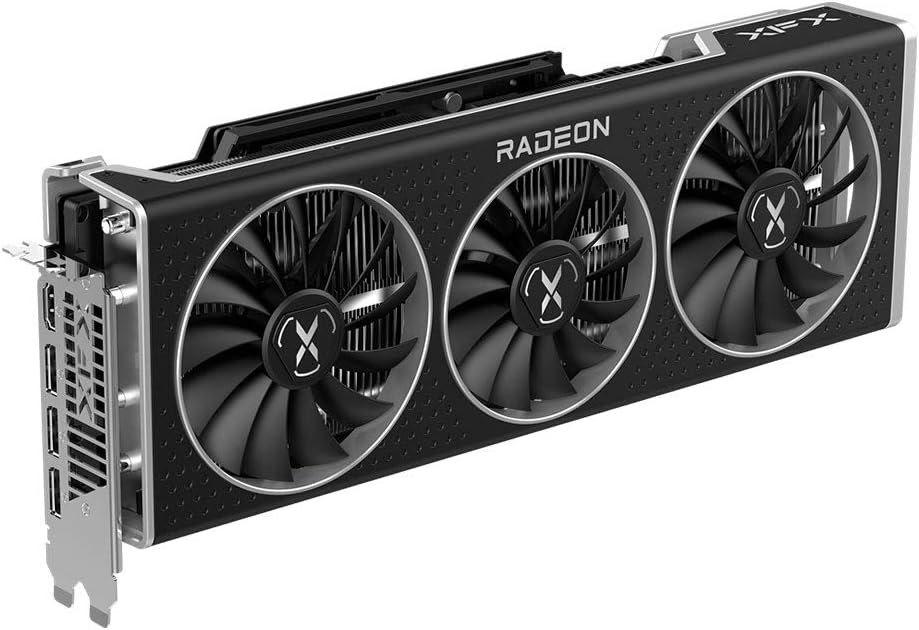
Frontal inclinat view de la targeta gràfica, mostraasing its triple-fan cooling system and sleek black design with "RADEON" branding.

Angle de dalt a baix view of the graphics card, revealing the heatsink fins and the two 8-pin power connectors required for operation.
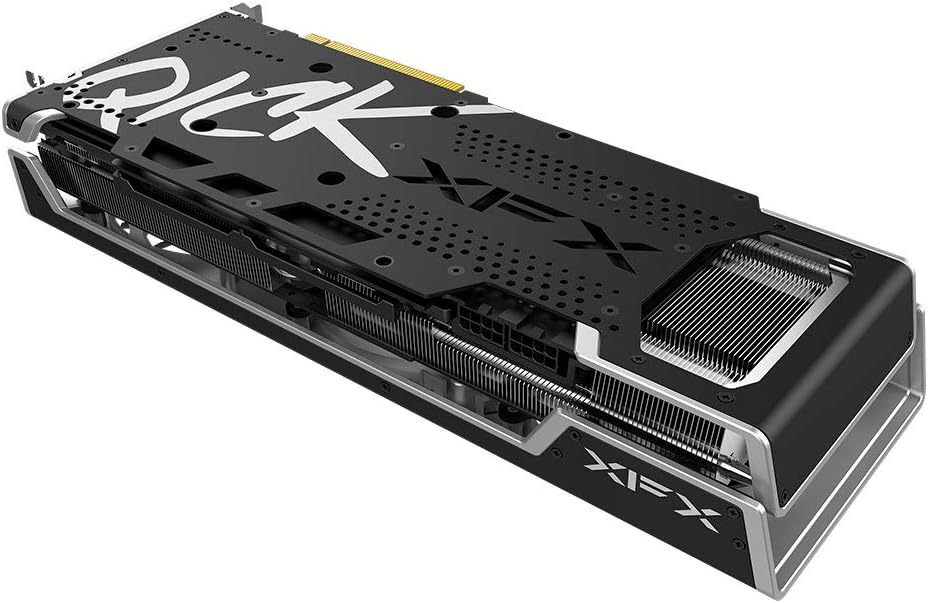
posterior view of the graphics card, showing the protective backplate with "QICK" and "XFX" branding, designed for structural integrity and heat dissipation.
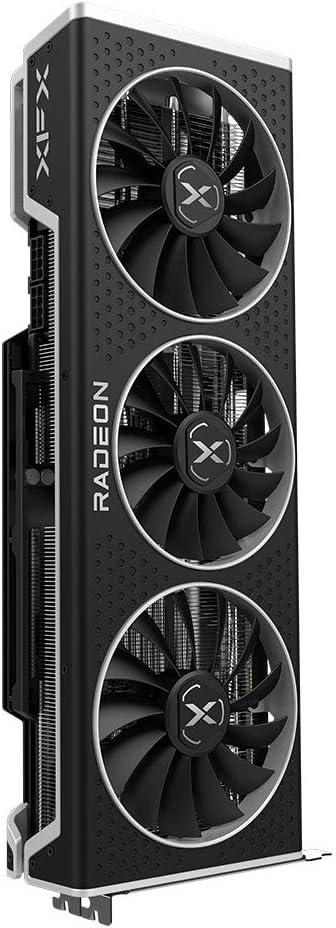
Side profile of the graphics card, emphasizing its thickness and the robust cooling solution with multiple fan blades visible.

Another angled side view, providing a clearer look at the heatsink fins and the overall build quality of the card.
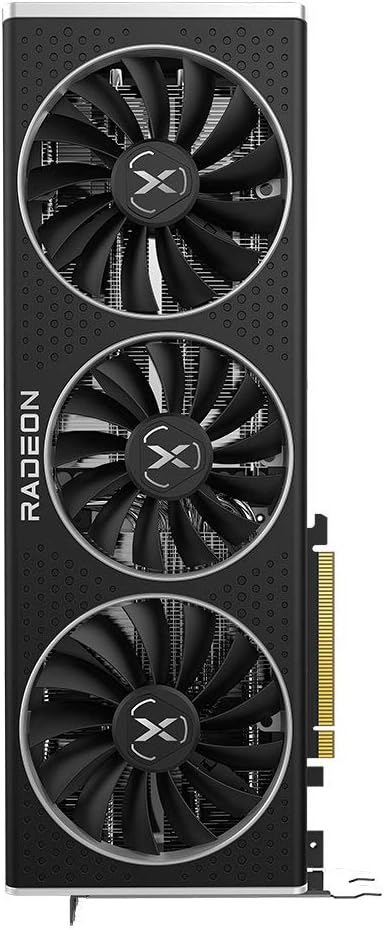
Direct top view de la targeta gràfica, mostraasing the three large cooling fans and the "RADEON" logo prominently displayed.
Garantia i Suport
For warranty information, please refer to the documentation provided with your purchase or visit the official XFX website. XFX typically offers a limited warranty on its graphics cards, covering manufacturing defects for a specified period.
For technical support, driver downloads, and frequently asked questions, please visit the official XFX support weblloc:
You may also find helpful resources and community forums on the AMD support website for general Radeon graphics card inquiries.


