1. Introducció
This manual provides detailed instructions for the proper use and maintenance of your Tera D5100Y USB Wired 1D 2D QR Barcode Scanner. Designed for efficiency and durability, this scanner offers fast and precise scanning for a wide range of barcode symbologies. Please read this manual thoroughly before operating the device to ensure optimal performance and longevity.

Image: The Tera D5100Y USB Wired 1D 2D QR Barcode Scanner, featuring its ergonomic design and USB cable.
2. Contingut del paquet
En obrir el paquet, comproveu que tots els elements que s'enumeren a continuació hi són presents i que es troben en bon estat:
- Tera D5100Y Barcode Scanner (x1)
- Cable USB (integrat)
- Manual d'usuari (x1)

Image: A visual representation of the Tera D5100Y scanner, its USB cable, and the included user manual, as found in the product box.
3. Característiques clau
- Disseny ergonòmic: The scanner features a curved, extended, and thickened handle, specifically designed for comfortable grip during prolonged use. The smooth, flat trigger enhances user experience.
- Durabilitat millorada: Equipped with an orange anti-shock silicone protective cover, the scanner is designed to withstand drops from up to 6.56 feet (2 meters). Its IP54 rating provides protection against dust and splashing water.
- Connectivitat Plug and Play: The Tera D5100Y is a wired 2D barcode scanner that connects via a standard USB cable. No driver or software installation is required, allowing for immediate use upon connection.
- Àmplia compatibilitat: Compatible with Windows, Mac OS, Linux, iOS, and Android operating systems. It works seamlessly with common software applications such as Word, Excel, and Novell.
- Suport en diversos idiomes: Supports approximately 25 languages, including English, Spanish, German, French, Italian, and Japanese. The factory default language is English. Ensure the scanner's language setting matches your computer's keyboard language for correct output.
- Versatile Scanning Capabilities: Decodes both printed and digital 1D, 2D, and QR barcode symbologies. This includes UPC-A, EAN-13, Code 128, QR Code, Data Matrix, PDF417, Aztec code, and Maxicode.

Image: A hand comfortably holding the Tera D5100Y scanner, illustrating its ergonomic shape and trigger placement for ease of use.

Image: The Tera D5100Y scanner shown in a simulated drop scenario, emphasizing its robust, shock-resistant construction.
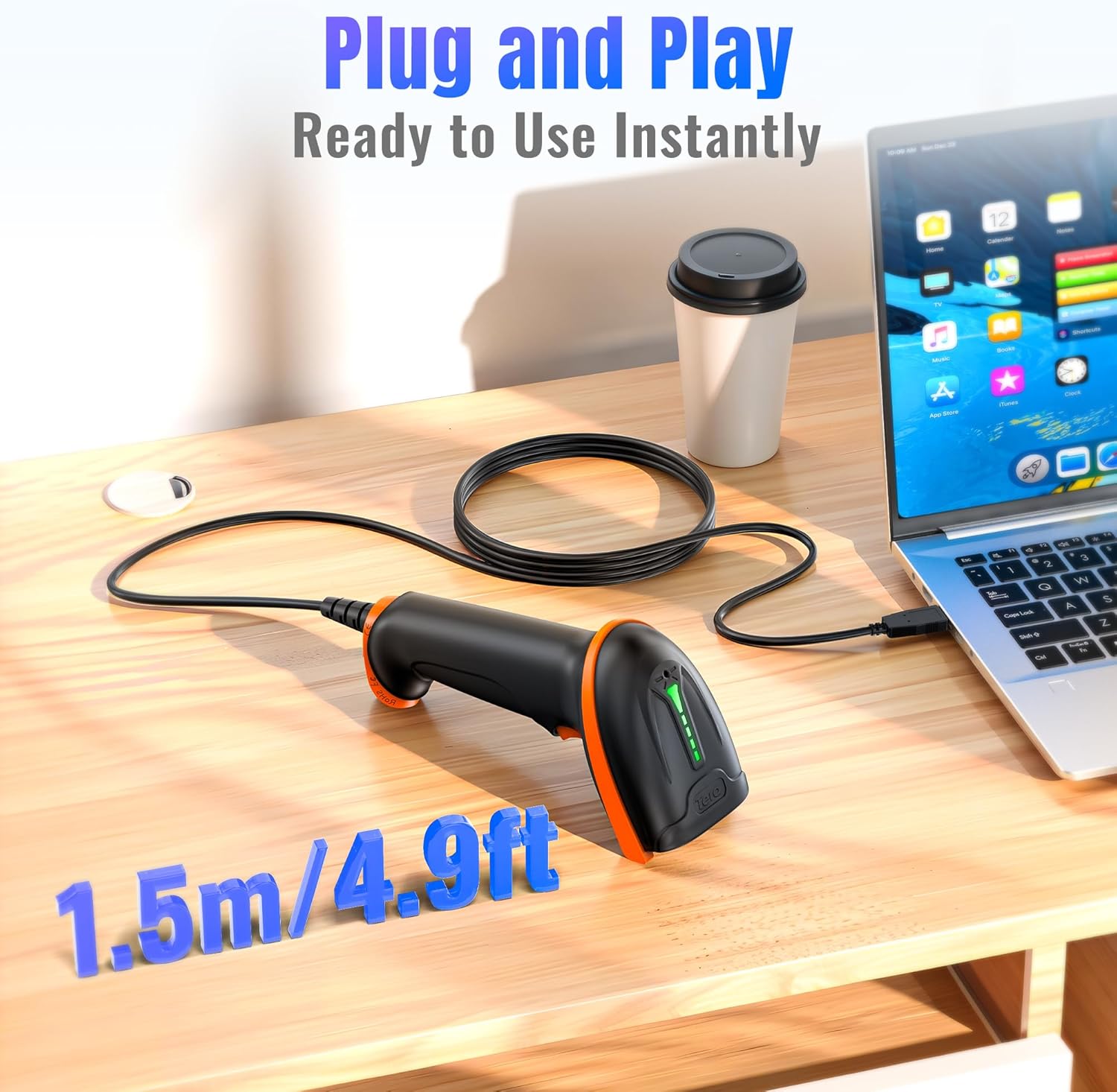
Image: The Tera D5100Y scanner connected to a laptop via its USB cable, demonstrating its simple plug-and-play setup.

Image: The Tera D5100Y scanner with flags of various countries, indicating its support for multiple languages.

Image: The Tera D5100Y scanner actively scanning a QR code on a laptop screen, demonstrating its capability to read both digital and printed 1D/2D/QR codes.
4. Configuració
- Connecteu l'escàner: Plug the USB cable of the Tera D5100Y scanner into an available USB port on your computer (Desktop or Laptop).
- Reconeixement del sistema: Your operating system (Windows, Mac OS, Linux, etc.) will automatically detect and install the necessary drivers. This process typically takes a few seconds.
- A punt per al seu ús: Once the system recognizes the device, the scanner is ready for immediate use. No additional software installation is required.
5. Instruccions de funcionament
5.1 Escaneig bàsic
- Ensure the scanner is connected to your computer.
- Open an application where you want the scanned data to appear (e.g., Notepad, Word, Excel, a POS system).
- Apunteu la finestra de l'escàner cap al codi de barres que voleu escanejar.
- Press and hold the trigger button. A red aiming line will appear.
- Align the aiming line across the entire barcode. Once successfully scanned, the scanner will emit a beep (if enabled) and the data will appear in your active application.
5.2 Configuració de so
The scanner's beep sound can be adjusted. Refer to the full user manual (PDF) for specific configuration barcodes to turn the sound on or off.
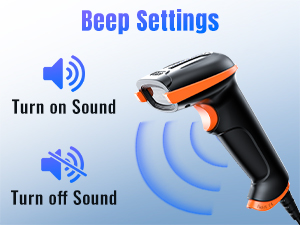
Image: A visual guide illustrating how to enable or disable the scanner's beep sound, enhancing user control over auditory feedback.
5.3 Configuració d'idioma
To ensure correct character output, the scanner's language setting must match your computer's keyboard language. The default language is English. Consult the full user manual (PDF) for instructions on changing the scanner's language by scanning specific configuration barcodes.

Image: A graphic depicting a globe surrounded by various national flags, symbolizing the scanner's extensive multi-language support.
5.4 Data Editing (Prefix/Suffix)
The scanner supports adding prefixes or suffixes to scanned data, and hiding certain characters. These advanced settings are configured by scanning specific barcodes found in the comprehensive user manual (PDF).
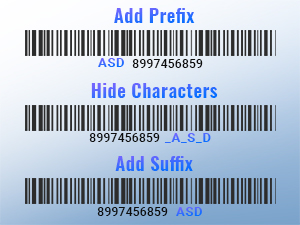
Imatge: Examples of barcodes with added prefixes, illustrating the scanner's capability to customize data output.
5.5 Modes de càrrega
The Tera D5100Y scanner supports two primary upload modes:
- Mode de càrrega instantània: Scanned data is immediately transmitted to the connected device.
- Mode d'emmagatzematge: Scanned data is stored internally in the scanner's memory and can be uploaded later in a batch.
Configuration barcodes for switching between these modes are available in the full user manual (PDF).
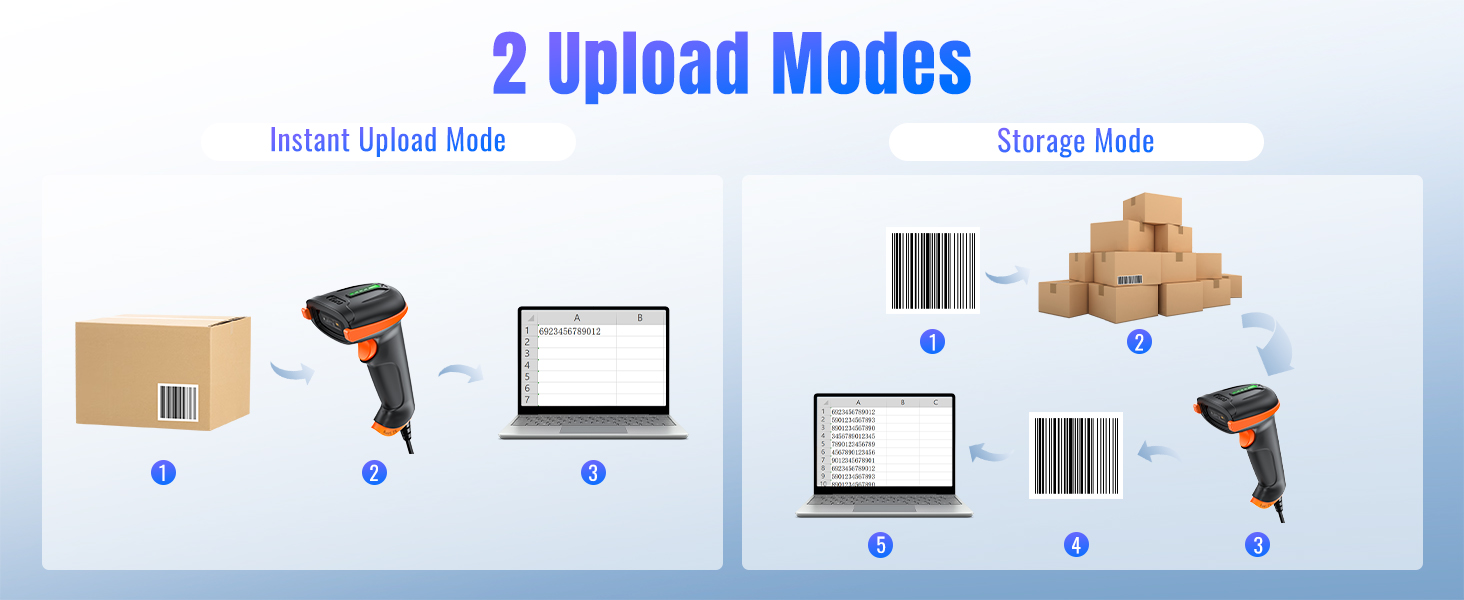
Image: A diagram illustrating the two data upload modes: Instant Upload, where data is sent immediately, and Storage Mode, where data is saved for later batch transfer.
6. Manteniment
- Neteja: Use a soft, dry cloth to clean the scanner's exterior. For the scanning window, use a lint-free cloth lightly dampNetegeu amb un netejador suau i no abrasiu. Eviteu productes químics agressius o materials abrasius.
- Emmagatzematge: Guardeu l'escàner en un lloc fresc i sec, allunyat de la llum solar directa i de temperatures extremes.
- Cura del cable: Eviteu doblegar o girar excessivament el cable USB per evitar danys interns.
7. Solució De Problemes
If you encounter issues with your Tera D5100Y scanner, please refer to the following common problems and solutions:
- L'escàner no respon:
- Assegureu-vos que el cable USB estigui connectat correctament tant a l'escàner com a l'ordinador.
- Try plugging the scanner into a different USB port.
- Reinicieu l'ordinador.
- Unable to Scan Barcodes:
- Assegureu-vos que el codi de barres estigui net, sense danys i clarament visible.
- Ajusteu la distància i l'angle entre l'escàner i el codi de barres.
- Verify that the scanner is configured for the correct barcode symbology (refer to the PDF manual for configuration barcodes).
- Check the scanner's decoding ability for challenging barcodes.
- Incorrect Characters or Output:
- Ensure the scanner's language setting matches your computer's keyboard language.
- Verify that the cursor is in an active input field in your application.
- If experiencing random character issues (e.g., lower case becoming upper case, numbers becoming symbols), this might indicate a firmware issue or an incorrect HID keyboard mode setting. Refer to the full PDF manual for factory reset options or alternative USB-COM mode configurations.
- No Beep Sound:
- Check the sound settings as described in Section 5.2 or the PDF manual to ensure the beep is enabled.
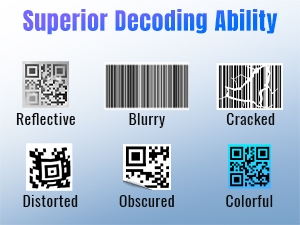
Image: A display of various barcode conditions, such as reflective, blurry, cracked, distorted, obscured, and colorful, demonstrating the scanner's advanced decoding capabilities.
For advanced troubleshooting or specific configuration settings, please refer to the comprehensive Tera D5100Y User Manual (PDF).
8. Especificacions
| Característica | Especificació |
|---|---|
| Número de model | D5100Y |
| Dimensions del producte | 2.5" de profunditat x 3.9" d'amplada x 6.5" d'alçada (6.35 cm de profunditat x 9.9 cm d'amplada x 16.5 cm d'alçada) |
| Pes de l'article | 9.1 unces (257.98 grams) |
| Font d'alimentació | Cable USB |
| Tecnologia de connectivitat | Cable USB |
| Dispositius compatibles | Escriptori, ordinador portàtil |
| Barcode Types (1D) | UPC-A, UPC-E, EAN-8, EAN-13, Code 128, Code 39, Code 93, Code 11, Interleaved 2 of 5, Matrix 2 of 5, Standard 2 of 5, Coda bar, MSI Plessey, GS1, China Post, Databar(RSS), Korea, NEC2 of 5, etc. |
| Barcode Types (2D) | QR Code, Data Matrix, PDF417, Aztec code, Maxicode |
| Classificació de durabilitat | IP54 (a prova de pols, a prova d'esquitxades) |
| Resistència a les caigudes | Fins a 6.56 peus (2 metres) |
9. Garantia i Suport
Tera products are manufactured to high-quality standards and are backed by a manufacturer's warranty. For specific warranty details, terms, and conditions, please refer to the documentation included with your product or visit the official Tera weblloc.
For further assistance, technical support, or to download the complete user manual, please visit the official Tera support resources. The full user manual contains detailed configuration barcodes and advanced settings not covered in this condensed guide.
You can access the official PDF user manual here: Tera D5100Y User Manual (PDF)
10. Informació de seguretat
- No exposeu l'escàner a temperatures extremes, humitat ni substàncies corrosives.
- Avoid direct eye exposure to the scanner's light source.
- Do not attempt to disassemble or modify the scanner. This will void the warranty and could cause damage or injury.
- Mantingueu el dispositiu allunyat de camps magnètics forts.


