Introducció
The Nixplay 10.1 inch Smart Digital Photo Frame (W10F) provides a modern way to display and share your cherished memories. This Wi-Fi enabled frame allows you to instantly share photos and videos with family and friends via email or the Nixplay app, no matter where they are. Designed for ease of use, it features automatic content rotation, a smart sensor to conserve energy, and intelligent face framing for optimal display.
This manual provides comprehensive instructions for setting up, operating, maintaining, and troubleshooting your Nixplay Smart Digital Photo Frame.
Contingut del paquet
Si us plau, verifiqueu que tots els elements que s'enumeren a continuació estiguin inclosos al vostre paquet:
- Nixplay 10.1 inch Smart Digital Photo Frame (W10F)
- Adaptador d'alimentació
- Control remot
- Guia de muntatge a la paret
- Cargols de muntatge a la paret

Figure 1: Contents of the Nixplay Smart Digital Photo Frame package.
Configuració
1. Desembalatge i col·locació
Carefully remove the frame and all accessories from the packaging. The Nixplay frame can be positioned in either portrait or landscape orientation, and is suitable for both tabletop display and wall mounting. The content displayed on the frame will automatically rotate to match its orientation.
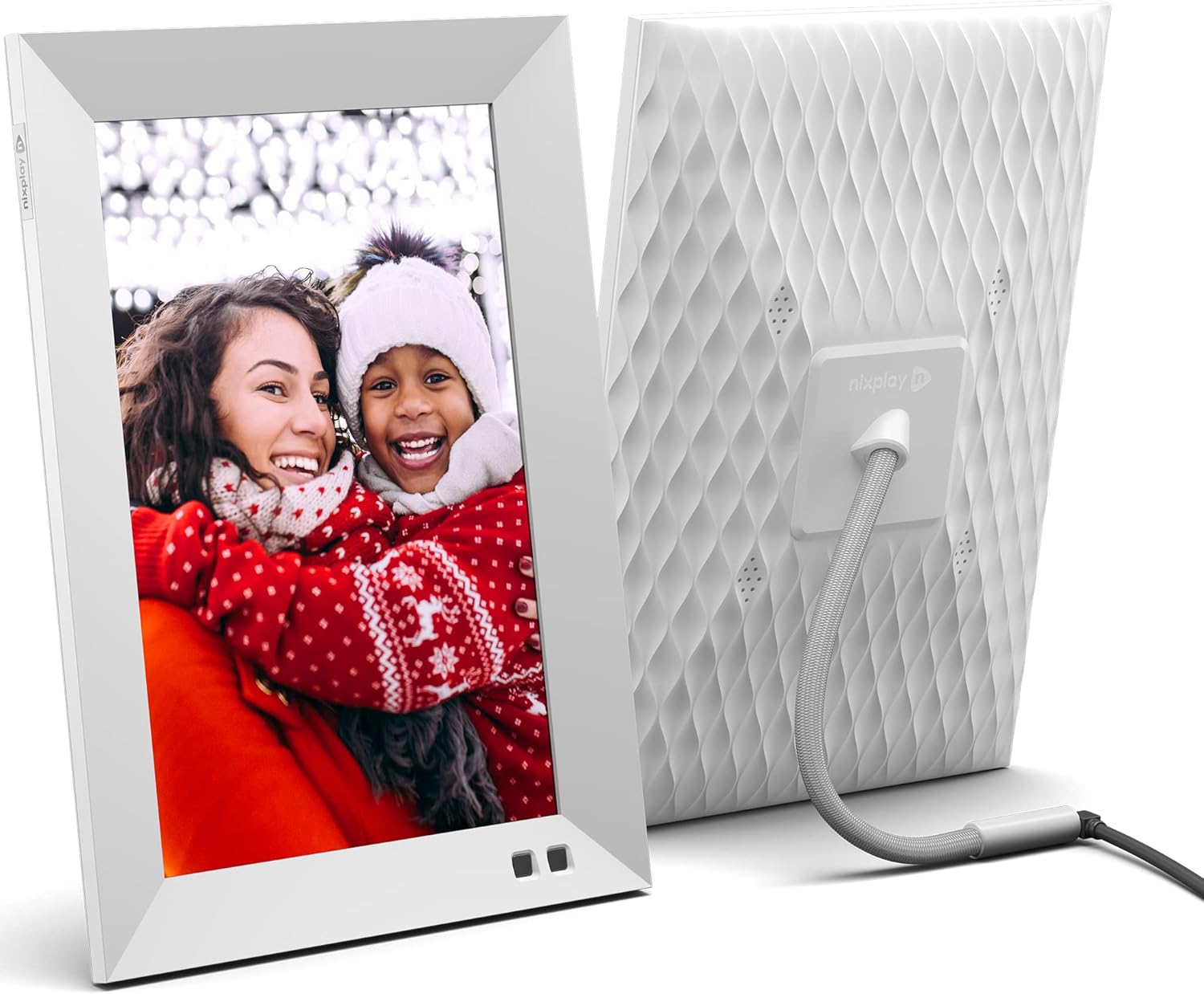
Figura 2: Davant i darrere view of the Nixplay Smart Digital Photo Frame.
2. Encès
Connect the provided power adapter to the frame's power port and then plug it into a wall outlet. The frame will automatically power on.
3. Connexió a la xarxa
Follow the on-screen prompts to connect your Nixplay frame to your Wi-Fi network. A stable internet connection is required for full functionality, including receiving new photos and videos.
4. Account Creation and Content Upload
To manage your frame and upload content, download the Nixplay mobile app (available for iOS and Android) or visit the Nixplay web app on your computer. Create a Nixplay account or log in if you already have one. From the app, you can:
- Link your frame to your account.
- Crear i gestionar llistes de reproducció.
- Upload photos and videos directly from your device.
- Import photos from cloud services like Google Photos, Facebook, and Instagram.
- Invite family and friends to contribute to your frame's playlists via email.

Figure 3: Sharing photos and videos instantly via the Nixplay app or email.
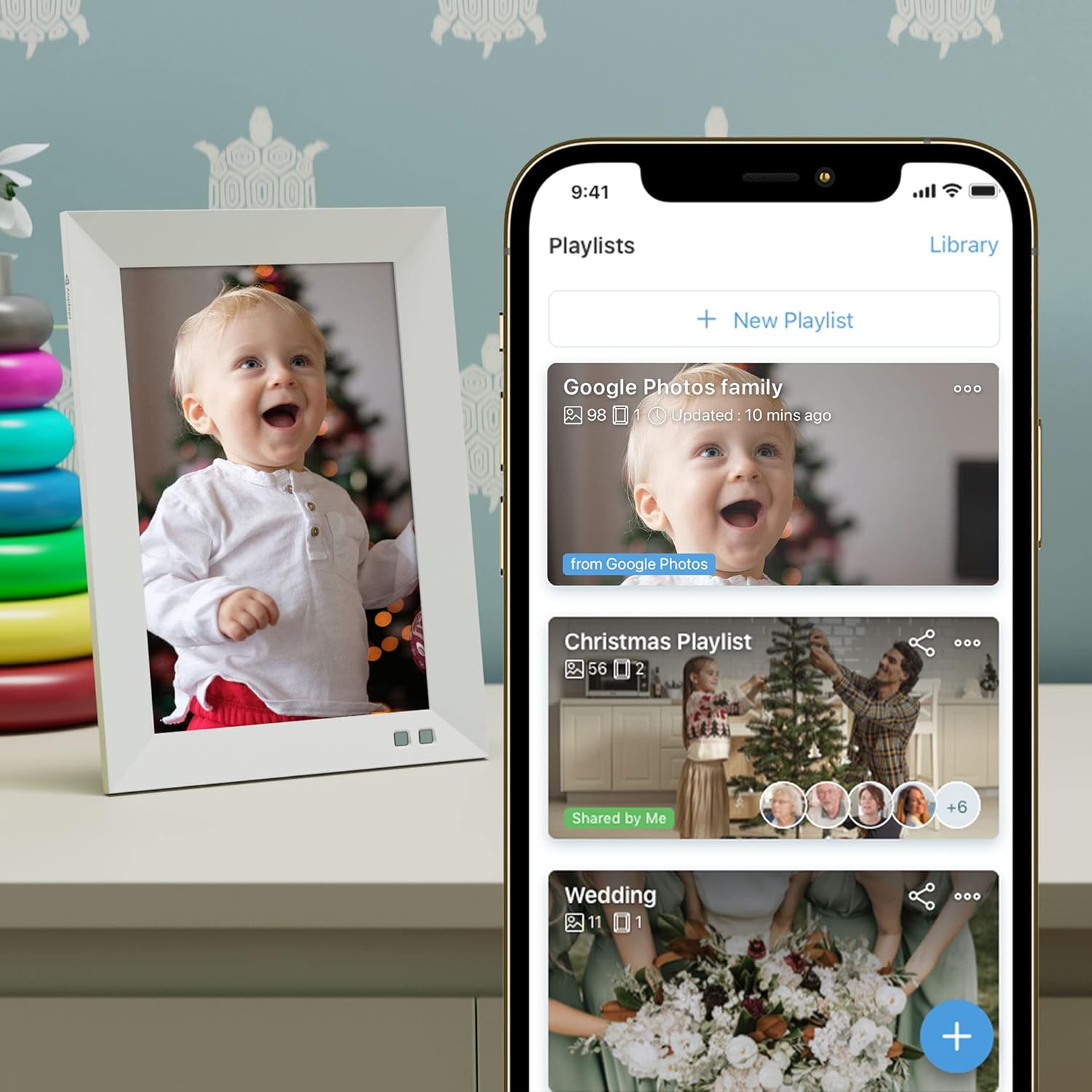
Figure 4: Managing playlists and content through the Nixplay mobile application.
Operating the Frame
Funcions de control remot
Use the included remote control to navigate menus, adjust settings, and control playback on your frame. Point the remote directly at the frame's sensor for optimal response.
Configuració de la pantalla
- Brillantor: Adjust the screen brightness to suit your environment.
- niX-SenseMe Smart Sensor: This sensor detects motion and presence. The frame will automatically wake up when you enter the room and go to sleep when no motion is detected, saving energy.
- Orientació: The frame automatically detects its orientation (portrait or landscape) and adjusts the display accordingly.
Reproducció de contingut
- Llistes de reproducció: Content is organized into playlists. You can switch between playlists using the remote or the Nixplay app.
- niX-SmartFace Framing: Proprietary software uses Artificial Intelligence to automatically position people closer to the center of the frame for an enhanced viewexperiència.
- Reproducció de vídeo: The frame supports video clips. Note that videos may be automatically trimmed to a certain length for optimal playback.
Voice Control (Amazon Alexa)
The Nixplay Smart Digital Photo Frame is compatible with Amazon Alexa. You can use voice commands to control your frame, such as asking it to play a specific playlist.
Manteniment
Neteja del marc
Per netejar la pantalla, netegeu-la suaument amb un drap suau i sense borrissol. Per a taques difícils, fregueu-la lleugerament.ampen the cloth with water. Avoid using harsh chemicals or abrasive materials. Clean the frame's body with a dry, soft cloth.
Actualitzacions de programari
Nixplay regularly releases software updates to improve performance and add new features. Ensure your frame is connected to Wi-Fi to receive automatic updates. You can also manually check for updates through the frame's settings menu or the Nixplay app.
Emmagatzematge al núvol
Your photos and videos are stored securely on Nixplay's cloud servers. This allows you to access and manage your content from anywhere and ensures your frame can display content even if your local network is temporarily unavailable.
Resolució de problemes
| Problema | Causa possible | Solució |
|---|---|---|
| El marc no s'encén. | L'adaptador de corrent no està connectat o la presa de corrent està defectuosa. | Ensure the power adapter is securely connected to the frame and a working electrical outlet. Try a different outlet. |
| No es pot connectar a la Wi-Fi. | Incorrect Wi-Fi password, weak signal, or router issue. | Double-check the Wi-Fi password. Move the frame closer to the router. Restart your Wi-Fi router. |
| Les fotos/vídeos no apareixen a l'enquadrament. | Content not uploaded, not assigned to a playlist, or frame not connected to internet. | Verify content is uploaded and assigned to an active playlist in the Nixplay app. Ensure the frame has a stable internet connection. |
| Frame is unresponsive. | Error temporal de programari. | Unplug the power adapter from the frame, wait 10 seconds, then plug it back in to restart the device. |
| Image quality appears poor. | Low resolution source image or display settings. | Ensure you are uploading high-resolution images. Check the frame's brightness settings. The frame features an HD IPS display for crisp visuals. |
Especificacions
| Característica | Detall |
|---|---|
| Número de model | W10F - White |
| Mida de la pantalla | 10.1 polzades |
| Resolució | Extensió WXGA |
| Dimensions del producte | 7.36 x 1.22 x 10.55 polzades |
| Pes de l'article | 2.99 lliures |
| Connectivitat | Wi-Fi |
| Dispositius compatibles | Smartphone (iOS/Android), Web App |
| Font d'alimentació | Adaptador de CA (inclòs) |
| Característiques especials | niX-SenseMe Smart Sensor, niX-SmartFace Framing, Automatic Orientation, Cloud Storage |
Garantia i Suport
Nixplay is committed to providing excellent customer service. If you encounter any issues or have questions regarding your Nixplay Smart Digital Photo Frame, please contact our customer support team.
Support is available via phone, email, or chat. Please refer to the Nixplay official weblloc (www.nixplay.com/support) for the most up-to-date contact information and support resources.


