1. Introducció
Thank you for choosing the HP OneShred 15CC Cross-Cut Shredder. This manual provides essential information for the safe and efficient operation, maintenance, and troubleshooting of your new shredder. Please read this manual thoroughly before using the device and keep it for future reference.

Figura 1: HP OneShred 15CC Cross-Cut Shredder. This image shows the shredder from an angled perspective, highlighting its white body, dark grey top panel with controls, and the transparent viewing window for the waste bin.
2. Informació important de seguretat
Per garantir un funcionament segur i evitar lesions o danys, observeu les següents precaucions de seguretat:
- Manteniu les mans, els cabells i la roba ampla allunyats de la ranura d'entrada de paper.
- Do not insert more than the recommended number of sheets (15 sheets) at once to prevent jams.
- Mantingueu els nens i les mascotes lluny de la trituradora.
- Desendolleu la trituradora abans de moure, netejar o buidar el contenidor d'escombraries.
- No utilitzeu productes en aerosol prop de la trituradora.
- Do not shred metallic items other than staples and small paper clips.
- Operate the shredder on a flat, stable surface.
- Do not expose the shredder to water or moisture.
- If the shredder overheats, allow it to cool down for the recommended period before resuming operation.
3. Configuració
- Desembalatge: Carefully remove the shredder from its packaging. Ensure all protective materials, such as Styrofoam and plastic wraps, are removed.
- Col·locació: Place the shredder on a stable, level surface. Ensure there is adequate space around the unit for ventilation and access to the power outlet.
- Connexió d'alimentació: Locate the power cable and plug it into the power inlet on the back of the shredder. Then, plug the other end into a standard electrical outlet.
- Paperera: Ensure the waste bin is correctly inserted into the shredder body. The shredder will not operate if the bin is not properly seated.

Figura 2: The HP OneShred 15CC shredder positioned in an office setting, demonstrating its compact size and suitability for office use.
4. Instruccions de funcionament
4.1 Controls i indicadors

Figura 3: Primer pla view of the shredder's top panel, showing the control buttons (REV, Power, FWD) and indicator lights for overload and overheat status.
- Botó d'engegada (centre): Turns the shredder on/off and sets it to standby mode.
- FWD (Forward) Button: Manually activates the shredding mechanism in forward direction.
- Botó REV (marxa enrere): Inverteix el mecanisme de trituració per eliminar els embussos de paper.
- Overload Indicator (Red Flashing): S'il·lumina quan s'ha inserit massa paper.
- Overheat Indicator (Red/Blue): Red indicates overheating; blue indicates standby.
4.2 Trituració de documents
- Encès: Press the power button to turn on the shredder. The standby indicator (blue) will light up.
- Insereix material: Insert up to 15 sheets of A4 paper, credit cards, or documents with staples into the paper entry slot. The shredder will automatically start shredding.
- Parada automàtica: The shredder will automatically stop once the shredding process is complete.
- Cicle de treball: The shredder is designed for a continuous operation of approximately 10 minutes. After this period, allow the shredder to cool down for about 50 minutes to prevent overheating.
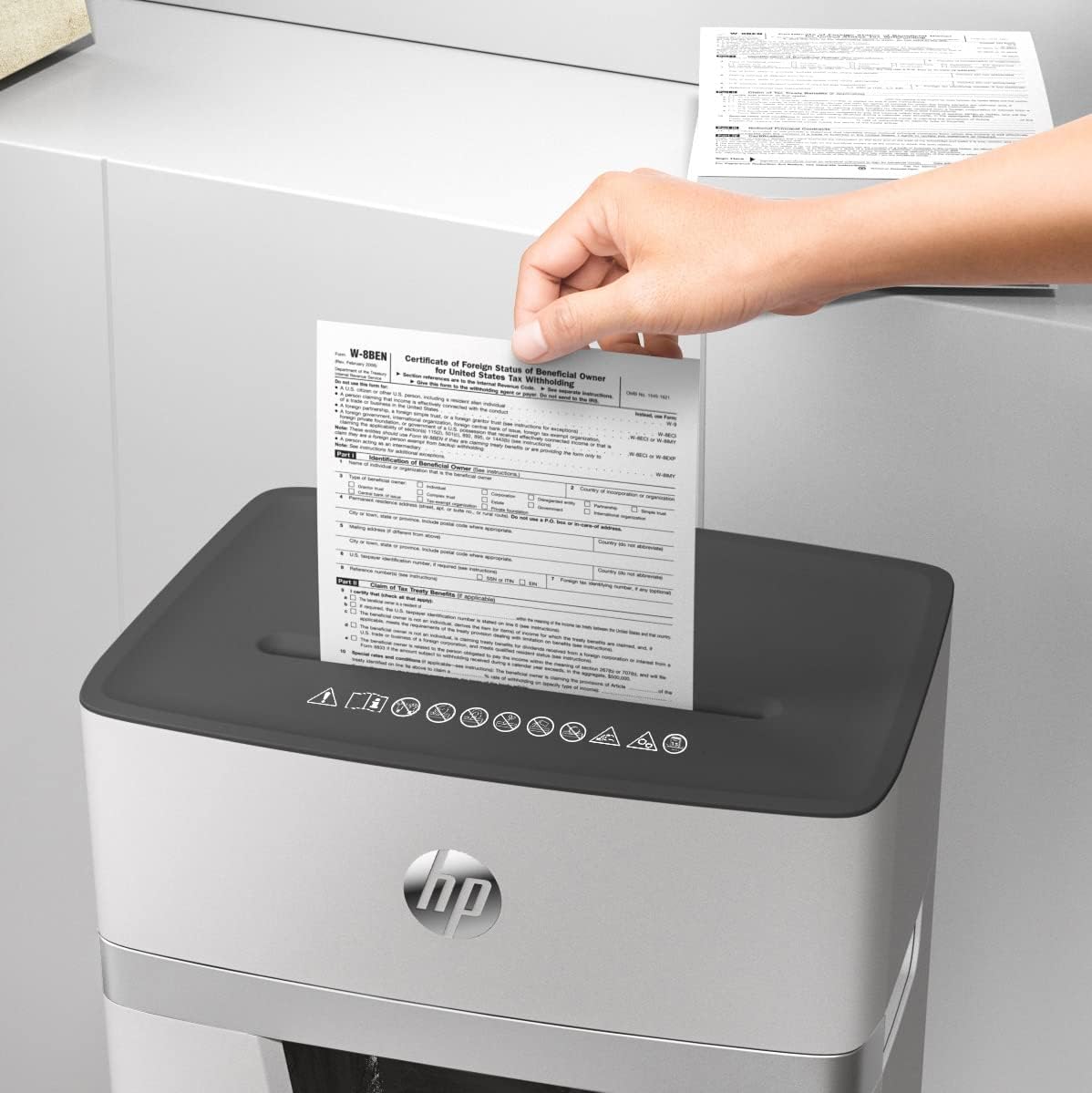
Figura 4: A hand feeding multiple sheets of paper into the shredder's entry slot, demonstrating its paper handling capability.
5. Manteniment
5.1 Buidatge de la paperera
The HP OneShred 15CC features a 20-liter waste bin with a viewing window, allowing you to monitor the fill level.
- Apagar: Always unplug the shredder from the power outlet before emptying the waste bin.
- Remove Bin: Pull the collection container straight out from the shredder body.
- Contingut buit: Desfeu-vos del material triturat.
- Reinsert Bin: Slide the empty bin back into the device until it clicks securely into place.
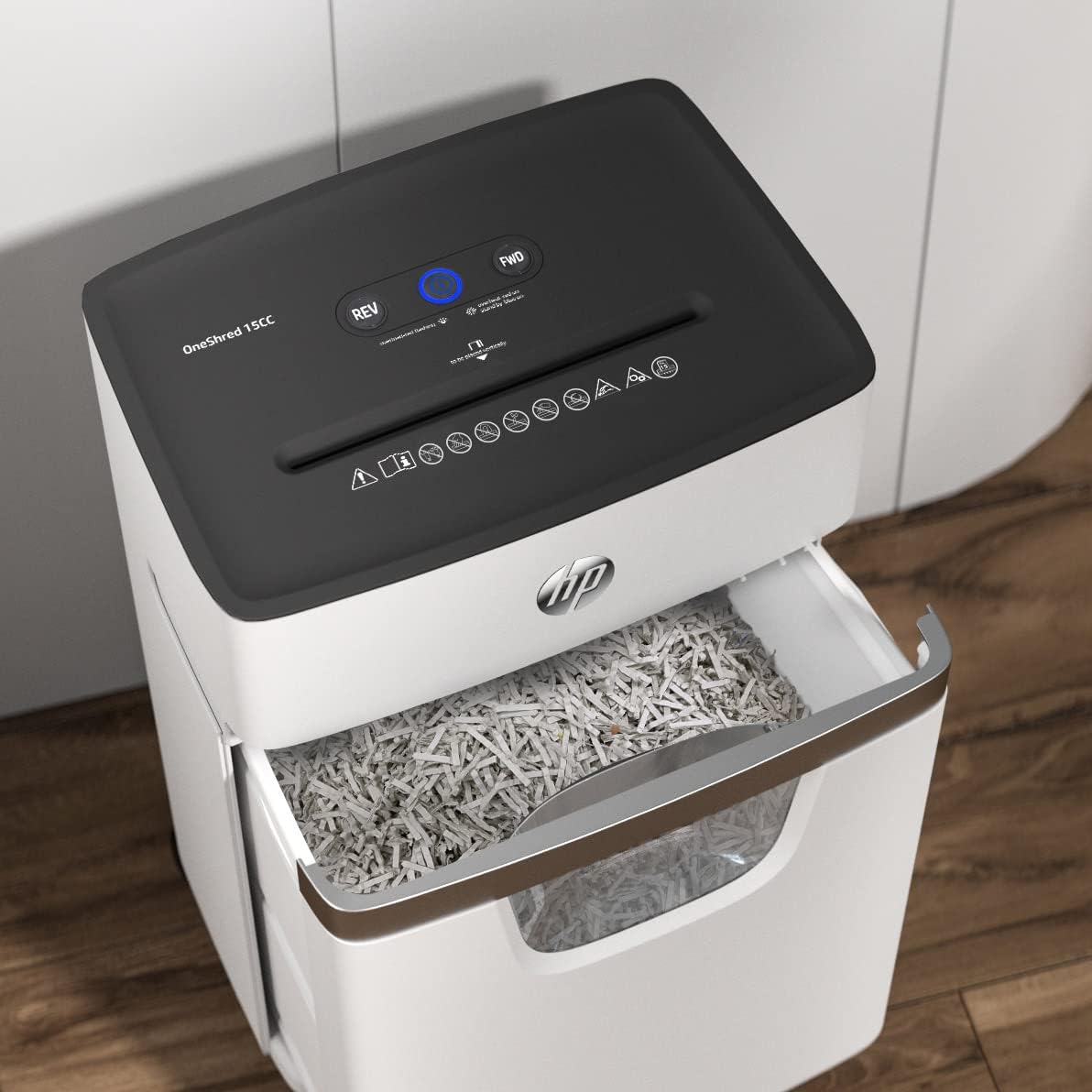
Figura 5: The shredder with its waste bin partially pulled out, revealing the shredded paper inside and demonstrating the ease of emptying.
5.2 Oiling the Cutters
Regular oiling of the shredder's cutting mechanism is crucial for maintaining optimal performance and extending the lifespan of the device. Use a shredder oil sheet or liquid shredder oil.
- Using Oil Sheets: Insert one shredder oil sheet into the paper entry slot as you would with regular paper. The shredder will process the sheet, lubricating the cutters.
- Using Liquid Oil: Apply a thin line of shredder oil across the paper entry slot. Then, run a few sheets of paper through the shredder to distribute the oil.
- Freqüència: Oil the shredder after every 30 minutes of cumulative shredding or when you notice a decrease in performance or increased noise.
6. Solució De Problemes
| Problema | Causa possible | Solució |
|---|---|---|
| La trituradora no s'encén. |
|
|
| Emballament de paper. |
|
|
| Shredder stops during operation (Overheat). |
|
|
| Rendiment de trituració reduït o augment de soroll. |
|
|
7. Especificacions
| Característica | Detall |
|---|---|
| Número de model | 2803 |
| Tipus de trituració | Tall de creu |
| Nivell de seguretat | P-4 |
| Capacitat del full | 15 sheets (A4, 80 gsm) |
| Trituradors | Paper, staples, credit cards |
| Capacitat de la paperera | 20 litres |
| Continuous Operation (Duty Cycle) | 10 minuts |
| Temps de refredament | 50 minuts |
| Nivell de soroll | 65 decibels |
| Dimensions del producte (P x A x A) | 35.3P x 24A x 53.4A cm (13.9P x 9.4A x 21A polzades) |
| Pes de l'article | 9.4 kg (20.7 lliures) |
| Característiques especials | Quiet Operation, Overheat/Overload Protection, Automatic Start/Stop, Reverse Function, Viewfinestra |

Figura 6: Diagram illustrating the dimensions of the HP OneShred 15CC shredder: 53.4 cm (21 in) height, 24 cm (9.4 in) width, and 35.4 cm (13.9 in) depth.
8. Garantia i Suport
Per obtenir informació sobre la garantia i assistència tècnica, consulteu la targeta de garantia inclosa amb el producte o visiteu el lloc web d'assistència oficial d'HP. weblloc web. Conserveu el rebut de compra com a comprovant de compra.
Oficial d'HP Weblloc: www.hp.com