Introducció
This manual provides essential information for the proper use and care of your Calypso K8502/2 Smartwatch. Please read these instructions carefully before using your device to ensure optimal performance and longevity.
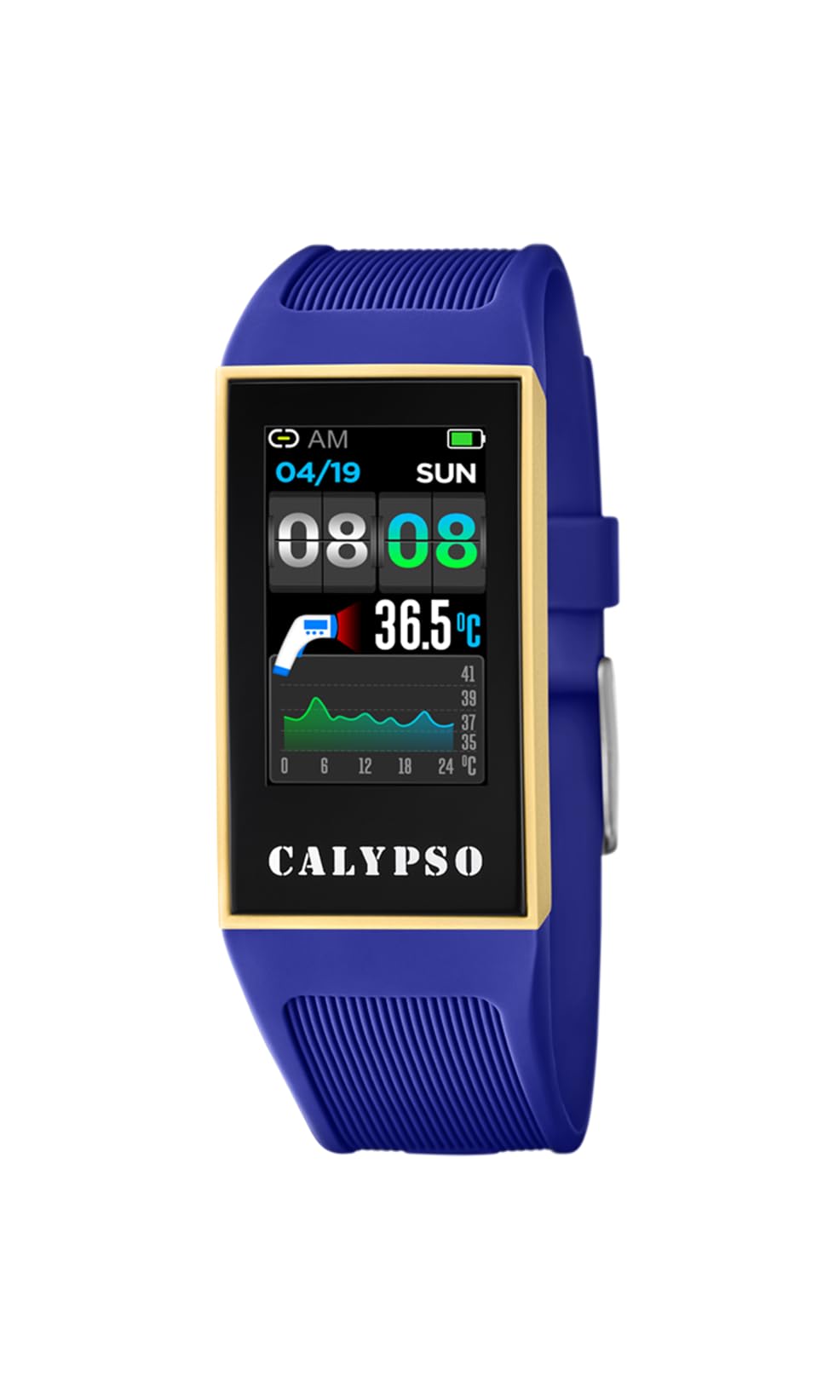
Imatge: Frontal view of the Calypso K8502/2 Smartwatch, displaying a digital time. The watch features a dark case and a digital display.
Producte acabatview
The Calypso K8502/2 is a digital smartwatch designed for daily use. It features a durable plastic case and strap, a digital display, and various functions including time, alarm, calendar, and body temperature indication. It is also water-resistant and compatible with smartphones for enhanced functionality.
Components clau
- Pantalla digital: Shows time, date, and various function readouts.
- Botons de control: Typically located on the sides for navigation and setting adjustments (e.g., SET, MODE, ADJ, LIGHT).
- Corretja: Made of durable plastic/rubber for comfortable wear.
- Sensors: Integrated for features like body temperature measurement.
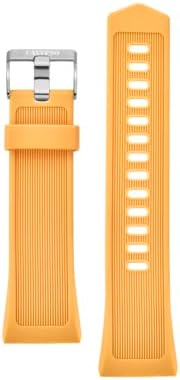
Image: A close-up of the Calypso K8502/2 Smartwatch's plastic strap, showing its texture and buckle mechanism.
Configuració
1. Càrrec inicial
Before first use, ensure your smartwatch is fully charged. Connect the provided charging cable to the watch and a compatible USB power source. The charge indicator on the display will show charging status.
2. Emparellament de telèfons intel·ligents
- Download the official Calypso Smartwatch application from your smartphone's app store.
- Activa Bluetooth i Serveis de localització al teu telèfon intel·ligent.
- Open the Calypso app and follow the on-screen instructions to pair your smartwatch. The app will guide you through the connection process.
- Once paired, the watch will synchronize time and date with your smartphone.
Nota: For successful synchronization, both Bluetooth and location services must be active on your smartphone during the initial pairing process. Location services can be disabled after successful synchronization if desired.
Instruccions de funcionament
Visualització bàsica de l'hora
The main screen displays the current time, day of the week, and date. Use the MODE button to cycle through different display modes.

Image: A close-up of the smartwatch display, showing the digital time, date, and various indicators. Buttons like SET, MODE, ADJ, LIGHT are visible around the bezel.
Configuració de l'hora i la data
- Manteniu premut el botó SET fins que els dígits de l'hora comencin a parpellejar.
- Utilitza el MODE per seleccionar el dígit o la configuració que voleu ajustar (per exemple, hores, minuts, any, mes, dia).
- Utilitza el ADJ botó per augmentar el valor.
- Premeu SET de nou per confirmar i sortir del mode de configuració.
Ús de la funció d'alarma
Per configurar una alarma:
- Premeu el botó MODE button repeatedly until the alarm setting screen appears.
- Mantén premut SET to enter alarm adjustment mode.
- Ús MODE per seleccionar hores o minuts, i ADJ per canviar els valors.
- Premeu SET per confirmar.
- To activate/deactivate the alarm, use the ADJ button while on the alarm display screen.
Body Temperature Indicator
Your smartwatch is equipped with a body temperature indicator. To view your current body temperature, navigate to the dedicated temperature screen using the MODE button. Ensure the watch is worn snugly on your wrist for accurate readings.
Resistència a l'aigua
The Calypso K8502/2 Smartwatch is water-resistant. This means it can withstand splashes, rain, and brief immersion in water. It is not suitable for diving, snorkeling, or high-pressure water activities. Avoid pressing buttons while the watch is submerged.
Manteniment
Neteja
Netegeu la caixa i la corretja del rellotge regularment amb un drap suau i sec.amp cloth. For stubborn dirt, use a mild soap solution and rinse thoroughly with clean water. Ensure the watch is completely dry before charging or prolonged use.
Cura de la bateria
- Eviteu descarregar completament la bateria amb freqüència.
- Charge the watch using only the provided cable and a compatible power adapter.
- No exposeu el rellotge a temperatures extremes, ja que això pot afectar la durada de la bateria.
Emmagatzematge
When not in use for extended periods, store the smartwatch in a cool, dry place away from direct sunlight and extreme temperatures. Ensure it has a partial charge (around 50%) before storing.
Resolució de problemes
- El rellotge no s'encén: Assegura't que el rellotge estigui completament carregat. Connecta'l al carregador durant almenys 30 minuts.
- Synchronization issues with smartphone:
- Verifiqueu que el Bluetooth està activat al vostre telèfon intel·ligent.
- Ensure Location Services are active on your smartphone during the pairing process.
- Reinicieu tant el telèfon intel·ligent com el rellotge intel·ligent.
- Try unpairing and re-pairing the device through the Calypso app.
- Lectures de temperatura inexactes: Ensure the watch is worn snugly on your wrist and has been on for at least 15 minutes for stable readings.
- La pantalla no respon: Try restarting the watch (refer to the app or manufacturer's website for specific restart instructions if not covered here). If the issue persists, contact support.
Especificacions
| Característica | Detall |
|---|---|
| Marca | Calipso |
| Número de model | K8502/2 |
| Tipus de visualització | Digital |
| Dimensions de la caixa | 23.80/41.30 mm |
| Material de la corretja | Plàstic / Cautxú |
| Tipus de cristall | Plàstic |
| Resistència a l'aigua | Yes (Resistant to splashes and brief immersion) |
| Dispositius compatibles | Smartphone |
| Composició de la bateria | Òxid de plata |
| Característiques especials | Alarm, Calendar, Dual strap, Charge indicator, Body temperature indicator |
| Fabricant | GRUPO FESTINA |
Garantia i Suport
Your Calypso K8502/2 Smartwatch is manufactured by GRUPO FESTINA. For information regarding warranty coverage, please refer to the warranty card included with your purchase or visit the official Calypso weblloc.
For technical support, troubleshooting assistance beyond this manual, or spare parts inquiries, please contact your retailer or the official Calypso customer service. Contact details can typically be found on the manufacturer's weblloc web o a l'embalatge del producte.


