1. Introducció
This manual provides instructions for setting up, operating, and maintaining your D-Link DIR-X5460-US AX5400 WiFi 6 Router. Please read this manual thoroughly to ensure proper use and optimal performance of your device.
1.1 Producte acabatview
The D-Link DIR-X5460-US is an AX5400 WiFi 6 router designed to deliver high-speed, efficient wireless connectivity for your home network. Featuring dual-band operation, MU-MIMO technology, and voice control compatibility, it is suitable for gaming, 4K streaming, and connecting multiple devices simultaneously.

Davant view of the D-Link DIR-X5460-US AX5400 WiFi 6 Router, showcasinel seu disseny amb múltiples antenes.
1.2 Característiques clau
- WiFi 6 (802.11ax) Technology: Provides faster speeds, greater capacity, and reduced network congestion compared to previous Wi-Fi standards.
- AX5400 Dual-Band: Delivers combined wireless speeds of up to 5400 Mbps across 2.4 GHz and 5 GHz bands.
- Tecnologia MU-MIMO: Allows multiple devices to receive data simultaneously, improving network efficiency.
- Control de veu: Compatible with Amazon Alexa and Google Assistant for convenient network management.
- Ports Gigabit Ethernet: Includes 4 Gigabit LAN ports and 1 Gigabit WAN port for high-speed wired connections.
- Enhanced Parental Controls: Manage internet access and content for connected devices.
- OFDMA: Improves efficiency in high-density environments by allowing multiple users to transmit data simultaneously on a single channel.
- 160MHz Channel Capacity: Supports wider channels for increased data throughput and faster speeds.
2. Contingut del paquet
Comproveu que el vostre paquet contingui els elements següents:
- D-Link DIR-X5460-US AX5400 WiFi 6 Router
- Adaptador d'alimentació
- Cable Ethernet
- Quick Installation Guide (this manual)
Si falta algun element o hi ha algun dany, poseu-vos en contacte amb el vostre distribuïdor o amb el servei d'assistència de D-Link.
3. Configuració
3.1 Connexió física
- Posicioneu el router: Place your router in a central location in your home, away from obstructions and devices that may cause interference (e.g., cordless phones, microwaves).
- Connectar-se al mòdem: Connect one end of the provided Ethernet cable to the WAN port (usually colored blue) on the back of your DIR-X5460-US router. Connect the other end to your modem's Ethernet port.
- Connectar l'alimentació: Plug the power adapter into the power port on the router and then into a wall outlet. The power LED indicator on the router should illuminate.
- Encès: Press the Power Button on the back of the router to turn it on. Wait for the router to fully boot up (this may take a few minutes).

Detallada view of the D-Link DIR-X5460-US router's rear panel, clearly labeling its components: High Gain Antennas, 4 Gigabit LAN Ports, 1 Gigabit WAN Port, USB 3.0 Port, USB 2.0 Port, Power Button, and WPS Button.
3.2 Configuració inicial
You can configure your router using the D-Link Wi-Fi app or a web navegador.
Using the D-Link Wi-Fi App (Recommended)
- Descarrega l'aplicació: Download the D-Link Wi-Fi app from the Apple App Store or Google Play Store. You can use the QR code provided on the router's label or in the image below.
- Inicieu l'aplicació: Open the D-Link Wi-Fi app and follow the on-screen instructions to set up your router. You will be guided through creating a new Wi-Fi network name (SSID) and password.

An image displaying the D-Link Wi-Fi app logo with links and QR codes for downloading the app from the Apple App Store and Google Play Store, facilitating easy setup and management. Download the app here: http://onelink.to/e5qgfy
Utilitzant a Web Navegador
- Connecteu-vos al router: Connect your computer to the router using an Ethernet cable (to any LAN port) or wirelessly using the default Wi-Fi name and password found on the router's label.
- Accés Web Interfície: Obre a web navegador i tipus
http://dlinkrouter.local./or192.168.0.1a la barra d'adreces. - Segueix l'Auxiliar de configuració: Log in using the default credentials (usually admin for username and blank or on the router label for password) and follow the on-screen setup wizard to configure your internet connection and Wi-Fi settings.
4. Funcionament del router
4.1 Connexió de dispositius
To connect devices to your Wi-Fi network:
- Al dispositiu (telèfon intel·ligent, tauleta, portàtil), aneu a la configuració del Wi-Fi.
- Select your Wi-Fi network name (SSID) from the list.
- Introduïu la vostra contrasenya de Wi-Fi quan se us demani.
4.2 Understanding WiFi 6 Benefits
Your AX5400 router utilizes WiFi 6 (802.11ax) technology to enhance your network experience:

A bar chart illustrating the speed improvements of AX5400 (WiFi 6) over 11AC (WiFi 5) on both 2.4GHz and 5GHz bands, showing AX5400 is up to 90% faster on 2.4GHz and up to 176% faster on 5GHz.

An infographic detailing the advantages of WiFi 6 (AX Technology), including BSS Coloring, More WiFi Streams, Target Wake Time, Less Interference, Shorter Response Times, and Efficient Battery Life for Devices.

A visual explanation of OFDMA (Orthogonal Frequency-Division Multiple Access) technology, showing how it combines several small data packets into one for greater efficiency, allowing more devices to connect with less congestion.
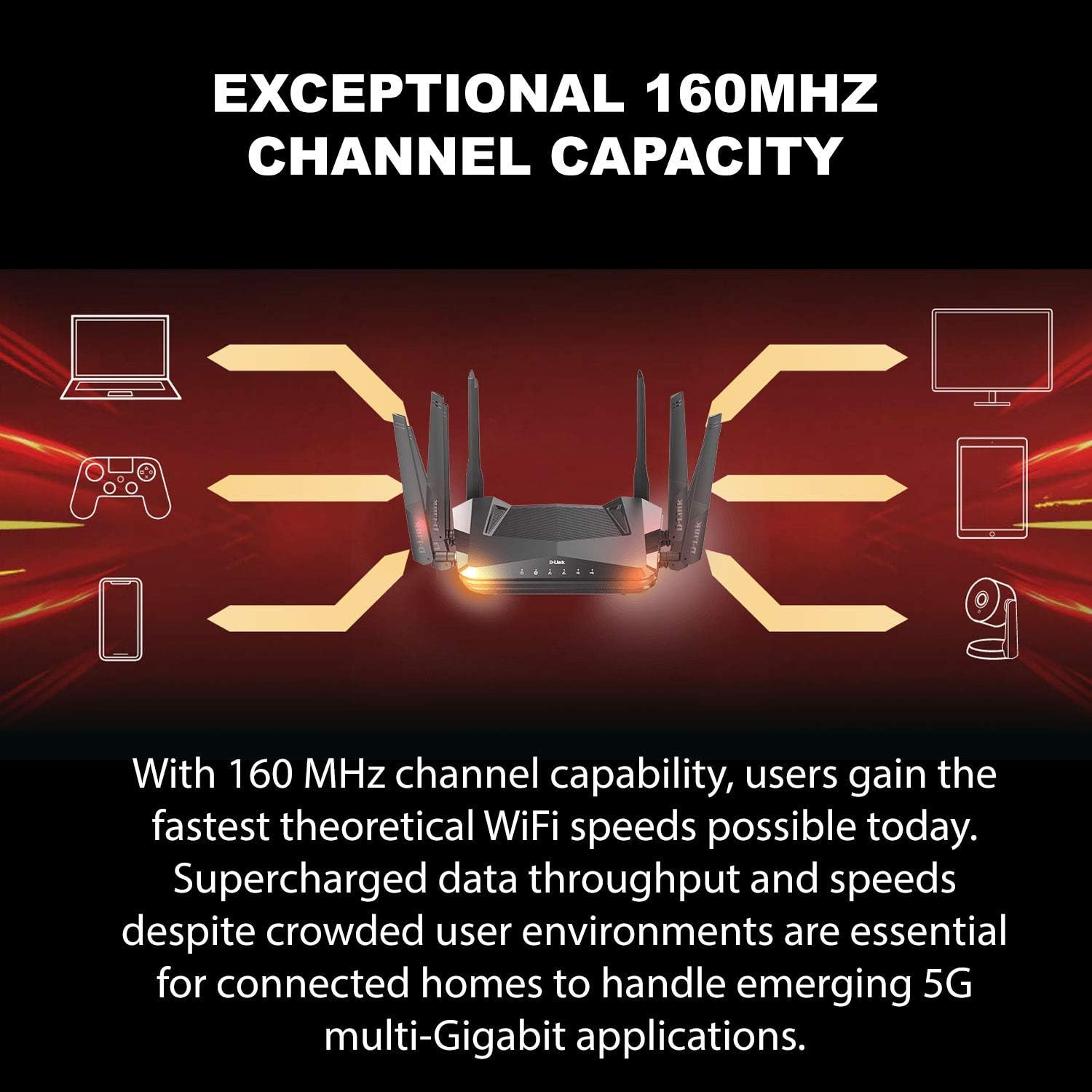
A visual representation of the 160 MHz channel capacity, highlighting how it enables faster theoretical WiFi speeds and supercharged data throughput for multiple connected devices in a home network.

An image depicting a modern home with WiFi signals emanating from a D-Link router, emphasizing robust and reliable WiFi experiences for activities like FPS gaming and 4K streaming, supported by built-in high-powered ampaixecadors.
4.3 Controls parentals
The D-Link Wi-Fi app allows you to implement parental controls to manage internet usage for family members:
- Crear un professional individualfiles for each user or device.
- Set internet access schedules.
- Bloc específic webllocs web o categories de contingut.

A screenshot of the D-Link Wi-Fi app's parental control interface, showing options to create user profiles, set schedules, and limit internet access for individual devices.
4.4 Control de veu
Your router supports voice commands via Amazon Alexa and Google Assistant. To enable this feature, link your D-Link account within the respective voice assistant app and follow their instructions for device discovery and control.
5. Manteniment
To ensure optimal performance and longevity of your D-Link router:
- Mantenir el firmware actualitzat: Regularly check for and install firmware updates through the D-Link Wi-Fi app or web interfície. Les actualitzacions sovint inclouen millores de rendiment i pegats de seguretat.
- Netejar regularment: Gently wipe the router's exterior with a soft, dry cloth. Do not use liquid cleaners or aerosols.
- Assegureu-vos de la ventilació: Do not block the ventilation openings on the router. Proper airflow prevents overheating.
- Reiniciar periòdicament: A periodic restart (unplugging the power for 10 seconds and plugging it back in) can help resolve minor network issues and refresh the router's performance.
6. Solució De Problemes
6.1 Sense connexió a Internet
- Comproveu els cables: Assegureu-vos que tots els cables Ethernet estiguin connectats correctament al router i al mòdem.
- Reinicieu els dispositius: Power cycle your modem, then your router, and then your computer/device. Wait a few minutes after each restart.
- Comprova l'estat del mòdem: Verifiqueu que el mòdem funciona correctament i que té una connexió a Internet activa.
- Problema amb el proveïdor d'Internet: Poseu-vos en contacte amb el vostre proveïdor de serveis d'Internet (ISP) per confirmar que no hi ha cap servei fora de servei.tagés a la teva zona.
6.2 Slow Wi-Fi Speeds
- Col·locació del router: Assegureu-vos que el router estigui situat en un lloc central i lliure d'obstacles.
- Interferència: Move the router away from other electronic devices that may cause interference.
- Optimització de canals: Use the D-Link Wi-Fi app or web interface to check for optimal Wi-Fi channels.
- Compatibilitat del dispositiu: Ensure your devices support Wi-Fi 6 (802.11ax) to fully benefit from the router's capabilities.
6.3 Cannot Access Router Settings
- Verify IP Address/URL: Ensure you are using the correct address (
http://dlinkrouter.local./or192.168.0.1). - Esborra la memòria cau del navegador: Esborra el teu web la memòria cau i les galetes del navegador o proveu un altre navegador.
- Restableix l'encaminador: If you have forgotten your password or cannot access the interface, perform a factory reset by pressing and holding the reset button on the back of the router for 10 seconds. Avís: Això esborrarà tots els paràmetres personalitzats.
7. Especificacions
| Característica | Detall |
|---|---|
| Nom del model | DIR-X5460-US |
| Estàndard sense fils | 802.11ax (Wi-Fi 6) |
| Classe de banda de freqüència | Doble banda (2.4 GHz i 5 GHz) |
| Velocitat sense fil | AX5400 (Up to 600 Mbps on 2.4 GHz, Up to 4800 Mbps on 5 GHz) |
| Ports Ethernet | 1 WAN Gigabit, 4 LAN Gigabit |
| Ports USB | 1x USB 3.0, 1x USB 2.0 |
| Característiques especials | MU-MIMO, OFDMA, Voice Control (Alexa & Google Assistant), 160MHz Channel Support, WPA3 Security |
| Dimensions (L x A x A) | 8.25 x 10.38 x 2.57 polzades |
| Pes de l'article | 3.1 lliures |
| Compatibilitat de sistemes operatius | Linux (internal), Compatible with various OS for client devices |
| Fabricant | D-Link Systems, Inc. |
8. Garantia i Suport
For warranty information, technical support, and product registration, please visit the official D-Link website or contact D-Link customer service.
- D-Link Weblloc: www.dlink.com
- Suport: Refer to the support section on the D-Link website for FAQs, firmware downloads, and contact options.


