1. Introducció
Thank you for choosing the Lenco SCD-720 Boombox. This versatile audio system offers a wide range of playback options, including DAB+ and FM radio, Bluetooth 5.0 connectivity, a CD/MP3 player, a cassette player, and a USB port for digital audio files. It features 2 x 6W RMS audio output with Bass Reflex for enhanced sound and comes with a remote control for convenient operation. This manual provides essential information for setting up, operating, and maintaining your device.
2. Informació important de seguretat
- Llegiu atentament totes les instruccions abans d'utilitzar el dispositiu.
- Conserveu aquest manual com a referència futura.
- No exposeu la unitat a la pluja ni a la humitat per evitar incendis o descàrregues elèctriques.
- Assegureu-vos que hi hagi una ventilació adequada. No bloquegeu cap obertura de ventilació.
- No col·loqueu la unitat a prop de fonts de calor com ara radiadors, registres de calor, estufes o altres aparells (inclosos amplificadors) que produeixen calor.
- Eviteu que el cable d'alimentació sigui trepitjat o pessigat, especialment als endolls, els endolls i el punt on surten de l'aparell.
- Utilitzeu només accessoris/accessoris especificats pel fabricant.
- Desendolleu aquest aparell durant les tempestes amb llamps o quan no l'utilitzeu durant llargs períodes.
- Demaneu tot el servei a personal de servei qualificat. El manteniment és necessari quan l'aparell s'ha fet malbé d'alguna manera, com ara el cable d'alimentació o l'endoll està danyat, s'ha vessat líquid o han caigut objectes a l'aparell, l'aparell ha estat exposat a la pluja o la humitat, no funciona amb normalitat. , o s'ha deixat caure.
3. Producte acabatview
Familiarize yourself with the main components and controls of your Lenco SCD-720 Boombox.
Davant View amb port USB

This image shows the front of the Lenco SCD-720 Boombox, highlighting the main control panel, speakers, and a USB stick inserted into the USB port on the top left.
Davant View with CD Compartment Open

This image displays the Lenco SCD-720 Boombox from the front, with the top-loading CD compartment lid open, ready for CD insertion.
posterior View
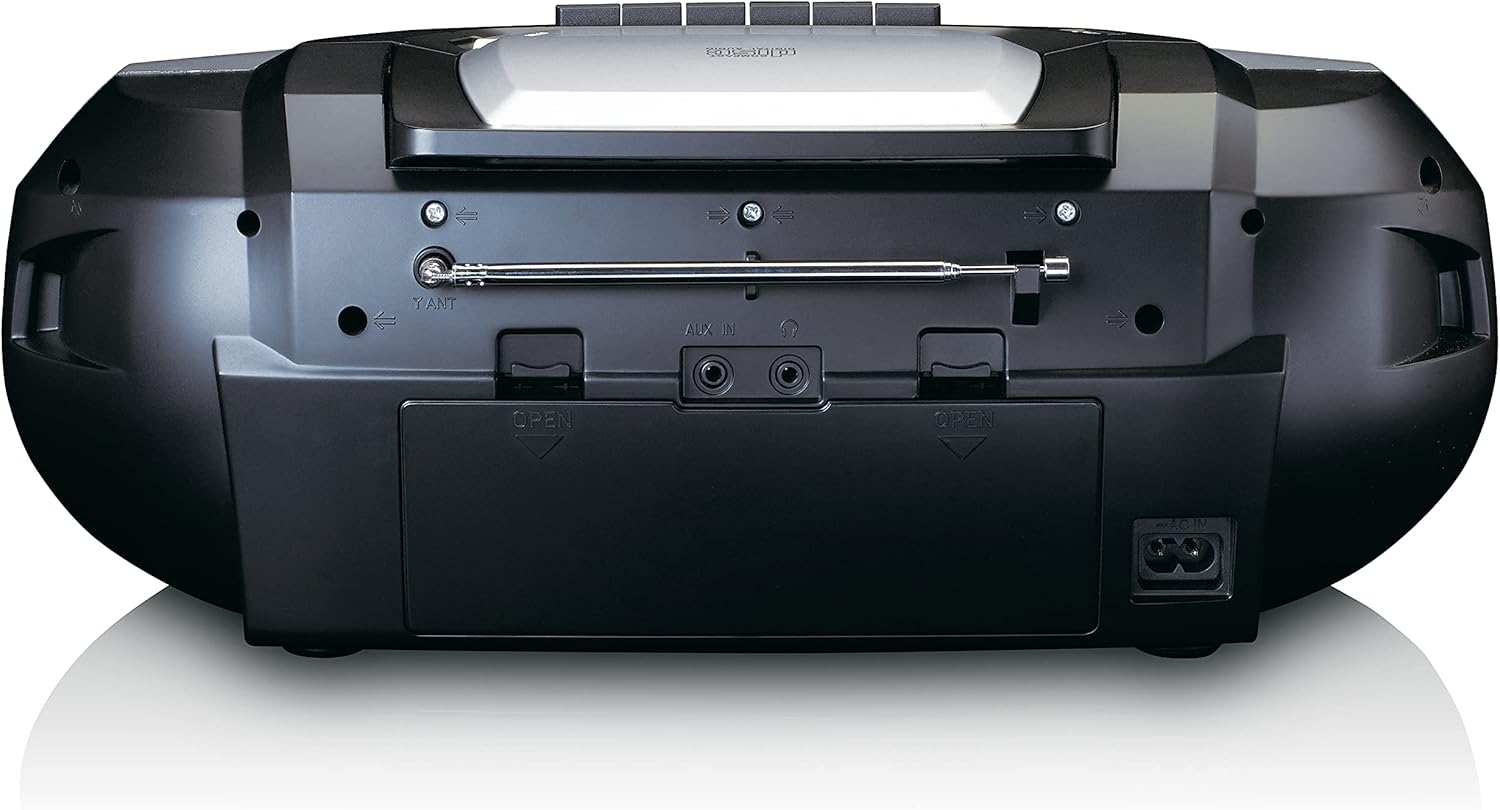
This image shows the back of the Lenco SCD-720 Boombox, featuring the telescopic antenna, AUX input, headphone jack, and the AC power input socket.
Primer pla del tauler de control

Un detallat view of the Lenco SCD-720 Boombox's central control panel, including the digital display, source selection buttons, tuning/navigation buttons, and the illuminated volume knob.
Boombox with Remote Control
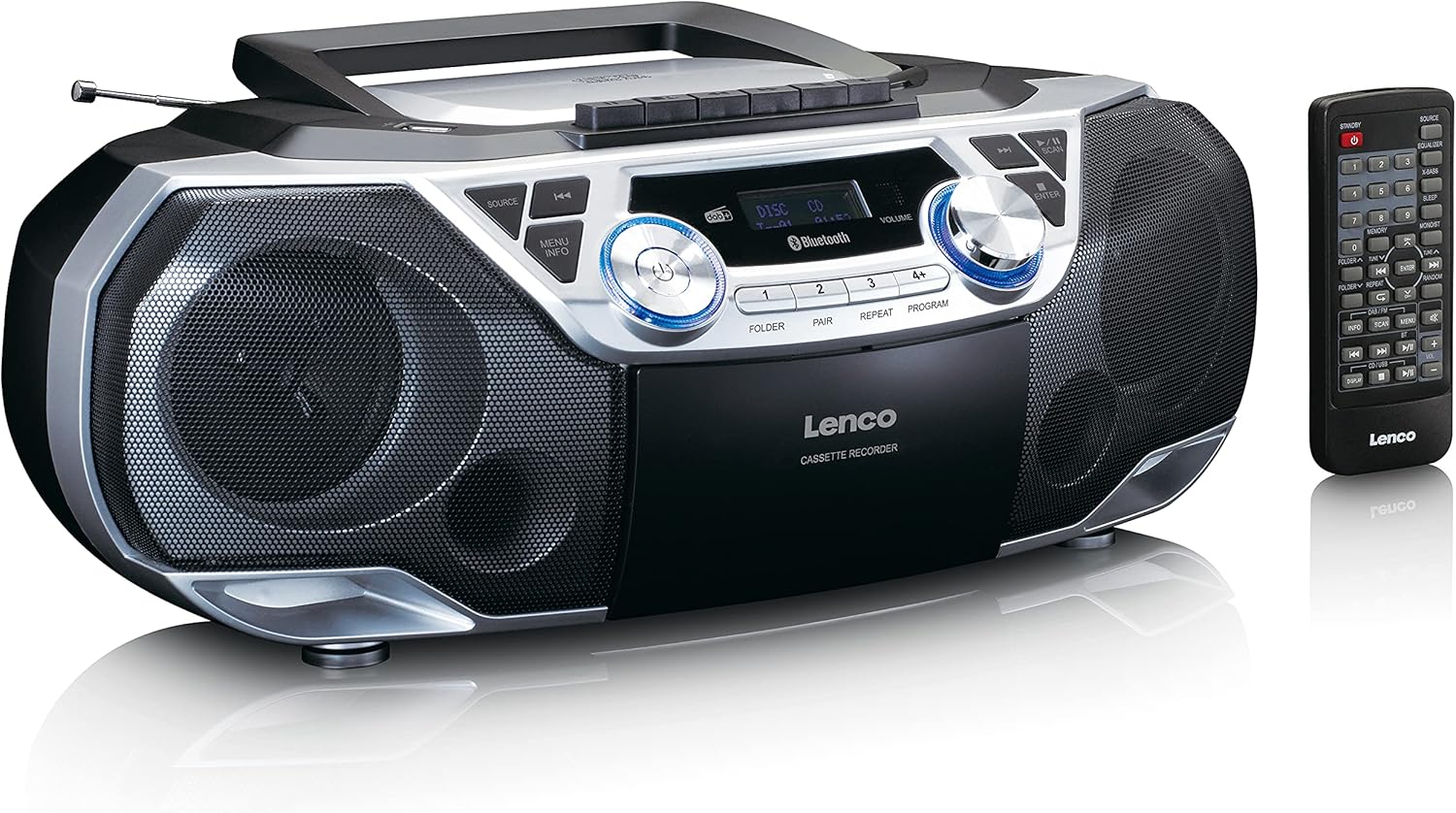
The Lenco SCD-720 Boombox is displayed next to its included remote control, illustrating the complete package.
Disseny del control remot

A close-up image of the remote control for the Lenco SCD-720 Boombox, showing all buttons for power, source selection, playback, tuning, and other functions.
4. Configuració
4.1 Connexió d'alimentació
The Lenco SCD-720 Boombox can be powered by AC mains or batteries.
- Alimentació CA: Connect the supplied AC power cord to the AC IN socket on the rear of the unit and then to a standard wall outlet.
- Funcionament amb bateria: For portable use, open the battery compartment on the rear of the unit and insert 8 x 'C' type batteries (not included), ensuring correct polarity. Close the compartment securely.
4.2 Ajust de l'antena
For optimal radio reception, extend the telescopic antenna fully. Adjust its position and angle to achieve the best signal quality for both DAB+ and FM broadcasts.
4.3 Encès inicial
Premeu el botó PODER button on the unit or remote control to turn on the boombox. The display will light up, and the unit will typically start in the last used mode.
5. Instruccions de funcionament
5.1 Controls generals
- Encès/apagat: Premeu el botó PODER botó.
- Control de volum: Gira el VOLUM el botó de la unitat o utilitzeu el VOL + / - botons del comandament a distància.
- Selecció de la font: Premeu el botó FONT button on the unit or the dedicated source buttons (DAB/FM, CD/USB, BT) on the remote to switch between modes (DAB+, FM, CD, USB, Bluetooth, AUX).
5.2 Funcionament de la ràdio (DAB+/FM)
- Seleccioneu el mode: Premeu el botó FONT button until DAB+ or FM mode is selected.
- Escaneig automàtic: In DAB+ or FM mode, press the ESCANEAR botó per cercar i emmagatzemar automàticament les emissores disponibles.
- Sintonització manual: Utilitza el TUNE < / > botons per ajustar manualment la freqüència.
- Estacions preseleccionades: The unit allows you to save your favorite stations. Press and hold one of the numbered preset buttons (1-4) to store the current station. Briefly press a preset button to recall a stored station.
- DAB+ Information: En mode DAB+, premeu el botó INFO button to cycle through various information such as program type, signal strength, time, and date.
Reproducció de CD/MP3 de 5.3
- Carrega el CD: Open the CD compartment lid by pressing the OBERT button. Place a CD or MP3 CD with the label side facing up. Close the lid securely.
- Reproducció: The CD will start playing automatically. If not, press the REPRODUCCIÓ/PAUSA botó.
- Controls: Ús SKIP << / >> buttons to skip tracks. Press and hold to fast forward/rewind.
- Repetiu: Premeu REPETIR to repeat the current track or all tracks.
- Programa: Premeu PROGRAMA to create a custom playback order for tracks.
5.4 Reproducció i gravació de cassets
- Load Cassette: Open the cassette compartment. Insert a cassette tape.
- Reproducció: Premeu el botó JUGAR botó.
- Gravació: To record from Radio, CD, USB, or AUX, select the desired source. Insert a blank cassette. Press the REGISTRAR button (usually red) along with the JUGAR botó simultàniament.
- Controls: Ús AVANT RÀPID i REBOBINAR botons. Premeu PARAR/EXPULTAR to stop playback and open the compartment.
Connectivitat Bluetooth 5.5 5.0
- Introduïu el mode Bluetooth: Premeu el botó FONT button until 'BT' or 'Bluetooth' appears on the display. The unit will enter pairing mode, indicated by a flashing Bluetooth icon.
- Maridatge: On your smartphone or tablet, enable Bluetooth and search for available devices. Select 'Lenco SCD-720' from the list. Once paired, the Bluetooth icon will stop flashing.
- Reproducció: Start playing audio on your connected device. The sound will be streamed to the boombox.
Reproducció USB 5.6
- Inseriu USB: Inseriu una unitat flash USB que contingui MP3 files al port USB.
- Select USB Mode: Premeu el botó FONT button until 'USB' appears. The unit will automatically scan and begin playing MP3 files.
- Controls: Feu servir els botons de control de reproducció (PLAY/PAUSE, SKIP << / >>) to manage your music.
5.7 Entrada AUX
Connect external audio devices (e.g., MP3 players, smartphones without Bluetooth) to the AUX IN jack on the rear of the unit using a 3.5mm audio cable (not included). Select AUX mode via the FONT botó.
5.8 Sortida d'auriculars
For private listening, connect headphones to the AURICULAR jack on the rear of the unit. The main speakers will be muted automatically.
5.9 Control remot
The included remote control provides full functionality for the boombox, allowing you to control power, source, volume, playback, tuning, and other settings from a distance. Ensure the remote has working batteries and is pointed towards the front of the boombox.
6. Manteniment
6.1 Neteja de la unitat
Wipe the exterior of the boombox with a soft, dry cloth. Do not use abrasive cleaners, waxes, or solvents as they may damage the finish. For stubborn stains, a slightly damp es pot fer servir un drap, seguit d'un drap sec.
6.2 Cura de les lents de CD
If CD playback becomes erratic, the CD lens may need cleaning. Use a commercially available CD lens cleaner disc. Do not touch the lens directly.
6.3 Neteja del capçal del casset
Regularly clean the cassette heads, pinch rollers, and capstans with a cotton swab lightly moistened with isopropyl alcohol to ensure optimal sound quality and prevent tape damage.
6.4 Substitució de la bateria
If the unit is powered by batteries and performance degrades, replace all 8 'C' type batteries with new ones, ensuring correct polarity. Do not mix old and new batteries or different types of batteries.
7. Solució De Problemes
| Problema | Causa possible | Solució |
|---|---|---|
| Sense poder | Cable d'alimentació no connectat; piles esgotades o inserides incorrectament. | Comproveu la connexió del cable de CA; substituïu les piles, assegurant-vos de la polaritat correcta. |
| Sense so | Volum massa baix; Font incorrecta seleccionada; Auriculars connectats. | Augmenta el volum; Selecciona la font correcta; Desconnecta els auriculars. |
| Mala recepció de ràdio | Antena no estesa o posicionada correctament; Senyal feble. | Extend and adjust the telescopic antenna; Try moving the unit to a different location. |
| El CD/USB no es reprodueix | Disc dirty/scratched; USB format not supported; Incorrect mode. | Clean or replace disc; Ensure USB contains MP3 files; Select CD or USB mode. |
| S'ha produït un error en l'aparellament de Bluetooth | Boombox not in pairing mode; Device too far; Bluetooth off on device. | Ensure boombox is in BT pairing mode; Move device closer; Enable Bluetooth on your device. |
| Cassette recording issues | Incorrect source selected; Cassette write-protect tab engaged. | Select the desired recording source; Ensure the write-protect tab on the cassette is not broken off. |
8. Especificacions
- Model: SCD-720SI
- Marca: Lenco
- Connectivitat: DAB+, FM Radio, Bluetooth 5.0, CD/MP3 Player, Cassette Player, USB Playback, AUX Input, Headphone Output
- Sortida d'àudio: 2 x RMS de 6W
- Font d'alimentació: AC 230V ~ 50Hz or 8 x 'C' type batteries (DC 12V)
- Formats d'àudio compatibles: CD, CD-R/RW, MP3 (from CD/USB)
- Característiques especials: Bass Reflex, Remote Control
- Dimensions (L x A x A): Aproximadament 38.5 cm x 23.5 cm x 14.5 cm
- Color: Plata
- Fabricant: Lenco GmbH
- País d'origen: Xina
9. Garantia i Suport
Lenco products are covered by a warranty in accordance with European law. For specific warranty terms and conditions, please refer to the warranty card included with your product or visit the official Lenco website. For technical support, service, or spare parts information, please contact Lenco customer service or your local dealer. Please have your model number (SCD-720SI) and purchase details ready when contacting support.
Information regarding software updates and spare parts availability is not provided at this time.


