1. Producte acabatview
The Tzumi Aura LED Cosmic Speaker is a portable wireless speaker designed to deliver HD sound with a unique visual experience. It features a shimmering, multifaceted LED display with customizable colors and patterns, making it suitable for various environments. This speaker connects wirelessly via Bluetooth 5.0 and is powered by a rechargeable lithium battery.
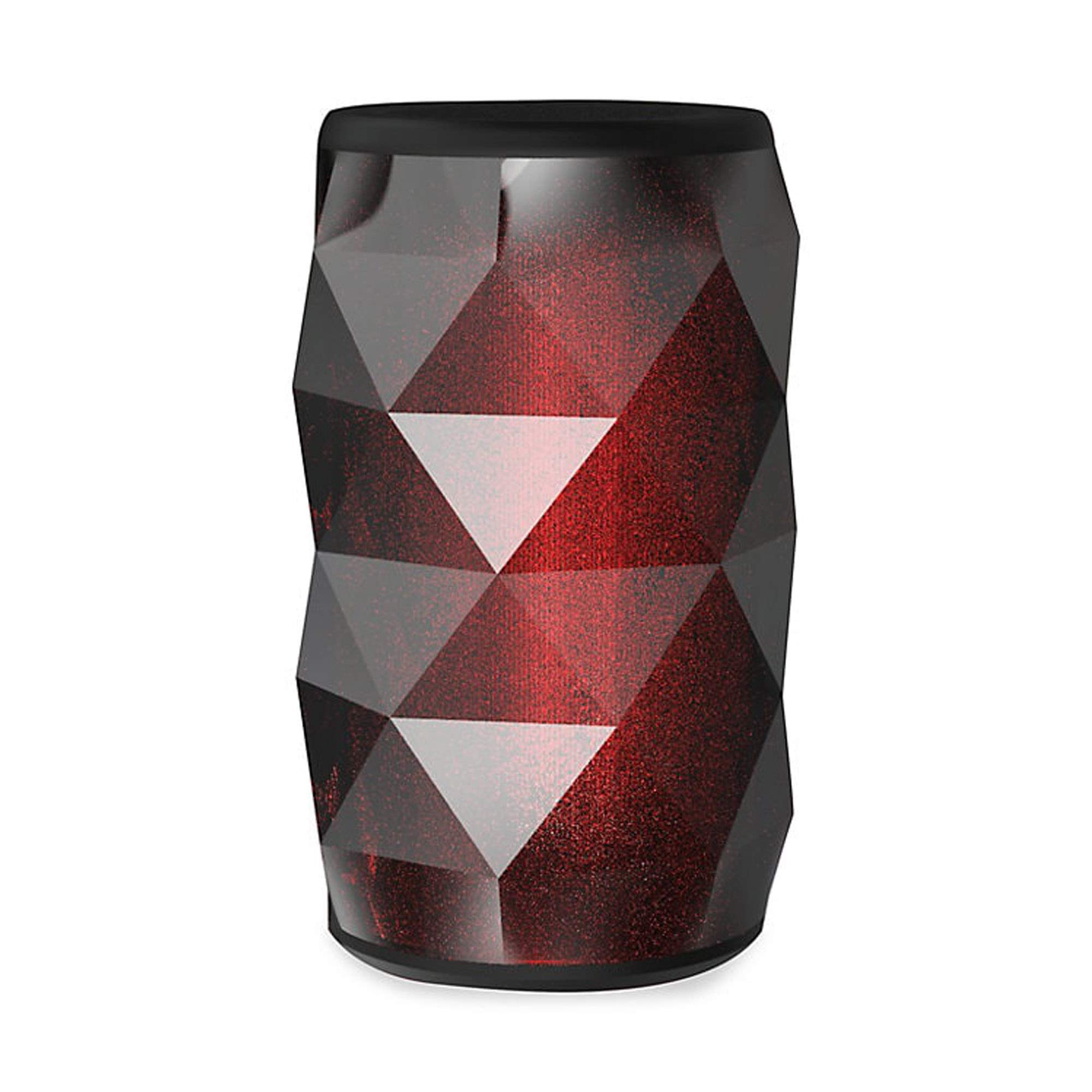
Image 1.1: The Tzumi Aura LED Cosmic Speaker shown alongside its retail packaging, highlighting its design and key features.
Característiques principals:
- Connectivitat Bluetooth 5.0: Ensures stable and efficient wireless connection with compatible devices.
- 360° Powerful HD Sound: Delivers clear and robust audio from all directions.
- Llums LED personalitzables: Choose from 6 distinct colors and 4 dynamic glowing patterns to match your mood or environment.
- Disseny portàtil: Compacte i lleuger per a un fàcil transport.
- Bateria recarregable: Provides up to 3 hours of play time on a single charge.
- Sortida de so: 3 watts.
2. Configuració
2.1 Desembalatge i inspecció inicial
Carefully remove the speaker and all accessories from the packaging. Verify that all components are present: the Aura LED Cosmic Speaker and a USB charging cable. Inspect the speaker for any signs of damage.
2.2 Càrrega de l'altaveu
Before first use, fully charge the speaker. Locate the charging port, typically a micro-USB port, on the device. Connect the provided USB charging cable to the speaker and plug the other end into a standard USB power adapter (not included) or a computer's USB port. The LED indicator will typically show charging status (e.g., red for charging, off or blue for fully charged). A full charge provides approximately 3 hours of play time.
2.3 Engegada/apagada
- Per encendre: Press and hold the Power button (usually marked with a power symbol) for a few seconds until you hear an audible prompt or see the LED lights activate.
- Per apagar: Premeu i manteniu premut el botó d'engegada de nou durant uns segons fins que l'altaveu s'apagui.
2.4 Vinculació Bluetooth
Once powered on, the speaker will automatically enter Bluetooth pairing mode, indicated by a flashing LED light. Follow these steps to connect:
- Assegureu-vos que el Bluetooth estigui activat al vostre telèfon intel·ligent, tauleta o altre dispositiu d'àudio.
- Ves a la configuració de Bluetooth del dispositiu i busca els dispositius disponibles.
- Select "Aura LED Cosmic Speaker" (or similar name) from the list.
- Once connected, the speaker will provide an audible confirmation, and the LED light will typically stop flashing and remain solid or display a pattern.
The speaker will attempt to reconnect to the last paired device automatically when powered on, if that device is within range and has Bluetooth enabled.
3. Funcionament de l'altaveu
Reproducció d'àudio 3.1
After successful Bluetooth pairing, you can play audio from your connected device. Use your device's media player controls to play, pause, skip tracks, and adjust volume. The speaker may also have dedicated buttons for these functions.
3.2 Control de volum
Volume can be adjusted directly from your connected Bluetooth device. Some speakers may also feature volume up (+) and volume down (-) buttons on the unit itself. Press these buttons to increase or decrease the speaker's output volume.
3.3 Control de llum LED
The Aura LED Cosmic Speaker features customizable LED lights. Look for a dedicated 'Light Mode' or 'LED' button on the speaker. Pressing this button will cycle through the available 6 colors and 4 glowing patterns. Continue pressing until you find your desired light effect.

Imatge 3.1: Un primer pla view of the Tzumi Aura LED Cosmic Speaker, showcasing its dynamic LED lighting effects in blue and green hues.
4. Manteniment
4.1 Neteja
To clean the speaker, use a soft, dry, lint-free cloth. Do not use abrasive cleaners, solvents, or strong chemicals, as these can damage the surface or internal components. Avoid getting moisture into any openings.
4.2 Emmagatzematge
When not in use for extended periods, store the speaker in a cool, dry place away from direct sunlight and extreme temperatures. It is recommended to charge the battery periodically (e.g., every 3-6 months) to maintain battery health.
4.3 Cura de la bateria
To prolong the life of the rechargeable lithium battery:
- Eviteu descarregar completament la bateria amb freqüència.
- No exposeu l'altaveu a temperatures extremes de calor o fred.
- Use only the provided or a certified USB charging cable.
5. Solució De Problemes
5.1 Speaker Does Not Power On
- Ensure the battery is charged. Connect the speaker to a power source and allow it to charge for at least 30 minutes before attempting to power on again.
- Press and hold the Power button firmly for several seconds.
5.2 No es pot emparellar amb un dispositiu Bluetooth
- Ensure the speaker is in pairing mode (flashing LED). If not, power it off and on again.
- Make sure Bluetooth is enabled on your device and it is within 30 feet (10 meters) of the speaker.
- Forget or remove the speaker from your device's Bluetooth list and try pairing again.
- Reinicieu tant l'altaveu com el dispositiu Bluetooth.
5.3 Sense so
- Comproveu els nivells de volum tant de l'altaveu com del dispositiu connectat.
- Assegureu-vos que l'altaveu estigui correctament emparellat i connectat al dispositiu.
- Try playing audio from a different application or source on your device.
5.4 LED Lights Not Working Correctly
- Assegureu-vos que l'altaveu estigui encès.
- Press the 'Light Mode' or 'LED' button to cycle through patterns and colors.
- If the issue persists, power cycle the speaker (turn off and on).
6. Especificacions
| Característica | Especificació |
|---|---|
| Número de model | 5939-9 |
| Tecnologia de connectivitat | Bluetooth 5.0 |
| Sortida de so | 3 watts |
| Hora de jugar | Fins a 3 hores |
| Font d'alimentació | Battery Powered (Rechargeable Lithium) |
| Temes LED | 6 Colors, 4 Glowing Patterns |
| Dimensions (paquet) | 7.05 x 4.29 x 4.09 polzades |
| Pes de l'article | 13.7 unces |
| Fabricant | Tzumi |
7. Garantia i Suport
Per obtenir informació sobre la garantia o assistència tècnica, consulteu la documentació inclosa amb la compra o visiteu el lloc web oficial de Tzumi. weblloc web. Conserveu el comprovant de compra per a reclamacions de garantia.


