Introducció
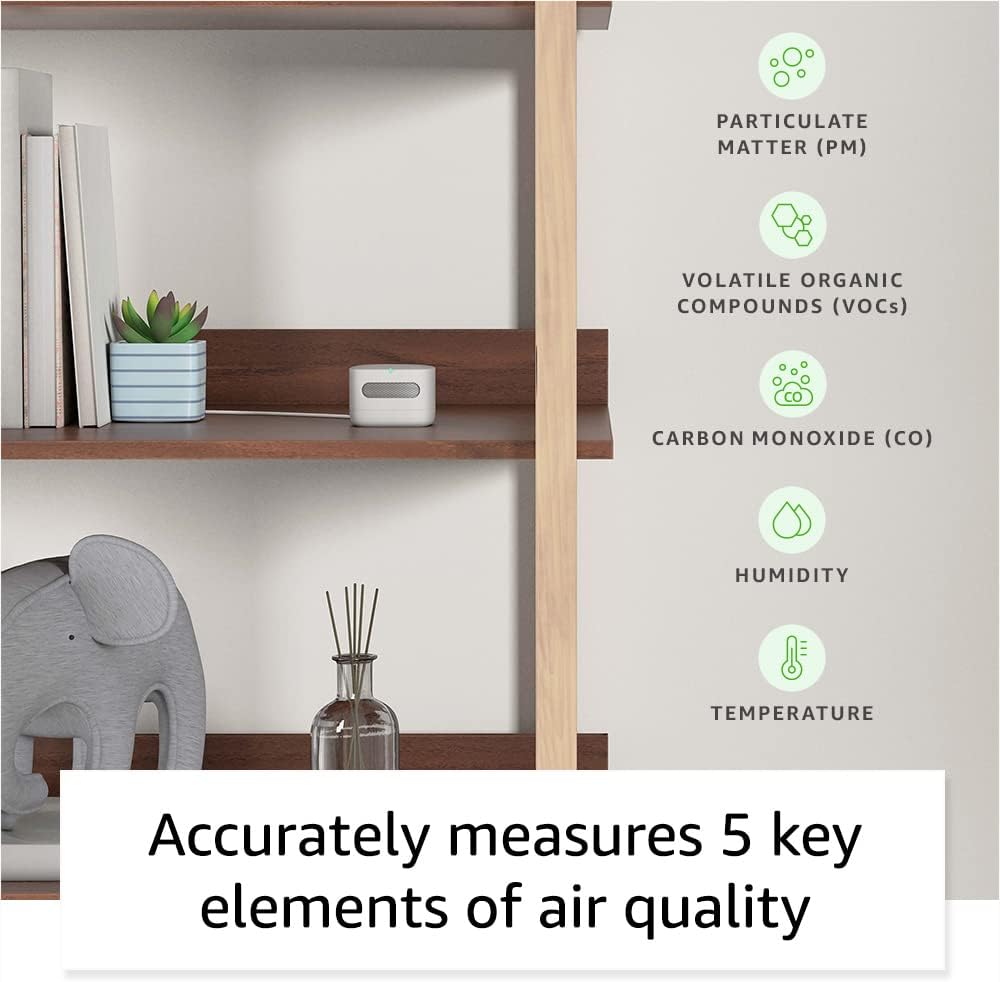
The Amazon Smart Air Quality Monitor is designed to help you understand and manage the air quality within your home. It tracks five key factors: particulate matter (PM2.5), volatile organic compounds (VOCs), carbon monoxide (CO), humidity, and temperature. This device integrates seamlessly with Alexa, allowing you to monitor air quality, receive notifications, and automate smart home routines based on environmental changes.
Què hi ha a la caixa
- Monitor de qualitat de l'aire intel·ligent d'Amazon
- Cable micro-USB
- Adaptador de corrent
- Guia d'inici ràpid
Configuració
Follow these steps to set up your Amazon Smart Air Quality Monitor:
- Trieu una ubicació: Place the monitor in a central location within the room you wish to monitor. Ensure it is not obstructed and is away from direct heat sources, vents, or windows that could affect readings.
- Connectar l'alimentació: Connect the Micro-USB cable to the monitor and the power adapter, then plug the adapter into a standard electrical outlet. The device will power on automatically.
- Pair with Alexa: Open the Alexa app on your smartphone or tablet. The app should automatically detect the new device and prompt you to set it up. If not, tap the 'Devices' icon, then the '+' icon, and select 'Add Device'. Follow the on-screen instructions to connect your monitor to your Wi-Fi network and link it to your Alexa account.
- Calibració inicial: The monitor performs an auto-calibration and self-cleaning process at startup and routine intervals. Allow some time for the device to stabilize and provide accurate readings after initial setup.

Funcionament del dispositiu
Once set up, your Smart Air Quality Monitor continuously monitors your indoor environment.
Comprensió de l'indicador LED
The monitor features a multicolor LED status indicator that provides a quick visual cue of your current air quality:
- Verd: Bona qualitat de l'aire.
- groc: Qualitat de l'aire moderada.
- Vermell: Mala qualitat de l'aire.
Monitoring Air Quality with Alexa
You can access detailed air quality information through the Alexa app or by asking your Alexa-enabled devices.
- Aplicació Alexa: Open the Alexa app and navigate to the 'Devices' section. Select your Smart Air Quality Monitor to view real-time data and historical trends for PM2.5, VOCs, CO, humidity, and temperature.
- Comandaments de veu: Ask any compatible Alexa-enabled device, such as an Echo Dot or Echo Show, for air quality updates. For example, say, "Alexa, what's the indoor air quality?"

Notifications and Routines
Leverage Alexa's capabilities to receive alerts and automate actions based on air quality changes:
- Notificacions: Set up notifications in the Alexa app to receive alerts on your phone or announcements on Echo devices if poor air quality is detected.
- Rutines: Create custom routines to automatically control other Alexa-enabled smart home devices. For example, you can set a routine to turn on an air purifier when PM2.5 levels rise, or activate a dehumidifier if humidity exceeds a certain threshold.

Manteniment
The Amazon Smart Air Quality Monitor is designed for low maintenance.
- Calibració automàtica: The device features automatic calibration and self-cleaning at startup and at regular intervals to ensure continued accuracy.
- Neteja: To clean the exterior of the device, gently wipe it with a soft, dry cloth. Do not use abrasive cleaners or immerse the device in water.
- Col·locació: Ensure the device remains in a location free from excessive dust or physical obstructions that could interfere with its sensors.
Resolució de problemes
If you encounter issues with your Amazon Smart Air Quality Monitor, consider the following:
- No Power/No LED: Ensure the power adapter is securely plugged into both the monitor and a working electrical outlet. Try a different outlet if necessary.
- Problemes de connectivitat: Verify your Wi-Fi network is active and the monitor is within range. Restart your Wi-Fi router and the monitor by unplugging it for a few seconds and plugging it back in. Check the Alexa app for network status.
- Lectures inexactes: Ensure the monitor is placed in an appropriate location, away from direct drafts, heat sources, or areas with high concentrations of pollutants that are not representative of the room's general air quality. Allow time for auto-calibration.
- Alexa no respon: Confirm your Alexa-enabled devices are online and properly linked to your account. Ensure the Alexa app is up to date.
Per obtenir més ajuda, consulteu el Suport section below or visit the Amazon Digital and Device Forum.
Especificacions
| Característica | Detall |
|---|---|
| Dimensions | 65x65x45mm (AxLxA) |
| Pes | 120 grams without cable or adapter |
| Material | Post-consumer recycled thermoplastic resin with a nitrile rubber base |
| Calibració | Auto calibration and self cleaning at startup and routine intervals |
| Indicador d'estat | Indicador d'estat LED multicolor |
| Connectivitat de xarxa | 2.4GHz Wi-Fi and BLE 4.2 |
| Inclòs a la Caixa | Smart Air Quality Monitor, Micro-USB cable, power adapter and Quick Start Guide |
| Font d'alimentació | Input: 100-240V 50/60Hz AC Output: 5.0V 1A (5W) |
| Compatibilitat | Compatible with all Echo Family Devices and Alexa App version 2021.16 and later |
| Condició de funcionament | Temperatura: 0°C a 40°C Humitat: 0% a 80% Lloc: només per a ús interior |
| Interval | Temperatura: 15 °C a 30 °C Humitat: 30% a 70% HR VOC: 0 - 500 points PM 2.5: 0 - 500 µg/m³ CO: 0 ppm to 70 ppm |
| Precisió | Temperatura: ±1.0 °C Humidity: ±10% at 25 °C VOC: ±10 points or ±10%, whichever is larger PM 2.5: ±20 µg/m³ or ±20%, whichever is larger CO: ±5 ppm or ±30%, whichever is larger |
Garantia i Suport
Informació de la garantia
The Amazon Smart Air Quality Monitor comes with a one-year limited manufacturer's device warranty via an advanced replacement model. Use of the Amazon Smart Air Quality Monitor is subject to the terms found aquí.
Atenció al client
For help using and troubleshooting common issues with your Amazon Smart Air Quality Monitor, please visit the official support page. You can also find answers to questions from other Amazon customers by visiting the Amazon Digital and Device Forum.
- Obteniu ajuda: Amazon Smart Air Quality Monitor Support
- Fòrum de la comunitat: Amazon Digital and Device Forum


