1. Introducció
This manual provides detailed instructions for the operation and maintenance of your QFX R-37-BL 6-Band Bluetooth Solar Radio with LED Flashlight. Please read this manual thoroughly before using the device to ensure proper function and safety. This versatile radio is designed for portability and includes multiple power options, making it suitable for various indoor and outdoor activities.
2. Característiques del producte
- Ràdio de 6 bandes: Receives AM, FM, and Shortwave (SW1-SW4) frequencies.
- Connectivitat Bluetooth: Wirelessly connect your devices for audio playback.
- Llanterna LED integrada: Proporciona il·luminació per a diverses situacions.
- Càrrega solar: Built-in solar panel for eco-friendly battery recharging.
- Bateria recarregable: Includes a removable lithium-ion battery.
- Reproducció de targetes USB i TF: Reprodueix àudio files directly from USB drives or TF cards.
- Port de càrrega USB: Output for charging external 5V USB devices.
- Auriculars Jack: Per a una escolta privada.
- Antena telescòpica: Enhances radio signal reception.
- Disseny compacte i portàtil: Lightweight with a carrying strap for easy transport.
2.1 Producte acabatview
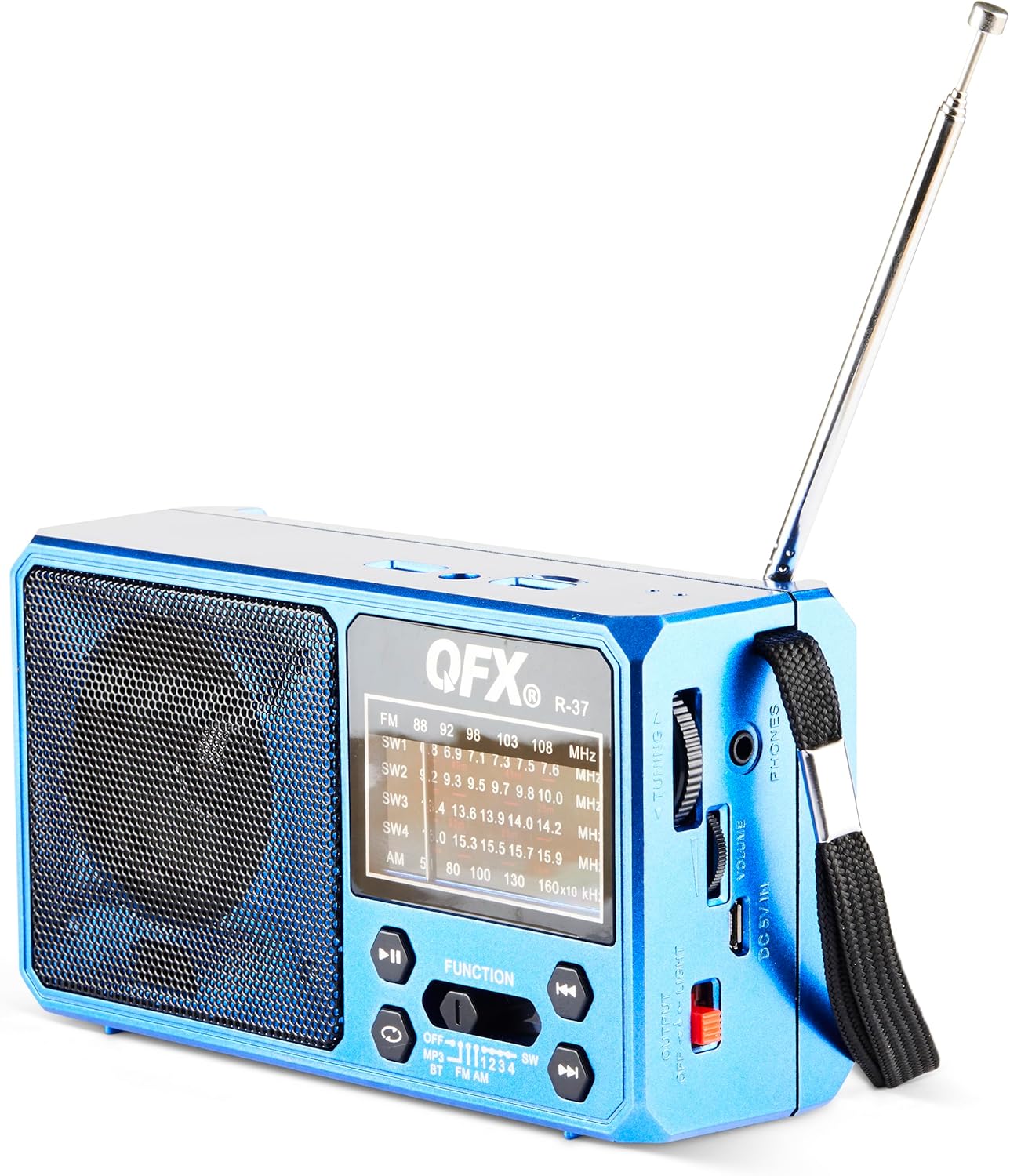
Figura 1: Frontal view of the QFX R-37-BL radio, displaying the speaker, frequency display, and main control buttons.

Figure 2: Detailed diagram highlighting key components of the QFX R-37-BL, including the solar panel, LED flashlight, USB and TF card ports, charging port, and various controls.

Figura 3: lateral view of the radio, illustrating the tuning dial, volume control, headphone jack, DC 5V input, and the flashlight power switch.
3. Informació de seguretat
- Do not expose the device to extreme temperatures, direct sunlight for prolonged periods (beyond charging), or high humidity.
- Mantingueu el dispositiu allunyat de l'aigua i altres líquids.
- Do not attempt to disassemble or modify the device. This will void the warranty and may cause damage or injury.
- Use only the specified charging cable and power adapter (if applicable) to charge the device.
- Eliminar les bateries segons la normativa local.
- Mantenir fora de l'abast dels nens.
4. Configuració
4.1 Battery Installation and Initial Charging
- Localitzeu el compartiment de la bateria a la part posterior de la ràdio.
- Obriu la coberta del compartiment.
- Insert the provided rechargeable lithium-ion battery, ensuring correct polarity.
- Tanqueu bé la tapa del compartiment de la bateria.
- For first use, fully charge the radio using the included USB charging cord connected to a 5V USB power source. The charging indicator light will illuminate during charging and turn off when fully charged.
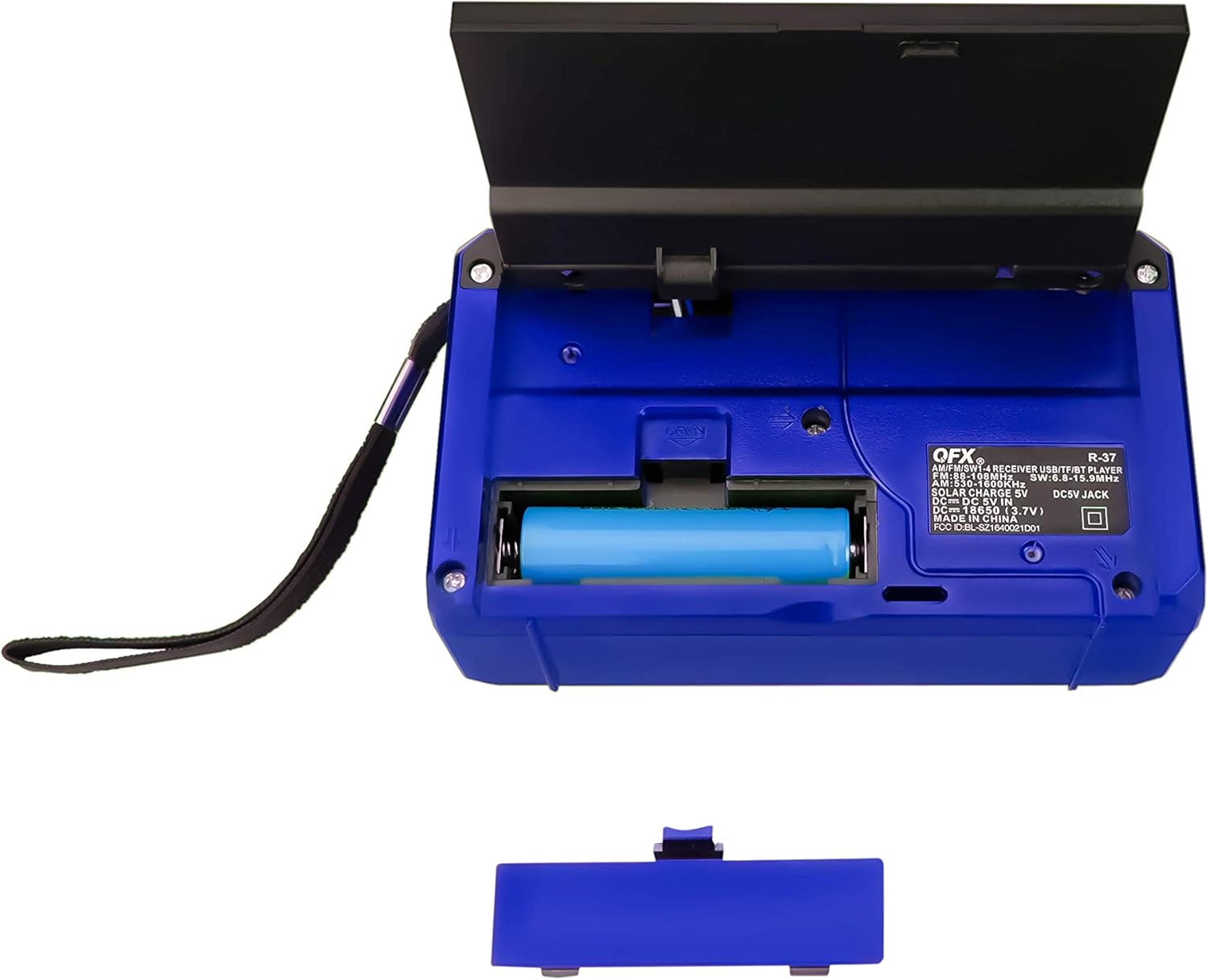
Figura 4: posterior view of the radio with the battery compartment open, showing the removable rechargeable battery.
4.2 Càrrega solar
The radio features a built-in solar panel for convenient charging. Place the radio with the solar panel facing direct sunlight. The solar charging indicator will light up. Solar charging is slower than USB charging and is best used for maintaining charge or in emergency situations.
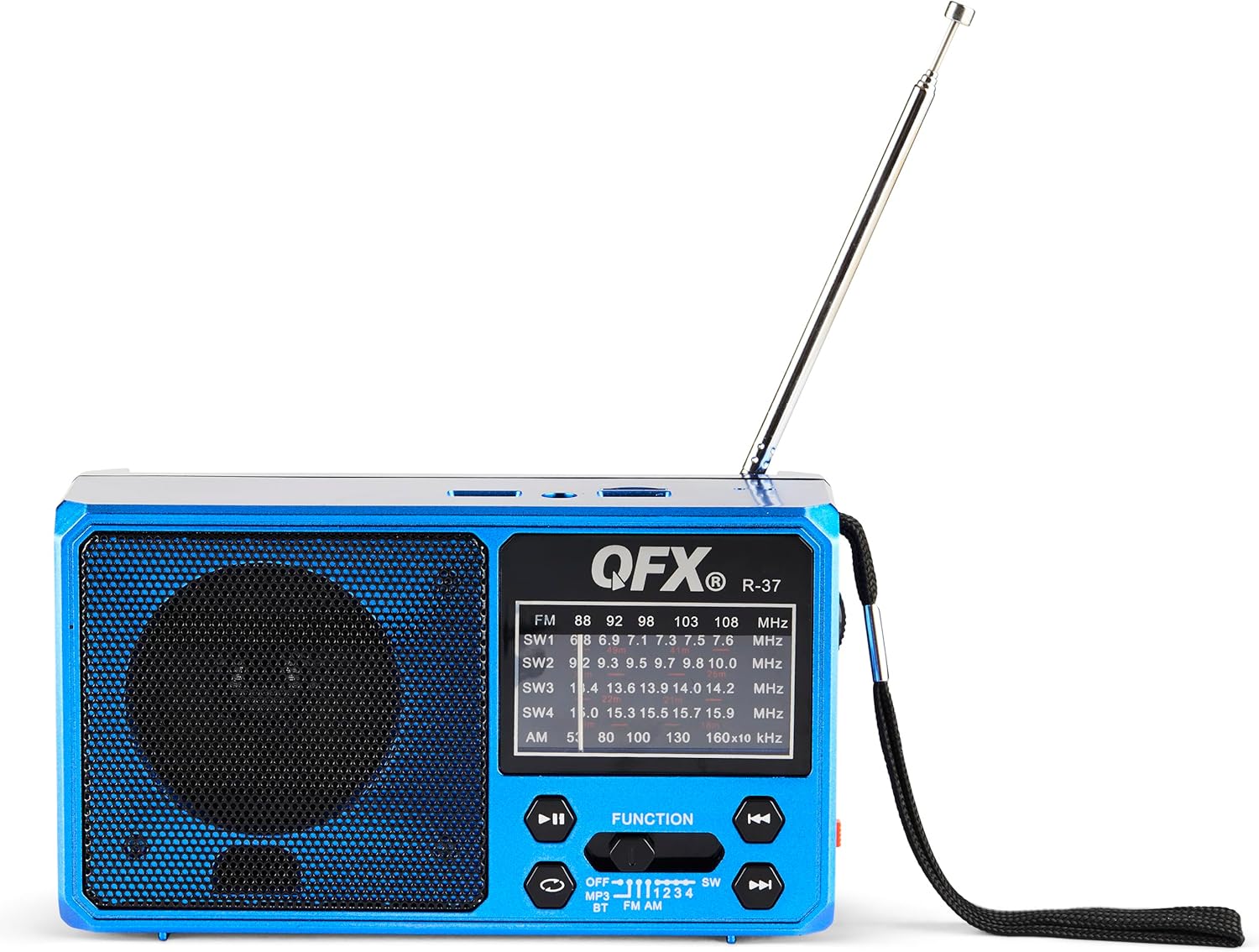
Figure 5: The solar panel on the side of the radio, shown in an extended position for optimal sun exposure.
5. Instruccions de funcionament
5.1 Encès/Apagat
Locate the power switch (usually a slider) on the front or side of the unit. Slide it to the 'ON' position to power on the radio. Slide it to 'OFF' to power off.
5.2 Funcionament de la ràdio (AM/FM/SW)
- Esteneu l'antena telescòpica per a una millor recepció.
- Use the 'FUNCTION' button or switch to select the desired band: FM, AM, SW1, SW2, SW3, or SW4.
- Rotate the 'TUNING' dial (located on the side) to scan for radio stations.
- Adjust the 'VOLUME' dial to your preferred listening level.
5.3 Connectivitat Bluetooth
- Switch the radio to Bluetooth mode (often labeled 'BT' or indicated by a Bluetooth icon). The radio will enter pairing mode, usually indicated by a flashing light or an audible prompt.
- Al dispositiu mòbil, activeu el Bluetooth i cerqueu els dispositius disponibles.
- Select 'QFX R-37' (or similar name) from the list of devices to pair.
- Un cop emparellat, pots reproduir àudio des del dispositiu a través de la ràdio.
Reproducció de targetes USB/TF de 5.4
- Inseriu una unitat flaix USB o una targeta TF (amb àudio compatible) files) al port respectiu.
- Switch the radio to MP3 mode (often labeled 'MP3' or 'USB/TF'). The radio should automatically begin playing audio files.
- Use the playback control buttons (Play/Pause, Next/Previous Track) on the radio to manage your audio.
Funcionament de la llanterna LED 5.5
Locate the flashlight switch (often a slider or button) on the side of the radio. Slide or press it to turn the LED flashlight on or off.
5.6 Càrrega de dispositius externs
The radio features a 5V USB output port. Connect your external device (e.g., smartphone) to this port using its USB charging cable. The radio's internal battery will provide power to charge your device. Note that this will drain the radio's battery.
6. Manteniment
- Netegeu la ràdio amb un drap suau i sec. No utilitzeu productes de neteja abrasius ni dissolvents.
- Ensure the solar panel is clean and free of debris for efficient charging.
- If the radio will not be used for an extended period, fully charge the battery and store it in a cool, dry place.
- Periodically check the battery for any signs of damage or leakage.
7. Solució De Problemes
| Problema | Causa possible | Solució |
|---|---|---|
| La ràdio no s'encén. | La bateria està esgotada o no està instal·lada correctament. | Ensure battery is correctly installed and fully charged. |
| Mala recepció de ràdio. | Antena no estesa, senyal feble o interferències. | Esteneu completament l'antena telescòpica. Intenteu reposicionar la ràdio. |
| El dispositiu Bluetooth no es pot emparellar. | Radio not in pairing mode, device too far, or already paired. | Assegureu-vos que la ràdio estigui en mode d'emparellament Bluetooth. Acosteu el dispositiu. Desconnecteu-lo d'altres dispositius Bluetooth. |
| La targeta USB/TF no funciona. | Mode incorrecte, no compatible file format, or corrupted card. | Ensure radio is in MP3 mode. Check file formats (e.g., MP3). Try a different USB drive or TF card. |
| La llanterna no funciona. | Battery is low or flashlight switch is off. | Charge the radio's battery. Ensure the flashlight switch is in the 'ON' position. |
8. Especificacions
- Model: R-37-BL
- Dimensions: 6.1 x 2.28 x 3.43 polzades (15.5 x 5.8 x 8.7 cm)
- Pes: 15.8 unces (448 grams)
- Bandes de ràdio: AM, FM, SW1, SW2, SW3, SW4
- Connectivitat: Bluetooth, USB, targeta TF
- Font d'alimentació: Solar Powered, Rechargeable Lithium-Ion Battery, DC 5V USB Input
- Components inclosos: Radio, removable rechargeable battery, USB charging cord
9. Garantia i Suport
For warranty information, technical support, or service inquiries, please visit the official QFX weblloc web o poseu-vos en contacte amb el seu departament d'atenció al client. Conserveu el rebut de compra com a comprovant de compra per a reclamacions de garantia.


