1. Introducció
This manual provides detailed instructions for the installation, operation, and maintenance of your Mars Gaming MC500 ATX PC Case. Please read this guide thoroughly before beginning assembly or use to ensure proper functionality and safety. The MC500 is designed for high-performance computing, featuring exceptional cooling capabilities and a stylish FRGB lighting system.

Figure 1: Mars Gaming MC500 PC Case with tempered glass design.
2. Contingut del paquet
Verifiqueu que tots els components siguin presents al paquet:
- Mars Gaming MC500 ATX PC Case
- Caixa d'accessoris (cargols, separadors, brides per a cables)
- Manual d'usuari (aquest document)
3. Configuració i instal·lació
Follow these steps for proper assembly of your PC components within the MC500 case.
3.1 Preparació del cas
- Traieu amb cura la caixa del seu embalatge.
- Col·loqueu la caixa sobre una superfície plana i estable.
- Remove the tempered glass side panel by unscrewing the thumb screws at the rear of the case.
3.2 Instal·lació de la placa base
- Install the I/O shield into the motherboard tray opening.
- Align the motherboard with the pre-installed standoffs. Ensure the standoffs match your motherboard's form factor (ATX, Micro-ATX, Mini-ITX).
- Fixeu la placa base amb els cargols proporcionats.
3.3 Instal·lació de la unitat d'emmagatzematge
The MC500 supports up to 4 x 2.5" SSDs or 2 x 3.5" HDDs.
- For 2.5" SSDs: Locate the dedicated mounting points on the motherboard tray or drive cages. Secure the SSDs with screws.
- For 3.5" HDDs: Utilize the drive cages located in the dual chamber design. Slide the HDDs into the trays and secure them.

Figure 2: Internal layout showing storage drive mounting locations.
3.4 Instal·lació de la unitat d'alimentació (PSU).
- Instal·leu la font d'alimentació al compartiment dedicat a la part inferior posterior de la carcassa.
- Fixeu la font d'alimentació amb els cargols de la part posterior de la carcassa.
3.5 Instal·lació de la targeta gràfica i la targeta d'expansió
- Traieu les cobertes de les ranures PCIe necessàries de la part posterior de la carcassa.
- Inseriu la targeta gràfica o altres targetes d'expansió a les ranures PCIe corresponents de la placa base.
- Fixeu les targetes amb cargols.
3.6 Gestió de cables
Aprofita els retalls de cables i els punts d'amarratge que hi ha darrere de la safata de la placa base per gestionar els cables. Això millora la circulació del flux i l'estètica.
4. Instruccions de funcionament
4.1 Encès
After all components are installed and connected, close the side panel. Connect your monitor, keyboard, mouse, and power cable. Press the power button on the top I/O panel to start your system.
4.2 Funcionament del ventilador
The MC500 comes with two pre-installed 18cm XXL FRGB fans at the front, providing excellent airflow. These fans operate automatically once the system is powered on, drawing cool air into the case.
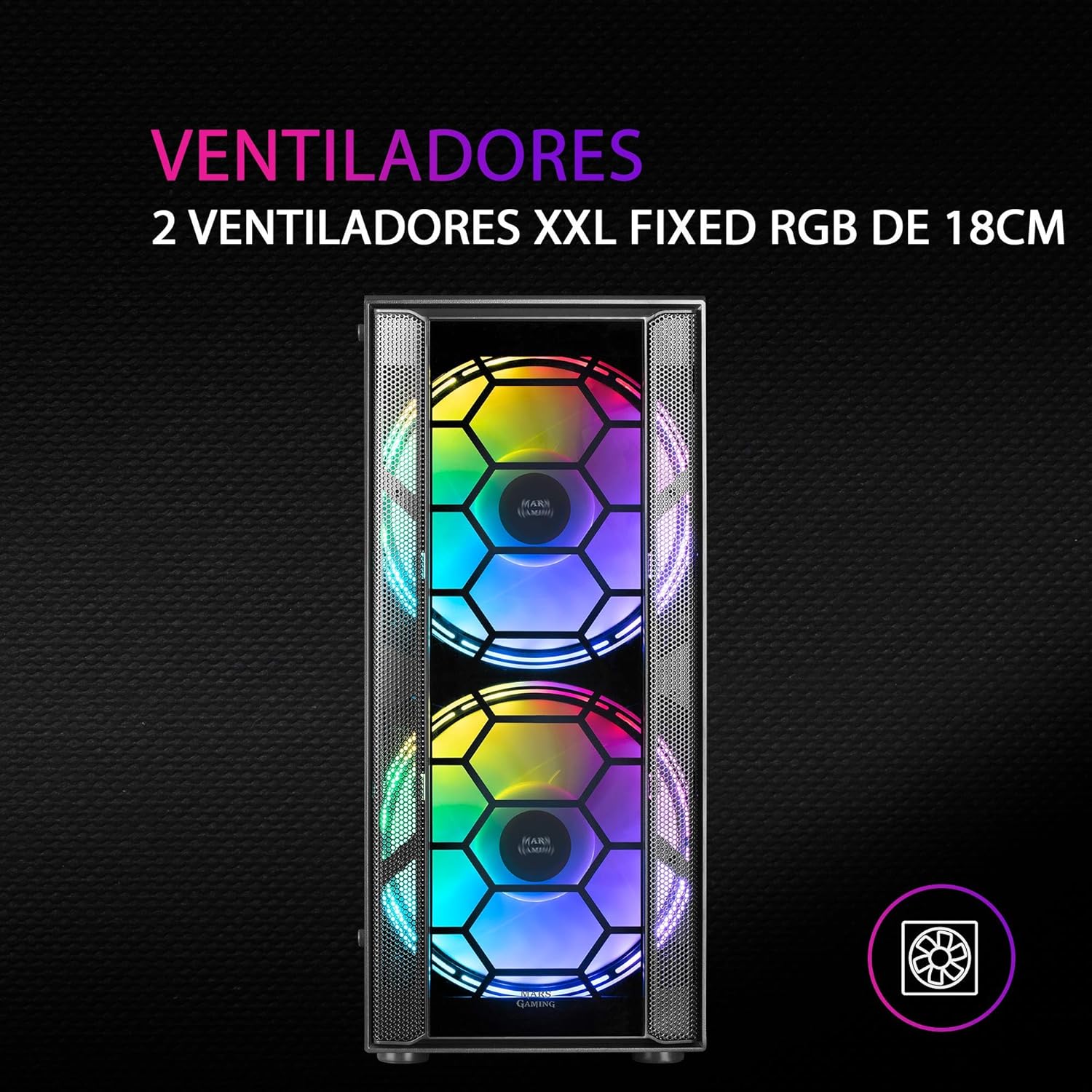
Figura 3: Frontal view highlighting the two 18cm XXL FRGB fans.
4.3 Il·luminació FRGB
The front fans feature Fixed RGB (FRGB) lighting. This lighting system provides a constant stream of colors and activates automatically when the fans receive power. No additional software or controller is required for its operation.
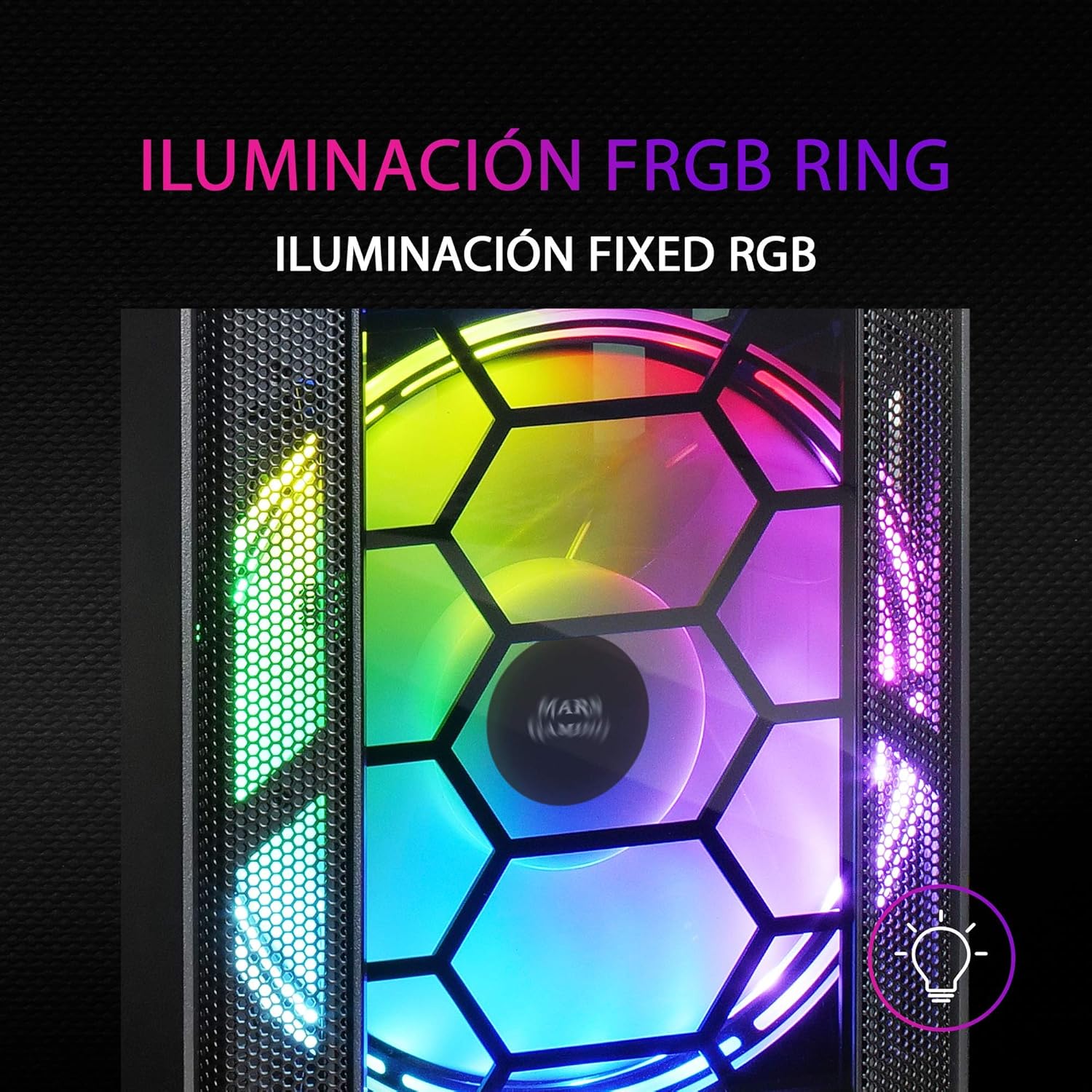
Figure 4: Detail of the FRGB ring lighting on the fans.
5. Manteniment
Regular maintenance ensures optimal performance and longevity of your PC case.
5.1 Neteja del filtre de pols
The MC500 is equipped with two removable dust filters to prevent dust buildup inside the case. It is recommended to clean these filters periodically (e.g., monthly) depending on your environment.
- Power off your computer and disconnect the power cable.
- Gently remove the dust filters (typically located on the top and bottom/front of the case).
- Clean the filters using compressed air or by rinsing them with water. If using water, ensure they are completely dry before re-installing.
- Re-install the dust filters.

Figure 5: Removable dust filter for easy cleaning.
5.2 Neteja general
Netegeu l'exterior de la carcassa amb un drap suau iamp drap. Eviteu utilitzar productes químics agressius o materials abrasius que puguin danyar l'acabat o el vidre temperat.
6. Solució De Problemes
If you encounter issues with your MC500 PC case, consider the following common solutions:
- El sistema no s'encén: Ensure all power cables (24-pin ATX, 8-pin CPU, GPU power) are securely connected to the motherboard and components. Verify the PSU switch is in the 'ON' position. Check front panel header connections to the motherboard.
- Els ventiladors no giren: Confirm that the fan power cables are correctly connected to the motherboard fan headers or a fan controller. Check BIOS settings for fan speed control.
- FRGB Lighting Not Working: Since the FRGB lighting is fixed and powered by the fans, ensure the fans are spinning and receiving power.
- Flux d'aire deficient/sobreescalfament: Ensure all case fans are oriented correctly (intake/exhaust). Clean dust filters regularly. Verify no cables are obstructing airflow.
- Components solts: If you hear rattling, check that all screws for the motherboard, drives, and expansion cards are tightened.
For persistent issues, consult the documentation for your individual PC components (motherboard, PSU, etc.) or contact Mars Gaming support.
7. Especificacions
| Característica | Especificació |
|---|---|
| Marca | Mars Gaming |
| Model | MC500 |
| Dimensions del producte | 37.5 x 44.8 x 20.2 cm |
| Pes de l'article | 5.1 kg |
| Factor de forma | ATX |
| Compatibilitat amb la placa base | ATX, Micro ATX, Mini ITX |
| Tipus de cas | Torre |
| Material | Vidre |
| Fans inclosos | 2 x 18cm XXL FRGB Fans (Front) |
| Suport de refrigeració líquida | 240/120mm (Top), 120mm (Rear) |
| Badies d'emmagatzematge | Up to 4 x 2.5" SSDs or 2 x 3.5" HDDs |
| Filtres de pols | 2 (Removable) |
| Color | Negre |
8. Garantia i Suport
8.1 Informació de la garantia
For detailed warranty information regarding your Mars Gaming MC500 PC Case, please refer to the official Mars Gaming weblloc web o la targeta de garantia inclosa amb la compra. Els termes i condicions de la garantia poden variar segons la regió.
8.2 Suport tècnic
If you require technical assistance or have questions not covered in this manual, please visit the official Mars Gaming support page or contact their customer service directly. Contact information can typically be found on their weblloc.


