Gràcies per la compraasing the Trust Wireless Mouse. This manual provides detailed instructions for setting up, operating, maintaining, and troubleshooting your new wireless mouse. Please read this manual thoroughly before using the product to ensure optimal performance and longevity.
Imatge 1.1: Part superior view of the Trust Wireless Mouse, showcasinel seu disseny ergonòmic i la disposició dels botons.
2. Informació de seguretat
Si us plau, observeu les següents pautes de seguretat per evitar danys al dispositiu o lesions personals:
No exposeu el ratolí a l'aigua ni a una humitat excessiva.
Eviteu deixar caure o sotmetre el ratolí a forts impactes.
No intenteu desmuntar ni reparar el ratolí vosaltres mateixos. Poseu-vos en contacte amb personal de servei qualificat.
Eliminar les bateries segons la normativa local.
3. Contingut del paquet
Verifiqueu que tots els elements siguin presents al paquet:
1x Trust Wireless Comfort Mouse
1x Micro receptor USB
1x bateria AA
1x Manual d'usuari (aquest document)
Image 3.1: The retail packaging of the Trust Wireless Mouse, showing the mouse and included accessories.
4. Configuració
4.1. Instal·lació de la bateria
Localitzeu el compartiment de la bateria a la part inferior del ratolí.
Obriu la tapa del compartiment de la bateria.
Inseriu la pila AA inclosa, assegurant-vos que els terminals positiu (+) i negatiu (-) s'alineïn correctament amb les marques de l'interior del compartiment.
Tanqueu bé la tapa del compartiment de la bateria.
Image 4.1: Underside of the mouse with the battery compartment open, showing the insertion of an AA battery.
Imatge 4.2: Part inferior view of the Trust Wireless Mouse, illustrating the battery compartment and the storage slot for the USB micro receiver.
4.2. Connecting the USB Micro Receiver
Locate the USB micro receiver, which is typically stored inside the mouse's battery compartment for transport.
Remove the USB micro receiver from its storage slot.
Plug the USB micro receiver into an available USB port on your computer (laptop or PC).
The mouse should automatically connect to your computer. No additional drivers are typically required for Windows 10, 8, 7, or Mac OS X 10.15 (Catalina) or higher.
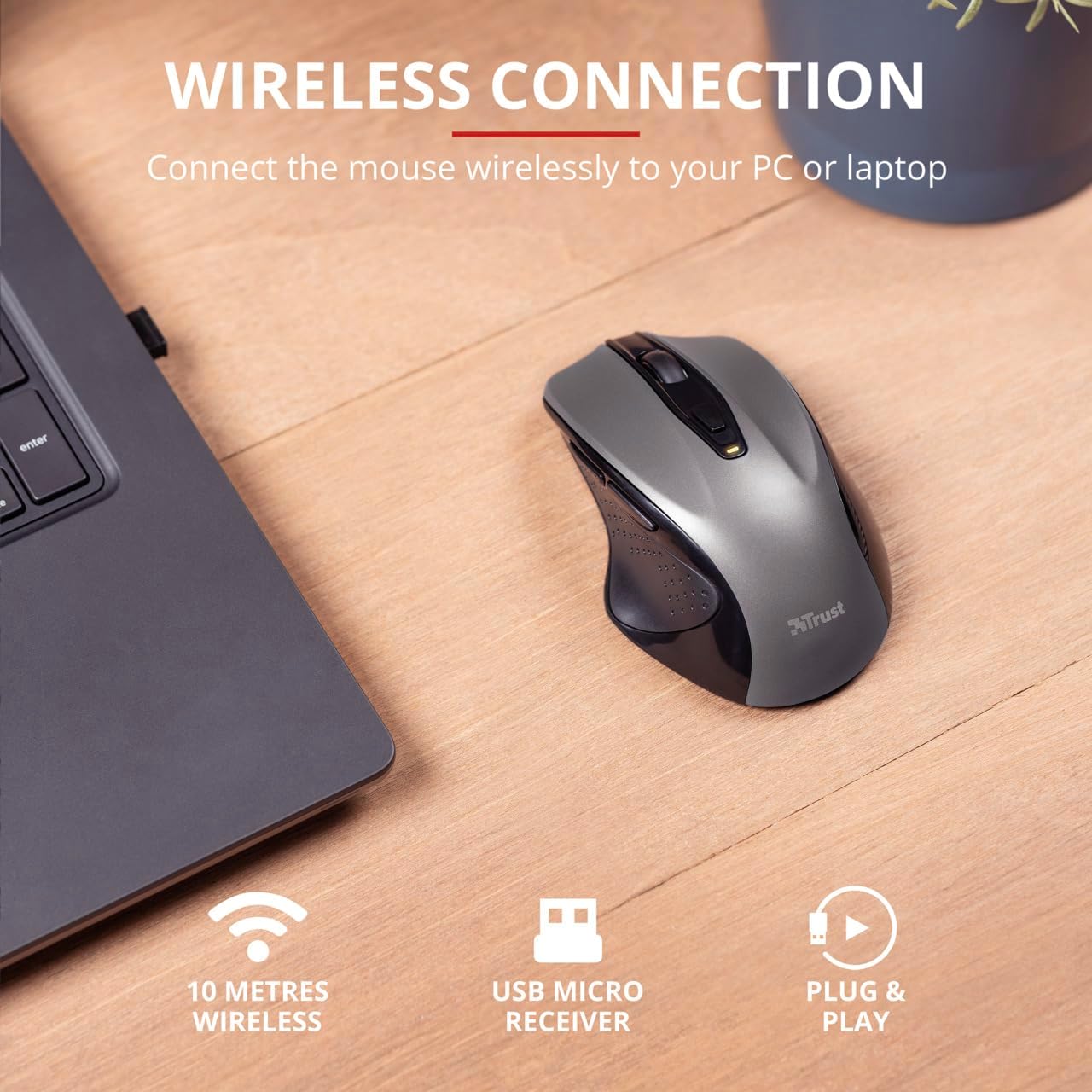
Image 4.3: The Trust Wireless Mouse positioned next to a laptop, demonstrating the wireless connection via the USB micro receiver plugged into the laptop's USB port.
5. Funcionament del ratolí
5.1. Funcions bàsiques
Clic esquerre: Primary button for selecting items and interacting with software.
Clic dret: Botó secundari per a menús contextuals i opcions addicionals.
Roda de desplaçament: Desplaceu-vos amunt o avall per desplaçar-vos pels documents i web pages. Press the scroll wheel for middle-click functionality.
5.2. Ajust de DPI
The Trust Wireless Mouse features an adjustable DPI (Dots Per Inch) setting, allowing you to control the cursor speed. There are 5 different speeds available: 800, 1200, 1600, 1800, and 2200 DPI.
Locate the DPI button, usually positioned behind the scroll wheel.
Premeu el botó DPI per passar per la configuració de DPI disponible.
An LED indicator on the mouse will briefly show the current DPI setting.
Imatge 5.1: Lateral view of the Trust Wireless Mouse highlighting its comfortable shape, thumb rest with extra grip, and the adjustable speed (DPI) feature.
5.3. Thumb Buttons
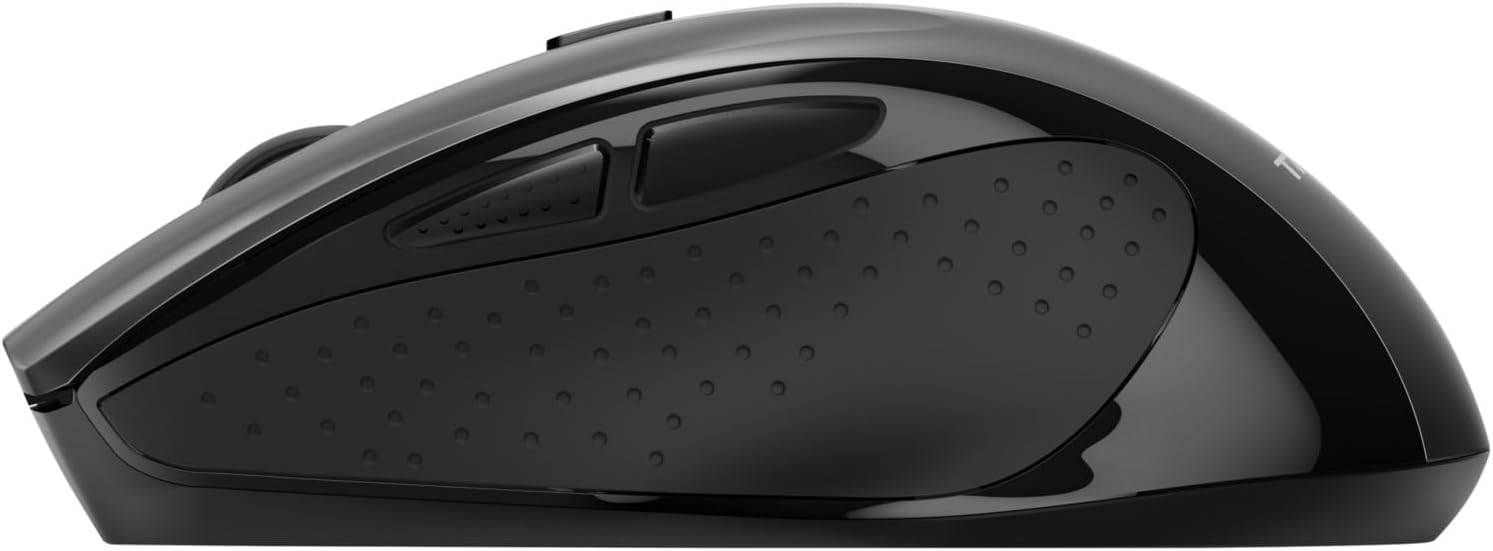
The mouse is equipped with two conveniently placed thumb buttons (forward and backward) on the left side. These buttons facilitate easy navigation, such as browsing through files o web pàgines.
Premeu el botó Endavant button to move to the next page or item.
Premeu el botó Enrere button to return to the previous page or item.
Imatge 5.2: Lateral view of the Trust Wireless Mouse, clearly showing the placement of the two thumb buttons for forward and backward navigation.
Note: Functionality of side buttons may vary between operating systems.
5.4. Power Saving Features
To conserve battery life, the mouse includes a power-saving mode and an on/off switch.
Interruptor d'encesa/apagada: Located on the underside of the mouse. Turn the mouse off when not in use for extended periods to maximize battery life.
Indicador LED de bateria: An LED indicator will light up when the battery level is low, signaling that it's time to replace the AA battery.
6. Manteniment
6.1. Neteja
Per mantenir un rendiment òptim, netegeu el ratolí regularment:
Feu servir un drap suau i sec per netejar la superfície del ratolí.
Per a la brutícia persistent, lleugerament dampNetegeu el drap amb aigua o una solució de neteja suau. Eviteu productes químics agressius.
No permeteu que els líquids entrin als components interns del ratolí.
6.2. Substitució de la bateria
When the battery indicator lights up, replace the AA battery promptly to ensure uninterrupted use. Refer to section 4.1 for battery installation instructions.
7. Solució De Problemes
Problema
Causa possible
Solució
El ratolí no respon.
Bateria baixa o esgotada.
Substituïu la bateria AA.
El ratolí no respon.
El receptor USB no està connectat correctament.
Assegureu-vos que el receptor USB estigui ben connectat a un port USB que funcioni. Proveu-ho amb un altre port USB.
El ratolí no respon.
El ratolí està apagat.
Turn on the mouse using the on/off switch on the underside.
El moviment del cursor és erràtic o lent.
Configuració de DPI baixa.
Press the DPI button to increase cursor speed.
El moviment del cursor és erràtic o lent.
Dirty sensor or unsuitable surface.
Clean the optical sensor on the underside of the mouse. Use the mouse on a clean, non-reflective surface.
Problemes de connexió sense fil.
Interference or distance from receiver.
Ensure the mouse is within 10 meters of the receiver. Remove any large metal objects between the mouse and receiver.
8. Especificacions
Característica
Detall
Número de model
24115
Connectivitat
Wireless (RF 2.4GHz)
abast sense fils
10 metres
Configuració de DPI
800, 1200, 1600, 1800, 2200 DPI (adjustable)
Nombre de botons
6 (Left, Right, Mid, Forward, Backward, DPI loop)
Tipus de sensor
Òptic
Ergonomia
Ergonomic design with thumb rest and rubber inlay
Font d'alimentació
1 bateria AA (inclosa)
Dimensions (L x A x A)
113 mm x 74 mm x 41 mm (4.45 x 2.91 x 0.04 polzades)
Pes
100 g (2.65 unces)
Sistemes operatius compatibles
Windows 10, 8, 7; Mac OS X 10.15 (Catalina) or higher
9. Garantia i Suport
The Trust Wireless Mouse comes with a 1 any de garantia des de la data de compra. Aquesta garantia cobreix els defectes de materials i de mà d'obra en ús normal.
La garantia no cobreix:
Danys causats per accident, abús, mal ús, inundació, incendi, terratrèmol o altres causes externes.
Damage caused by operating the product outside the permitted or intended uses described by Trust.
Damage caused by service (including upgrades and expansions) performed by anyone who is not a representative of Trust or a Trust Authorized Service Provider.
For technical support or warranty claims, please visit the official Trust website or contact their customer service department. Refer to the product packaging or Trust's official weblloc web per obtenir la informació de contacte més actualitzada.
Guia de l'usuari del ratolí sense fil Trust Mydo Silent Click Guia d'usuari completa del ratolí sense fil Trust Mydo Silent Click Mouse, que cobreix la configuració, les funcions i el suport. Apreneu a connectar i utilitzar el vostre ratolí silenciós per a una informàtica eficient.
Guia de l'usuari del ratolí sense fil Trust PUCK Guia d'usuari completa del ratolí sense fil Trust PUCK, que detalla la configuració, la connectivitat mitjançant el receptor USB i Bluetooth i l'estat de l'indicador LED.