1. Introducció
Gràcies per la compraasing the Radioddity RD23 Portable Digital Radio. This compact and versatile device offers high-quality audio reception for DAB, DAB+, and FM radio, along with Bluetooth connectivity for streaming and MP3 playback via USB or microSD. Designed for portability, the RD23 is an ideal companion for travel and outdoor activities. Please read this manual carefully to ensure proper use and to maximize your listening experience.
2. Informació de seguretat
- Exposició a l'aigua: Do not expose the device to rain, moisture, or immerse it in water.
- Fonts de calor: Mantingueu la ràdio allunyada de fonts de calor com ara radiadors, registres de calor, estufes o altres aparells (inclosos amplificadors) que produeixen calor.
- Ventilació: Assegureu-vos que hi hagi una ventilació adequada. No bloquegeu cap obertura de ventilació.
- Neteja: Netegeu-ho només amb un drap sec. Eviteu utilitzar netejadors líquids o en aerosol.
- Cura de l'antena: The antenna is delicate, especially the top segment. Handle with care to prevent bending or breaking.
- Seguretat de la bateria: The device contains a built-in rechargeable Lithium-ion battery. Do not attempt to replace it yourself. Dispose of batteries according to local regulations.
- Càrrega: Use only the provided USB cable for charging. Do not use damaged cables or chargers.
- Desmuntatge: Do not attempt to disassemble or modify the radio. This will void the warranty and may cause damage or injury.
3. Contingut del paquet
Si us plau, comproveu el paquet per veure si hi ha els elements següents:
- Radioddity RD23 Portable Digital Radio
- Cable de càrrega USB
- Manual d'usuari (aquest document)
If any items are missing or damaged, please contact your retailer or Radioddity customer support.
4. Producte acabatview

The Radioddity RD23 is designed to be highly portable, fitting comfortably in the palm of your hand. Its small size makes it easy to carry for on-the-go listening.

This image highlights the various ports and controls located on the top and side of the RD23 radio. These include the extendable antenna, 3.5mm headphone jack, power ON/OFF slide switch, USB port for MP3 playback from a USB stick, and a TF (microSD) card slot.

The RD23 features a built-in rechargeable battery and can be charged via the included USB cable. This allows for convenient power replenishment from various USB power sources.

The RD23 supports multiple listening modes: DAB/DAB+ digital radio, FM analog radio, and Bluetooth for wireless audio streaming from a smartphone or other compatible device.

This image provides the precise dimensions of the RD23 radio, measuring approximately 106.6mm in length and 53.3mm in width, emphasizing its compact form factor.
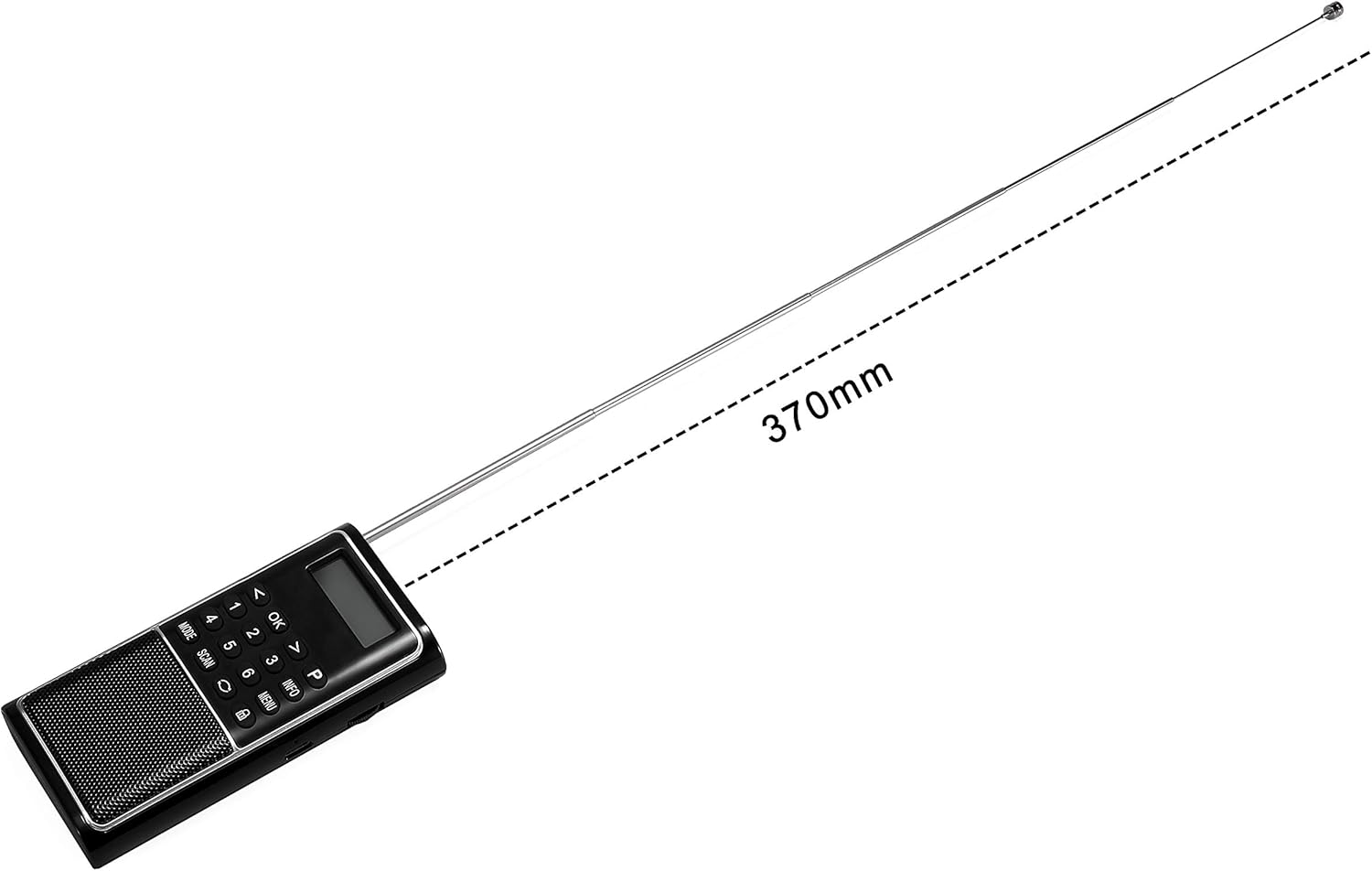
The extendable antenna, crucial for optimal radio reception, can reach a length of 370mm when fully extended.
5. Configuració
5.1 Càrrega inicial
- Locate the USB charging port on the side of the RD23 radio.
- Connect the provided USB charging cable to the radio.
- Connecteu l'altre extrem del cable USB a un adaptador de corrent USB compatible (per exemple, un carregador de telèfon, un port USB de l'ordinador) o a un carregador extern.
- The charging indicator on the radio will illuminate. Allow the radio to charge fully before first use. A full charge typically takes a few hours.
5.2 Engegada/apagada
- To turn on the radio, slide the ON/OFF switch located on the top of the device to the "ON" position.
- To turn off the radio, slide the ON/OFF switch to the "OFF" position.
5.3 Extensió d'antena
For optimal radio reception (DAB/DAB+ and FM), fully extend the telescopic antenna. When not in use, retract the antenna to protect it.
6. Instruccions de funcionament
6.1 Selecció del mode
Premeu el botó MODE button to cycle through the available modes: DAB/DAB+, FM, Bluetooth, and MP3 (if USB or microSD is inserted).
6.2 Funcionament de la ràdio DAB/DAB+
- Canvieu al mode DAB utilitzant el botó MODE botó.
- The radio will automatically scan for available DAB/DAB+ stations upon first use or if no stations are found. To initiate a manual scan, press the ESCANEAR botó.
- Utilitza el < i > botons per navegar per la llista d'emissores disponibles.
- Premeu OK per seleccionar una estació.
- To save a favorite station, press and hold one of the number buttons (1-6) until "Preset Saved" appears on the display. To recall a saved station, simply press the corresponding number button.
- Premeu el botó INFO button to display additional information about the current broadcast, such as program type, signal strength, and time.
6.3 Funcionament de la ràdio FM
- Canvieu al mode FM utilitzant el botó MODE botó.
- To auto-scan and save FM stations, press the ESCANEAR button. The radio will scan and store stations with strong signals.
- Per sintonitzar manualment, utilitzeu < i > buttons to adjust the frequency. Press and hold these buttons for a quick scan to the next strong signal.
- To save a favorite station, press and hold one of the number buttons (1-6) until "Preset Saved" appears on the display. To recall a saved station, simply press the corresponding number button.
6.4 Funcionament Bluetooth
- Canvieu al mode Bluetooth mitjançant el MODE button. The display will show "Bluetooth" and the radio will enter pairing mode.
- Al telèfon intel·ligent o a un altre dispositiu amb Bluetooth, activeu el Bluetooth i cerqueu els dispositius disponibles.
- Select "RD23" from the list of devices to pair. Once connected, the radio will indicate a successful connection.
- You can now play audio from your connected device through the RD23 radio. Use your connected device to control playback (play/pause, skip tracks) and volume.
- Note: The RD23 DAB radio cannot connect to Bluetooth headphones. It functions as a Bluetooth receiver only.
6.5 MP3 Playback (USB/MicroSD)
- Insert a USB flash drive or a microSD card (TF card) containing MP3 audio files into the respective slot on the radio.
- Canvieu al mode MP3 utilitzant el botó MODE button. The radio will automatically detect and begin playing MP3 files.
- Utilitza el < i > buttons to skip between tracks.
- Premeu OK to play or pause playback.
6.6 Control de volum
Adjust the volume using the rotary dial located on the side of the radio. Rotate clockwise to increase volume and counter-clockwise to decrease volume.
6.7 Ús d'auriculars
Connect 3.5mm wired headphones to the headphone jack on the top of the radio for private listening. The internal speaker will be muted when headphones are connected.
7. Bateria i càrrega
The Radioddity RD23 is equipped with a built-in 700mAh rechargeable Lithium-ion battery, providing extended listening time. When the battery level is low, the display may show a low battery indicator or the radio may automatically power off.
7.1 Procediment de càrrega
- Connect the radio to a USB power source using the supplied USB cable.
- L'indicador de càrrega mostrarà l'estat de càrrega.
- Un cop carregat completament, desconnecteu el cable USB.
Note: For optimal battery life, avoid completely draining the battery frequently and store the radio with some charge if not used for extended periods.
8. Manteniment
- Neteja: Netegeu la ràdio amb un drap suau, sec i sense borrissol. No utilitzeu productes de neteja abrasius, ceres ni dissolvents.
- Emmagatzematge: When not in use for a long period, store the radio in a cool, dry place, away from direct sunlight and extreme temperatures.
- Antena: Always retract the antenna when carrying or storing the radio to prevent damage.
- Bateria: Recharge the battery at least once every three months to maintain its health if the radio is not used regularly.
9. Solució De Problemes
| Problema | Causa possible | Solució |
|---|---|---|
| La ràdio no s'encén. | La bateria està esgotada. L'interruptor d'alimentació està apagat. | Carregueu la ràdio amb el cable USB. Assegureu-vos que l'interruptor d'engegada/apagada estigui a la posició "ON". |
| Mala recepció de ràdio (DAB/FM). | Antena no estesa. Zona amb senyal feble. Interferència. | Esteneu completament l’antena telescòpica. Move to a location with better signal reception. Allunyeu-vos d'altres dispositius electrònics que puguin causar interferències. |
| El Bluetooth no es connecta. | La ràdio no està en mode Bluetooth. El Bluetooth del dispositiu està desactivat. Radio already connected to another device. | Premeu MODE per seleccionar el mode Bluetooth. Assegureu-vos que el Bluetooth estigui habilitat al vostre dispositiu. Disconnect from other devices or restart the radio. |
| No sound from MP3 playback. | No MP3 files on USB/microSD. Incorrecte file format. Volum massa baix. | Assegura't que MP3 files are present on the storage device. Only MP3 format is supported. Increase the volume using the rotary dial. |
| Antenna is loose or broken. | Dany físic. | Handle the antenna with care. If broken, contact customer support for repair or replacement options. |
10. Especificacions
| Característica | Detall |
|---|---|
| Marca | Radioditat |
| Número de model | RD23 |
| Color | Negre |
| Tecnologia d'afinació | DAB, DAB+, FM |
| Tecnologia de connectivitat | Bluetooth |
| Característiques especials | Lightweight, Portable, Rechargeable, Built-in Clock |
| Font d'alimentació | Funciona amb bateria |
| Tipus de bateria | Lithium-ion (700 mAh built-in) |
| Dimensions del producte | 11 L x 3.2 W x 7 H centímetres |
| Bandes de ràdio compatibles | DAB, DAB+, FM |
| Components inclosos | Built-in 700 mAh rechargeable battery, USB cable |
11. Garantia i Suport
Radioddity products are designed and manufactured to the highest quality standards. For information regarding warranty coverage, technical support, or service inquiries, please refer to the warranty card included with your product or visit the official Radioddity weblloc.
Assistència en línia: For the most up-to-date information, FAQs, and troubleshooting guides, please visit the Radioddity support page or contact their customer service directly.
Informació de contacte: Please refer to the packaging or official weblloc web per obtenir dades de contacte actuals.


