1. Introducció
Gràcies per la compraasing the CHiQ 32P625Q 32-inch QHD IPS LED Monitor. This manual provides essential information for the safe and efficient operation of your new monitor. Please read this manual thoroughly before use and retain it for future reference.
Informació de seguretat
- No exposeu el monitor a la pluja ni a la humitat per evitar riscos d'incendi o descàrrega elèctrica.
- No obriu el monitor casing. No hi ha peces a l'interior que l'usuari pugui reparar. Demaneu totes les tasques de manteniment a personal qualificat.
- Col·loqueu el monitor sobre una superfície estable i plana per evitar que caigui.
- Assegureu-vos que hi hagi una ventilació adequada al voltant del monitor. No bloquegeu les obertures de ventilació.
- Feu servir només l'adaptador de corrent que s'inclou amb el monitor.
- Desendolleu el monitor de la presa de corrent durant tempestes o quan no el feu servir durant períodes prolongats.
2. Contingut del paquet
Verifiqueu que tots els elements siguin presents al vostre paquet:
- CHiQ 32P625Q 32-inch QHD IPS LED Monitor
- Suport de monitor (base i coll)
- Adaptador d'alimentació
- Cable HDMI
- Manual d'usuari (aquest document)
3. Producte acabatview
Monitor frontal View
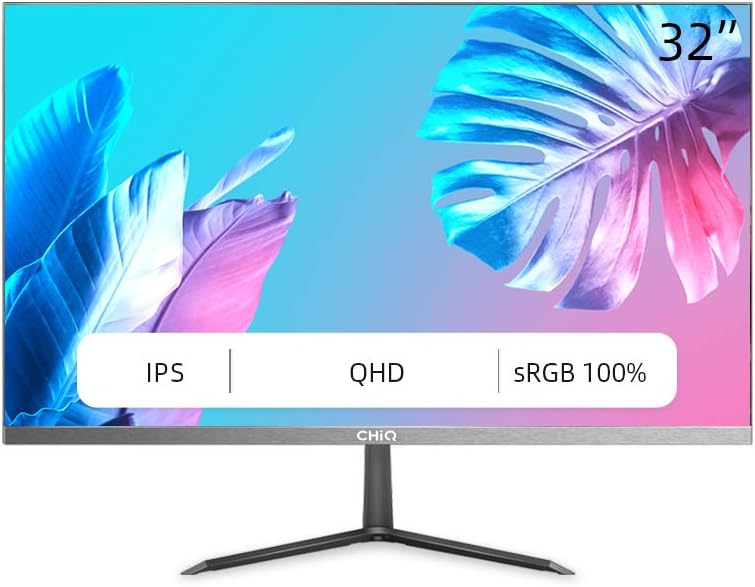
Figura 3.1: Davant view of the CHiQ 32P625Q monitor, showcasing its 32-inch IPS QHD display with sRGB 100% color coverage and ultra-thin bezels.
Monitor Rear and Side Views (Illustrative)

Figura 3.2: lateral view of the CHiQ 32P625Q monitor, highlighting its slim profile and metal stand design.

Figura 3.3: Close-up illustrating the 6.9mm super slim design and frameless metal bezel of the monitor.
Botons i ports de control
The monitor features intuitive control buttons, typically located on the rear or bottom right side, and various input ports on the rear panel.
- Botó d'encesa: Encén o apaga el monitor.
- Botons del menú OSD: Navigate and select options within the On-Screen Display menu.
- Port(s) HDMI: Connect to devices using an HDMI cable.
- Port DP (DisplayPort): Connect to devices using a DisplayPort cable.
- Port VGA: Connect to older devices using a VGA cable.
- Sortida d'àudio (connector d'auriculars): Connecteu auriculars o altaveus externs.
- Entrada d'alimentació de CC: Connecteu l'adaptador de corrent.
4. Configuració
4.1 Muntatge del suport
- Traieu amb cura el monitor del seu embalatge, mantenint-lo protegit sobre una superfície tova.
- Fixeu el coll del suport al panell del monitor.
- Attach the stand base to the stand neck and secure it with the provided screws.
- Col·loqueu el monitor muntat sobre un escriptori estable i pla.

Figura 4.1: Illustration of the monitor's minimalist design, including the metal stand, frameless design, and ultra-slim profile (6.9 mm).
4.2 Muntatge VESA
The CHiQ 32P625Q monitor is VESA compatible, allowing it to be mounted on a wall or an articulating arm (sold separately). Ensure your VESA mount is compatible with the monitor's VESA pattern (typically 100x100mm, though specific details should be confirmed with the product's physical specifications or packaging).
- Traieu el suport del monitor si ja hi està connectat.
- Follow the instructions provided with your VESA mount to attach it to the monitor and then to your desired surface.
4.3 Connexió a dispositius
Connecteu l'ordinador o altres dispositius al monitor amb els cables adequats.
- HDMI: Connect one end of the HDMI cable to the HDMI port on your computer/device and the other end to an HDMI port on the monitor.
- DisplayPort (DP): Connect one end of the DP cable to the DP port on your computer/device and the other end to the DP port on the monitor.
- VGA: Connect one end of the VGA cable to the VGA port on your computer/device and the other end to the VGA port on the monitor.
- Sortida d'àudio: If you wish to use external speakers or headphones, connect them to the 3.5mm audio out jack on the monitor.
4.4 Connexió d'alimentació
- Connect the power adapter cable to the DC power input port on the monitor.
- Connecteu l'adaptador de corrent a una presa de corrent.
5. Funcionament del monitor
5.1 Encès/Apagat
Press the power button on the monitor to turn it on or off. The power indicator light will illuminate when the monitor is on.
5.2 Navegació pel menú OSD
The On-Screen Display (OSD) menu allows you to adjust various monitor settings. Use the control buttons (usually located on the rear or bottom right) to navigate the menu.
- Press a menu button to open the OSD menu.
- Use the navigation buttons (up/down/left/right or joystick) to move through menu options.
- Press the select/enter button to confirm a selection or enter a sub-menu.
- Premeu el botó de sortida per tancar el menú OSD.
5.3 Configuració de la imatge
Ajusta les característiques de la pantalla per a una òptima viewing.
- Brillantor: Ajusta la luminància general de la pantalla.
- Contrast: Ajusta la diferència entre les zones clares i fosques.
- Temperatura de color: Select predefined color temperature modes (e.g., Warm, Cool, User) or adjust RGB values manually.
- Mode de llum blava baixa: Redueix l'emissió de llum blava per minimitzar la fatiga ocular, especialment durant un ús prolongat.
- Tecnologia sense parpelleig: This monitor incorporates flicker-free technology to reduce eye fatigue.
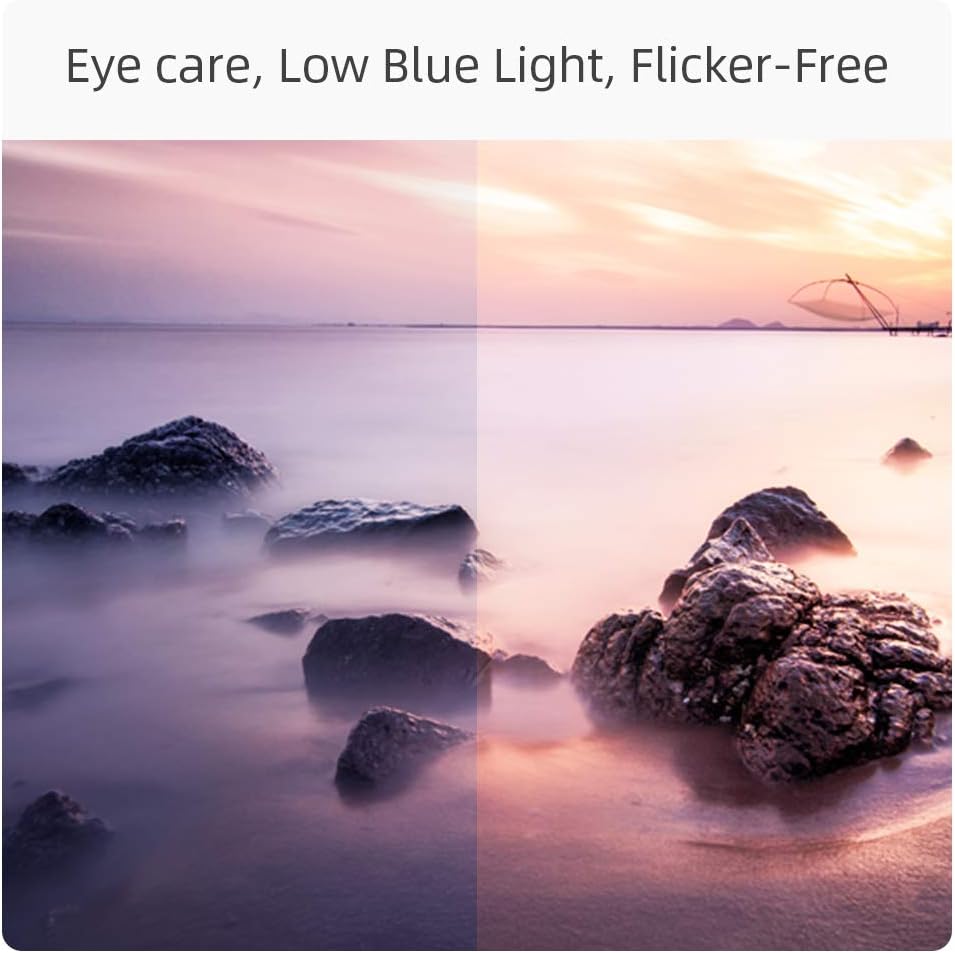
Figura 5.1: Visual representation of the monitor's eye care features, including Low Blue Light and Flicker-Free technology, designed to reduce eye strain.
5.4 Selecció d'entrada
If multiple devices are connected, you can switch between input sources via the OSD menu or a dedicated input select button.
5.5 Configuració d'àudio
Adjust the volume for connected headphones or external speakers.
5.6 Característiques del joc
- FreeSync: This monitor supports AMD FreeSync technology, which synchronizes the monitor's refresh rate with your GPU's frame rate to eliminate screen tearing and stuttering. Enable FreeSync in the OSD menu and on your graphics card settings.
- Temps de resposta: The monitor features a 5ms response time for smooth motion.
- Freqüència d'actualització: The monitor supports a 75Hz refresh rate for smoother visuals compared to standard 60Hz displays.

Figura 5.2: Visual comparison demonstrating the smoother motion provided by a 75Hz refresh rate, ideal for dynamic content and gaming.
6. Manteniment
Neteja del monitor
- Desconnecteu sempre el monitor abans de netejar-lo.
- Use a soft, lint-free cloth to gently wipe the screen. For stubborn marks, dampen the cloth with a small amount of water or a mild, non-abrasive screen cleaner.
- Netegeu el monitor casinNetegeu amb un drap suau i sec. Eviteu utilitzar netejadors abrasius, ceres o dissolvents.
Emmagatzematge
If storing the monitor for an extended period, unplug it and store it in a cool, dry place, preferably in its original packaging to protect it from dust and physical damage.
7. Solució De Problemes
| Problema | Causa possible | Solució |
|---|---|---|
| No hi ha imatge a la pantalla |
|
|
| La imatge és borrosa o distorsionada |
|
|
| No hi ha so de la sortida d'àudio |
|
|
| Imatge parpellejant o inestable |
|
|
8. Especificacions
| Característica | Detall |
|---|---|
| Número de model | 32P625Q |
| Mida de la pantalla | 32 polzades |
| Tipus de panell | LED IPS |
| Resolució | QHD (2560 x 1440 Pixels) |
| Relació d'aspecte | 16:9 |
| Temps de resposta | 5 ms |
| Freqüència d'actualització | 75 Hz |
| Brillantor | 250 cd/m2 |
| Relació de contrast | 1000:1 (Static), 1M:1 (Dynamic) |
| Viewangle ing | 178°/178° |
| Gamma de colors | sRGB 100% (10-bit panel) |
| Connectivitat | HDMI, DisplayPort (DP), VGA, Audio Out (Headphone Jack) |
| Característiques especials | Low Blue Light, Flicker-Free, FreeSync, Ultra-thin bezels, VESA Compatible |
| Consum d'energia | 34 Watt (Typical), 26 kWh/1000h (Energy Label) |
| Dimensions (amb suport) | 712 x 180 x 495 mm (LxAxH) |
| Ajust d'inclinació | 5° a -15° |

Figura 8.1: Detailed dimensions of the CHiQ 32P625Q monitor with its stand.
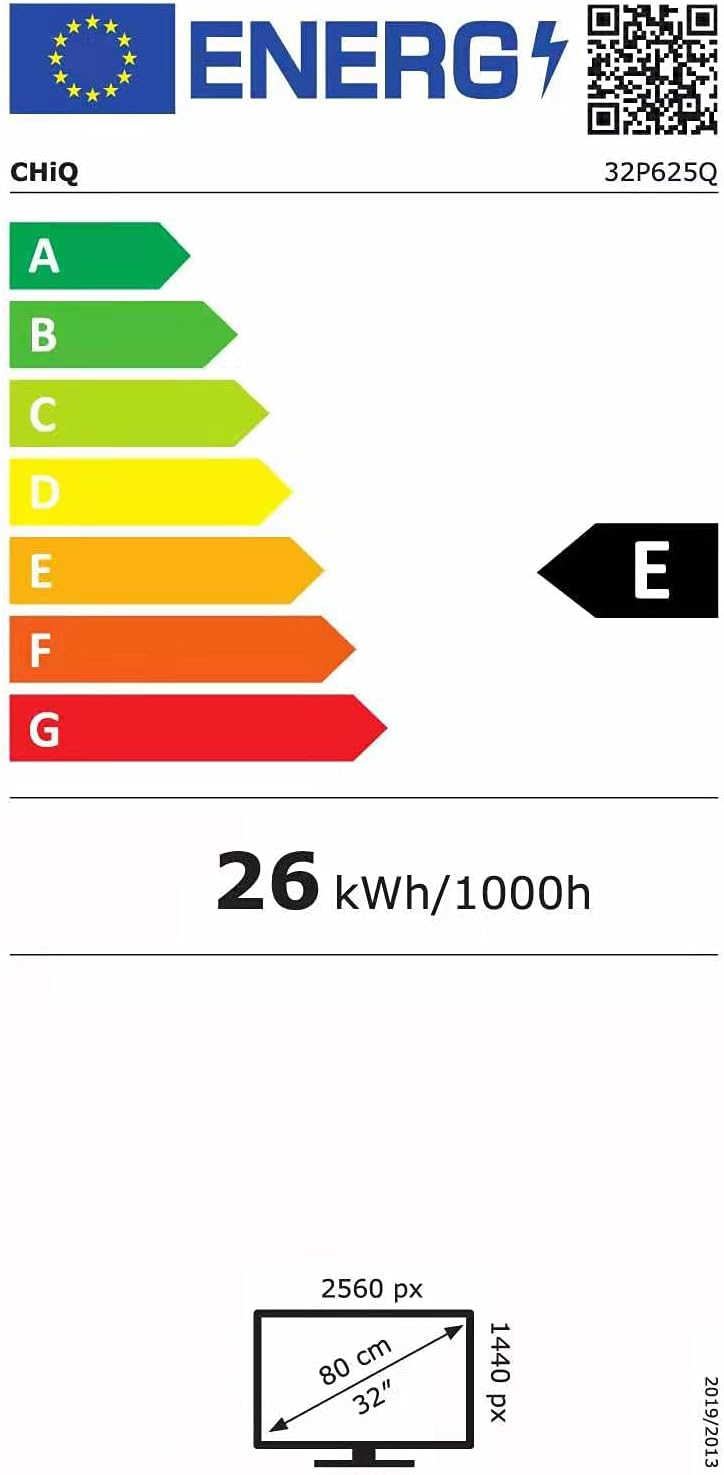
Figura 8.2: EU Energy Label for the CHiQ 32P625Q monitor, indicating an energy efficiency class E and 26 kWh/1000h consumption. For more details, visit the Base de dades EPREL.
9. Garantia i Suport
CHiQ products are designed and manufactured to the highest quality standards. For information regarding warranty coverage, technical support, or service inquiries, please refer to the warranty card included with your product or visit the official CHiQ website. Please have your model number (32P625Q) and purchase information ready when contacting support.


