1. Introducció
Thank you for choosing the MAXTOP Smart Watch. This device is designed to enhance your daily life by providing health monitoring, fitness tracking, and smart notifications directly from your wrist. This manual will guide you through the setup, operation, and maintenance of your new smart watch to ensure optimal performance and user experience.
2. Producte acabatview
The MAXTOP Smart Watch features a 1.3-inch display and is equipped with various sensors for comprehensive health and activity tracking. It is compatible with both iPhone and Android phones, offering seamless integration with your mobile device.
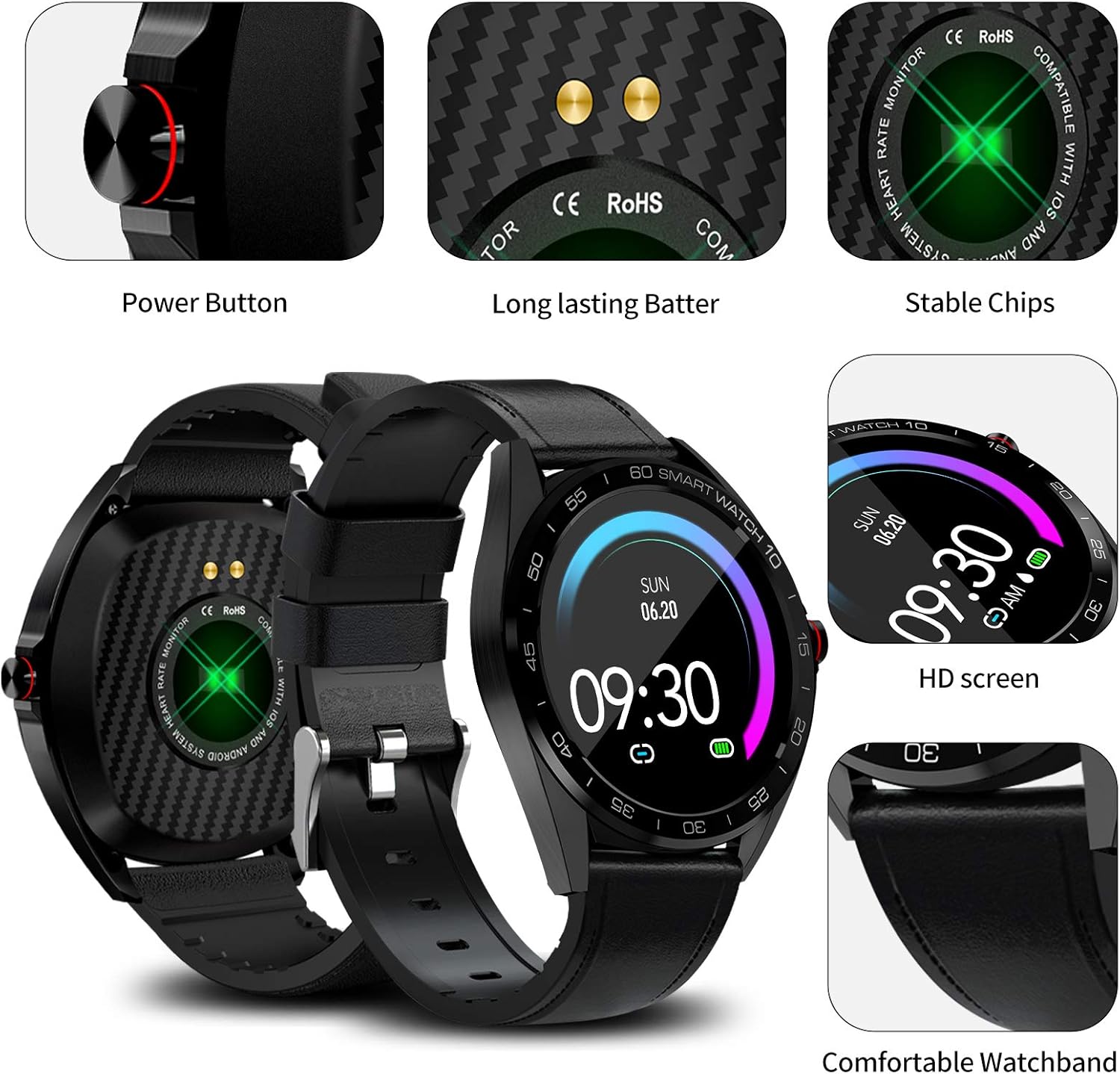
Imatge: Detallada view of the MAXTOP Smart Watch highlighting its power button, charging contacts, and display.
Vídeo: Un funcionari ha acabatview of the MAXTOP Smart Watch, demonstrating its various features and functionalities.
3. Configuració
3.1 Càrrega inicial
Before first use, fully charge your smart watch. Connect the provided USB charging cable to the charging contacts on the back of the watch and to a standard USB power adapter (not included). The watch display will indicate charging status.
3.2 Instal·lació de l'aplicació
To unlock all features, download and install the companion app on your smartphone. Cerca the app name (usually mentioned in the quick start guide or on the watch screen during initial setup) in the Apple App Store (for iPhone) or Google Play Store (for Android).
3.3 Emparellament de dispositius
- Assegureu-vos que el Bluetooth estigui habilitat al vostre telèfon intel·ligent.
- Open the installed companion app and follow the on-screen instructions to create an account or log in.
- Seleccioneu "Afegeix dispositiu" o "Emparella dispositiu" dins de l'aplicació.
- The app will search for your MAXTOP Smart Watch. Select your watch from the list of discovered devices.
- Confirma la sol·licitud d'emparellament tant al telèfon com al rellotge si se't demana.

Image: The MAXTOP Smart Watch, charging cables, and documentation, ready for initial setup.
4. Instruccions de funcionament
4.1 Navegació bàsica
- Pantalla tàctil: Llisca esquerra/dreta, amunt/avall per navegar pels menús i les funcions. Toca per seleccionar.
- Botó lateral: Press to wake the screen, return to the main watch face, or access the app menu.
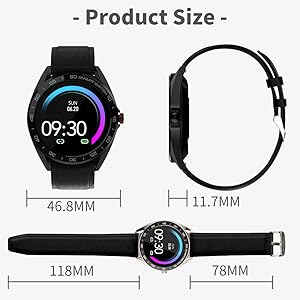
Image: Visual guide to navigating the smart watch using touch gestures and understanding the main interface elements.
4.2 Canviar les esferes del rellotge
From the main watch face, press and hold the screen. Swipe left or right to browse available watch faces. Tap to select your preferred design.
5. Monitorització de la salut
The MAXTOP Smart Watch provides continuous monitoring of key health metrics. For accurate readings, ensure the watch is worn snugly on your wrist.
5.1 Heart Rate and Blood Pressure Monitoring
Access the Heart Rate (HR) or Blood Pressure (BP) function from the app menu. The watch will begin measuring your current heart rate or blood pressure. Readings are displayed on the watch screen and synchronized with the app for historical data and analysis.
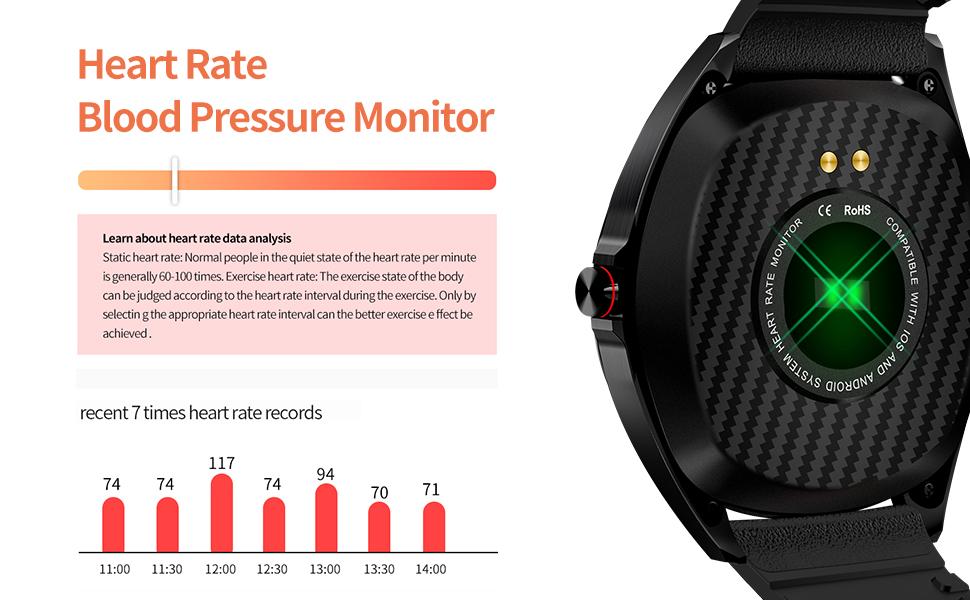
Image: The smart watch actively measuring and displaying heart rate and blood pressure data on the user's wrist.
5.2 Monitorització del son
Wear your smart watch to bed to automatically track your sleep patterns. The watch monitors your sleep duration and quality, distinguishing between deep sleep, light sleep, and awake times. View detailed sleep reports in the companion app.

Image: The smart watch interface showing a breakdown of sleep quality, including deep and light sleep durations.
6. Seguiment d'activitat
Your MAXTOP Smart Watch is an activity tracker that records your daily movements and exercise routines.
6.1 Steps, Distance, and Calories
The watch automatically tracks your steps, calculates the distance covered, and estimates calories burned throughout the day. This data is accessible directly on the watch and in more detail within the app.

Image: The smart watch screen showing real-time fitness data, including steps, distance, and calorie consumption.
6.2 modes esportius
The watch supports 10 different sports modes to accurately record your exercise data. Select the appropriate mode before starting your workout for precise tracking.
- Cursa a l'aire lliure
- Senderisme
- Passeig a l'aire lliure
- Star Stepper
- Cursa indoor
- Cicle a l'aire lliure
- Passeig interior
- Bicicleta estàtica
- El·líptica
- Màquina de rem
7. Funcions intel·ligents
Connect your MAXTOP Smart Watch to your smartphone to access a range of smart features.
7.1 Message and Call Notifications
Receive notifications for incoming calls, SMS messages, and alerts from various social media apps directly on your watch. You can also reject incoming calls from the watch. Ensure notification permissions are granted in your phone's settings and the companion app.

Image: The smart watch screen showing multiple message notifications from different applications.
7.2 Control remot de la càmera
Use your smart watch as a remote shutter for your phone's camera. Open the camera function in the watch's app menu, position your phone, and tap the watch screen to take a photo.

Image: The smart watch showing the camera icon, illustrating its remote camera control feature.
7.3 Cerca telèfon
If your phone is misplaced but within Bluetooth range, use the 'Find Phone' feature on your watch to make your phone ring, helping you locate it quickly.
7.4 Female Care
The watch includes a 'Female Care' feature to track menstrual cycles and provide timely reminders. This feature can be configured within the companion app.
8. Resistència a l'aigua
The MAXTOP Smart Watch is IP67 waterproof, making it suitable for various activities. It can withstand splashes, snorkeling, rain, snowing, room temperature showers, and short swimming sessions. Avoid hot water, saunas, or diving to prevent damage.

Image: A user wearing the MAXTOP Smart Watch while in a pool, highlighting its IP67 water resistance for various water activities.
9. Manteniment
To ensure the longevity and optimal performance of your MAXTOP Smart Watch, follow these maintenance guidelines:
- Neteja: Regularly wipe the watch screen and strap with a soft, dry cloth. If necessary, use a slightly damp drap i sabó suau, després esbandiu i assequeu bé.
- Contactes de càrrega: Keep the charging contacts on the back of the watch clean and dry to ensure efficient charging.
- Emmagatzematge: Guardeu el rellotge en un lloc fresc i sec, allunyat de la llum solar directa i de temperatures extremes quan no l'utilitzeu.
- Eviteu productes químics: Do not expose the watch to strong chemicals, solvents, or detergents, as these can damage the materials.
10. Solució De Problemes
If you encounter issues with your MAXTOP Smart Watch, refer to the following common solutions:
- El rellotge no s'encén: Assegura't que el rellotge estigui completament carregat. Connecta'l al carregador durant almenys 30 minuts.
- No s'ha pogut emparellar amb el telèfon:
- Assegureu-vos que el Bluetooth estigui habilitat al vostre telèfon.
- Assegureu-vos que el rellotge estigui dins de l'abast del Bluetooth (normalment 10 metres).
- Reinicia tant el telèfon com el rellotge.
- Esborra la memòria cau de l'aplicació o torna-la a instal·lar.
- Lectures de salut inexactes: Ensure the watch is worn snugly on your wrist, not too tight or too loose. Avoid excessive movement during measurements.
- Sense notificacions: Check that notification permissions are enabled for the companion app and individual apps in your phone's settings. Ensure the watch is connected via Bluetooth.
- La pantalla no respon: Try restarting the watch by pressing and holding the side button. If unresponsive, allow the battery to drain completely and then recharge.
11. Especificacions
| Característica | Detall |
|---|---|
| Dimensions del paquet | 5.51 x 3.46 x 1.93 polzades |
| Pes de l'article | 8.3 unces |
| ASIN | B08XWYM2FH |
| Data de primera disponibilitat | 15 d'abril de 2021 |
| Fabricant | maxtop |
| Mida de la pantalla de peu | 1.3 polzades |
| Sistema operatiu | Android |
| Característica especial | Activity Tracker, Alarm Clock, Blood Pressure Monitor, Camera, Heart Rate Monitor, Notifications, Pedometer, Sedentary Reminder, Sleep Monitor, Time Display |
| Tecnologia de connectivitat | USB |
| Comunicació sense fils estàndard | Bluetooth |
| Composició de les cèl·lules de la bateria | Polímer de liti |
| Forma | Cor |
| Mida de la pantalla | 1.3 polzades |
| Marca | MAXTOP |
| Estil | Modern |
| Públic objectiu | Adult unisex |
12. Garantia i Suport
The MAXTOP Smart Watch comes with an 18-month warranty. For warranty claims or technical support, please refer to the contact information provided in your product packaging or visit the official MAXTOP weblloc web. Conserveu el rebut de compra com a comprovant de compra.