1. Introducció
The Asnish Mini Projector PJ-88BT is designed for home theater entertainment, offering a portable solution for projecting movies, games, and photos. It supports Full HD 1080P resolution and features a 2000:1 contrast ratio for clear and detailed images.
Notes importants:
- This projector is not recommended for professional presentations such as PPT, Word, or Excel documents.
- For optimal performance, it is recommended to use the projector in a dark environment.
- The USB port supports USB flash drives up to 128GB for media playback (Music, Pictures, Video, TXT). It does not support cord connection for data transfer from other devices.
Eye Protection Feature:
The projector utilizes diffuse reflection imaging, which helps to reduce eye fatigue during extended viewing periods, promoting better eye health for users.

Figura 1.1: Diffuse reflection imaging for reduced eye strain.
Escenaris d'ús:
The PJ-88BT projector is suitable for various entertainment purposes, including video gaming, home cinema, outdoor movie nights, and casual meetings.
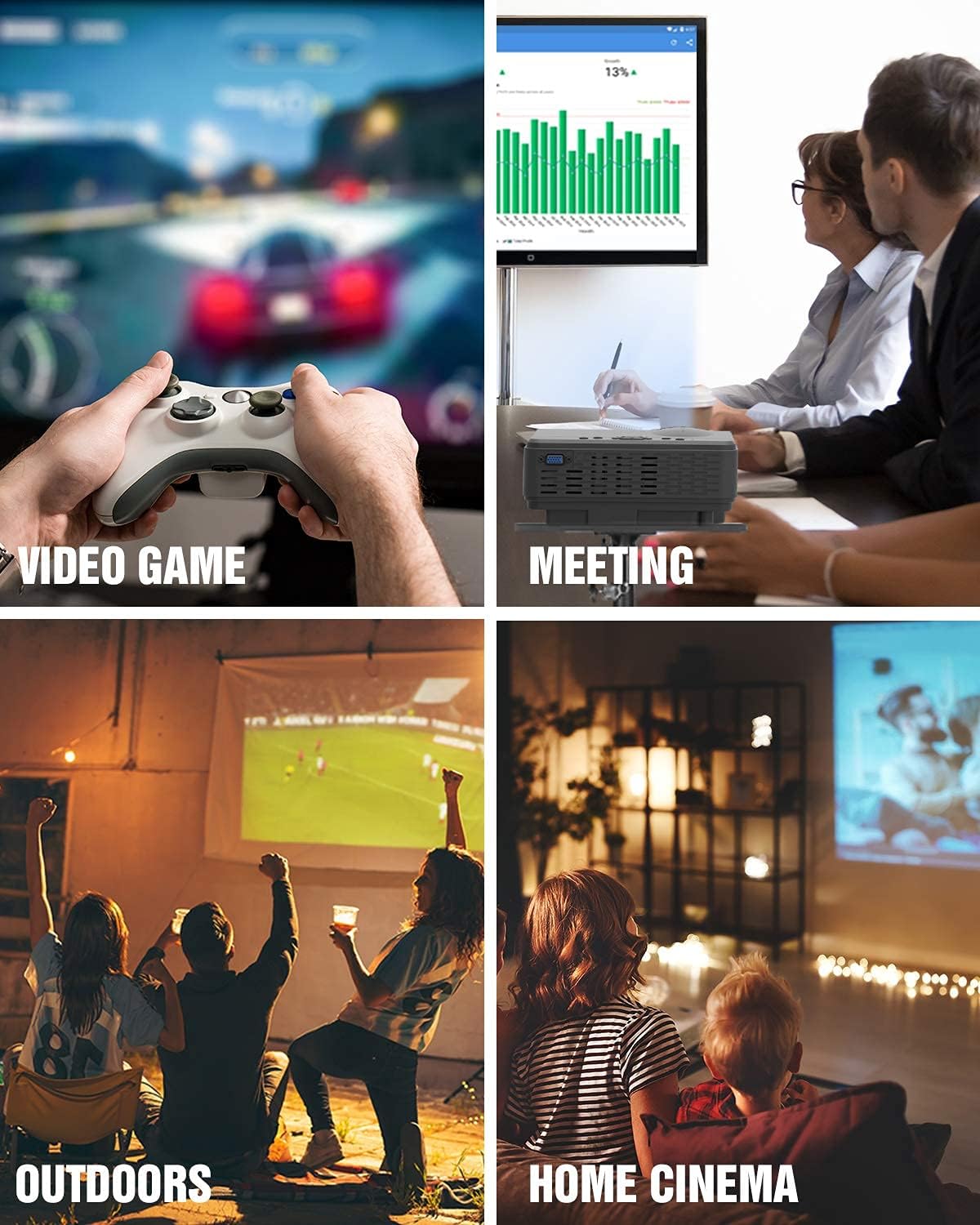
Figura 1.2: Examples of projector usage in different environments.
2. Contingut del paquet
Si us plau, reviseu el paquet acuradament per assegurar-vos que tots els articles hi són i estan en bon estat.
- 1 x Asnish PJ-88BT HD Video Projector
- 1 x comandament a distància
- 2 piles AAA (per al comandament a distància)
- 1 x cable d'alimentació
- 1 cable HDMI de 1.5 m
- 1 x Coberta de la lent
- 1 x Manual d'usuari (aquest document)
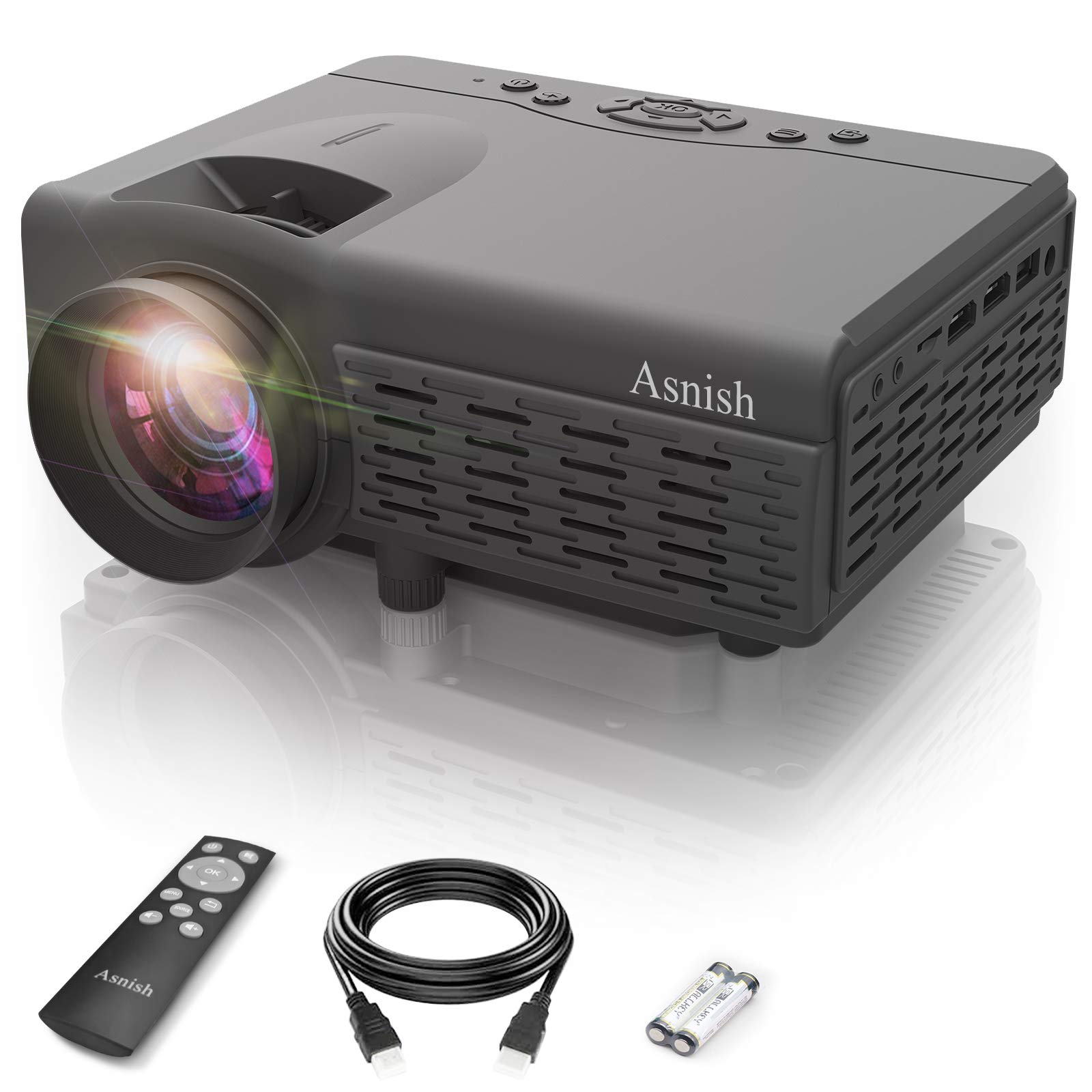
Figura 2.1: Contents included in the Asnish Mini Projector PJ-88BT package.
3. Producte acabatview
Familiarize yourself with the projector's physical layout and available ports.
Ports d'entrada/sortida:
The projector is equipped with various ports for connecting different devices:
- HDMI: For connecting devices like laptops, game consoles, TV boxes, and streaming sticks.
- VGA: Per connectar ordinadors o portàtils més antics.
- DE: For connecting devices with composite video and stereo audio output.
- USB: Per reproduir contingut multimèdia directament des d'una unitat flash USB.
- 3.5mm Audio-out: Per connectar altaveus externs o auriculars.

Figura 3.1: Projector interfaces and compatible devices.
4. Configuració
4.1 Col·locació i instal·lació
Position the projector on a stable surface or mount it according to your preference. The optimal projection distance ranges from 1.16 meters to 4.4 meters, allowing for a screen size between 37 inches and 150 inches.
The projector supports multiple installation types:
- Front Projection: Projecting from the front of the screen.
- Rear Projection: Projecting from behind a translucent screen.
- Ceiling Projection: Mounting the projector upside down on the ceiling.
- Muntatge de trípode: Using a standard tripod for flexible positioning.
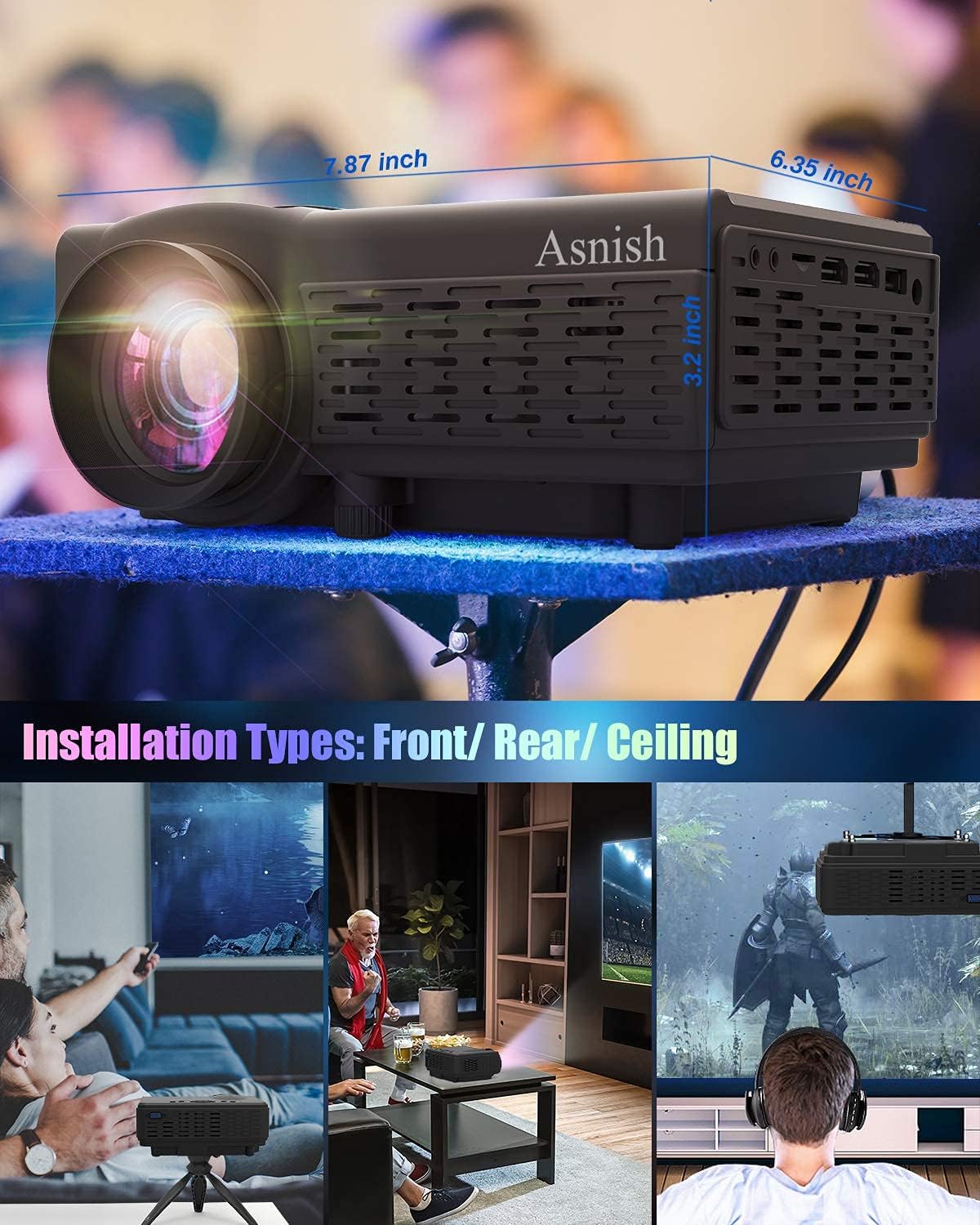
Figura 4.1: Projector dimensions and installation options.
4.2 Connexió d'alimentació
- Connect the power cable to the projector's DC input port (DC12V, 4A).
- Plug the other end of the power cable into a standard electrical outlet (110-240V~50/60HZ).
- Premeu el botó d'encesa del projector o del comandament a distància per encendre el dispositiu.
4.3 Ajust de la pantalla
After powering on, adjust the image for clarity and correct geometry.
- Ajust del focus: Gireu l'anell d'enfocament de la lent del projector fins que la imatge aparegui nítida i clara.
- Correcció Keystone: Use the keystone correction dial or setting to adjust the image's vertical distortion, ensuring a rectangular projection. The projector supports up to 15 degrees of manual keystone correction.

Figura 4.2: Screen size range and keystone correction.
5. Instruccions de funcionament
5.1 Connexió de dispositius externs
The projector offers multiple input options for various devices:
- HDMI: Connect your laptop, PC, DVD player, game console (PS5, Switch), TV box, or streaming stick using an HDMI cable. Select the HDMI input source on the projector.
- VGA: Connect older computers or laptops using a VGA cable. Select the VGA input source.
- DE: Connect devices with composite video output using an AV cable. Select the AV input source.
- USB: Insert a USB flash drive (up to 128GB) into the USB port. The projector will automatically detect the drive, allowing you to browse and play supported media files.
5.2 Smartphone Connection
To connect your smartphone, an additional adapter is required (not included):
- Per a iPhone/iPad: A Lightning to HDMI cable adapter is required.
- For Android Devices (Android 10.0 or later): An MHL / Type-C to HDMI adapter or a micro USB to HDMI adapter is required. Ensure your Android phone supports screen mirroring/casting functionality.

Figura 5.1: Smartphone connection methods.
5.3 Connexions d'àudio
The projector has a built-in stereo speaker. For enhanced audio, you can connect external audio devices:
- Bluetooth Speakers/Headphones: The projector supports Bluetooth connectivity. Navigate to the Bluetooth settings in the projector's menu, enable Bluetooth, and pair with your desired Bluetooth speaker or headphones.
- 3.5mm Audio-out: Connect external wired speakers or headphones to the 3.5mm audio-out jack.

Figura 5.2: Connecting to Bluetooth audio devices.
5.4 Formats de suports admesos
The projector supports playback of various media formats from a USB flash drive:
- Formats de vídeo: MPEG1, MPEG2, MPEG4, RM, AVI, RMVB, MOV, MKV, DIVX, VOB
- Formats d'àudio: MP3, WMA, ASF, OGG, AAC, WAV
- Formats d'imatge: JPEG, BMP, PNG
6. Manteniment
Un manteniment adequat garanteix la longevitat i el rendiment òptim del vostre projector.
6.1 Neteja de lents
- Always use a soft, lint-free cloth specifically designed for optical lenses.
- Netegeu suaument la lent amb un moviment circular per eliminar la pols o les taques.
- Avoid using abrasive cleaners or excessive force, as this can damage the lens coating.
- Keep the lens cover on when the projector is not in use to prevent dust accumulation.
6.2 Atenció general
- Keep the projector in a clean, dry environment away from excessive dust, moisture, and extreme temperatures.
- Ensure proper ventilation around the projector to prevent overheating. Do not block the ventilation openings.
- Unplug the projector from the power outlet when not in use for extended periods.
7. Solució De Problemes
Si teniu problemes amb el projector, consulteu els problemes i solucions més comuns següents:
- Sense energia: Ensure the power cable is securely connected to both the projector and the electrical outlet. Check if the power outlet is functional.
- Sense imatge:
- Verify that the correct input source (HDMI, VGA, AV, USB) is selected on the projector.
- Check the connection cable (HDMI, VGA, AV) between the projector and the source device. Try a different cable if possible.
- Ensure the source device (laptop, game console) is powered on and outputting a signal.
- Imatge borrosa:
- Ajusteu l'anell d'enfocament de la lent del projector fins que la imatge sigui nítida.
- Adjust the keystone correction to ensure the image is rectangular.
- Ensure the projection distance is within the recommended range (1.16m - 4.4m).
- Sense so:
- Comproveu la configuració de volum tant al projector com al dispositiu font.
- If using external speakers/headphones, ensure they are properly connected and powered on. For Bluetooth, confirm successful pairing.
- If using an HDMI connection, ensure the audio is being sent through HDMI from the source device.
- Smartphone Connection Issues:
- Confirm you are using the correct HDMI adapter for your specific smartphone model (Lightning to HDMI for iPhone/iPad, MHL/Type-C to HDMI for Android).
- Ensure your Android phone supports screen mirroring/casting.
8. Especificacions
Detailed technical specifications for the Asnish Mini Projector PJ-88BT.
| Característica | Especificació |
|---|---|
| Model | PJ-88BT |
| Tecnologia de visualització | LCD |
| Resolució estàndard | 800 x 480P |
| Resolució compatible | Full HD 1080P |
| Relació de contrast | 2000:1 |
| Brillantor de la imatge | 3000 lúmens |
| Correcció de pedra clau | Manual ±15 graus |
| Mode de projecció | Front, Rear, Ceiling, Tripod Mount |
| Distància de projecció | 1.16 - 4.4 metres |
| Mida de projecció | 37 - 150 polzades |
| Relació d'aspecte | 16:9 |
| Tecnologia de connectivitat | Bluetooth, HDMI, USB, VGA |
| Interfície del maquinari | USB, VGA, HDMI, AV, 3.5mm Audio-out |
| Dispositius compatibles | Laptop/PC, DVD player, Game Consoles (PS5, Switch), TV Box, Smartphone, Tablet, TV Stick |
| Altaveu | Altaveu estèreo integrat |
| Entrada de potència | 110-240V ~ 50 / 60HZ |
| Sortida de corrent continu | DC12V, 4A |
| Dimensions del producte | 7.87 x 6.35 x 3.2 polzades (20 x 16.1 x 8.1 cm) |
| Pes del producte | 1.96 lliures (890 g) |
| LED Lamp La vida | 50,000 hores |
9. Garantia i Suport
Asnish is committed to providing customer satisfaction. If you encounter any issues or have questions regarding your PJ-88BT Mini Projector, please contact our support team for assistance.


