1. Introducció
The Thomson WEAR7701 Bluetooth HiFi Earbuds provide a wireless audio experience with high-fidelity sound. Designed for comfort and convenience, these lightweight in-ear headphones feature touch controls, voice assistant compatibility, and IPX4 splash protection, making them suitable for various activities, including sports.
This manual provides detailed instructions for setting up, operating, and maintaining your WEAR7701 earbuds to ensure optimal performance and longevity.

2. Contingut del paquet
Si us plau, comproveu que tots els elements siguin presents al paquet:
- 1x Thomson WEAR7701 Bluetooth Earbuds
- 1x funda de càrrega
- 3x Pairs of Silicone Ear Tips (Sizes S, M, L)
- 1x cable de càrrega micro USB
- 1 x manual d'usuari
3. Configuració
3.1 Càrrega inicial
Abans del primer ús, carregueu completament els auriculars i l'estoig de càrrega.
- Connect the supplied Micro USB cable to the charging port on the charging case and to a suitable USB power source.
- Place the earbuds into the charging case. Ensure they are correctly seated; indicator lights on the earbuds or case will confirm charging status.
- A full charge for the case takes approximately 3 hours. The earbuds charge within the case.
The charging case provides up to 3 additional full charges for the earbuds, extending their usage time.
3.2 Emparellament amb un dispositiu Bluetooth
For the first connection, it is crucial to remove both earbuds from the charging case simultaneously to ensure proper stereo pairing with your smartphone.
- Ensure your smartphone's Bluetooth function is enabled.
- Traieu els dos auriculars de l'estoig de càrrega. S'encendran automàticament i entraran en mode d'emparellament.
- Al telèfon intel·ligent, cerqueu els dispositius Bluetooth disponibles.
- Select "Thomson WEAR7701" (or similar name) from the list of found devices.
- Once connected, your device will indicate successful pairing.
Nota important: If only one earbud connects, place both earbuds back into the charging case, close the lid, wait a few seconds, then remove both simultaneously and repeat the pairing process.

4. Instruccions de funcionament
4.1 Encès/Apagat
- Encès: Els auriculars s'encenen automàticament quan es treuen de l'estoig de càrrega.
- Apagar: The earbuds automatically power off when placed back into the charging case and the lid is closed.
4.2 Controls tàctils
The earbuds feature intuitive touch controls for managing music playback and calls.
- Reproduir/pausar música: Un sol toc a qualsevol dels auriculars.
- Pista següent: Toqueu dues vegades l'auricular dret.
- Pista anterior: Toqueu dues vegades l'auricular esquerre.
- Respondre/Finalitzar la trucada: Un sol toc a qualsevol dels auriculars.
- Rebutja la trucada: Prem i mantén premut qualsevol dels auriculars durant 2 segons.
- Activa l'assistent de veu (Siri/Assistent de Google): Toqueu tres vegades qualsevol dels auriculars.

4.3 Com posar-se els auriculars
Select the ear tips that provide the most comfortable and secure fit. The package includes three sizes (S, M, L) of Mushroom-shaped silicone ear tips to ensure a proper seal for optimal sound quality and stability, even during physical activity.
- Introduïu suaument l'auricular al canal auditiu.
- Gira lleugerament l'auricular fins que estigui segur i còmode.
- If the fit is not ideal, try a different size of ear tip.
5. Manteniment
5.1 Neteja
- Netegeu regularment els auriculars i l'estoig de càrrega amb un drap suau, sec i sense borrissol.
- Traieu les puntes de les orelles i netegeu-les amb aigua i sabó suau, i després eixugueu-les bé abans de tornar-les a col·locar.
- No utilitzeu netejadors abrasius, alcohol ni dissolvents químics.
5.2 Resistència a l'aigua (IPX4)
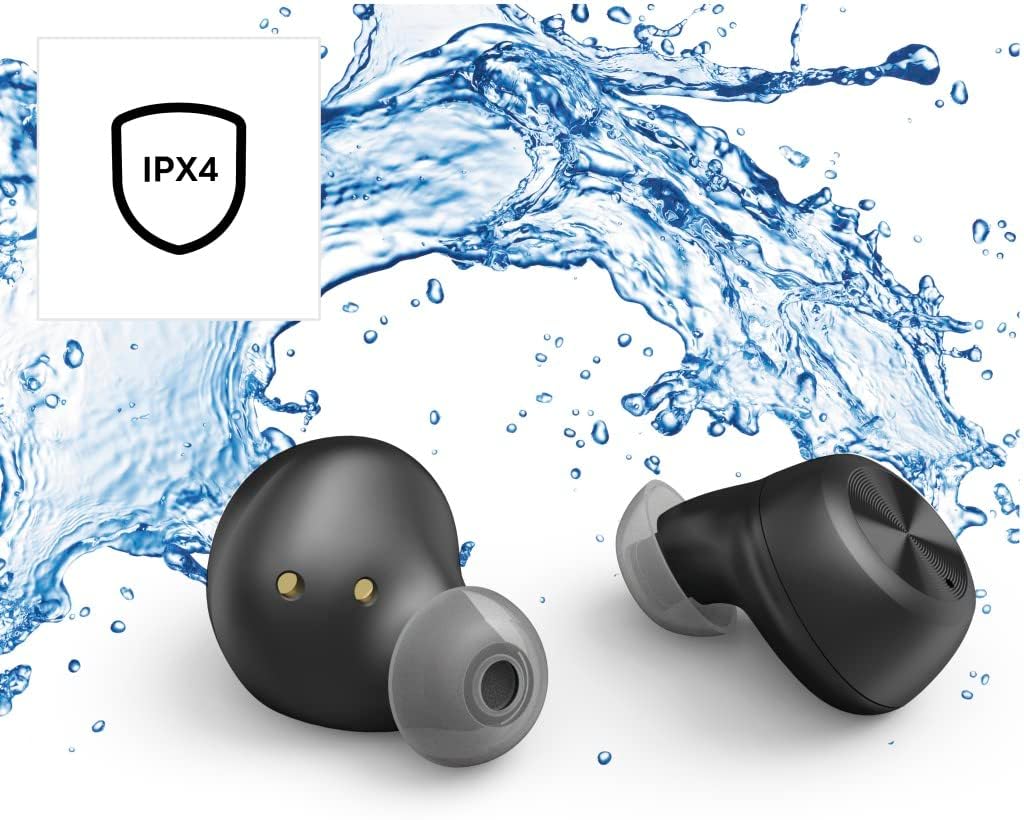
The Thomson WEAR7701 earbuds are rated IPX4, meaning they are protected against splashing water from any direction. This makes them suitable for use during workouts or in light rain.
- No submergiu els auriculars a l'aigua.
- No els exposeu a aigua a pressió ni a alta velocitat, com ara a la dutxa o al natació.
- Assegureu-vos que els auriculars estiguin secs abans de tornar-los a col·locar a l'estoig de càrrega per evitar danys als contactes de càrrega.
5.3 Emmagatzematge
Quan no els utilitzeu, guardeu els auriculars a la seva funda de càrrega per protegir-los i mantenir-los carregats.
6. Solució De Problemes
6.1 Earbuds Not Pairing or Only One Earbud Connects
- Assegureu-vos que els dos auriculars estiguin completament carregats.
- Place both earbuds back into the charging case, close the lid, wait a few seconds, then remove both simultaneously.
- Delete the earbuds from your device's Bluetooth list ("Forget Device") and attempt to pair again from scratch.
- Ensure the earbuds are within Bluetooth range of your device (up to 10 meters).
6.2 Sense so o volum baix
- Comprova el nivell de volum tant al dispositiu connectat com als auriculars.
- Ensure the earbuds are properly seated in your ears and that the ear tips provide a good seal.
- Torneu a connectar els auriculars al dispositiu.
- Netegeu qualsevol residu dels altaveus dels auriculars.
6.3 Problemes de càrrega
- Assegureu-vos que el cable de càrrega estigui connectat correctament tant a la carcassa com a la font d'alimentació.
- Verifiqueu que la font d'alimentació funciona correctament.
- Netegeu els contactes de càrrega tant dels auriculars com de l'interior de l'estoig de càrrega.
- Try a different Micro USB charging cable.
7. Especificacions
| Nom del model | WEAR7701 |
| Número de model | 132568 |
| Color | Negre |
| Connectivitat | Bluetooth 5.0 |
| Classe Bluetooth | Classe 2 |
| Banda de freqüència | 2402-2480 MHz |
| Earbud Frequency Range | 20 Hz - 20 kHz |
| Interval de freqüència del micròfon | 100 Hz - 5 kHz |
| Earbud Impedance | 32 Ω |
| Impedància del micròfon | 2.2 kΩ |
| Distància de transmissió | 10 m |
| Earbud Sensitivity | 92 dB +/- 3 dB |
| Sensibilitat del micròfon | -42 dB ± 3 dB |
| Temps màxim de conversa | 4 hores |
| Max. Music Playback Time | 4 hores |
| Màx. Temps d'espera | 150 hores |
| Recàrregues de caixa de càrrega | Fins a 3 vegades |
| Average Charging Time (Case) | 3 hores |
| Tipus de càrrega | Micro USB |
| Posició del micròfon | Integrat |
| Tipus de micròfon | Omnidireccional |
| Control de veu | Apple Siri / Google Assistant |
| Bluetooth Pro compatiblefiles | A2DP V1.3/AVRCP V1.6/HFP V1.7/SPP V1.2 |
| Característiques especials | Finger-Touch Sensor, QuickPair, Call Answer Button, True Wireless |
| Classificació de resistència a l'aigua | IPX4 (a prova d'esquitxades) |
| Pes (per auricular) | 4 g |
| Pes total | 41 g (earbuds + case) |
| Ús recomanat | Esports |
8. Garantia i Suport
Thomson products are manufactured with attention to quality and performance. For information regarding warranty coverage, please refer to the warranty card included with your product or visit the official Thomson weblloc.
For technical support, troubleshooting assistance, or to inquire about replacement parts, please contact Thomson customer service through their official channels. Contact details can typically be found on the product packaging or the manufacturer's weblloc.
Conserveu el vostre comprovant de compra per a reclamacions de garantia.


