Introducció
Welcome to the user manual for your VIMGO 5G WiFi Projector, Model UNO V1. This guide provides comprehensive instructions for setting up, operating, maintaining, and troubleshooting your projector to ensure an optimal viewing experience. Please read this manual thoroughly before using the product.
Contingut del paquet
Marqueu la casella per als elements següents:
- VIMGO 5G WiFi Projector (UNO V1)
- Cable d'alimentació
- Cable HDMI
- Cable AV
- Comandament a distància (piles no incloses)
- Manual d'usuari (aquest document)
Producte acabatview
Familiarize yourself with the main components of your VIMGO projector.

Figura 1: Frontal view of the VIMGO UNO V1 Projector with a smartphone demonstrating wireless screen mirroring capability.

Figure 2: Rear panel of the projector displaying available connectivity ports for various devices.
Components clau:
- Lent de projecció: Emet la imatge a la pantalla.
- Anell de focus: Ajusta la claredat de la imatge.
- Anell corrector de la distorsió trapezoidal: Corregeix la distorsió trapezoïdal de la imatge.
- Tauler de control: Botons per a la navegació i la configuració bàsiques.
- Ports d'entrada: HDMI, USB, AV, VGA, TF card slot for connecting various devices.
- Sortida d'àudio: 3.5mm jack for external speakers or headphones.
- Altaveu integrat: Provides audio output directly from the projector.
- Entrada d'alimentació: Connects to the power cord.
Configuració
1. Connexió d'alimentació
- Connecteu el cable d'alimentació al port d'entrada d'alimentació del projector.
- Connecteu l'altre extrem del cable d'alimentació a una presa de corrent.
- La llum indicadora d'alimentació s'il·luminarà.
2. Col·locació i mida de la pantalla
Place the projector on a stable, flat surface. The optimal projection distance and screen size can vary. For best results, ensure the projector is perpendicular to the projection surface.

Figure 3: Recommended projection distances for various screen sizes, up to 200 inches.
3. Enfocament i correcció Keystone
Després de col·locar el projector, ajusteu la imatge per obtenir-ne claredat i forma.
- Focus: Rotate the focus ring on the top of the projector until the image appears sharp and clear.
- Correcció Keystone: If the projected image appears trapezoidal (wider at the top or bottom), rotate the keystone correction ring to adjust the vertical angle until the image is rectangular. The projector supports up to ±15° vertical keystone correction.

Figure 4: Visual guide for adjusting focus and keystone correction.
Instruccions de funcionament
1. Encendre/apagar
- Encès: Premeu el botó d'encesa del projector o del comandament a distància.
- Apagar: Premeu de nou el botó d'engegada. El projector s'apagarà.
2. Selecció de la font d'entrada
Use the "Source" button on the remote control or the projector's control panel to select your desired input source (HDMI, USB, AV, VGA, TF, Screen Mirroring).
3. Wireless Connectivity (Screen Mirroring)
The VIMGO UNO V1 supports wireless screen mirroring for iOS and Android devices via Wi-Fi.
Per a dispositius iOS:
- Select "Screen Mirroring" as the input source on your projector.
- On your iOS device, go to Wi-Fi settings and connect to the projector's Wi-Fi network (e.g., "RKcast-XXXXXX"). The password is typically "12345678".
- Open the Control Center on your iOS device and tap "Screen Mirroring".
- Select "RKcast-XXXXXX" from the list to begin mirroring your screen.
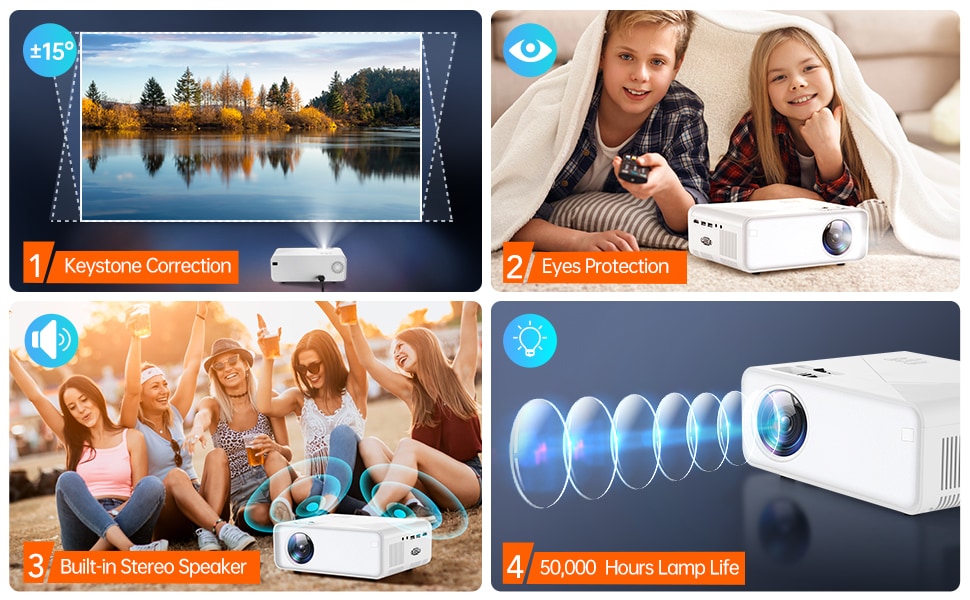
Figure 5: Step-by-step guide for wireless screen mirroring with iOS devices.
Per a dispositius Android:
- Select "Screen Mirroring" as the input source on your projector.
- On your Android device, enable the "Wireless Display" or "Screen Cast" feature (names may vary by device, e.g., Smart View, Multi-screen, Cast Screen).
- Select the projector's name from the list of available devices to connect.
4. Connecting External Devices (HDMI, USB, AV, VGA)
Connect your devices (e.g., TV Stick, game console, laptop, USB drive) to the corresponding ports on the projector. Remember to select the correct input source after connecting.

Figure 6: Projector connected to a TV stick, highlighting multiple input options for diverse entertainment choices.
5. Configuració d'àudio
- The projector has a built-in speaker.
- For enhanced audio, connect external speakers or headphones to the 3.5mm audio output jack.
- Adjust volume using the remote control or the projector's control panel.
Manteniment
1. Neteja
- Lent: Use a professional lens cleaning cloth and solution. Avoid abrasive materials.
- Casing: Wipe the projector's exterior with a soft, dry cloth. Do not use harsh chemicals or solvents.
- Ventilació: Assegureu-vos que les reixetes de ventilació estiguin lliures de pols i obstruccions per evitar el sobreescalfament.
2. Lamp La vida
The VIMGO UNO V1 projector features an LED light source with an impressive lifespan of up to 50,000 hours, significantly reducing the need for lamp substitució.
Resolució de problemes
If you encounter any issues with your projector, please refer to the following table for common problems and their solutions.
| Problema | Causa possible | Solució |
|---|---|---|
| El projector no s'encén. | Power cord not connected properly; power outlet issue; power button not pressed. | Ensure power cord is securely connected. Try a different power outlet. Press the power button firmly. |
| No image or "No Signal" message. | Incorrect input source selected; cable not connected; device not powered on. | Select the correct input source (HDMI, USB, etc.). Check all cable connections. Ensure the connected device is powered on. |
| La imatge està borrosa o desenfocada. | Focus ring not adjusted; projector too close/far from screen. | Rotate the focus ring until the image is clear. Adjust projector distance if necessary. |
| Image is distorted (trapezoidal). | Projector no perpendicular a la pantalla. | Adjust the keystone correction ring until the image is rectangular. |
| No es pot connectar a la Wi-Fi ni a la funció de rèplica de pantalla. | Incorrect Wi-Fi password; device compatibility; network interference. | Double-check Wi-Fi password. Ensure your device supports screen mirroring. Try restarting both the projector and your device. |
| No hi ha àudio o hi ha un volum baix. | Volume too low; external audio device not connected; audio settings. | Increase volume on both projector and source device. Check external speaker connections. Verify audio output settings on the projector. |
| El soroll del ventilador és fort. | Normal operation; obstructed vents. | Some fan noise is normal for projectors. Ensure vents are not blocked to allow proper airflow. |
Especificacions
Key technical specifications for the VIMGO UNO V1 Projector:
| Característica | Detall |
|---|---|
| Marca | VIMGO |
| Número de model | UNO V1 |
| Resolució de visualització | Native 1280 x 720P (Supports 1080P input) |
| Brillantor | 9700 LUX (Manufacturer specified) |
| Tecnologia de connectivitat | WiFi (5G supported), HDMI, USB, VGA, TF, AV |
| Característiques especials | Wireless, Portable, Built-In Wi-Fi, Screen Mirroring |
| Mida màxima de la pantalla | Fins a 220 polzades (508 cm) |
| Vida de la font de llum | 50,000 hores |
| Pes de l'article | 2.25 lliures |
| Dimensions del producte | 8.27 x 5.7 x 3 polzades |
| Tipus d'altaveu | Integrat |
Garantia i Suport
VIMGO products are designed for reliability and performance. This product comes with a standard manufacturer's warranty. For detailed warranty terms and conditions, please refer to the warranty card included in your package or visit the official VIMGO weblloc.
For technical support, troubleshooting assistance, or any inquiries regarding your VIMGO projector, please contact our customer service team. Contact information can typically be found on the VIMGO weblloc web o a l'embalatge del producte.


