Introducció
Aquest manual proporciona instruccions detallades per a l'ús i manteniment adequats dels vostres auriculars sense fil Baseus Encok True Wireless W3. Llegiu atentament aquest manual abans d'utilitzar el producte per garantir un rendiment i una longevitat òptims.

Figure 1: Baseus Encok W3 True Wireless Earphones in their charging case.
Què hi ha a la caixa
Verifiqueu que tots els elements siguin presents al paquet:
- Auriculars sense fil Baseus Encok (esquerra i dreta)
- Estoig de càrrega
- USB Charging Cable (Micro-USB)
- Manual d'usuari (Aquest document)
- Múltiples mides de puntes per a les orelles
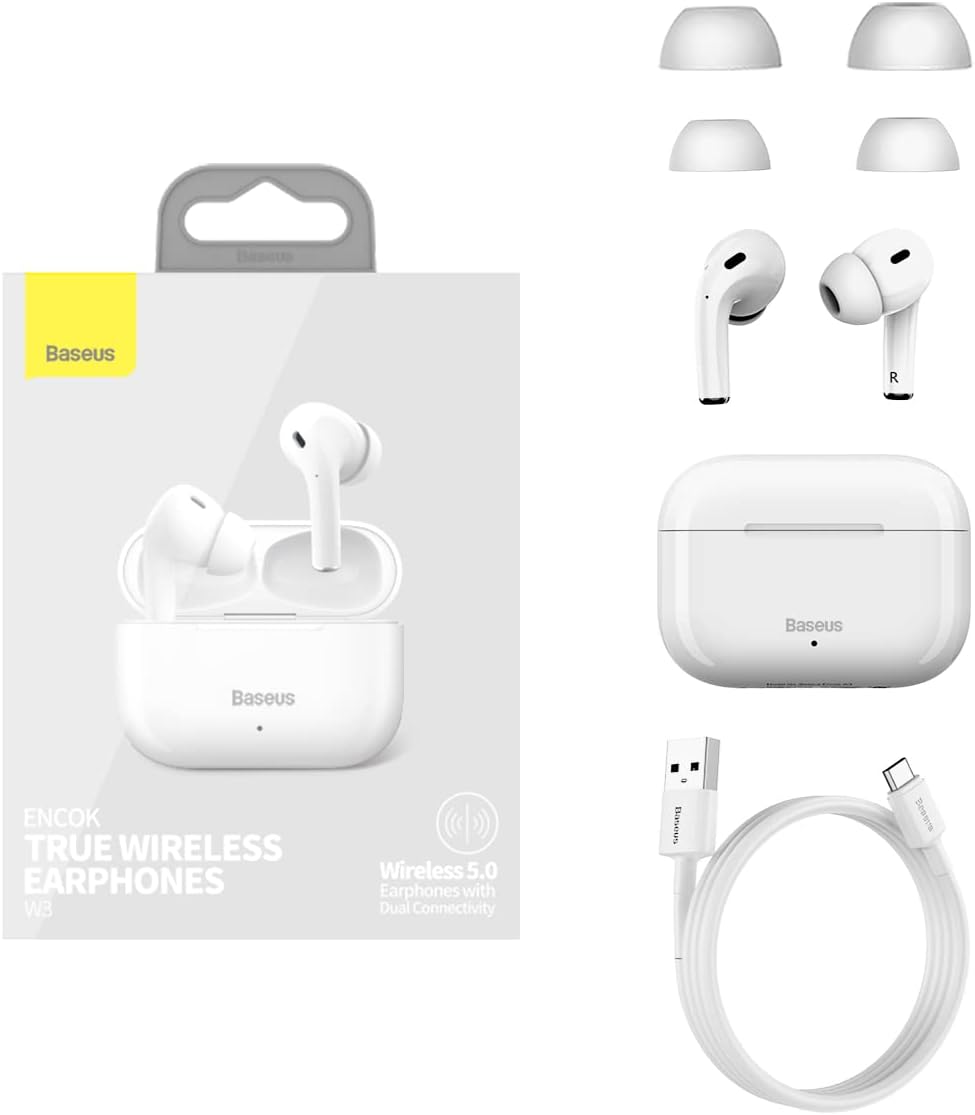
Figure 2: Included components: earphones, charging case, USB cable, and ear tips.
Configuració
1. Càrrega dels auriculars i l'estoig
- Càrrec inicial: Abans del primer ús, carregueu completament els auriculars i l'estoig de càrrega.
- Càrrega de la caixa: Connect the Micro-USB cable to the charging port on the case and the other end to a USB power adapter (not included). The indicator light on the case will show charging status.
- Càrrega dels auriculars: Place the earphones into the charging case. Ensure they are correctly seated. The earphones will begin charging automatically.
A full charge provides approximately 4.5 hours of music playback for the earphones, and the charging case extends this to 12-15 hours of combined use.
2. Vinculació amb un dispositiu
- Encès: Obre l'estoig de càrrega. Els auriculars s'encendran automàticament i entraran en mode d'emparellament.
- Activa el Bluetooth: Al dispositiu (telèfon intel·ligent, tauleta, etc.), activeu el Bluetooth.
- Seleccioneu el dispositiu: In the Bluetooth settings, search for "Baseus Encok W3" or a similar name and select it to connect.
- Confirmació de connexió: Once connected, you will hear an audio prompt from the earphones, and the indicator light on the earphones may change.
The earphones support Bluetooth V5.0 for stable and efficient wireless communication up to 10 meters.
Instruccions de funcionament
1. Com posar-se els auriculars
Gently insert the earphones into your ear canal. Adjust them for a comfortable and secure fit. The in-ear design with an elevation angle of 108° is engineered for comfort and to prevent accidental drops.

Figure 3: Features ensuring comfortable and secure fit, including in-ear design and multiple ear tip sizes.
2. Toqueu Controls
The Baseus Encok W3 earphones feature touch-sensitive controls on each earbud for easy management of music and calls.
- Reproduir/pausa: Un sol toc a qualsevol dels auriculars.
- Pista següent: Toqueu dues vegades l'auricular dret.
- Pista anterior: Toqueu dues vegades l'auricular esquerre.
- Respondre/Finalitzar la trucada: Un sol toc a qualsevol dels auriculars.
- Rebutja la trucada: Manteniu premut qualsevol dels auriculars durant 2 segons.
- Activa l'Assistent de veu: Toqueu tres vegades qualsevol dels auriculars.
3. Single/Dual Mode Switching
The earphones support seamless switching between single and dual earbud modes. You can use either earbud independently or both together for a stereo experience. The intelligent dual-processing chip ensures fast and stable connection in both modes.
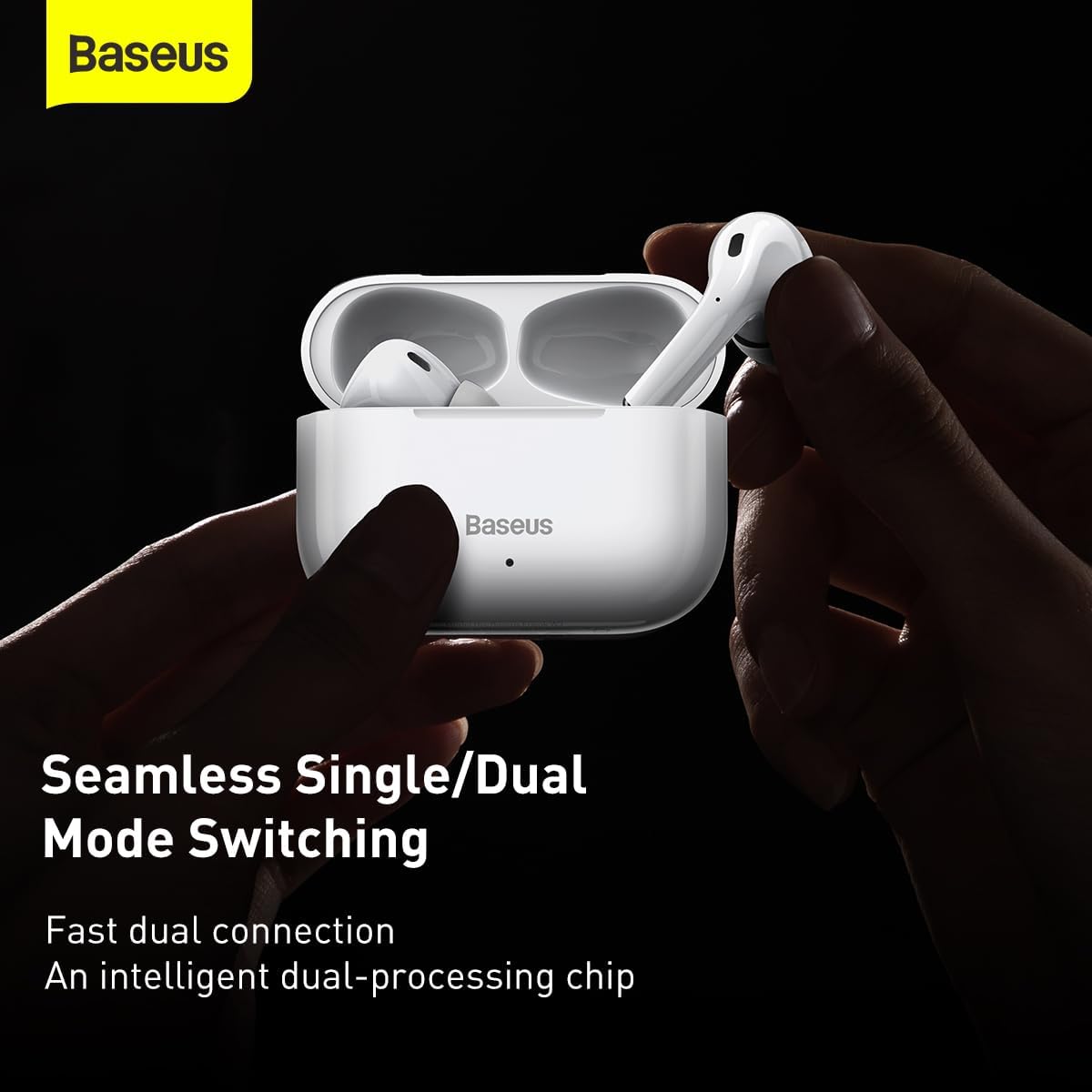
Figure 4: The earphones support seamless switching between using one or both earbuds.
Manteniment
Un manteniment adequat garanteix la longevitat i el rendiment òptim dels teus auriculars.
- Neteja: Netegeu regularment els auriculars i l'estoig de càrrega amb un drap suau, sec i sense borrissol. No utilitzeu productes químics agressius ni materials abrasius.
- Consells per a les orelles: Remove ear tips periodically and clean them with a damp drap. Assegureu-vos que estiguin completament secs abans de tornar-los a enganxar.
- Emmagatzematge: Quan no els utilitzeu, guardeu els auriculars a la funda de càrrega per protegir-los de la pols i els danys. Guardeu-los en un lloc fresc i sec, allunyat de la llum solar directa i de temperatures extremes.
- Eviteu l'aigua: The earphones are not waterproof. Avoid exposure to water, sweat, or excessive moisture.
Resolució de problemes
If you encounter issues with your Baseus Encok W3 earphones, refer to the following common solutions:
| Problema | Possible solució |
|---|---|
| Els auriculars no s'emparellan |
|
| Només funciona un auricular |
|
| Volum baix o mala qualitat de so |
|
| Problemes de càrrega |
|
Especificacions
Detailed technical specifications for the Baseus Encok True Wireless Earphones W3 (Model A0002145):
- Núm. de model: Baseus Encok W3 (A0002145)
- Material: ABS+PC (Acrylonitrile Butadiene Styrene)
- Versió Bluetooth: V5.0
- Rang Bluetooth: Fins a 10 metres
- Temps d'espera: 200 hores
- Music Time (Earphones): 4.5 hores (al 70% del volum)
- Music Time (with Charging Case): 12 ~ 15 hores
- Capacitat de la bateria dels auriculars: 37 mAh/0.14 Wh
- Capacitat de la bateria de la funda de càrrega: 200 mAh/0.74 Wh
- Earphone Rated Input: DC5V±20mA
- Earphone Rated Consumption Current: 10 mA
- Charging Case Rated Input: DC5V±250mA
- Charging Case Rated Consumption Current: 80 mA
- Temps de càrrega: Aproximadament 2 hores
- Interval de resposta de freqüència: 20Hz-20KHz
- Interfície de càrrega: Micro-USB
- Dimensions del producte: 6.3 x 6.3 x 1.97 polzades
- Pes de l'article: 4.4 unces (125 grams)
- Característiques especials: True Wireless, Bluetooth V5.0, Touch Control, In-Ear Physical Noise Cancellation, 10mm Moving Coils for High Quality Sound.

Figure 5: Internal structure highlighting the 10mm moving coils for enhanced audio quality.

Figure 6: Explanation of the in-ear physical noise cancellation feature using MEMS microphones.

Figure 7: Visual representation of the extended battery life with the charging case.
Informació de seguretat i compliment
Si us plau, seguiu les pautes de seguretat següents:
- No desmunteu ni modifiqueu el producte.
- Avoid exposing the product to extreme temperatures, humidity, or corrosive environments.
- Mantenir fora de l'abast dels nens i mascotes.
- Eliminar el producte de manera responsable segons la normativa local.


