Introducció
This manual provides comprehensive instructions for the installation, operation, and maintenance of your Zemismart Tuya Zigbee Smart Light Switch. This 2-gang smart switch is designed for modern smart homes, offering convenient control over your lighting. It requires a Tuya Zigbee Hub for smart functionalities and does not require a neutral wire for installation, making it compatible with a wider range of existing electrical setups.
Key features include manual control, app control via Tuya Smart Life, and voice control compatibility with Amazon Alexa and Google Assistant.

Imatge: Més deview of the Zemismart Zigbee Smart Wall Light Switch highlighting its key control methods: Voice, APP, Timer, Manual, and Zigbee.
Informació de seguretat
Important: Llegiu atentament tots els avisos i instruccions de seguretat abans de la instal·lació i el funcionament. Si no seguiu aquestes instruccions, podeu patir descàrregues elèctriques, incendis o lesions greus.
- Instal·lació professional recomanada: La instal·lació l'ha de fer un electricista qualificat.
- Apagar abans de la instal·lació: Always ensure the power supply to the circuit is turned off at the circuit breaker before beginning any installation or maintenance work.
- Només per a ús interior: This device is designed for indoor use in dry locations only.
- Vol. Operatiutage: Ensure your electrical system matches the switch's rated voltage (AC100-240V~, 50/60Hz).
- Capacitat de càrrega: Do not exceed the maximum load capacity (LED: Max 150W per gang, Incandescent: Max 600W per gang).
- Mantenir fora de l'abast dels nens.
Configuració i instal·lació
This smart switch requires a Tuya Zigbee Hub to enable smart features like app control and voice control. Ensure you have a compatible Zigbee hub set up before proceeding with the smart features configuration.
1. Physical Installation (Wiring)
Precaució: Ensure the power is OFF at the circuit breaker before wiring.
- Turn off the main power supply to the light circuit at your home's circuit breaker. Verify that the power is off using a voltage provador.
- Remove your existing wall switch from the wall box.
- Identify the Live wire (L-IN) and the Load wire (L1 for Gang 1, L2 for Gang 2, etc.) from your wall box. This switch does not require a neutral wire.
- Connect the wires according to the diagram below:
- Connecteu el Cable viu from the wall box to the L-IN terminal on the smart switch.
- Connecteu el Load wire for Gang 1 al L1 terminal on the smart switch.
- (For 2-gang model) Connect the Load wire for Gang 2 al L2 terminal on the smart switch.
- Carefully push the wired switch into the wall box and secure it with screws. Attach the faceplate.
- Restore power at the circuit breaker. The switch indicator light should illuminate.

Image: Circuit Connection Diagram. This diagram illustrates how to connect the Live wire to the L-IN terminal and the load wire (e.g., to L1) for the light fixture. Note: The diagram shows a neutral wire connection to the light bulb, but the switch itself does not require a neutral wire for its operation.
2. Pairing with Tuya Zigbee Hub and App
Before proceeding, ensure you have the Tuya Smart Life app installed on your smartphone and a Tuya Zigbee Hub configured and connected to the app.
- Obriu el Tuya Smart Life aplicació al teu telèfon intel·ligent.
- Navigate to your Zigbee Hub in the app.
- Put the Zigbee Hub into pairing mode (refer to your hub's manual if unsure).
- On the smart switch, press and hold any button for approximately 5-10 seconds until the indicator light starts blinking rapidly, indicating it's in pairing mode.
- In the Tuya Smart Life app, initiate the device search. The app should discover the smart switch.
- Once discovered, add the device and assign it a name (e.g., "Living Room Light").
- You can now control the switch via the app.
Instruccions de funcionament
1. Control manual
The smart switch can be operated manually just like a traditional light switch. Simply press the touch panel to toggle the connected light(s) on or off.
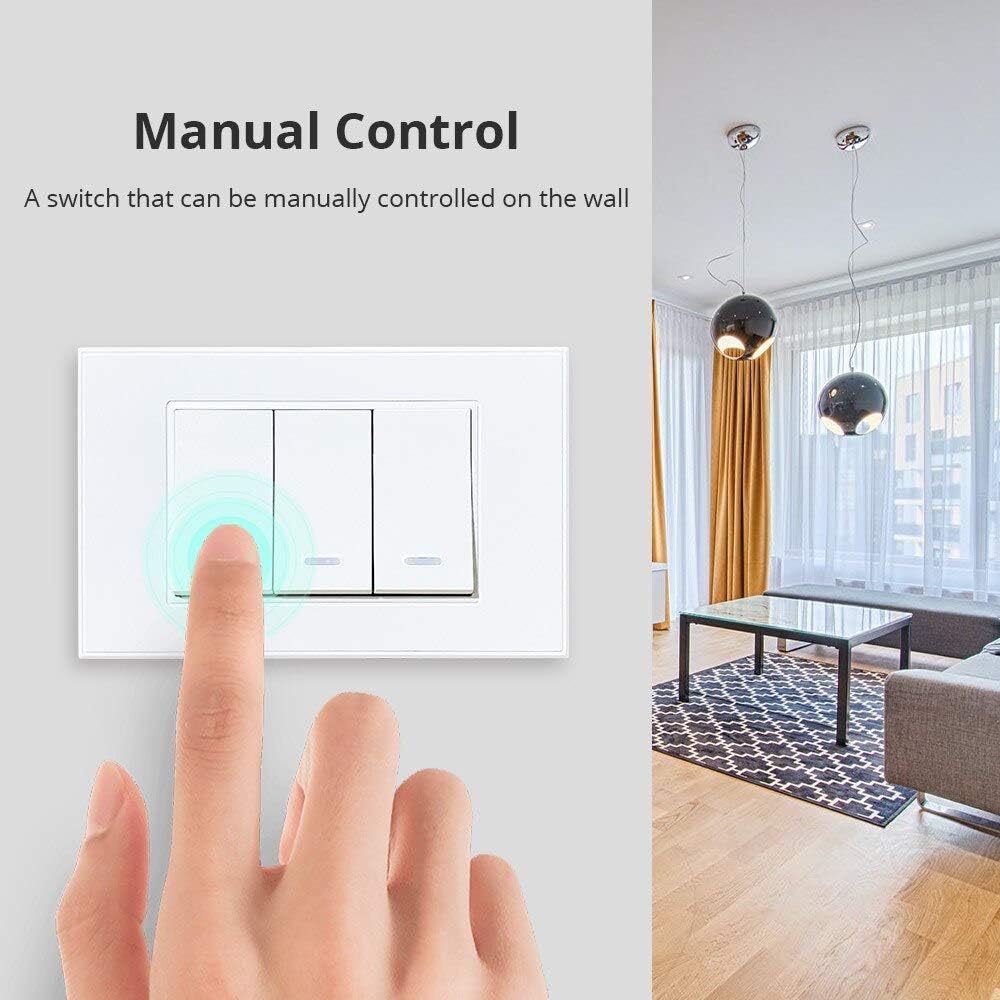
Image: Manual Control. A user's finger is shown interacting with the smart switch, indicating direct manual operation.
The switch features an LED indicator. It illuminates when the light is off (e.g., in the evening) and turns off when the light is on (e.g., during the daytime) to provide visual feedback and help locate the switch in the dark.

Image: Evening and Daytime Indicator. This image illustrates the behavior of the LED indicator: it is illuminated in the evening for visibility and off during the day.
2. App Control (Tuya Smart Life)
Once paired with the Tuya Smart Life app, you can control your lights from anywhere with an internet connection.
- Comandament a distància: Tap the switch icon in the app to turn lights on or off.
- Programació: Set schedules or timers for your lights to turn on or off automatically at specific times (e.g., "Turn off the light at 5:16 AM", "Turn on the light at 6:17 PM").
- Scenes and Automations: Create custom scenes or automations based on conditions like sunrise/sunset, temperature, or other smart devices.

Image: APP Control. This image demonstrates the scheduling feature within the Tuya Smart Life app, allowing users to set specific times for lights to turn on or off.
3. Control per veu (Alexa i Assistent de Google)
Integrate your smart switch with Amazon Alexa or Google Assistant for hands-free voice control. Ensure your Tuya Smart Life account is linked to your Alexa or Google Home app.
- Comptes d'enllaç: In the Alexa or Google Home app, search for the "Tuya Smart" or "Smart Life" skill/service and link your account.
- Descobriu els dispositius: Once linked, ask your voice assistant to "Discover devices" or manually add the switch.
- Comandaments de veu: Utilitzeu ordres com ara:
- "Alexa, turn on [Light Name]"
- "Hey Google, turn off [Light Name]"
- "Alexa, set [Light Name] to 50%" (if dimmable light is connected and supported)

Image: Voice Control. This diagram illustrates the connectivity path for voice control, showing the smart switch, Zigbee hub, Wi-Fi router, and compatibility with Alexa and Google Assistant.
Manteniment
- Neteja: To clean the switch, gently wipe the glass panel with a soft, damp drap. No utilitzeu productes de neteja abrasius ni dissolvents. Assegureu-vos que l'aparell estigui desconnectat abans de netejar-lo.
- Actualitzacions de firmware: Periodically check the Tuya Smart Life app for any available firmware updates for your switch. Updates can improve performance and add new features.
- Eviteu l'aigua: Do not expose the switch to water or excessive humidity.
Resolució de problemes
| Problema | Causa possible | Solució |
|---|---|---|
| Switch not responding to manual touch. | No power to the switch; Incorrect wiring; Faulty switch. | Check circuit breaker. Verify wiring according to the diagram (ensure Live wire is connected). If issues persist, contact support. |
| Cannot pair with Tuya Zigbee Hub. | Switch not in pairing mode; Hub not in pairing mode; Too far from hub; Interference. | Ensure switch indicator is blinking rapidly. Put hub into pairing mode. Move switch closer to hub temporarily. Reduce Wi-Fi/Zigbee interference. |
| El control de l'aplicació no funciona. | No internet connection; Hub offline; Switch offline in app; Incorrect app settings. | Check your home internet connection. Verify Zigbee hub status in app. Ensure switch is online in app. Re-add switch if necessary. |
| El control per veu no funciona. | Tuya/Smart Life skill not linked; Incorrect device name; Voice assistant not connected. | Ensure Tuya/Smart Life skill is enabled and linked in Alexa/Google Home app. Use the exact device name. Check voice assistant device's internet connection. |
| LED indicator not behaving as expected. | Normal operation; Power issue. | The LED is designed to be on when the light is off (for visibility) and off when the light is on. If it's completely off when it should be on, check power. |
Especificacions
| Paràmetre | Valor |
|---|---|
| Model | T821 (2-Gang) |
| Marca | Zemismart |
| Mode d'alimentació | No cal cable neutre |
| Voltage | AC100-240V~, 50/60Hz |
| Càrrega màxima (LED) | Max 150W per gang |
| Max Load (Incandescent) | Max 600W per gang |
| Estàndard sense fils | IEEE802.15.4 (Zigbee) |
| Freqüència sense fil | 2.412-2.484 MHz |
| Tipus de xifratge | WEP/AES/TKIP |
| Static Power Loss | ≤0.5 W |
| Temperatura de l'entorn de treball | -20 °C ~ 75 °C |
| Humitat de treball | <95% |
| Material del producte | Tauler de vidre |
| Mida del producte | 119mm x 75mm x 28mm (Depth 39mm including back) |

Image: Product Parameters. This image provides a visual representation of the switch's dimensions and a summary table of its technical specifications.
Garantia i Suport
Per obtenir informació sobre la garantia i assistència tècnica, consulteu el lloc web oficial del fabricant. weblloc web o contacteu directament amb el servei d'atenció al client. Conserveu el rebut de compra com a comprovant de compra per a reclamacions de garantia.
Fabricant: Zemismart


