Introducció
The Soundcore Life Q30 headphones are designed to provide an immersive audio experience with advanced hybrid active noise cancellation. Featuring 40mm drivers for Hi-Res Sound, custom EQ via the Soundcore app, and up to 40 hours of playtime, these headphones are built for comfort and superior sound quality. They offer multiple noise cancellation modes to adapt to various environments, ensuring an undisturbed listening experience.

Image: Soundcore Life Q30 Headphones in Pink, showcasing el seu disseny elegant.
Configuració
Què hi ha a la caixa
- Soundcore Life Q30 Headphones
- Funda protectora
- Cable de càrrega USB-C
- Cable auxiliar de 3.5 mm

Image: The Soundcore Life Q30 headphones, their protective carrying case, and included charging and audio cables.
Carregant els teus auriculars
Before first use, fully charge your Life Q30 headphones. Connect the provided USB-C cable to the charging port on the headphones and to a power source. A full charge provides up to 40 hours of playtime. A quick 5-minute charge can provide several hours of listening.

Imatge: Un primer pla view of the right earcup, highlighting the USB-C charging port and control buttons.
Emparellament Bluetooth
- Assegureu-vos que els auriculars estiguin apagats.
- Premeu i manteniu premut el botó d'engegada durant 3 segons fins que l'indicador LED parpellegi en blau, cosa que indica el mode d'emparellament.
- On your device, enable Bluetooth and select "Soundcore Life Q30" from the list of available devices.
- Un cop connectat, l'indicador LED es tornarà blau continu.
The headphones support connecting to two devices simultaneously for seamless switching.

Image: Soundcore Life Q30 headphones resting on a table beside a smartphone, illustrating connectivity.
Funcionament dels auriculars
Controls acabatsview
The Life Q30 headphones feature intuitive controls located on the earcups for easy management of audio playback, calls, and noise cancellation modes.
- Botó d'encesa: Manteniu premut per encendre/apagar.
- Botó NC: Cycle through Noise Cancellation modes (Transport, Outdoor, Indoor) and Transparency mode.
- Pujar/baixar el volum: Ajusta el volum de l'àudio.
- Botó multifunció: Reproduir/pausar música, contestar/finalitzar trucades.
- Conector d'àudio de 3.5 mm: Per a la connexió amb cable mitjançant el cable AUX.

Imatge: Una imatge detallada view of the right earcup, showing the Soundcore logo and the noise cancellation (NC) button.
Modes de cancel·lació de soroll
The Life Q30 offers three distinct noise cancellation modes to optimize your listening experience based on your environment:
- Mode de transport: Minimizes low-frequency sounds like airplane engines or bus noise.
- Mode exterior: Reduces ambient noise from traffic and wind.
- Mode interior: Dampens sounds from busy offices or conversations.
Switch between modes using the NC button on the earcup or through the Soundcore app.
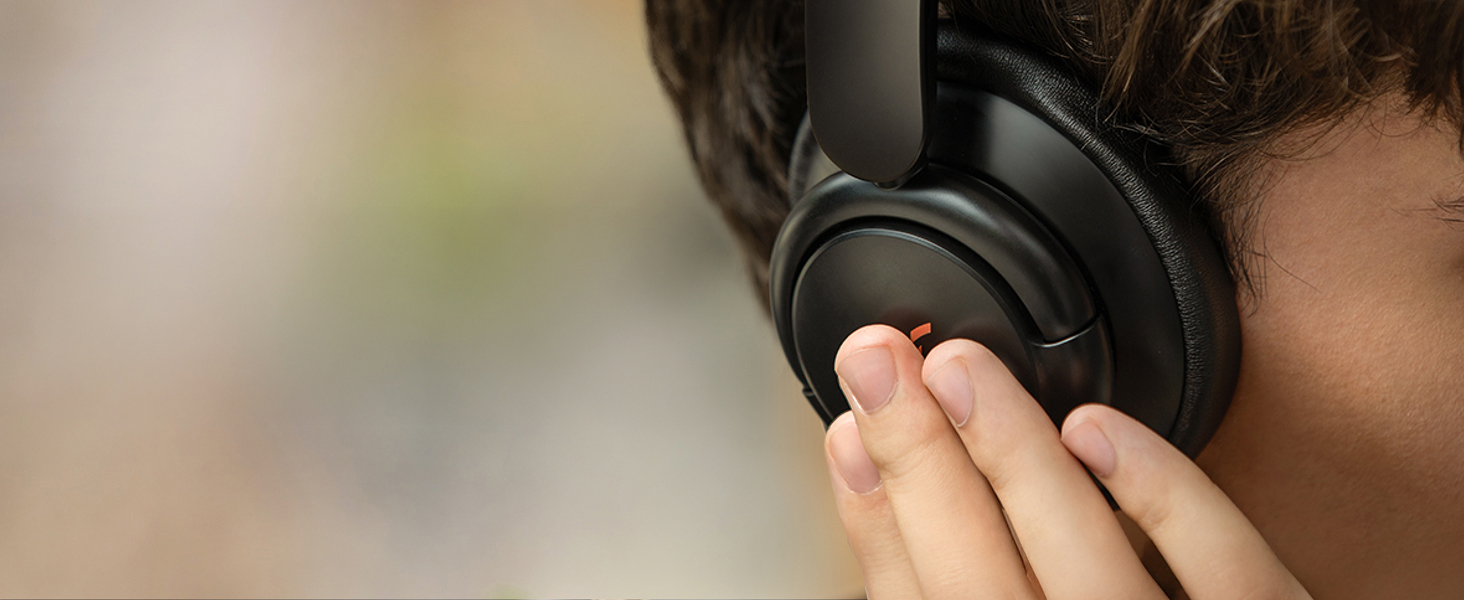
Image: A person wearing Soundcore Life Q30 headphones while seated on an airplane, demonstrating the use of noise cancellation in a travel environment.
Soundcore App Integration
For a personalized audio experience, download the Soundcore app. The app allows you to:
- Customize the EQ settings to your preference.
- Switch between noise cancellation modes.
- Accedir a les actualitzacions de firmware.
- Utilize additional features like white noise sounds for relaxation.

Image: A visual representation of the Soundcore app interface, displaying options for noise cancellation modes and custom EQ settings.
Manteniment
Neteja
To maintain the condition of your headphones, gently wipe the earcups and headband with a soft, dry cloth. Avoid using harsh chemicals or abrasive materials. Ensure no moisture enters the charging port or audio jack.
Emmagatzematge
When not in use, store your Soundcore Life Q30 headphones in their protective case to prevent damage from dust, scratches, and impacts. The headphones are designed to fold compactly for easy storage within the case.
Image: The Soundcore Life Q30 headphones folded neatly inside their protective carrying case, demonstrating proper storage.
Resolució de problemes
If you encounter issues with your Soundcore Life Q30 headphones, consider the following common solutions:
- Sense energia: Assegureu-vos que els auriculars estiguin completament carregats.
- No es pot emparellar: Assegura't que el Bluetooth estigui activat al dispositiu i que els auriculars estiguin en mode d'emparellament. Prova de desemparellar-los i tornar-los a emparellar.
- Sense so: Check volume levels on both the headphones and your connected device. Ensure the correct audio output is selected on your device.
- Qualitat de so baixa: Move closer to your device to reduce interference. Check for obstructions between the headphones and the device.
- Noise Cancellation Issues: Ensure the NC button is pressed to activate noise cancellation. Adjust modes via the Soundcore app if needed.
For persistent issues, refer to the official Soundcore support weblloc o contacteu amb el servei d'atenció al client.
Especificacions
| Nom del model | Anker Life Q30 (A3028) |
| Control de soroll | Active Noise Cancellation (Hybrid) |
| Tecnologia de connectivitat | Bluetooth |
| Tipus de controlador d'àudio | Controlador dinàmic (40 mm) |
| Interval de freqüència | 20 Hz - 40,000 Hz |
| Durada de la bateria | 40 hores |
| Temps de càrrega | 5 minutes for quick charge |
| Interval Bluetooth | 10 metres |
| Pes de l'article | 9.3 unces (0.58 lliures) |
| Dimensions del producte | 7.68 x 7.09 x 3.07 polzades |
| Material | Imitació de pell |
| Color | Rosa |
Garantia i Suport
Soundcore products typically come with a limited warranty. Please refer to the warranty card included with your product or visit the official Soundcore weblloc web per obtenir informació detallada sobre la garantia i els termes i condicions.
For technical support, troubleshooting assistance, or any product-related inquiries, please contact Soundcore Customer Service. Contact details can usually be found on the Soundcore official website or within the Soundcore app.
Recursos en línia:


