1. Introducció
Thank you for choosing PowerLocus P6 Wireless Bluetooth Over-Ear Headphones. These headphones are designed to provide a high-fidelity audio experience with deep bass, extended playtime, and comfortable wear. This manual provides essential information for setting up, operating, maintaining, and troubleshooting your device.

Image 1.1: PowerLocus P6 Wireless Bluetooth Over-Ear Headphones in Blue. A front-facing view of the PowerLocus P6 wireless over-ear headphones in blue, showcasinels auriculars i la diadema.
2. Contingut del paquet
Si us plau, verifiqueu que tots els elements siguin presents al vostre paquet:
- PowerLocus P6 Wireless Bluetooth Over-Ear Headphones
- Cable d'àudio de 3.5 mm
- Cable de càrrega USB
- Manual d'usuari (aquest document)
- Funda protectora de transport

Image 2.1: PowerLocus P6 headphones package contents. A flat lay image showing the PowerLocus P6 headphones, 3.5mm audio cable, USB charging cable, user manual, and premium carry case.
3. Producte acabatview
The PowerLocus P6 headphones feature a foldable design for portability, soft over-ear earmuffs for comfort, and intuitive controls for ease of use.
3.1 Característiques clau
- Connectivitat Bluetooth 5.3: Ensures stable and low-latency wireless audio.
- So estèreo d'alta fidelitat: Delivers powerful crisp sound with deep bass.
- 50 hores de joc: Durada de la bateria estesa per a un ús prolongat.
- Micròfon HD integrat: Per a trucades de mans lliures nítides.
- Foldable & Lightweight Design: Enhances portability and comfort.
- Connexió multipunt: Connecteu-vos a dos dispositius simultàniament.

Image 3.1: PowerLocus P6 headphones features. An infographic displaying key features of the PowerLocus P6 headphones, including Hi-Fi stereo sound, stable wireless connectivity, HD microphones for clear calls, foldable design, and long battery life.
3.2 Components dels auriculars
Consulteu la imatge següent per obtenir més informacióview of the headphone's physical components and controls.

Imatge 3.2: Lateral view of PowerLocus P6 headphones with control buttons. A side view of the PowerLocus P6 headphones, highlighting the control buttons located on the earcup for power, volume, and playback.
- Botó d'encesa: Manteniu premut per encendre/apagar.
- Augment de volum / pista següent: Premeu curt per pujar el volum, premeu llargament per passar a la següent pista.
- Baixada de volum / pista anterior: Premeu curt per baixar el volum, premeu llargament per anar a la pista anterior.
- Botó multifunció (MFB): Play/Pause, Answer/End Call, Activate Voice Assistant.
- Conector d'àudio de 3.5 mm: Per a connexió amb cable.
- Port de càrrega USB: Per carregar els auriculars.
- Micròfon: Per trucades mans lliures.
4. Configuració
4.1 Càrrega dels auriculars
- Connecteu el cable de càrrega USB al port de càrrega dels auriculars.
- Connecteu l'altre extrem del cable USB a una font d'alimentació USB compatible (per exemple, un port USB de l'ordinador o un adaptador de paret USB).
- The LED indicator will illuminate during charging. It typically takes approximately 2.5 hours for a full charge.
- Once fully charged, the LED indicator will change color or turn off, depending on the model. Disconnect the charging cable.
Una càrrega completa proporciona fins a 50 hores de reproducció.
4.2 Engegada/apagada
- Per encendre: Press and hold the Power Button for approximately 3 seconds until the LED indicator flashes.
- Per apagar: Premeu i manteniu premut el botó d'engegada durant aproximadament 3 segons fins que l'indicador LED s'apagui.
4.3 Vinculació Bluetooth
The PowerLocus P6 headphones utilize Bluetooth 5.3 for quick and stable connections.
- Assegureu-vos que els auriculars estiguin apagats.
- Press and hold the Power Button for approximately 5-7 seconds until the LED indicator flashes red and blue alternately. This indicates pairing mode.
- Al dispositiu (telèfon intel·ligent, tauleta, PC), activeu el Bluetooth i cerqueu els dispositius disponibles.
- Select "PowerLocus P6" from the list of found devices.
- Once connected, the LED indicator will typically flash blue slowly or remain solid blue.
The headphones will automatically attempt to reconnect to the last paired device when powered on. The Bluetooth range is approximately 39 feet (12 meters).
4.4 Connexió multipunt
The P6 headphones can connect to two Bluetooth devices simultaneously.
- Emparelleu els auriculars amb el primer dispositiu tal com es descriu a la secció 4.3.
- Desactiva el Bluetooth al primer dispositiu. Els auriculars tornaran a entrar en mode d'emparellament.
- Vincula els auriculars amb el segon dispositiu.
- Torneu a activar el Bluetooth al primer dispositiu. Els auriculars s'haurien de connectar automàticament als dos dispositius.
You can now switch between audio sources from either connected device without re-pairing.
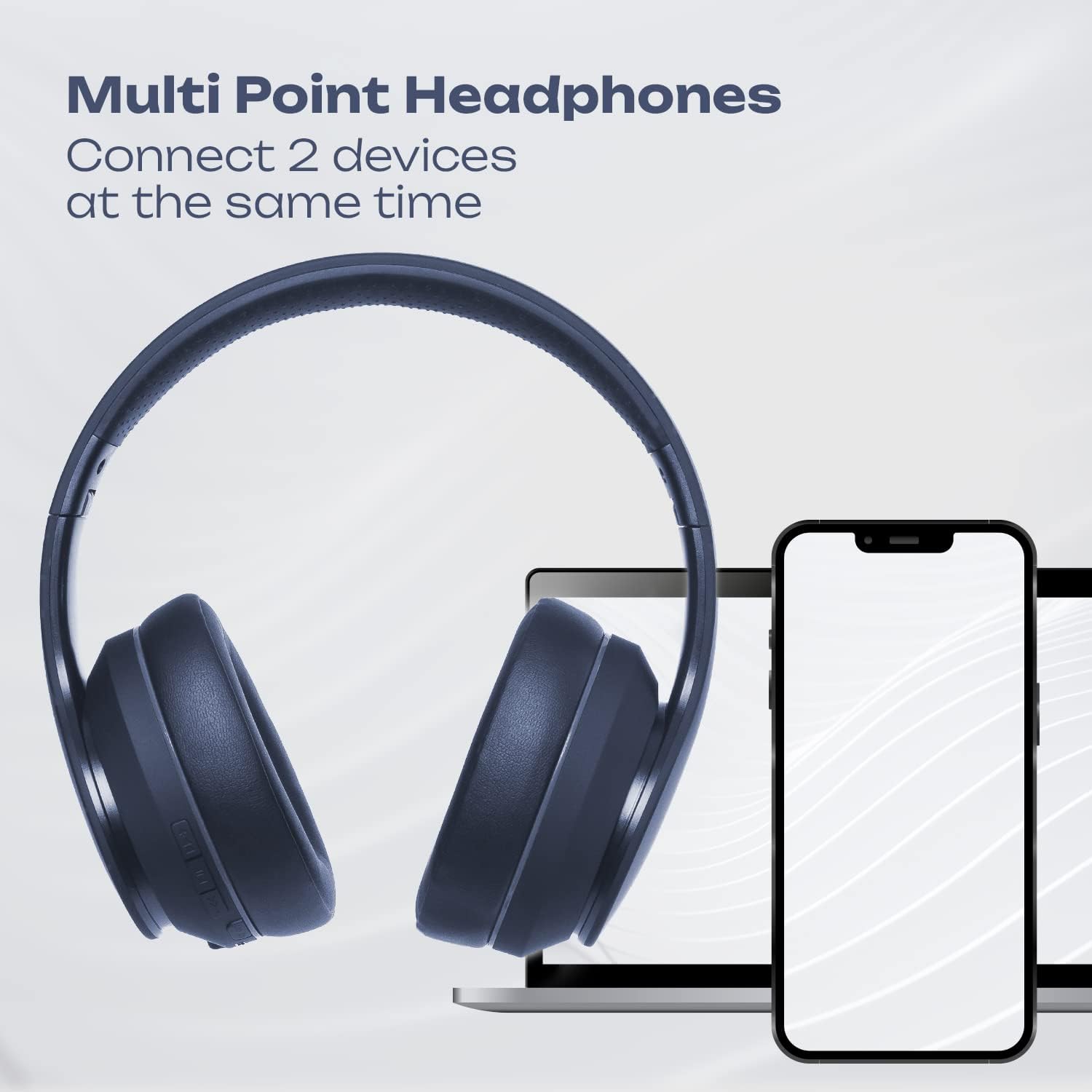
Image 4.1: Multi-Point Connection. An illustration showing the PowerLocus P6 headphones simultaneously connected to a laptop and a smartphone, demonstrating its multi-point connectivity feature.
5. Instruccions de funcionament
5.1 Reproducció de música
- Reproduir/pausa: Premeu breument el MFB.
- Pujar el volum: Short press the 'Volume Up' button.
- Baixar el volum: Short press the 'Volume Down' button.
- Pista següent: Premeu llargament el botó "Pujar volum".
- Pista anterior: Premeu llargament el botó "Baixar el volum".
5.2 Trucades telefòniques
- Respon a la trucada: Short press the MFB when an incoming call rings.
- Finalitzar la trucada: Premeu breument el botó MFB durant una trucada.
- Rebutja la trucada: Long press the MFB when an incoming call rings.
- Torna a marcar l'últim número: Premeu dues vegades el MFB.
5.3 Assistent de veu
To activate your device's voice assistant (Siri, Google Assistant, etc.), short press the MFB twice quickly.
5.4 Mode amb cable
You can use the PowerLocus P6 headphones with the included 3.5mm audio cable, even if the battery is depleted.
- Connecteu un extrem del cable d'àudio de 3.5 mm al connector d'àudio de 3.5 mm dels auriculars.
- Connecteu l'altre extrem a la presa de sortida d'àudio del vostre dispositiu.
In wired mode, the headphone's built-in controls (volume, track skip, calls) will not function. Control audio directly from your connected device.
6. Manteniment
6.1 Neteja
- Netegeu els auriculars amb un drap suau i sec.
- No utilitzeu netejadors abrasius, dissolvents ni productes químics forts.
- Eviteu que entri humitat a cap obertura.
6.2 Emmagatzematge
When not in use, store the headphones in the provided protective carry case to prevent damage. The foldable design allows for compact storage.

Image 6.1: PowerLocus P6 headphones stored in their carry pouch. The PowerLocus P6 headphones partially visible inside their protective carry pouch, emphasizing portability and storage.
7. Solució De Problemes
| Problema | Causa possible | Solució |
|---|---|---|
| Els auriculars no s'engeguen. | Bateria baixa. | Carregueu els auriculars durant almenys 30 minuts. |
| No es pot emparellar amb el dispositiu. | Els auriculars no estan en mode d'emparellament; el Bluetooth està desactivat al dispositiu; el dispositiu està massa lluny. | Ensure headphones are in pairing mode (flashing red/blue). Enable Bluetooth on your device. Move device closer to headphones (within 39 feet). |
| No hi ha so o hi ha mala qualitat de so. | Volum massa baix; auriculars no connectats; interferències. | Increase volume on headphones and device. Re-pair headphones. Move away from sources of interference (e.g., Wi-Fi routers). |
| El micròfon no funciona. | Headphones in wired mode; device settings. | Ensure headphones are in Bluetooth mode for microphone functionality. Check microphone input settings on your connected device. |
8. Especificacions
| Característica | Detall |
|---|---|
| Nom del model | P6 (pwl-6) |
| Tecnologia de connectivitat | Sense fil (Bluetooth) |
| Tecnologia de comunicació sense fils | Bluetooth 5.3 |
| Interval Bluetooth | 39 peus (12 metres) |
| Durada de la bateria | Fins a 50 hores |
| Temps de càrrega | 2.5 hores |
| Conector d'auriculars | 3.5 mm Jack |
| Control de soroll | Aïllament acústic |
| Tipus de controlador d'àudio | Conductor dinàmic |
| Interval de freqüència | 20Hz-20000kHz |
| Impedància | 32 ohms |
| Material | Pell (orelles) |
| Característiques especials | Foldable, Lightweight, Microphone Included, Wireless |
| Pes de l'article | 12 unces |
| Fabricant | PowerLocus |
9. Garantia i Suport
9.1 Informació de la garantia
PowerLocus P6 headphones come with a 24 mesos de garantia covering manufacturing defects from the date of purchase. Additionally, a Política de devolució gratuïta de 30 dies s'ofereix.
Aquesta garantia no cobreix els danys causats per un mal ús, accidents, modificacions no autoritzades o desgast normal.
9.2 Atenció al client
For any questions, technical support, or warranty claims, please contact PowerLocus customer service. Our USA-based customer service team is available to assist you.
Please refer to the PowerLocus official weblloc web o la documentació de compra per obtenir la informació de contacte més actualitzada.