Introduction to eero Pro 6E
The eero Pro 6E is eero's first Wi-Fi 6E router, designed to deliver fast speeds and direct access to the new 6 GHz band for Wi-Fi 6E compatible devices. This results in lower latency and improved performance, ideal for demanding applications like 8K streaming, AR/VR, and gaming. It is backwards compatible with previous-generation eero devices and supports network speeds up to 2.3 Gbps, combining wired and wireless capabilities. With coverage up to 190 m² per unit, it can support over 100 connected devices, making it suitable for modern smart homes.

Image: The eero Pro 6E router, a compact white device, showcasing its design and the PCMag Readers' Choice badge.
Característiques clau
- Wi-Fi 6E Technology: Utilises the new 6 GHz band for faster speeds and lower latency with compatible devices.
- Gigabit+ Speeds: Supports combined wired (up to 1 Gbps) and wireless (up to 1.3 Gbps) speeds, totalling up to 2.3 Gbps.
- Àmplia cobertura: A single unit covers up to 190 m² and supports over 100 connected devices.
- eero TrueMesh: Patented technology intelligently routes traffic, reducing drops and dead zones.
- Configuració fàcil: Guided setup via the eero app allows network management from anywhere.
- Built-in Smart Home Hub: Functions as a hub for compatible Thread and Zigbee devices, controllable with Alexa.
- eero Integrat: Extends Wi-Fi coverage when paired with compatible Echo devices.

Image: Visual representation of the eero Pro 6E providing comprehensive Wi-Fi coverage throughout a multi-story home, supporting numerous devices.

Image: A graphic demonstrating the increased bandwidth and faster speeds offered by Wi-Fi 6E, particularly highlighting the new 6 GHz band compared to 2.4 GHz and 5 GHz.

Image: A user engaged in high-performance gaming on a monitor, with the eero Pro 6E router positioned nearby, illustrating its capability for demanding applications like 8K streaming and AR/VR.
Guia de configuració
Què hi ha a la caixa
- eero Pro 6E Router Unit
- Adaptador d'alimentació
- Cable Ethernet
Requirements for Setup
- Supported iOS or Android device (for the eero app)
- Internet service (with cable or DSL modem, if required by your ISP)
- Una connexió a Internet activa
Passos de configuració inicials
- Descarrega l'aplicació eero: Cerca "eero" in your device's app store and download the official eero app.
- Crea un compte eero: Open the app and follow the prompts to create a new eero account.
- Unplug Your Old Router/Modem: Disconnect your existing router and modem from power.
- Connect Your eero: Connect one end of the provided Ethernet cable to the 2.5 Gbps Ethernet port on your eero Pro 6E and the other end to your modem.
- Encès: Plug in your eero Pro 6E and your modem. Wait for them to power on completely.
- Segueix les instruccions de l'aplicació: The eero app will guide you through the rest of the setup process, including naming your network and setting a password.
- Add Additional eero Devices (if applicable): If you have multiple eero units, the app will guide you on how to add them to your network to expand coverage.
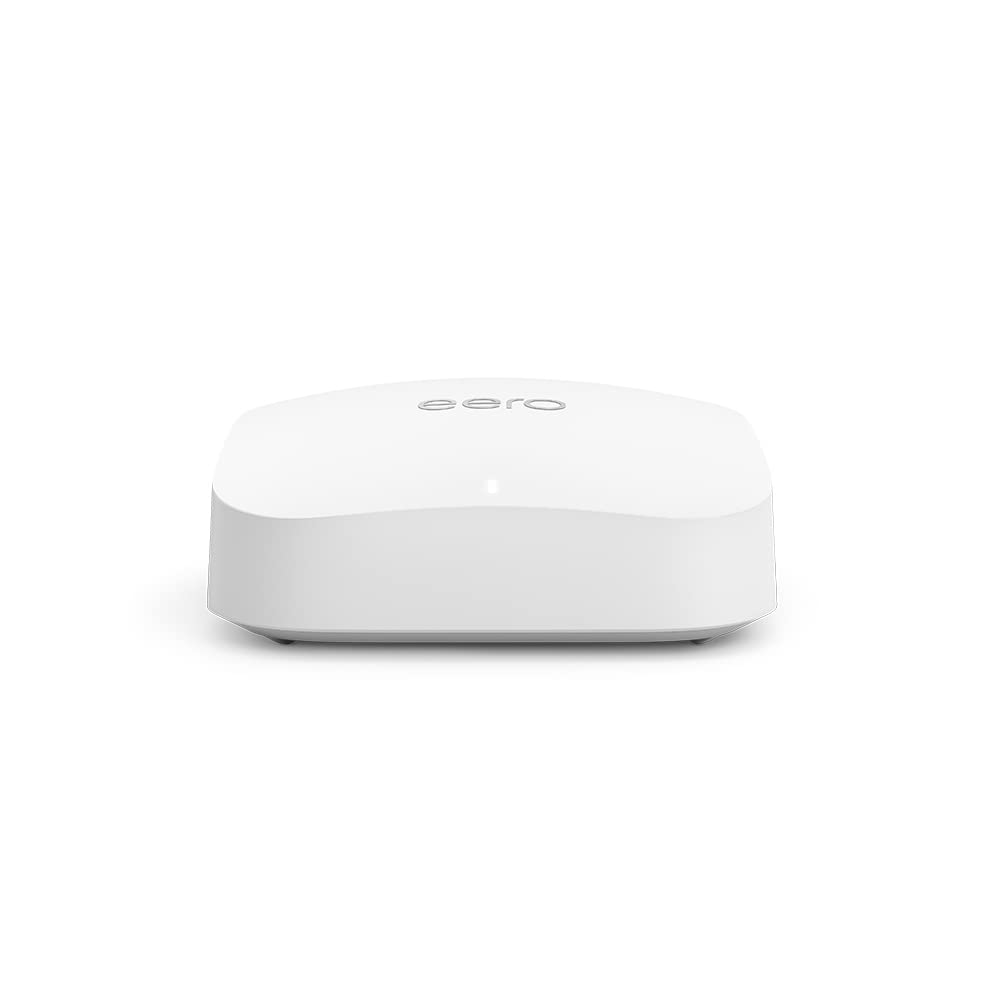
Imatge: Una imatge detallada view of the eero Pro 6E router, highlighting its compact design and connectivity ports for easy setup.
Funcionament del vostre eero Pro 6E
Network Management via eero App
The eero app is your central control panel for your Wi-Fi network. From the app, you can:
- View connected devices and their activity.
- Crea xarxes de convidats per als visitants.
- Manage parental controls and content filtering (with eero Plus subscription).
- Run speed tests to check your internet performance.
- Configure advanced network settings like port forwarding and DNS.
- Receive notifications about network status and updates.
Connectivitat intel·ligent per a la llar
The eero Pro 6E includes a built-in smart home hub, supporting Thread and Zigbee devices. This allows you to connect and control compatible smart home devices directly through your eero network, often via Alexa. It also acts as a border router for Thread-enabled devices, enhancing your smart home ecosystem.
Manteniment
Actualitzacions de programari
eero devices automatically receive software security updates to ensure optimal performance and security. These updates are typically applied in the background. It is recommended to keep your eero devices connected to power and the internet to receive these updates promptly. You can check the update status via the eero app.
Cura Física
- Keep your eero unit in a well-ventilated area, away from direct sunlight and heat sources.
- Netegeu l'exterior amb un drap suau i sec. No utilitzeu netejadors líquids ni aerosols.
- Ensure cables are securely connected and not strained.
Resolució de problemes comuns
Sense connexió a Internet
- Check if your modem is working correctly. Try restarting your modem and then your eero unit.
- Ensure all Ethernet cables are securely connected between your modem and eero, and between eero units if applicable.
- Verify your internet service is active with your provider.
Slow Speeds or Poor Coverage
- Relocate eero units to central locations, away from obstructions like thick walls or large appliances.
- Ensure your eero units are within optimal range of each other for mesh connectivity.
- Check for potential interference from other electronic devices (e.g., microwaves, cordless phones).
- Run a speed test via the eero app to diagnose network performance.
Device Not Connecting to Wi-Fi
- Assegureu-vos que esteu introduint la contrasenya de Wi-Fi correcta.
- Reinicieu el dispositiu que esteu intentant connectar.
- Check if the device's Wi-Fi adapter is enabled and functioning correctly.
- Temporarily disable any VPN or proxy settings on the device.
Especificacions tècniques
| Característica | Descripció |
|---|---|
| Cobertura Wi-Fi | Up to 190 m² per unit |
| Tipus | Encaminador (es connecta al mòdem com a encaminador principal) |
| Velocitats suportades | Up to 2.3 Gbps (1 Gbps wired, 1.3 Gbps wireless); ideal for gigabit+ internet plans (up to 2.5 Gbps via 2.5 Gb Ethernet port) |
| Connectivitat Wi-Fi | Wi-Fi 6E tri-band concurrent 2:2:2 (802.11ax); compatible with older Wi-Fi standards |
| Connectivitat per cable | One auto-sensing 2.5 gigabit Ethernet port and one auto-sensing 1 gigabit Ethernet port |
| Velocitat | AX5400 |
| Connectivitat intel·ligent per a la llar | Amazon Frustration-Free Setup, 802.15.4 radio (Zigbee, Thread), Bluetooth Low Energy 5.0 |
| Qualificació elèctrica | 100–240 V CA, 50-60 Hz |
| Processador, memòria, emmagatzematge | 1 GHz dual-core processor, 1024 MB RAM, 4 GB flash storage |
| Seguretat i serveis de xarxa | Profiles, WPA3 (eero Labs feature), WPA2, TLS v1.2+, VPN pass-through, IPv6, NAT, UPnP, port forwarding, DHCP, static IP, cloud connectivity |
| Necessari per a la configuració | Supported iOS or Android device and internet service |
| Qualificació de temperatura | Operating: 0°C to 40°C; Storage: −25°C to 60°C |
| Dimensions | 142 x 138 x 51 mm |
Garantia i Suport
Garantia del producte
The eero Pro 6E is sold with a limited warranty of one year provided by the manufacturer. As a consumer, your statutory rights are not affected by this limited warranty. For detailed terms of service, please refer to the official eero weblloc.
Atenció al client
For any questions or assistance with your eero Pro 6E, expert Wi-Fi troubleshooters are available to help. You can reach customer support by phone or email:
- Telèfon (Regne Unit): +44 800 048 9127
- Correu electrònic: support@eero.com
Additional resources and information can be found on the official eero weblloc: eero.com/support.