1. Acabatview
The Bodyguard 1200Mbps Dual Band WiFi Extender is designed to expand the coverage and enhance the signal strength of your existing wireless network. It helps eliminate Wi-Fi 'dead zones' in your home or office, providing a more stable and faster internet connection across a wider area. This device supports both 2.4GHz and 5GHz wireless bands, offering flexible connectivity options and high-speed data transfer.

Imatge 1.1: Frontal view of the Bodyguard WiFi Extender, showing its compact design and signal indicators.
2. Característiques clau
- Dual-band AC1200 High-Speed Transmission: Provides up to 300Mbps on 2.4GHz and 867Mbps on 5GHz, minimizing data loss and supporting high-definition video streaming and online gaming.
- 360° WiFi Coverage: Equipped with 4 high-gain external antennas, offering extended coverage up to 1200 square feet and improved signal penetration through walls.
- Múltiples modes de funcionament: Supports Repeater Mode to extend existing Wi-Fi coverage and AP (Access Point) Mode to convert a wired network into a wireless one.
- Ports Ethernet: Includes two Ethernet ports for connecting wired devices such as smart TVs, desktop computers, or gaming consoles.
- Compatibilitat universal: Works with any 802.11b/g/n/a/ac wireless internet router and can connect up to 20 devices simultaneously.
- Instal·lació senzilla: Features a WPS button for quick setup and a smart Wi-Fi signal indicator to help find the optimal placement.
- Seguretat millorada: Maximizes network security to protect your data and prevent unauthorized access.

Image 2.1: Visual representation of the dual-band capabilities and high-speed data transfer rates of the extender.

Image 2.2: The extender's 4 high-gain antennas provide strong penetration and wider coverage for multiple users.
3. Contingut del paquet
Si us plau, verifiqueu que tots els elements siguin presents al vostre paquet:
- 1 x Bodyguard 1200Mbps Wireless Range Extender / WiFi Signal Booster (with 4 antennas)
- 1 x Manual d'usuari
4. Diagrama del producte
Familiarize yourself with the physical components of your WiFi Extender:

Imatge 4.1: Detallada view of the extender's features, including adjustable antennas, ventilation for heat dissipation, Ethernet ports, and the WPS button for quick setup.
- 4 Antenes: Per a una millor transmissió i recepció del senyal.
- Disseny de ventilació: Ensures proper heat dissipation for stable operation.
- Antenes ajustables: Allows for optimal positioning to maximize signal coverage.
- Ethernet Port (x2): Per a connexions per cable a dispositius.
- Botó WPS: For quick and secure connection to your router.
- Indicadors LED: Display power, Wi-Fi status, and signal strength.
5. Guia de configuració
This section provides instructions for setting up your WiFi Extender in different operating modes.
5.1. Repeater Mode Setup (Extending Existing Wi-Fi)
Repeater mode extends the coverage of your existing wireless network.
- Encès: Plug the WiFi Extender into an electrical outlet near your main router. Wait for the power indicator light to stabilize.
- Connectar-se a l'extensor: On your mobile phone or computer, search for available Wi-Fi networks. Connect to either WiFi 2.4G pro_xxxxxx or WiFi 5G pro_xxxxxx (where 'xxxxxx' are the last 6 digits of the extender's MAC address).
- Accés a la pàgina de configuració: Obre a web navegador i introduïu l'adreça IP predeterminada (normalment 192.168.1.1 or 192.168.0.1, refer to the manual for exact address) or the default domain name (e.g., repeater.net). Follow the on-screen prompts to log in (default username/password is often 'admin'/'admin').
- Select Repeater Mode: On the setup page, click on 'Repeater Mode' to initiate the network search.
- Choose Network: Select the wireless signal you wish to extend from the list. If your network is hidden, you will need to add it manually.
- Introduïu la contrasenya: Input the password for your main router's Wi-Fi network. You may also choose to set a new name for the extended Wi-Fi network if desired.
- Configuració completa: Click the 'Finish' or 'Apply' button to complete the repeater mode configuration. The extended Wi-Fi's password will be the same as your router's by default unless you changed it.
- Canvia l'extensor: Once configured, unplug the extender and move it to a location between your router and the Wi-Fi 'dead zone'. Ensure the signal indicator shows a good connection to your main router.

Image 5.1: Illustration of the Repeater Mode, extending the wireless signal from your existing router.
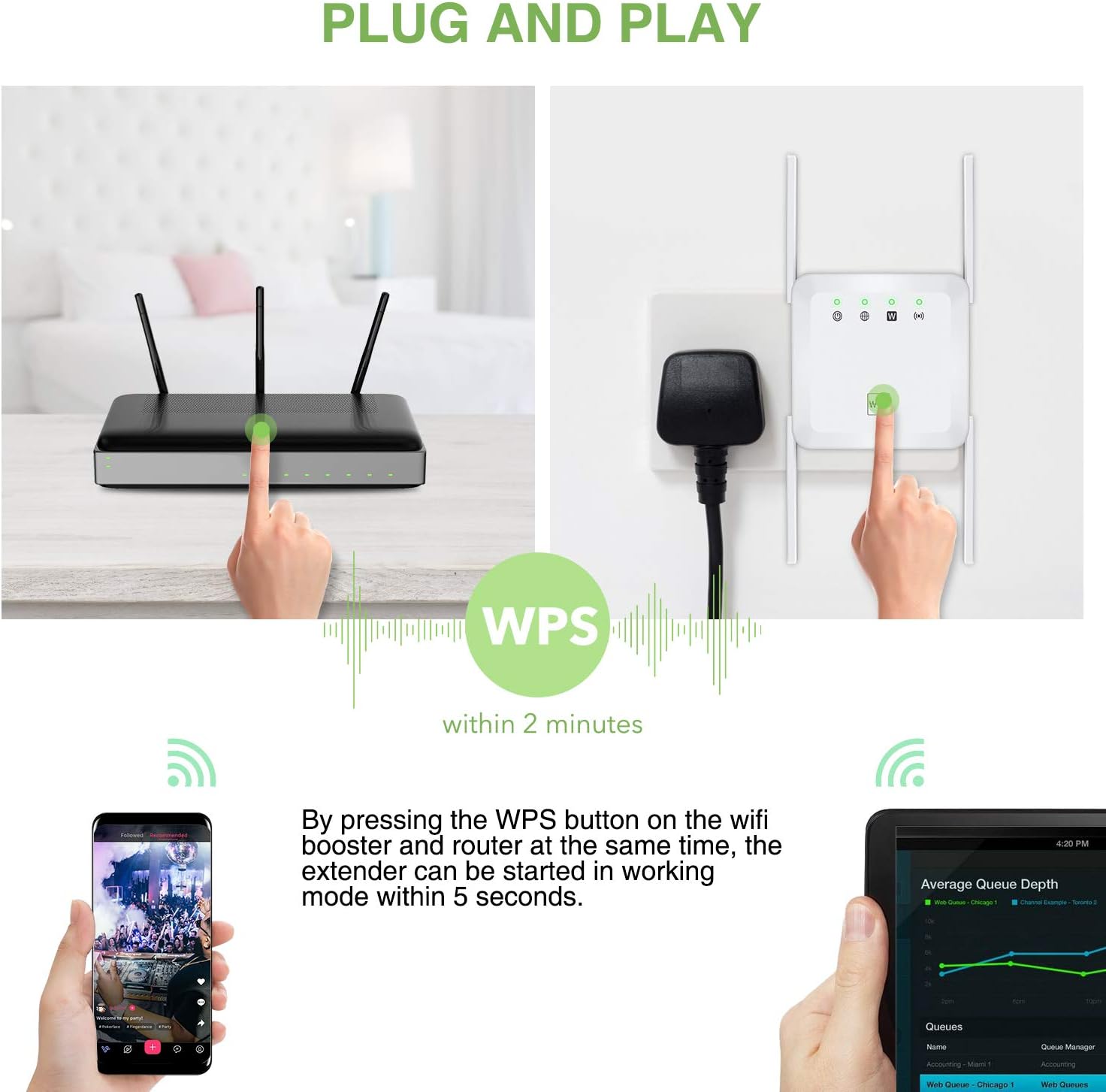
Image 5.2: Using the WPS button for a quick and easy setup of the extender.
5.2. AP Mode Setup (Access Point)
AP mode converts a wired network connection into a wireless access point, ideal for areas with only Ethernet access.
- Encès: Plug the WiFi Extender into an electrical outlet.
- Connecta Ethernet: Connect an Ethernet cable from your wired router or network port to one of the Ethernet ports on the WiFi Extender.
- Connectar-se a l'extensor: On your mobile phone or computer, search for available Wi-Fi networks. Connect to either WiFi 2.4G pro_xxxxxx or WiFi 5G pro_xxxxxx.
- Accés a la pàgina de configuració: Obre a web browser and enter the default IP address or domain name. Log in to the setup interface.
- Seleccioneu el mode AP: On the setup page, select 'AP Mode'.
- Configura els paràmetres sense fil: Set a new Wi-Fi network name (SSID) and password for your new wireless access point.
- Configuració completa: Click 'Finish' or 'Apply'. The extender will restart and broadcast your new wireless network.
Image 5.3: Illustration of the AP Mode, converting a wired connection into a wireless access point.
6. Modes de funcionament
The Bodyguard WiFi Extender supports two primary operating modes:
- Mode de repetidor: This mode is used to extend the wireless coverage of an existing Wi-Fi network. The extender receives the wireless signal from your main router and re-broadcasts it, effectively expanding the range and eliminating signal dead zones.
- Mode AP (punt d'accés): In this mode, the extender connects to a wired network (e.g., via an Ethernet cable from your router or a wall port) and transforms it into a wireless network. This is useful for providing Wi-Fi connectivity in areas where only wired internet access is available.
7. Compatibilitat universal
The Bodyguard WiFi Extender is designed for broad compatibility, working seamlessly with a wide range of devices and network standards.
- Compatibilitat de l'encaminador: Compatible with any 802.11b/g/n/a/ac wireless internet router.
- Connectivitat del dispositiu: Can connect up to 20 devices simultaneously, including laptops, smartphones, speakers, IP cameras, tablets, and other IoT devices.
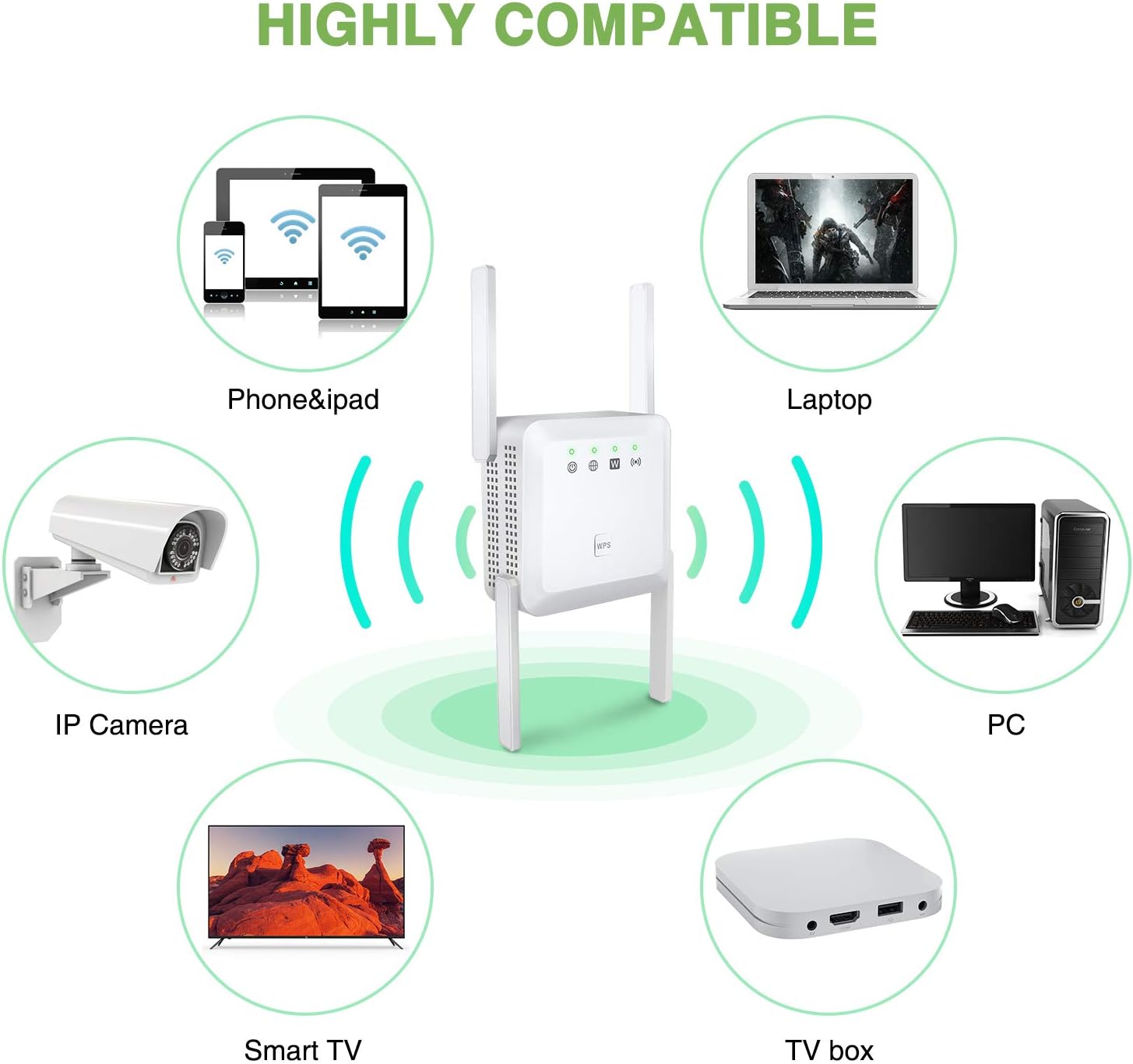
Image 7.1: The extender provides wireless connectivity to a diverse range of electronic devices.
8. Manteniment
To ensure optimal performance and longevity of your WiFi Extender, consider the following maintenance tips:
- Col·locació: Position the extender in an open area, away from obstructions like large metal objects, concrete walls, or other electronic devices that may cause interference.
- Actualitzacions de firmware: Reviseu periòdicament el fabricant website for firmware updates. Keeping the firmware updated can improve performance, security, and add new features.
- Neteja: Gently clean the exterior of the device with a soft, dry cloth. Avoid using liquid cleaners or abrasive materials. Ensure ventilation holes are free from dust.
- Reinicia: If you experience performance issues, try restarting the extender by unplugging it from the power outlet for 10 seconds and then plugging it back in.
- Condicions ambientals: Feu funcionar el dispositiu dins dels rangs de temperatura i humitat recomanats per evitar danys.
9. Solució De Problemes
If you encounter issues with your WiFi Extender, refer to the following common problems and solutions:
- Sense llum indicadora d'alimentació:
- Ensure the extender is securely plugged into a working electrical outlet.
- Prova la presa de corrent amb un altre dispositiu per confirmar que tingui corrent.
- No es pot connectar a la xarxa Wi-Fi de l'extensor:
- Verify you are selecting the correct network name (SSID) for the extender.
- Ensure you are entering the correct Wi-Fi password. If you forgot it, you may need to reset the extender and reconfigure.
- Move closer to the extender to ensure you are within its signal range during initial setup.
- Poor Signal or Slow Speed After Setup:
- Relocate the extender to a position roughly halfway between your main router and the desired coverage area.
- Check the extender's signal indicator lights; they should show a strong connection to your main router.
- Minimize physical obstructions (walls, large furniture) between the extender and your devices, and between the extender and the main router.
- Ensure there are no other devices causing interference (e.g., microwaves, cordless phones).
- No es pot accedir a la pàgina de configuració:
- Ensure your device is connected to the extender's Wi-Fi network (not your main router's).
- Double-check the IP address or domain name entered in the browser.
- Prova una altra web navegador.
- Desactiveu temporalment qualsevol programari VPN o tallafocs del vostre ordinador.
- Restabliment de fàbrica:
- If all else fails, locate the reset button (often a small pinhole) on the extender. With the extender powered on, use a paperclip to press and hold the reset button for 5-10 seconds until the lights flash. This will restore the device to its factory default settings, and you will need to reconfigure it.
10. Especificacions
| Marca | Bodyguard |
| Número de model | B091JZD8DB |
| Tipus sense fil | 802.11a/b/g/n/ac |
| Velocitat de transferència de dades | Fins a 1200 Mbps (300 Mbps 2.4 GHz + 867 Mbps 5 GHz) |
| Bandes de freqüència | 2.4 GHz i 5 GHz |
| Antenes | 4 External High-Gain Antennas |
| Ports | 2 x Ethernet Ports |
| Modes de funcionament | Mode repetidor, mode AP |
| Àrea de cobertura | Up to 1200 sq ft (approx.) |
| Color | Blanc |
| Dimensions del paquet | 27.2 x 20.3 x 5.2 cm |
| Pes de l'article | 157 g |
11. Garantia i Suport
For warranty information and technical support, please refer to the documentation included with your product or visit the official Bodyguard weblloc web. Conserveu el rebut de compra com a comprovant de compra per a reclamacions de garantia.
If you require further assistance, please contact Bodyguard customer support through the channels provided on their official weblloc.