1. Introducció
This user manual provides comprehensive instructions for the operation and maintenance of your VILINICE Native 1080P HD WiFi Bluetooth Projector. Please read this manual thoroughly before using the product to ensure proper function and to extend its lifespan.
2. Contingut del paquet
Verifiqueu que tots els elements que s'enumeren a continuació s'inclouen al vostre paquet. Si falta algun element o hi ha algun malmès, poseu-vos en contacte amb l'atenció al client.

Image: VILINICE Projector and included accessories. This image shows the main projector unit, a user manual, a 100-inch screen, an HDMI cable, a power cable, a 3-in-1 AV cable, and a remote control.
- 1 x VILINICE Native 1080P WiFi Projector
- 1 pantalla de projector de 100 polzades
- 1 x cable d'alimentació
- 1 x cable HDMI
- 1 x 3-in-1 AV Cable
- 1 x comandament a distància
- 1 x Manual d'usuari (Aquest document)
3. Característiques del producte
- Resolució nativa de 1080p Full HD: Supports 4K content with a true native resolution of 1920x1080P.
- High Brightness & Contrast: 9500 Lumens brightness and 10000:1 contrast ratio for clear and vivid images.
- Dual-band WiFi Connectivity: Supports 2.4G and 5G WiFi for seamless screen mirroring from smartphones (iOS/Android).
- Sortida d'àudio Bluetooth: Connects to external Bluetooth speakers, headphones, or AirPods for enhanced audio.
- Built-in HiFi Stereo Speakers: Equipped with two 10W HiFi stereo speakers and SRS audio system.
- Mida de projecció gran: Projects screen sizes from 50 inches to 300 inches.
- Flexible Projection Distance: Optimal projection distance from 1.8m to 8.3m (70 to 325 inches).
- Correcció Keystone: Manual ±30° keystone correction for image adjustment.
- Llargaamp Vida útil: Lamp vida útil fins a 100,000 hores.
- Múltiples opcions de connectivitat: USB, HDMI (x2), AV, Micro SD, VGA ports.
- Included 100-inch Screen: Comes with a portable 100-inch projector screen for outdoor use.
4. Producte acabatview
4.1. Front and Top View

Imatge: Frontal i superior view of the VILINICE projector. This image highlights the projector's lens, the focus and keystone adjustment rings on top, and the overall design with a grey fabric finish.
4.2. Part posterior i lateral View (Ports)

Imatge: Lateral view of the VILINICE projector displaying its connectivity ports. These include USB, HDMI1, HDMI2, AV, Micro SD, and VGA ports, allowing for multiple device connections.
- Lent: Projecta la imatge a la pantalla.
- Anell de focus: Ajusta la claredat de la imatge.
- Anell corrector de la distorsió trapezoidal: Corrects trapezoidal distortion.
- Botó d'encesa: Encén/apaga el projector.
- Ports USB: Per connectar unitats USB.
- HDMI Ports (HDMI1, HDMI2): For connecting devices like laptops, TV boxes, gaming consoles.
- Port AV: For connecting older devices using the 3-in-1 AV cable.
- Ranura Micro SD: For inserting Micro SD cards.
- Port VGA: Per connectar ordinadors amb sortida VGA.
- Sortida d'àudio (connector de 3.5 mm): For connecting external wired speakers or headphones.
5. Configuració
5.1. Col·locació
Place the projector on a stable, flat surface. Ensure there is adequate ventilation around the projector to prevent overheating. The optimal projection distance ranges from 1.8m to 8.3m (70 to 325 inches) for screen sizes between 50 and 300 inches.
5.2. Connexió d'alimentació
- Connecteu el cable d'alimentació a l'entrada d'alimentació del projector.
- Connecteu l'altre extrem del cable d'alimentació a una presa de corrent.
- La llum indicadora d'alimentació s'il·luminarà.
5.3. Engegada inicial
Press the power button on the projector or the remote control to turn on the device. The VILINICE logo will appear on the screen.
6. Instruccions de funcionament
6.1. Adjusting Image Focus and Keystone
- Ajust del focus: Rotate the focus ring on top of the projector until the image appears clear and sharp.
- Correcció Keystone: If the projected image is trapezoidal (wider at the top or bottom), rotate the keystone correction ring to achieve a rectangular image. The projector supports ±30° manual keystone correction.
6.2. Connexió sense fil (reflexió de pantalla)
The projector supports 2.4G and 5G WiFi for screen mirroring from iOS and Android smartphones/tablets.

Image: Diagram illustrating both wireless (WiFi) and wired (USB cable) connection methods for the VILINICE projector, compatible with Android and iOS devices.
6.2.1. For iOS Devices (iPhone/iPad)
- Ensure your iOS device and the projector are connected to the same WiFi network.
- On the projector, select "Screen Mirroring" or "iOS Cast" from the main menu.
- On your iOS device, open Control Center and tap "Screen Mirroring" or "AirPlay Mirroring".
- Select the projector's name from the list (e.g., "VILINICE-XXXX").
- The screen of your iOS device will now be mirrored on the projector.
6.2.2. For Android Devices
- Ensure your Android device and the projector are connected to the same WiFi network.
- On the projector, select "Screen Mirroring" or "Android Cast" from the main menu.
- On your Android device, enable "Wireless Display," "Multi-screen," "Smart View," or "Screen Cast" (names may vary by device).
- Select the projector's name from the detected devices.
- The screen of your Android device will now be mirrored on the projector.
6.3. Connexió amb cable (cable USB)
For a direct connection without WiFi, you can use your original USB charging cable.
- Connect your smartphone/tablet to the projector's USB port using its original USB charging cable.
- Select the appropriate input source on the projector (e.g., "USB").
- Follow any on-screen prompts on your device to allow the connection.
6.4. Connecting External Devices via HDMI/AV/VGA
Imatge: Lateral view of the VILINICE projector displaying its connectivity ports. These include USB, HDMI1, HDMI2, AV, Micro SD, and VGA ports, allowing for multiple device connections.
El projector admet diverses connexions per cable per a diferents dispositius:
- HDMI: Connect laptops, TV boxes, Fire TV Stick, Roku, PS4, Xbox, etc., using an HDMI cable. Select the corresponding HDMI input (HDMI1 or HDMI2) on the projector.
- DE: Connect older devices like DVD players using the included 3-in-1 AV cable. Select the AV input.
- VGA: Connect computers with VGA output using a VGA cable. Select the VGA input.
- USB Disk/SD Card: Insert a USB flash drive or Micro SD card into the respective port to play media files directly. Select the USB or SD input.
6.5. Connexió d'àudio Bluetooth
Connect the projector to external Bluetooth speakers, headphones, or AirPods for a superior audio experience.
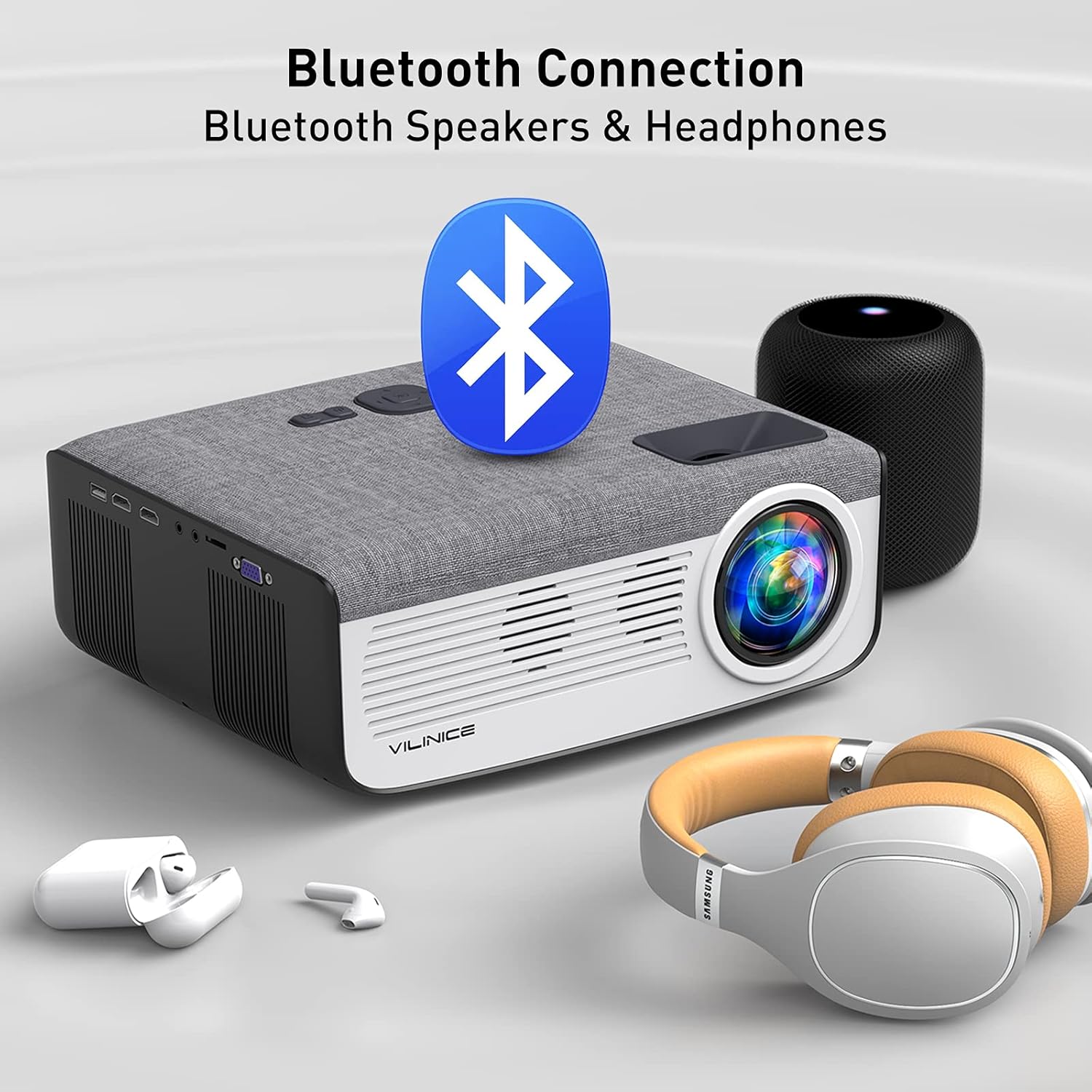
Image: The VILINICE projector shown with a large Bluetooth logo, indicating its Bluetooth connectivity feature. Nearby are a Bluetooth speaker and a pair of Bluetooth headphones, illustrating the ability to connect to external audio devices.
- Turn on your Bluetooth speaker or headphones and set them to pairing mode.
- Al projector, navegueu fins al menú de configuració de Bluetooth.
- Cerca dispositius Bluetooth disponibles.
- Seleccioneu el dispositiu Bluetooth de la llista per emparellar-lo.
- Once connected, audio will be routed through the external Bluetooth device.
7. Manteniment
7.1. Neteja de la lent
Use a professional lens cleaning cloth or lens paper to clean the projector lens. Avoid using abrasive cleaners or cloths that could scratch the lens.
7.2. Neteja del cos del projector
Wipe the projector body with a soft, dry cloth. Do not use liquid cleaners or solvents.
7.3. Ventilació
Ensure the ventilation vents are clear of dust and obstructions. The projector has an intelligent fan system that adjusts speed based on temperature to minimize power consumption and extend lamp life. Do not block the vents.
7.4. Emmagatzematge
When not in use for extended periods, store the projector in a cool, dry, dust-free environment. Use the original packaging or a protective case if available.
8. Solució De Problemes
| Problema | Causa possible | Solució |
|---|---|---|
| No image/Power off | Power cable loose; Projector off; Overheating. | Check power connection; Press power button; Allow projector to cool down. |
| Imatge borrosa | Out of focus; Incorrect projection distance. | Ajusta l'anell d'enfocament; Ajusta la distància de projecció. |
| Imatge trapezoïdal | Incorrect keystone setting. | Adjust keystone correction ring. |
| Sense so | Volume too low; Muted; Incorrect audio output; Bluetooth not connected. | Increase volume; Unmute; Check audio settings; Reconnect Bluetooth device. |
| Problemes de rèplica de pantalla | WiFi connection unstable; Device compatibility; Incorrect steps. | Ensure stable WiFi (2.4G/5G); Check device compatibility; Follow screen mirroring steps carefully. Try wired USB connection. |
| El comandament a distància no funciona | Batteries dead; Obstruction; Not pointed at IR receiver. | Replace batteries; Remove obstructions; Point remote directly at projector's IR receiver. |
9. Especificacions
| Característica | Detall |
|---|---|
| Marca | VILINICE |
| Número de model | VL407 |
| Resolució nativa | 1920 x 1080P (Supports 4K) |
| Brillantor | 9500 lúmens |
| Relació de contrast | 10000:1 |
| Lamp Vida útil | 100,000 hores |
| Mida de projecció | 50" - 300" |
| Distància de projecció | 1.8 m - 8.3 m (70" - 325") |
| Correcció de pedra clau | ±30° Manual |
| Relació d'aspecte | 4:3 / 16:9 |
| Connectivitat | Wi-Fi (2.4G/5G), Bluetooth, HDMI (x2), USB (x1), AV, Micro SD, VGA |
| Dispositius compatibles | HDMI, Laptop, Smartphone, Television, USB, PS4, Fire Stick, Roku |
| Altaveus incorporats | 2 x 10W HiFi Stereo with SRS Audio System |
| Consum d'energia | 133W |
10. Garantia i Suport
VILINICE offers lifetime free technical support and a 24-hour service desk. If you encounter any problems during the connection or operation of your HD projector, or if there is a quality issue with the product or package, please contact us immediately. We are committed to providing the best solution for you.
For assistance, please refer to the contact information provided on the product packaging or the official VILINICE weblloc.


