1. Introducció
Gràcies per la compraasing the QFX BT-60-BK 4-inch Bluetooth Speaker. This manual provides essential information for setting up, operating, and maintaining your speaker. Please read these instructions carefully before use to ensure optimal performance and longevity of your device.

Imatge 1.1: Frontal view of the QFX BT-60-BK Bluetooth Speaker with active LED lights.
2. Contingut del paquet
Marqueu la casella per als elements següents:
- QFX BT-60-BK Bluetooth Speaker
- Cable d'alimentació
- Manual d'usuari (aquest document)
3. Producte acabatview
The QFX BT-60-BK is a portable Bluetooth speaker featuring a 4-inch woofer, LED party lights, and multiple input options for versatile audio playback.

Image 3.1: Diagram illustrating the various components and ports of the BT-60-BK speaker.
3.1 Controls i ports

Image 3.2: Top panel controls of the BT-60-BK speaker.
- M/+ (Mode/LED Light): Press to switch between input modes (Bluetooth, USB, TF, AUX, FM Radio). Press and hold to change LED light patterns.
- - (Volume Down/Previous): Press to decrease volume. Press and hold to go to the previous track.
- ►▮ (Play/Pause/TWS): Press to play or pause audio. Press and hold to activate TWS pairing mode.
- + (Volume Up/Next): Press to increase volume. Press and hold to go to the next track.

Image 3.3: Rear panel ports of the BT-60-BK speaker.
- Entrada AUX: 3.5mm jack for connecting external audio devices.
- Entrada MIC: 6.35mm jack for connecting a microphone.
- Port de càrrega micro-USB: For charging the speaker's internal battery.
- Interruptor ON/OFF: Power switch for the speaker.
- Port USB: Per reproduir àudio des d'una unitat flaix USB.
- Ranura per a targetes TF: For playing audio from a TF (Micro-SD) card.
- Indicador de llum de bateria: Indicates charging status.
4. Configuració
4.1 Càrrega de l'altaveu
- Connect the provided power cord to the Micro-USB charging port on the speaker.
- Plug the other end of the power cord into a compatible USB power adapter (not included) or a USB port on a computer.
- The battery light indicator will illuminate during charging. It will turn off or change color when fully charged.
- Normalment, una càrrega completa triga entre 2 i 3 hores.
4.2 Engegada/apagada
- To power on the speaker, slide the ON/OFF switch to the 'ON' position.
- To power off the speaker, slide the ON/OFF switch to the 'OFF' position.
5. Instruccions de funcionament
5.1 Vinculació Bluetooth
- Ensure the speaker is powered on and in Bluetooth mode. If not, press the 'M/+' button repeatedly until 'Bluetooth' mode is announced or indicated.
- Activa el Bluetooth al teu dispositiu mòbil (telèfon intel·ligent, tauleta, etc.).
- Cerca available Bluetooth devices. You should see 'QFX BT-60' in the list.
- Select 'QFX BT-60' to pair. Once paired, the speaker will emit a confirmation tone.
5.2 Emparellatge del sistema True Wireless (TWS)
TWS allows two BT-60 speakers to connect wirelessly and play Bluetooth audio simultaneously for a stereo sound experience. This feature only works in Bluetooth mode.

Image 5.1: Illustration of two BT-60 speakers connected using True Wireless System (TWS).
- Ensure both BT-60 speakers are powered on and in Bluetooth mode.
- On one of the speakers (this will be the primary speaker), press and hold the '►▮' button for a few seconds until you hear a pairing tone.
- Els dos altaveus es connectaran automàticament entre si. Un cop connectats, sonarà un to de confirmació.
- Now, connect your mobile device to the primary speaker via Bluetooth as described in Section 5.1. The audio will play through both speakers in stereo.
Reproducció de targetes USB/TF de 5.3
- Inseriu una unitat flaix USB o una targeta TF (Micro-SD) al port corresponent de l'altaveu.
- L'altaveu canviarà automàticament al mode USB o targeta TF i començarà a reproduir àudio files. If not, press the 'M/+' button to select the correct mode.
- Use the '+', '-', and '►▮' buttons to control playback (next track, previous track, play/pause).
5.4 Entrada AUX
- Connecteu un extrem d'un cable d'àudio de 3.5 mm (no inclòs) al port d'entrada AUX de l'altaveu.
- Connecteu l'altre extrem del cable d'àudio a la presa d'auriculars o a la sortida d'àudio del dispositiu extern.
- Press the 'M/+' button to switch the speaker to AUX mode.
- Controla la reproducció i el volum des del teu dispositiu extern.
5.5 Entrada de micròfon
- Plug a 6.35mm microphone into the MIC input port on the speaker.
- Adjust the microphone volume as needed.
5.6 modes de llum LED
- Press and hold the 'M/+' button to cycle through different LED light patterns or to turn the lights off.
6. Manteniment
- Neteja: Use a soft, dry cloth to clean the speaker's exterior. Do not use abrasive cleaners or solvents.
- Emmagatzematge: When not in use for extended periods, store the speaker in a cool, dry place away from direct sunlight and extreme temperatures.
- Cura de la bateriaPer allargar la durada de la bateria, eviteu descarregar-la completament amb freqüència. Carregueu l'altaveu regularment, fins i tot si no l'esteu fent servir.
- Exposició a l'aigua: This speaker is not waterproof. Avoid exposing it to water or moisture.
7. Solució De Problemes
| Problema | Possible solució |
|---|---|
| L'altaveu no s'encén. | Ensure the battery is charged. Connect the speaker to a power source and try again. Check the ON/OFF switch position. |
| Sense so. | Check the volume level on both the speaker and your connected device. Ensure the correct input mode is selected. Verify audio cables are securely connected. |
| L'aparellament de Bluetooth falla. | Ensure the speaker is in Bluetooth mode. Disable and re-enable Bluetooth on your device. Move your device closer to the speaker. Forget 'QFX BT-60' from your device's Bluetooth list and try pairing again. |
| L'emparellament TWS falla. | Ensure both speakers are in Bluetooth mode and not connected to any other device. Repeat the TWS pairing steps carefully. |
| La targeta USB/TF no funciona. | Ensure the card/drive is inserted correctly. Verify that the audio files are in a compatible format (e.g., MP3). Check if the speaker is in the correct USB/TF mode. |
8. Especificacions
| Característica | Detall |
|---|---|
| Número de model | BT-60-BK |
| Tipus d'altaveu | Coaxial |
| Diàmetre del woofer | 4 polzades |
| Tecnologia de connectivitat | Bluetooth |
| Comunicació sense fils | Bluetooth |
| Font d'alimentació | Funciona amb bateria (1 bateria d'ions de liti inclosa) |
| Mode de sortida d'àudio | Estèreo (amb TWS) |
| Mètode de control | Manual Buttons |
| Dimensions del producte | 5.59 "P x 4.84" W x 7.64" H |
| Pes de l'article | 1.66 lliures |
| Components inclosos | Altaveu, cable d'alimentació, manual d'usuari |
| UPC | 606540039748 |
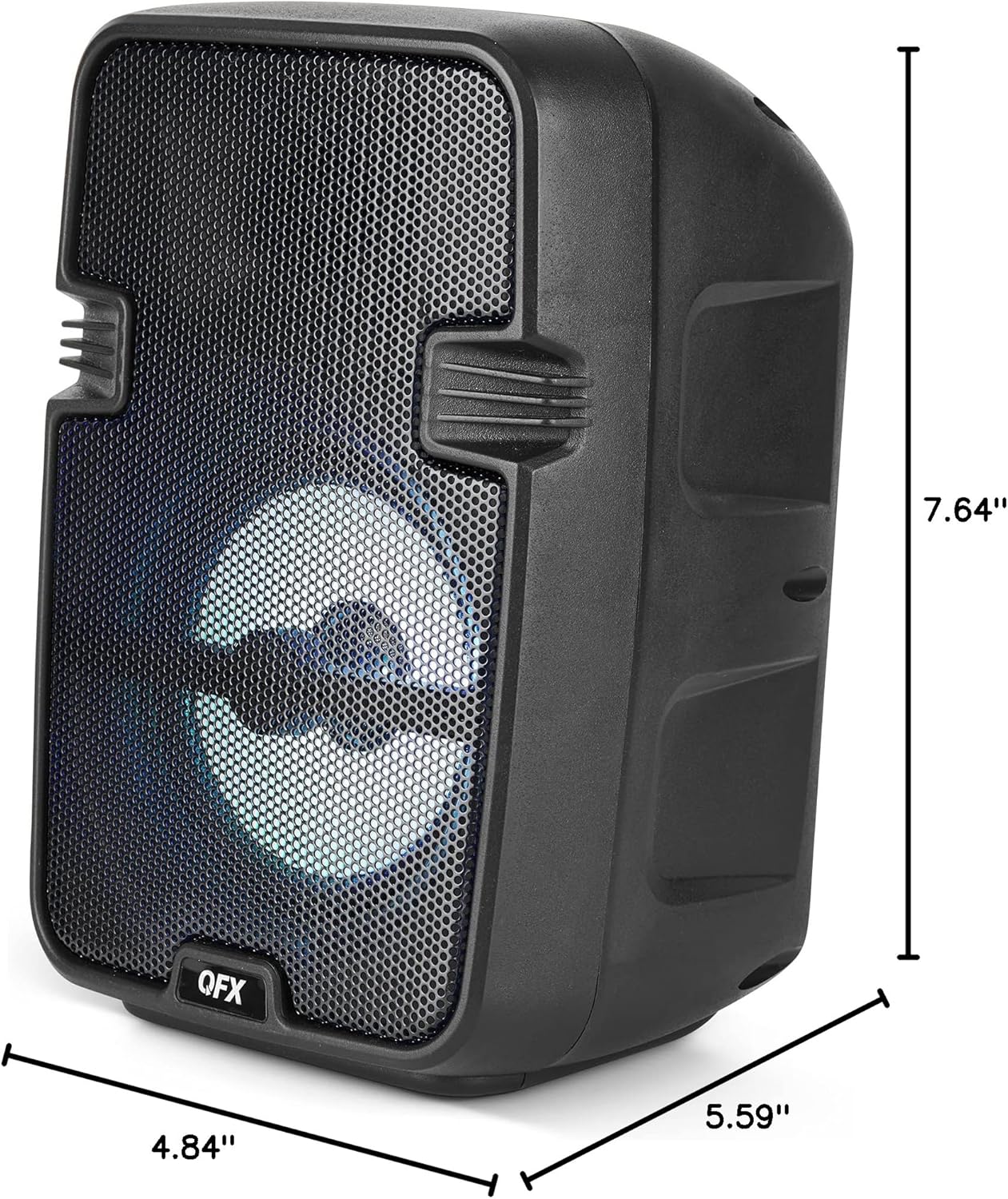
Image 8.1: Product dimensions of the BT-60-BK speaker.
9. Garantia i Suport
The QFX BT-60-BK speaker comes with a limited warranty. For specific warranty details, please refer to the warranty card included with your purchase or visit the official QFX website. For technical support or customer service inquiries, please contact QFX customer support through their official channels.


