Introducció
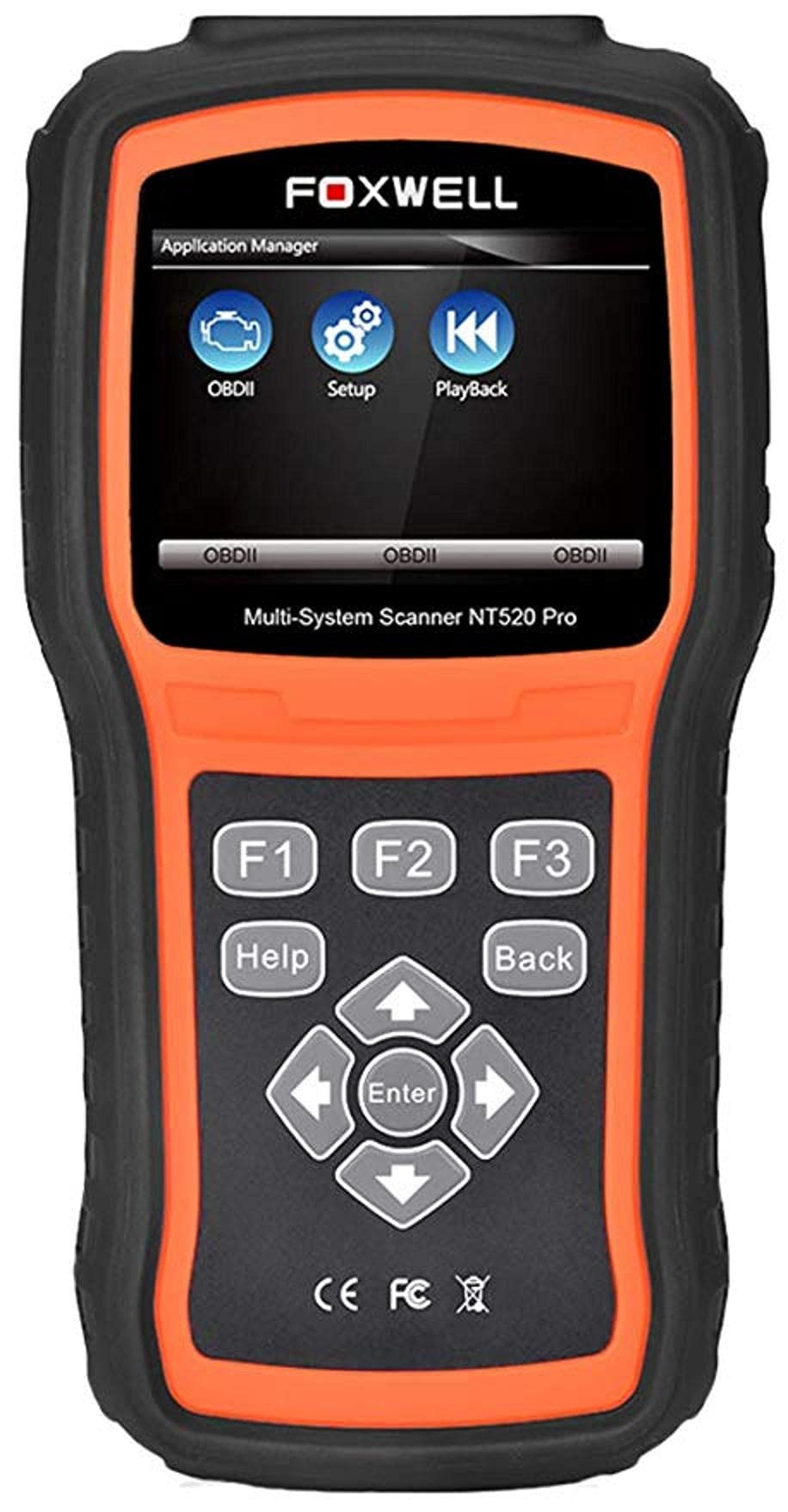
The Foxwell NT520 PRO is a professional-grade car fault diagnostic tool designed to help users identify and resolve issues in various vehicle systems. This device offers comprehensive diagnostic functions, including reading and clearing fault codes, viewing live data streams, and performing specialized tests and coding functions. It supports a wide range of car makes and models equipped with an OBD II - 16 pin connector.
1. Configuració
1.1 Contingut del paquet
- Foxwell NT520 PRO Diagnostic Tool
- Cable de diagnòstic OBD II
- Cable USB (per a actualitzacions i transferència de dades)
- Manual d'usuari (aquest document)
1.2 Initial Device Power-Up
- Connect the OBD II diagnostic cable to the NT520 PRO device.
- Locate the vehicle's OBD II port, typically found under the dashboard on the driver's side.
- Plug the diagnostic cable into the vehicle's OBD II port. The device should power on automatically. If not, ensure the vehicle's ignition is in the ON position.
1.3 Actualitzacions de programari
The NT520 PRO offers free updates for one selected car brand. Additional brands (up to five) can be added via internet for a fee. Regular software updates ensure compatibility with newer vehicle models and provide access to the latest diagnostic features.
- Connecteu el dispositiu a un ordinador mitjançant el cable USB proporcionat.
- Install the Foxwell update client software on your computer (refer to the official Foxwell website for download).
- Follow the on-screen instructions in the update client to register your device and perform software updates.
2. Instruccions de funcionament
The NT520 PRO features a color screen for easy navigation and data display.
2.1 Navegació bàsica
- Feu servir les tecles de fletxa per navegar pels menús.
- Press the 'Enter' or 'OK' button to select an option.
- Press the 'Back' or 'Exit' button to return to the previous screen.
2.2 Funcions de diagnòstic
The device supports diagnostics for most available control units in a vehicle, including:
- Mòdul de control del motor (ECM)
- Mòdul de control de transmissió (TCM)
- Sistema de frens antibloqueig (ABS)
- Sistema Airbag
- Mòdul de control corporal (BCM)
2.2.1 Lectura i esborrat de codis d'error
- From the main menu, select 'Diagnostics' or 'Scan'.
- Choose the vehicle make and model.
- Select the desired control unit (e.g., Engine, ABS).
- Seleccioneu "Llegir codis" per a view current and stored Diagnostic Trouble Codes (DTCs).
- Select 'Clear Codes' to erase the detected fault codes. This will also turn off the Malfunction Indicator Lamp (MIL) if the fault is no longer present.
2.2.2 Flux de dades en directe
View real-time data from various sensors and components.
- After selecting the control unit, choose 'Live Data'.
- Select the parameters you wish to monitor.
- Les dades es mostraran en format numèric o gràfic.
2.2.3 Informació de l'ECU
Access information about the Electronic Control Unit.
- After selecting the control unit, choose 'ECU Information'.
- View details such as VIN, calibration ID, and software version.
2.2.4 Component Testing and Coding
The device can perform tests on various car parts and supports programming and coding for different components.
- Component Tests: Select 'Active Test' or 'Component Test' from the menu to activate specific components and check their functionality.
- Programming and Coding: This function allows for programming and coding of various parts. Use with caution and only if you are familiar with the specific vehicle's requirements.
- Key Coding: For certain models, the device supports key coding functionality. Refer to your vehicle's service manual for specific procedures.
3. Manteniment
3.1 Cura del dispositiu
- Mantingueu el dispositiu net i lliure de pols i humitat.
- Guardeu el dispositiu en un lloc fresc i sec quan no l'utilitzeu.
- Eviteu deixar caure el dispositiu o sotmetre-lo a forts impactes.
- Do not use harsh chemicals for cleaning; a soft, damp la tela és suficient.
3.2 Manteniment del programari
Regularly check for and install software updates to ensure optimal performance and compatibility with the latest vehicle models. Refer to section 1.3 for update instructions.
4. Solució De Problemes
4.1 El dispositiu no s'encén
- Ensure the OBD II cable is securely connected to both the device and the vehicle's OBD II port.
- Verifiqueu que el contacte del vehicle estigui en la posició ON.
- Check the vehicle's fuse for the OBD II port (consult your vehicle's owner's manual).
4.2 Error de comunicació
- Confirm the vehicle supports the OBD II protocol (most vehicles manufactured after 1996 do).
- Ensure the diagnostic cable is not damaged.
- Prova de connectar-te a un vehicle diferent per descartar un problema específic del vehicle.
- Actualitzeu el programari del dispositiu a la versió més recent.
4.3 Indicador de mal funcionament Lamp (MIL) Remains On
After clearing fault codes, if the MIL (Check Engine Light) remains illuminated, it indicates that the underlying fault has not been resolved or a new fault has occurred. Address the root cause of the fault before attempting to clear codes again.
5. Especificacions
| Característica | Detall |
|---|---|
| Fabricant | Foxwell |
| Marca | Foxwell |
| Número de model | 111111111111 |
| Número de peça del fabricant | 111111111111 |
| Font d'alimentació | Elèctric amb cable |
| Pes de l'article | 818 g |
| Dimensions d'enviament | 21.2 x 17.8 x 8.2 cm |
| ASIN | B092326PXZ |
| Primera data disponible | 8 d'abril de 2021 |
6. Garantia i Suport
6.1 Garantia del producte
Please refer to the warranty card included with your product or visit the official Foxwell website for detailed warranty information. Warranty terms typically cover manufacturing defects for a specified period from the date of purchase.
6.2 Suport tècnic
For technical assistance, software updates, or troubleshooting not covered in this manual, please contact Foxwell customer support through their official website or authorized service centers. Have your product model and serial number ready when contacting support.


