Introducció
This manual provides essential information for setting up, operating, and maintaining your GIGABYTE G32QC Advanced 32-inch Curved Gaming Monitor. This monitor features a 2560x1440 VA display with a 165Hz refresh rate and 1ms (MPRT) response time, offering a native 1500R curvature for an immersive experience. It supports AMD FreeSync Premium Pro, VESA Display HDR400, and covers 93% DCI-P3 color space. The monitor also includes GIGABYTE's tactical features and OSD Sidekick for easy adjustments, along with an ergonomic design for tilt and height adjustments, low blue light, and flicker-free technology.

Figure 1: GIGABYTE G32QC Advanced 32-inch Curved Gaming Monitor.
Configuració
1. Desembalatge i contingut del paquet
Traieu amb cura tots els components de l'embalatge. Assegureu-vos que hi hagi tots els elements que s'enumeren a continuació:
- GIGABYTE G32QC Advanced Monitor
- Suport de monitor (base i coll)
- Adaptador d'alimentació
- Cable DisplayPort
- Cable HDMI
- USB Type-B Cable (for USB 3.0 hub functionality)
- Guia d'inici ràpid / Manual d'usuari (aquest document)

Figure 2: Monitor and packaging upon unboxing.
2. Muntatge de l'estand
- Fixeu el coll del suport al panell del monitor.
- Fixeu la base del suport al coll amb els cargols proporcionats.
- Col·loqueu el monitor muntat sobre una superfície plana i estable.
The monitor stand allows for height and tilt adjustments. For VESA wall mounting, remove the stand and use a compatible VESA 100x100mm mount.

Figure 3: Adjustable stand and VESA 100x100mm mounting points.
3. Connexió a un ordinador
Connecteu el monitor a l'ordinador mitjançant un dels ports d'entrada de vídeo disponibles:
- DisplayPort 1.2: For optimal performance, including 165Hz refresh rate and FreeSync Premium Pro.
- HDMI 2.0: Supports high refresh rates and resolutions.
Additionally, connect the USB Type-B cable from your computer to the monitor's USB upstream port to enable the monitor's USB 3.0 downstream ports.

Figure 4: Input/Output (I/O) Ports diagram.

Figure 5: Physical rear view of the monitor ports.
4. Connexió d'alimentació
Connect the power adapter to the monitor's DC power input, then plug the power cord into an electrical outlet.
Instruccions de funcionament
1. Engegada/Apagada i navegació OSD
The monitor typically uses a joystick control for power and On-Screen Display (OSD) navigation. Press the joystick to power on/off or to access the OSD menu. Use the joystick to navigate through menu options and adjust settings.
For advanced settings and easier control, install the GIGABYTE OSD Sidekick software on your computer. This utility allows you to adjust display options using your keyboard and mouse.

Figure 6: GIGABYTE OSD Sidekick software for monitor settings.
2. Key Features and Adjustments
- Alta taxa d'actualització i temps de resposta: Experience smooth gameplay with 165Hz refresh rate and 1ms (MPRT) response time.
- AMD FreeSync Premium Pro: Ensures tear-free and stutter-free gaming by synchronizing the monitor's refresh rate with your GPU's frame rate.
- VESA Display HDR400 & 93% DCI-P3: Delivers vibrant colors and improved contrast for a more realistic visual experience.
- Equalitzador negre: Enhances visibility in dark areas of the screen without overexposing bright areas, providing a tactical advantage en jocs.
- Llum blava baixa i sense parpelleig: TÜV Rheinland certified technologies to reduce eye strain and fatigue during extended use.
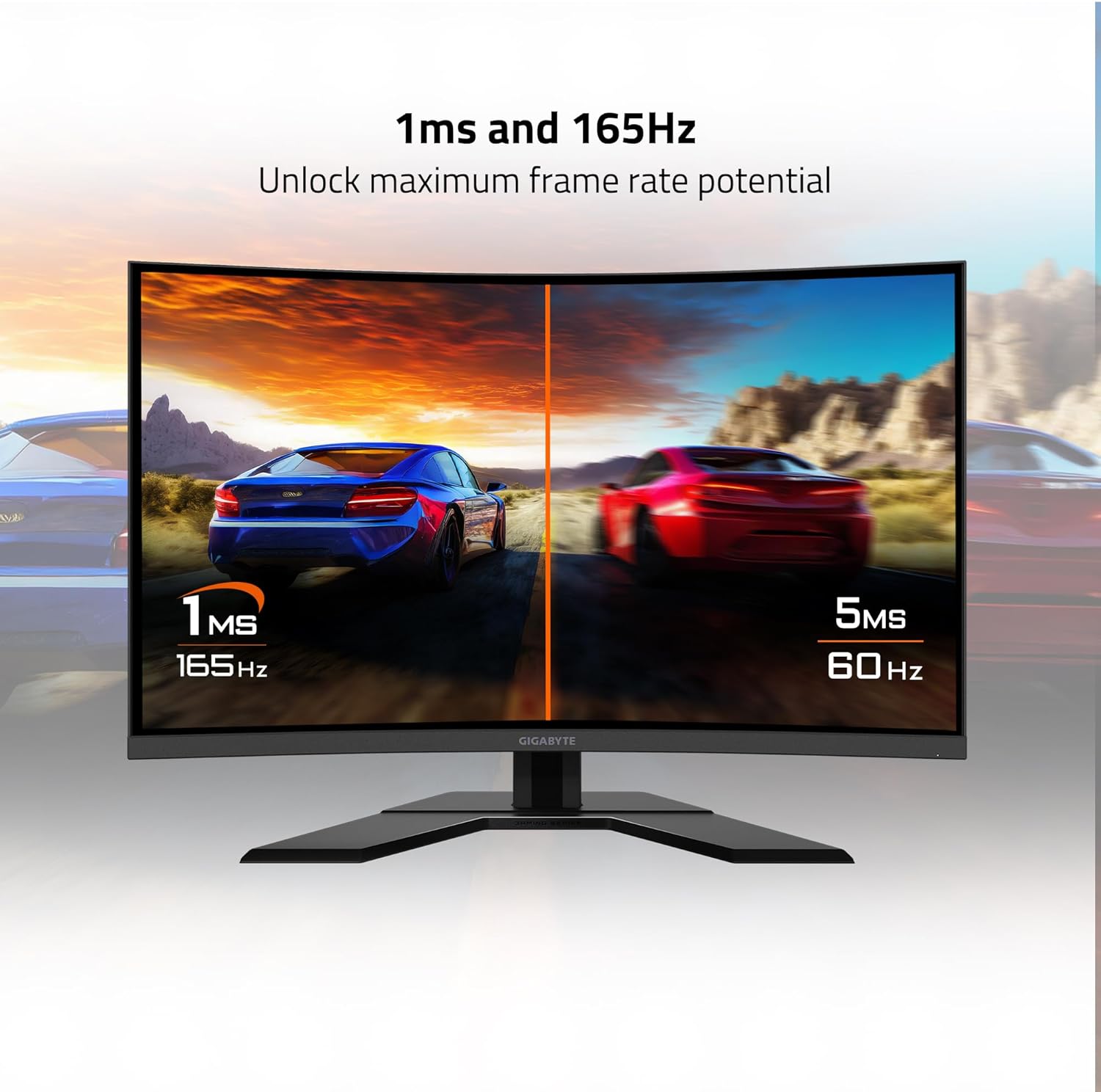
Figure 7: Visual representation of 1ms and 165Hz performance.

Figure 8: Monitor supports AMD FreeSync Premium Pro and HDR.

Figure 9: Black Equalizer feature demonstration.

Figure 10: TÜV Rheinland certified eye care features.
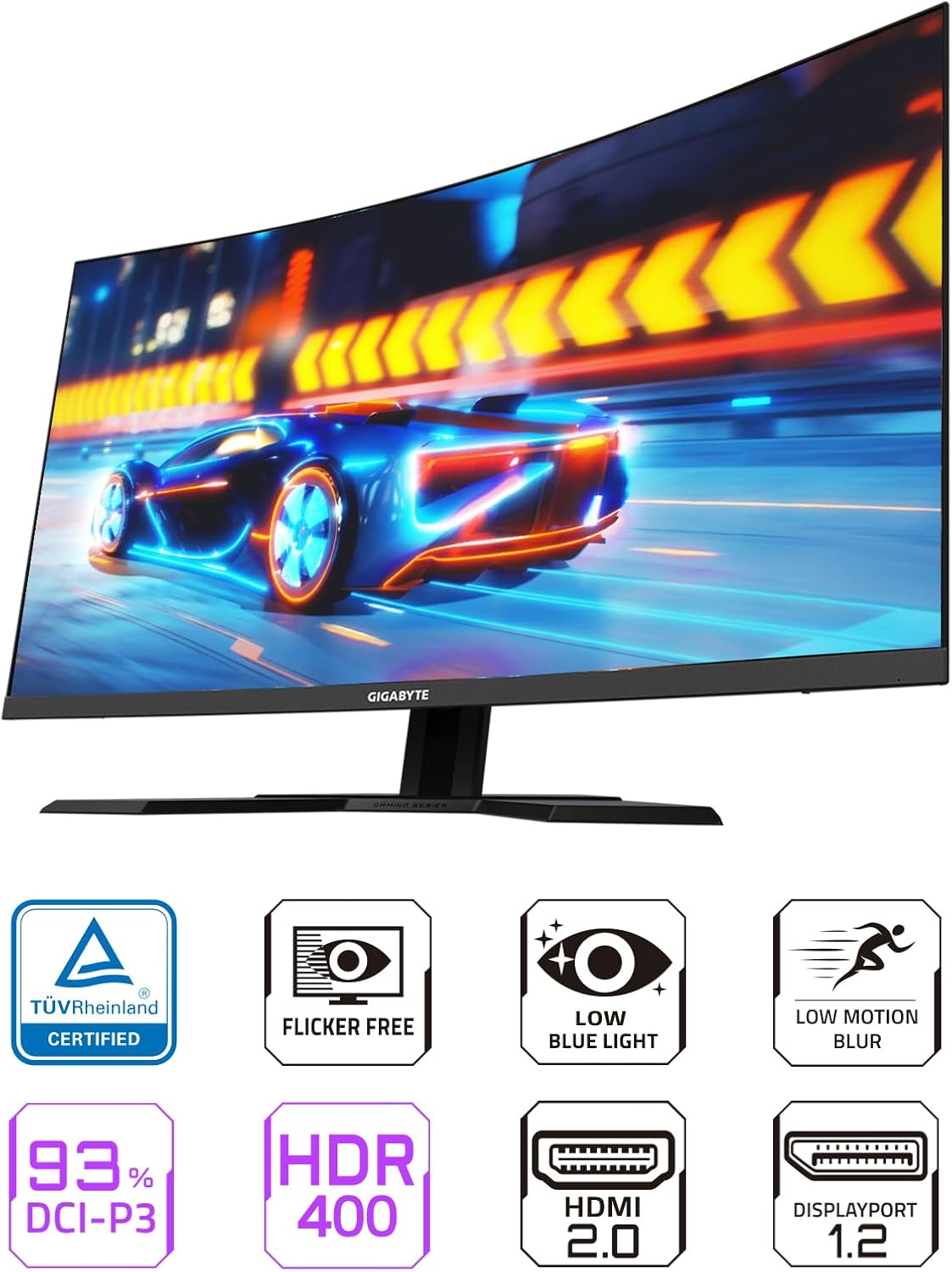
Figura 11: Mésview of monitor features.
Manteniment
1. Neteja del monitor
- Apagueu sempre el monitor i desconnecteu el cable d'alimentació abans de netejar-lo.
- Utilitzeu un drap suau i sense pelusa dampesbandida amb aigua o un netejador de pantalles suau i no abrasiu.
- No ruixeu el netejador directament sobre la pantalla.
- Eviteu utilitzar benzè, diluent, netejadors amb amoníac o materials abrasius, ja que poden danyar la pantalla o el casing.
2. Atenció general
- Eviteu col·locar el monitor a la llum solar directa o a prop de fonts de calor.
- Assegureu-vos que hi hagi una ventilació adequada al voltant del monitor per evitar el sobreescalfament.
- No col·loqueu objectes pesats sobre el monitor ni els seus cables.
- Si no heu d'utilitzar el monitor durant un període prolongat, desendolleu-lo de la presa de corrent.
Resolució de problemes
| Problema | Causa possible | Solució |
|---|---|---|
| Sense poder | Power cable not connected; Power outlet faulty; Monitor power button off. | Assegureu-vos que el cable d'alimentació estigui connectat correctament al monitor i a la presa de corrent. Proveu la presa de corrent amb un altre dispositiu. Premeu el botó d'engegada del monitor. |
| No hi ha imatge a la pantalla | Video cable not connected; Incorrect input source selected; Computer in sleep mode. | Check video cable connections (DisplayPort/HDMI). Select correct input source via OSD. Wake up computer. |
| La imatge és borrosa o distorsionada | Incorrect resolution; Graphics driver issues; Cable quality. | Set display resolution to 2560x1440. Update graphics drivers. Try a different video cable. |
| Pantalla parpellejant | Discrepància de freqüència d'actualització; Cable defectuós; Problema amb la targeta gràfica. | Ensure refresh rate is set to 165Hz in display settings. Replace video cable. Update graphics drivers. |
| Els ports USB no funcionen | Cable USB de pujada no connectat; Problema amb el port USB de l'ordinador. | Connect the USB Type-B upstream cable from the monitor to your computer. Try a different USB port on your computer. |
Especificacions
| Característica | Detall |
|---|---|
| Número de model | G32QC A-SA |
| Mida de la pantalla | 32 polzades |
| Tipus de panell | VA (alineació vertical) |
| Curvatura | 1500R |
| Resolució | 2560 x 1440 (QHD panoràmic 1440p) |
| Freqüència d'actualització | 165 Hz |
| Temps de resposta | 1 ms (MPRT) |
| Gamma de colors | 93% DCI-P3 |
| Suport HDR | Pantalla VESA HDR400 |
| Tecnologia de sincronització adaptativa | AMD FreeSync Premium Pro |
| Entrades de vídeo | 1x DisplayPort 1.2, 2x HDMI 2.0 |
| Ports USB | 2x USB 3.0 (downstream), 1x USB Type-B (upstream) |
| Àudio | Conector d'auriculars |
| Ergonomia | Ajust d'alçada, ajust d'inclinació |
| Muntatge VESA | 100x100mm |
| Pes de l'article | 24.9 lliures |
| Dimensions del producte (LxWxH) | 7.5 x 33.4 x 21.8 polzades |

Figura 12: Dimensions del monitor.
Informació de la garantia
GIGABYTE products are covered by a limited warranty. The specific terms and duration of the warranty may vary by region and product type. Please refer to the official GIGABYTE website or your product's warranty card for detailed information regarding warranty coverage, terms, and conditions.
Conserva el comprovant de compra (rebut o factura), ja que serà necessari per a qualsevol reclamació de garantia.
Suport
For technical support, driver downloads, FAQs, or further assistance with your GIGABYTE G32QC Advanced monitor, please visit the official GIGABYTE support weblloc:
You may also find helpful resources and community forums on the GIGABYTE weblloc.


