1. Producte acabatview
The LaView LV-PYN11B-G32-2PK is a 1080P HD wireless security camera designed for outdoor use. It features a 9600mAh rechargeable battery, providing up to 180 days of battery life under typical usage conditions. The camera includes AI motion detection, night vision capabilities, two-way audio, and supports cloud storage as well as local storage via an included 32GB SD card. Its IP65 weatherproof rating ensures durability in various environmental conditions.

Image: Two LaView outdoor security cameras with their respective wall mounts, showcasinel disseny del producte.
Característiques principals:
- Vídeo Full HD de 1080p: Proporciona un vídeo clar i detallattage.
- Durada de la bateria de 180 dies: Powered by a 9600mAh rechargeable battery for extended operation.
- 100% Wire-Free Installation: Easy setup without the need for power cables.
- Resistent a la intempèrie IP65: Designed to withstand rain, dust, and extreme temperatures.
- AI Motion Detection & Real-time Alerts: Intelligent detection with instant notifications to your mobile device.
- Àudio bidireccional: Micròfon i altaveu integrats per a la comunicació.
- Visió nocturna: Infrared night vision up to 33 ft for clear monitoring in low-light conditions.
- Gran angular de 140° View: Captures a broad area for comprehensive surveillance.
- Emmagatzematge al núvol i a la targeta SD: Supports secure US-based cloud storage and includes a 32GB microSD card for local storage.
- Compartició multiusuari: Permet fins a 20 usuaris view el feed de la càmera simultàniament.
2. Què hi ha a la caixa
Upon unboxing your LaView Security Camera system, you should find the following components:
- 2 x LaView Càmeres de seguretat
- 2 x 32GB SD Cards (pre-installed or included separately)
- 2 x Wall Mounts (with mounting screws)
- 1 x Manual d'usuari (aquest document)
- 1 x cable de càrrega USB
3. Guia de configuració
3.1 Càrrega de la càmera
Before initial use, fully charge the camera's built-in 9600mAh battery. Connect the camera to a standard USB power adapter (not included) using the provided USB charging cable. The charging indicator light will typically show red while charging and turn blue or off when fully charged. A full charge can take several hours.
3.2 Installing the SD Card (if not pre-installed)
Locate the microSD card slot on the camera. Gently insert the provided 32GB microSD card into the slot until it clicks into place. Ensure the card is inserted in the correct orientation as indicated by the camera's design.
3.3 Descàrrega de l'aplicació i registre del compte
- Descarrega't LaView l'aplicació des de la botiga d'aplicacions del teu telèfon intel·ligent (iOS App Store o Google Play Store).
- Open the app and register for a new account using your email address or phone number.
- Follow the on-screen instructions to complete the registration process and set up your password.
3.4 Connecting the Camera to Wi-Fi
The LaView camera connects to a 2.4GHz Wi-Fi network. It is not compatible with 5.0GHz Wi-Fi networks.
- A LaView app, tap the '+' icon to add a new device.
- Select your camera model from the list of devices.
- Power on the camera. The camera will enter pairing mode, usually indicated by a flashing LED light.
- Follow the app's instructions to connect the camera to your 2.4GHz Wi-Fi network. This typically involves scanning a QR code displayed on your phone with the camera lens.
- Once connected, the camera's LED indicator will change to a solid color (e.g., blue) to confirm successful pairing.
3.5 Muntatge de la càmera
The camera can be mounted using the included wall mounts. Consider the desired field of view (140 degrees) and Wi-Fi signal strength when choosing a location.

Image: A diagram illustrating the magnetic attachment of the camera to its wall mount, simplifying installation.
- Trieu una ubicació de muntatge adequada que proporcioni un clar view and good Wi-Fi reception.
- Use the provided screws to securely attach the wall mount to the desired surface.
- Attach the camera to the mount. The camera often uses a magnetic base or a screw-in mechanism for easy adjustment.
- Ajusteu l'angle de la càmera per cobrir l'àrea de vigilància desitjada.
4. Instruccions de funcionament
4.1 Viu View i Enregistrament
Once the camera is connected, you can access the live feed through the LaView app anytime, anywhere.
- Obriu el LaView l'aplicació i seleccioneu la càmera de la llista de dispositius.
- The live video stream will appear. You can manually record video or take screenshots from this interface.
4.2 Detecció de moviment i alertes per IA
The camera features advanced AI human detection to minimize false alarms and send relevant real-time alerts.

Image: An illustration of AI human detection, highlighting a person in a monitored area and a smartphone displaying a motion detection alert from the LaView aplicació.
- Enable motion detection and push notifications in the app settings for your camera.
- When motion is detected, you will receive a real-time alert on your smartphone.
- Recorded events triggered by motion detection are stored in the cloud or on the SD card.
4.3 Àudio bidireccional
Comuniqueu-vos amb els visitants o dissuadeu els intrusos mitjançant el micròfon i l'altaveu integrats a la càmera.

Image: A scenario demonstrating two-way audio, where a delivery person speaks to the camera and a user responds via their smartphone app.
- Del directe view screen in the app, tap the microphone icon to speak through the camera.
- Tap the speaker icon to listen to audio from the camera's vicinity.
4.4 Visió nocturna
The camera automatically switches to infrared night vision in low-light conditions, providing clear black-and-white footagfins a 33 peus.

Image: A split image comparing a clear daytime view with a detailed night vision view, both captured by the camera.
4.5 Cloud Storage and Multi-User Sharing
Your video data is securely stored on US-based cloud servers, ensuring privacy and accessibility. You can also share camera access with family members.

Image: An illustration emphasizing privacy protection through a USA cloud server and the benefit of an included 32GB SD card for local storage.
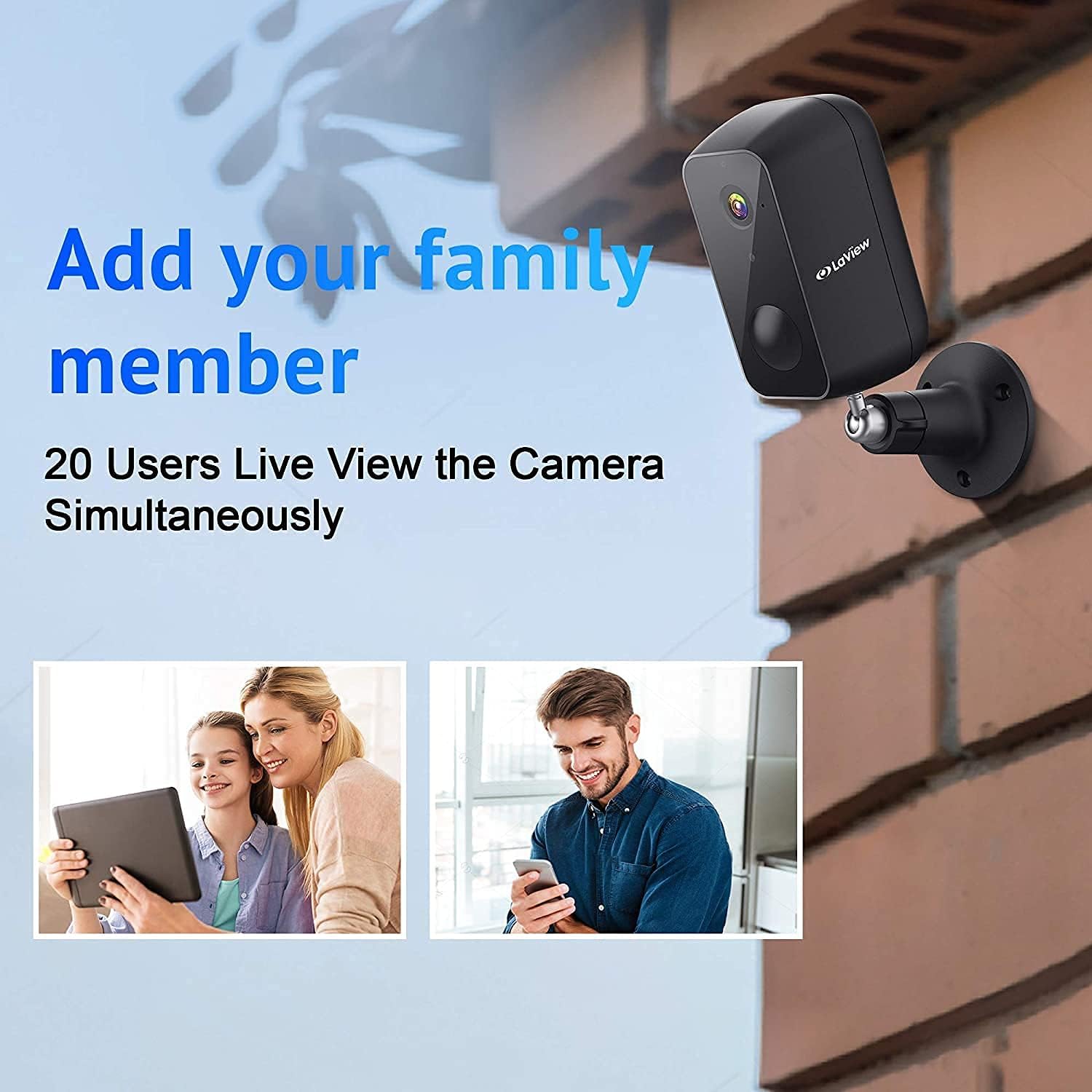
Image: A diagram illustrating how the camera feed can be shared and viewed by up to 20 different users simultaneously on various devices.
- Accés gravat footage from the cloud via the LaView aplicació.
- To share access, navigate to the camera settings in the app and follow the instructions for adding family members or other users. Up to 20 users can view the feed concurrently.
4.6 Amazon Alexa Compatibility
The camera is compatible with Amazon Alexa, allowing for voice control and integration into your smart home ecosystem. Refer to the Alexa app for specific setup instructions.
5. Manteniment
5.1 Gestió de la bateria
The camera's 9600mAh battery provides up to 180 days of operation (based on 10 triggers per day). Battery life can vary based on usage frequency, recording duration, and environmental factors.

Imatge: Una explosió view of the camera revealing its internal 9600mAh battery, illustrating its large capacity and the claim of 180-day battery life.
- Monitor the battery level through the LaView aplicació.
- Recharge the camera promptly when the battery level is low to ensure continuous operation.
- Feu servir el cable USB proporcionat per carregar.
5.2 Resistència a la intempèrie
The camera has an IP65 weatherproof rating, meaning it is protected against dust ingress and low-pressure water jets from any direction. This makes it suitable for outdoor installation in most weather conditions.

Image: The camera mounted outdoors, with rain falling on it, visually confirming its IP65 waterproof and weatherproof design.
- Periodically clean the camera lens with a soft, dry cloth to ensure clear image quality.
- Avoid using harsh chemicals or abrasive materials that could damage the lens or casing.
6. Solució De Problemes
This section addresses common issues you might encounter with your LaView security camera. For more detailed troubleshooting, please refer to the full user manual PDF or contact customer support.
6.1 La càmera no es connecta a la Wi-Fi
- Comprova la banda Wi-Fi: Ensure your router is broadcasting a 2.4GHz Wi-Fi signal. The camera does not support 5.0GHz networks.
- Intensitat del senyal: Verify the camera is within range of your Wi-Fi router. Move the camera closer to the router or consider a Wi-Fi extender if necessary.
- Contrasenya: Comproveu que esteu introduint la contrasenya Wi-Fi correcta.
- Restableix la càmera: If issues persist, try resetting the camera to factory settings (refer to the full manual for reset button location and procedure) and attempt the setup process again.
6.2 Mala qualitat d'imatge
- Neteja la lent: Ensure the camera lens is clean and free from dust, dirt, or smudges.
- Velocitat de xarxa: A slow Wi-Fi connection can affect streaming quality. Check your internet speed.
- Il·luminació: Ensure adequate lighting during the day. For night vision, confirm the infrared LEDs are not obstructed.
6.3 Durada curta de la bateria
- Frequent Triggers: High traffic areas or frequent motion detections will consume battery faster. Adjust motion detection sensitivity or detection zones in the app.
- Viu View Ús: Accés freqüent a la vida view streams will drain the battery more quickly.
- Temperatura: Extreme cold can reduce battery performance.
6.4 Alertes de moviment falses
- Ajustar la sensibilitat: Lower the motion detection sensitivity in the app settings.
- Zones de detecció: Set specific detection zones to ignore areas with irrelevant motion (e.g., busy roads, swaying trees).
- Detecció humana d'IA: Ensure AI human detection is enabled to filter out non-human movements.
7. Especificacions
| Característica | Especificació |
|---|---|
| Nom del model | LV-PYN11B-G32-2PK |
| Resolució de captura de vídeo | 1080p Full HD |
| Camp de View | 140 graus |
| Gamma de visió nocturna | Fins a 33 peus |
| Capacitat de la bateria | Ió de liti de 9600 mAh |
| Durada de la bateria | Up to 180 Days (10 triggers/day) |
| Tecnologia de connectivitat | Sense fil (Wi-Fi) |
| Freqüència Wi-Fi | 2.4 GHz (no compatible amb 5.0 GHz) |
| Emmagatzematge | Cloud Storage, MicroSD Card (up to 32GB included) |
| Ús interior/exterior | A l'aire lliure |
| Classificació de protecció internacional | IP65 |
| Tipus de controlador | Amazon Alexa |
| Tipus de muntatge | Muntatge de paret |
| Dimensions del producte | 8 x 7 x 6 polzades |
| Pes de l'article | 2.7 lliures |
| UPC | 192728012103 |
8. Garantia i Suport
8.1 Informació de la garantia
Specific warranty details for your LaView product may vary. Please refer to the warranty card included with your purchase or visit the official LaView weblloc web per obtenir la política de garantia més actualitzada.
8.2 Atenció al client
For technical assistance, troubleshooting, or any product-related inquiries, please contact LaView customer support. Customer support is known to be responsive and helpful.
- Assistència en línia: Visit the official LaView weblloc web amb preguntes freqüents, articles de suport i formularis de contacte.
- Suport per correu electrònic: Check the LaView website or your product packaging for a support email address.
També podeu trobar el Manual d'usuari oficial en format PDF aquí.