1. Contingut del paquet
Upon opening your PowerLocus P2 headphones package, please verify that all components are present and in good condition. The standard package includes:
- 1x PowerLocus P2 Wireless Headphones
- 1x cable d'àudio de 3.5 mm
- 1x cable de càrrega USB
- 1x Elegant Hard Shell Carry Case

Figure 1: Included accessories with the PowerLocus P2 headphones.
2. Guia de configuració
2.1 Càrrega dels auriculars
Before initial use, it is recommended to fully charge your PowerLocus P2 headphones. Use the provided USB charging cable to connect the headphones to a USB power source (e.g., computer USB port, wall adapter). The charging time is approximately 2.5 hours for a full charge, providing up to 20 hours of playback.
2.2 Encès/Apagat
- Per encendre: Press and hold the Power button (usually the multi-function button) until the LED indicator lights up.
- Per apagar: Premeu i manteniu premut el botó d'engegada fins que l'indicador LED s'apagui.
2.3 Vinculació Bluetooth
The PowerLocus P2 headphones feature Bluetooth 5.0 for fast and stable connections. Follow these steps to pair with your device:
- Assegureu-vos que els auriculars estiguin apagats.
- Premeu i manteniu premut el botó d'engegada durant aproximadament 5-7 segons fins que l'indicador LED parpellegi en blau i vermell alternativament, cosa que indica el mode d'emparellament.
- Al dispositiu (telèfon intel·ligent, tauleta, PC), activeu el Bluetooth i cerqueu els dispositius disponibles.
- Select "PowerLocus P2" from the list of found devices.
- Once connected, the LED indicator will show a solid blue light or flash blue slowly.
The headphones support multi-point connection, allowing them to be connected to two devices simultaneously.
Mode de targeta Micro SD 2.4
The PowerLocus P2 headphones support Micro SD cards up to 64GB. Ensure all content on the SD card is in MP3 format for playback.
- Insert the Micro SD card into the designated slot on the headphone. You will hear a click sound when it is correctly placed.
- Enceneu els auriculars.
- Press the 'M' (Mode) button to switch to Micro SD mode. The headphones will automatically begin playing MP3 files de la targeta.
Video: How to use PowerLocus P2 Over Ear Headphones with micro SD. This video demonstrates inserting a Micro SD card and activating the Micro SD playback mode on the headphones.
2.5 Mode de ràdio FM
To use the built-in FM radio function:
- Enceneu els auriculars.
- Press the 'M' (Mode) button repeatedly until you hear the FM radio.
- Use the Volume Up/Down buttons to scan for stations (short press for next/previous station, long press for volume).
2.6 Wired Mode (Auxiliary Connection)
If the headphone battery runs out or you prefer a wired connection, use the provided 3.5mm audio cable:
- Connecteu un extrem del cable d'àudio de 3.5 mm al port AUX dels auriculars.
- Connecteu l'altre extrem al connector de sortida d'àudio de 3.5 mm del vostre dispositiu.
In wired mode, the headphones function passively and do not require battery power.

Figure 2: Connecting the 3.5mm audio cable for wired use.
3. Instruccions de funcionament
3.1 Controlsview
The PowerLocus P2 headphones feature intuitive controls located on the earcup. These buttons allow you to manage playback, calls, and modes.

Figure 3: PowerLocus P2 Headphones with visible controls.
- Botó d'engegada/multifunció: Encendre/apagar, reproduir/pausar, respondre/finalitzar trucades.
- Pujar volum (+)/Pista següent: Premeu curt per pujar el volum, premeu llargament per passar a la següent pista.
- Baixar volum (-)/Pista anterior: Premeu curt per baixar el volum, premeu llargament per anar a la pista anterior.
- Botó Mode (M): Switch between Bluetooth, Micro SD, and FM Radio modes.
3.2 Reproducció de música
- Reproduir/pausa: Premeu breument el botó d'engegada/multifunció.
- Pista següent: Premeu llargament el botó d'apujar el volum (+).
- Pista anterior: Premeu llargament el botó per baixar el volum (-).
- Ajust de volum: Premeu breument els botons de pujar el volum (+) o baixar el volum (-).
3.3 Fer i rebre trucades
El micròfon integrat permet fer trucades amb mans lliures.
- Respondre/Finalitzar la trucada: Short press the Power/Multi-function button when a call comes in or during a call.
- Rebutja la trucada: Long press the Power/Multi-function button when a call comes in.
- Torna a marcar l'últim número: Premeu dues vegades el botó d'engegada/multifunció.
4. Manteniment
Proper maintenance ensures the longevity and optimal performance of your PowerLocus P2 headphones.
- Neteja: Use a soft, dry cloth to wipe the headphones. Do not use abrasive cleaners or solvents. For earmuffs, gently wipe with a damp un drap i deixar assecar completament a l'aire.
- Emmagatzematge: When not in use, store the headphones in the provided hard shell carry case to protect them from dust, scratches, and impacts. The foldable design makes them compact for storage and travel.
- Cura de la bateria: Avoid fully discharging the battery frequently. Charge the headphones regularly, even if not used for extended periods, to maintain battery health.
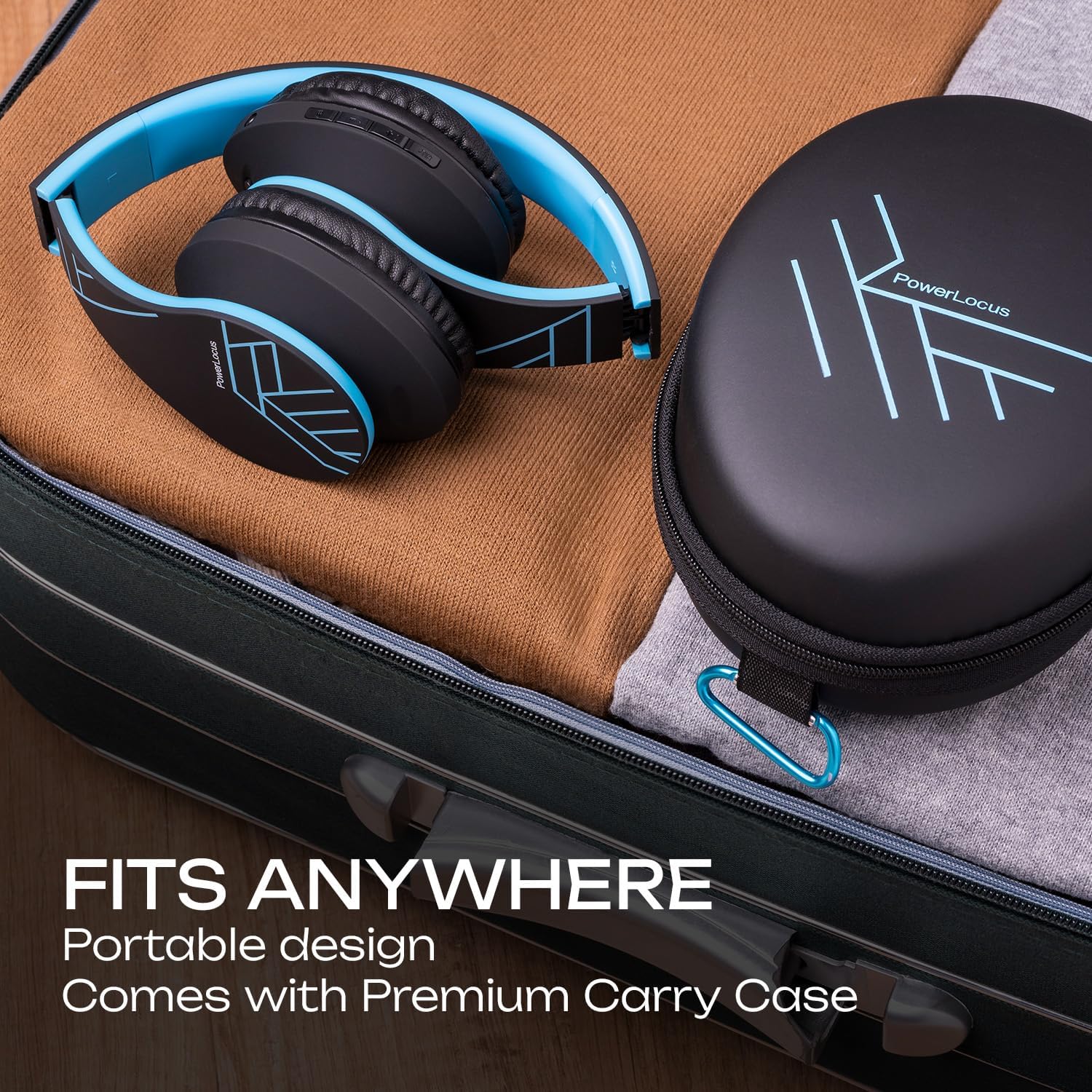
Figure 4: Portable design and carry case for easy storage.
5. Solució De Problemes
If you encounter issues with your PowerLocus P2 headphones, please refer to the following common solutions:
| Problema | Causa possible | Solució |
|---|---|---|
| Els auriculars no s'engeguen. | Bateria baixa. | Carregueu els auriculars completament. |
| No es pot emparellar per Bluetooth. | Auriculars no en mode d'emparellament; Bluetooth del dispositiu desactivat; massa lluny del dispositiu. | Ensure headphones are in pairing mode (flashing blue/red). Turn device Bluetooth on/off. Move headphones closer to device (within 36 feet). |
| Sense so o amb un volum baix. | Volume too low on headphones or device; incorrect mode selected; wired connection issue. | Increase volume on both headphones and connected device. Press 'M' button to ensure correct mode (Bluetooth, SD, FM). Check 3.5mm cable connection if in wired mode. |
| La targeta micro SD no es reprodueix. | Targeta no inserida correctament; no compatible file format. | Re-insert the Micro SD card until it clicks. Ensure all music fileestan en format MP3. |
| Mala recepció de ràdio FM. | Senyal feble. | Move to an area with better signal. The audio cable can act as an antenna, try connecting it. |
| Distorted sound or static. | Interference; low battery; damaged audio source. | Move away from other electronic devices. Charge the headphones. Test with a different audio source. |
If the issue persists after trying these steps, please contact PowerLocus customer support for further assistance.
6. Especificacions del producte
Detailed technical specifications for the PowerLocus P2 Bluetooth Headphones:
| Característica | Especificació |
|---|---|
| Nom del model | P2 |
| Tecnologia de connectivitat | Sense fil (Bluetooth), amb cable (auxiliar de 3.5 mm) |
| Tecnologia de comunicació sense fils | Bluetooth 5.0 |
| Interval Bluetooth | Up to 36 Feet (approx. 12 meters) |
| Control de soroll | Aïllament acústic |
| Sensibilitat | 110 dB |
| Impedància | 32 ohms |
| Mida del controlador | 40mm Neodymium Audio Drivers |
| Durada de la bateria | Fins a 20 hores |
| Temps de càrrega | Aprox. 2.5 hores |
| Conector d'auriculars | 3.5 mm Jack |
| Micro SD/TF Support | Up to 64GB (MP3 format only) |
| Ràdio FM | Sí |
| Micròfon incorporat | Sí |
| Tipus de control | Control de volum, botó multifunció |
| Material | Memory Foam (earmuffs) |
| Factor de forma | Over Ear, Foldable |
| Pes de l'article | 165 grams (5.8 unces) |
| Dispositius compatibles | iPhone, iPod, iPad, Samsung, Huawei, Xiaomi, MacBook, Chromebook, TV, PC, Switch, Tablets, Laptops, Desktops |
7. Garantia i Suport
PowerLocus stands behind the quality of its products. Your P2 Bluetooth Headphones come with a 24 Months Full Warranty.
For any questions, concerns, or technical assistance regarding your PowerLocus P2 headphones, please do not hesitate to contact our friendly customer support team. We are committed to ensuring your smooth purchase and satisfaction.
You can also visit the official PowerLocus store for more information and product updates: PowerLocus Amazon Store.


