Introducció
This manual provides detailed instructions for the safe and efficient operation, maintenance, and troubleshooting of your BE COOL Air Cooler, Model BCP5AC2101F. Please read this manual thoroughly before using the appliance and keep it for future reference.
Instruccions importants de seguretat
- Assegureu-vos sempre que l'aparell estigui col·locat sobre una superfície estable i anivellada.
- No submergiu l'aparell, el cable o l'endoll en aigua o altres líquids.
- Unplug the appliance from the power outlet before cleaning, filling, or performing any maintenance.
- Mantingueu l'aparell fora de l'abast dels nens i de les mascotes.
- No bloquegeu les entrades ni sortides d'aire. Assegureu-vos que hi hagi una ventilació adequada al voltant de la unitat.
- Use only clean tap water in the water tank. Do not add any chemicals or additives.
- Si el cable d'alimentació està danyat, l'ha de substituir el fabricant, el seu agent de servei o persones qualificades de manera similar per evitar perills.
- Aquest aparell només és per a ús domèstic interior.
Producte acabatview
Familiarize yourself with the components of your BE COOL Air Cooler.

Figura 1: Frontal view of the BE COOL Air Cooler, showing the main fan grille, water level indicator, and "BE COOL" logo.

Figure 2: Top control panel with buttons for Timer, Cool, Speed, and On/Off, along with indicator lights.

Figure 3: Diagram illustrating key features: integrated dust filter, timer function, and remote control operation.
Configuració
1. Desembalatge
Carefully remove the air cooler from its packaging. Retain the packaging for future storage or transport.
2. Attaching the Wheels
The appliance comes with 4 castor wheels for easy mobility. Insert each wheel into the designated slots at the bottom of the unit until they click securely into place.
3. Omplir el dipòsit d'aigua
The BE COOL Air Cooler features a 5-liter water tank. For cooling and humidifying functions, the tank must be filled with water.
- Assegureu-vos que l'aparell estigui desconnectat de la presa de corrent.
- Locate the water tank opening, typically at the bottom rear or side of the unit.
- Carefully pour clean tap water into the tank. Do not exceed the "MAX" fill line indicated on the water level indicator.
- For enhanced cooling, you may add ice packs (not included) to the water tank if available.
- Close the water tank opening securely.
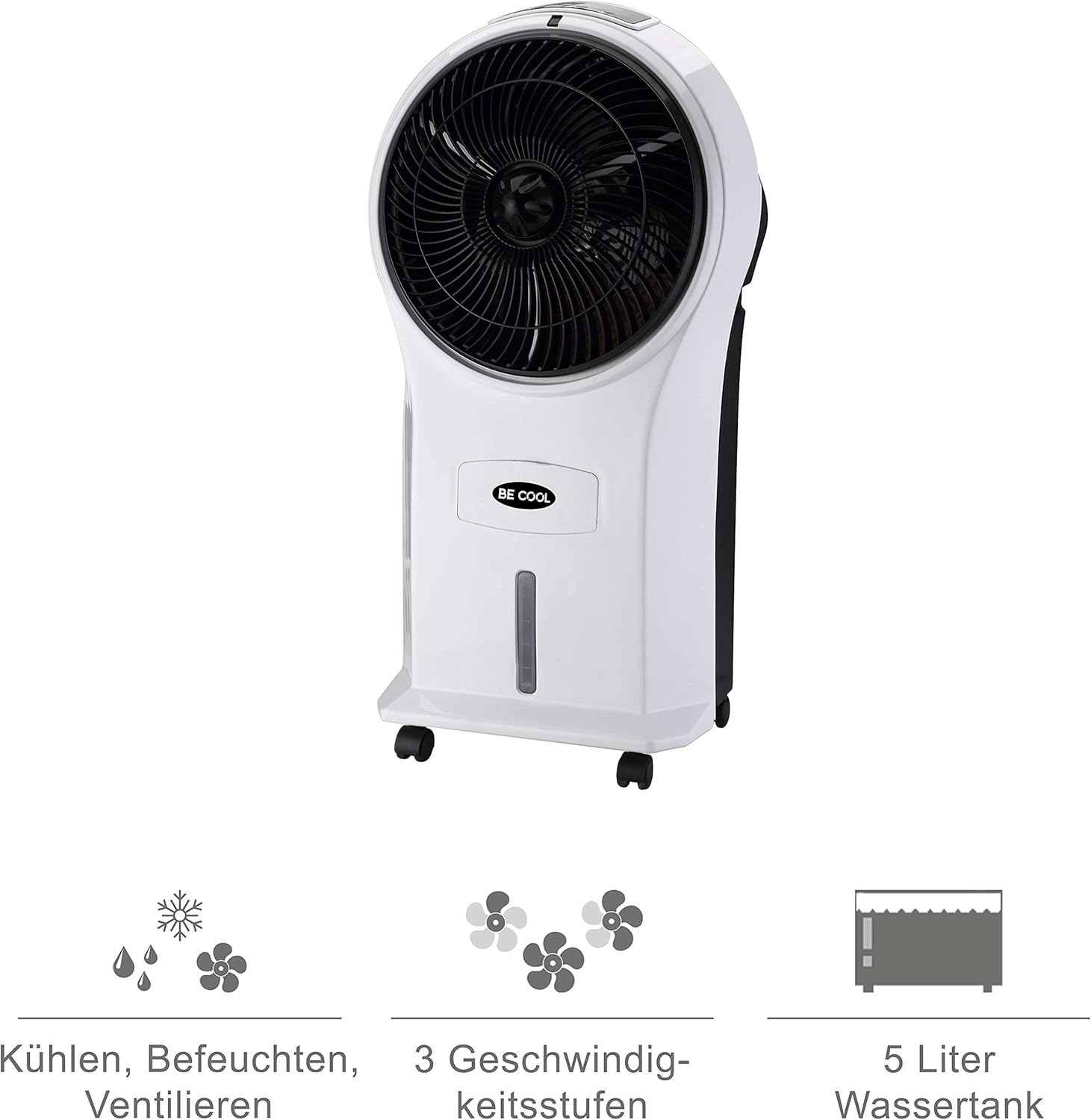
Figure 4: Visual representation of the 3-in-1 functions (cooling, humidifying, ventilating), 3 speed levels, and the 5-liter water tank capacity.
Instruccions de funcionament
1. Encendre/apagar
Plug the power cord into a suitable electrical outlet. Press the On/Off botó del tauler de control o del comandament a distància per encendre o apagar la unitat.
2. Ajust de la velocitat del ventilador
Premeu el botó Velocitat button repeatedly to cycle through the three available fan speeds: Low, Medium, and High. The corresponding indicator light will illuminate.
3. Cooling and Humidifying Function
To activate the cooling and humidifying function, ensure the water tank is filled. Press the Genial button. The unit will begin to draw water from the tank to cool and humidify the air. This function can reduce room temperature by up to 8°C.
4. Funció de temporitzador
The air cooler features a 7-hour timer. Press the Temporitzador button repeatedly to set the desired operating time in increments (e.g., 1 hour, 2 hours, 4 hours, up to 7 hours). The unit will automatically turn off once the set time has elapsed.
5. Ús del control remot
The included remote control allows for convenient operation from a distance. Ensure the remote control has batteries installed (batteries not included). Point the remote control towards the front of the air cooler when operating.
6. Air Purification
The integrated filter helps to purify the air by trapping dust, pollen, mites, bacteria, and unpleasant odors, contributing to a cleaner indoor environment.

Figure 5: The BE COOL Air Cooler positioned in a bedroom, demonstrating its compact size and portability.

Figure 6: The BE COOL Air Cooler in an office environment, highlighting its suitability for various indoor spaces.
Manteniment
Un manteniment regular garanteix un rendiment òptim i una llarga vida útil del vostre refrigerador d'aire.
1/XNUMX/XNUMX. Neteja del filtre d'aire
The air filter should be cleaned regularly, especially if the unit is used frequently or in dusty environments.
- Desendolleu l'aparell de la presa de corrent.
- Locate and remove the air filter, usually found at the back of the unit.
- Gently clean the filter with a soft brush or vacuum cleaner to remove dust. For deeper cleaning, rinse with lukewarm water and mild detergent.
- Deixeu que el filtre s'assequi completament a l'aire abans de tornar-lo a inserir a la unitat.
2. Neteja del dipòsit d'aigua
To prevent mold and mildew growth, clean the water tank weekly or as needed.
- Unplug the appliance and empty any remaining water from the tank.
- Netegeu l'interior del dipòsit amb un drap suau dampacabat amb una solució detergent suau.
- Rinse the tank thoroughly with clean water to remove any detergent residue.
- Deixeu que el dipòsit s'assequi completament a l'aire abans de reomplir-lo o guardar-lo.
3. Neteja exterior
Netegeu l'exterior de la unitat amb un damp tela. No utilitzeu netejadors abrasius ni dissolvents.
4. Emmagatzematge
If storing the air cooler for an extended period, ensure the water tank is empty and clean, and the unit is dry. Store it in a cool, dry place, preferably in its original packaging.
Resolució de problemes
Consulteu aquesta secció per conèixer els problemes comuns i les seves solucions.
| Problema | Causa possible | Solució |
|---|---|---|
| La unitat no s'encén. | No hi ha alimentació; no s'ha premut el botó d'engegada. | Check if the power cord is securely plugged in. Press the On/Off button. |
| Sense efecte de refredament. | Water tank empty; Cool function not activated. | Fill the water tank. Press the Cool button. |
| Flux d'aire feble. | Air filter clogged; Fan speed set too low. | Clean the air filter. Increase the fan speed. |
| Olor desagradable. | Stagnant water in tank; Dirty filter. | Empty and clean the water tank. Clean or replace the air filter. |
| El comandament a distància no funciona. | Piles gastades o incorrectament inserides; Obstrucció entre el comandament a distància i la unitat. | Replace batteries. Ensure no obstructions and point directly at the unit. |
Especificacions
- Model: BCP5AC2101F
- Tipus: 3-in-1 Evaporative Air Cooler (Cooler, Humidifier, Fan)
- Consum d'energia: 45 watts
- Capacitat de flux d'aire: 17.5 cubic meters per minute (1050 m³/h)
- Capacitat del dipòsit d'aigua: 5 litres
- Velocitats del ventilador: 3 (Baix, Mitjà, Alt)
- Temporitzador: Fins a 7 hores
- Tipus de control: Remote Control, Manual Buttons
- Dimensions (L x A x A): 31.5 x 27 x 61 cm (12.4 x 10.6 x 24 polzades)
- Pes: 2.9 quilos (6.4 lliures)
- Color: Blanc/Negre
- Components inclosos: Main unit, Remote control, 4 Castor wheels
Garantia i Suport
For warranty information or technical support, please refer to the warranty card included with your purchase or contact Be Cool customer service. Keep your proof of purchase for warranty claims.
For further assistance, you may visit the official Be Cool store on Amazon: Be Cool Store


