1. Introducció
This manual provides detailed instructions for the installation, operation, maintenance, and troubleshooting of your LANMODO Vast Pro Dash Cam Front Camera. Please read this manual thoroughly before using the device to ensure proper function and safety.

Figure 1.1: LANMODO Vast Pro Dash Cam Front Camera and Display Unit.
2. Informació de seguretat
Observeu les següents precaucions de seguretat per evitar danys al dispositiu o lesions personals.
- El vol operatiutage of the system is 12V. For cars with an output voltage of 24V, the NVS (Night Vision System) cannot be connected to the OBD port for power supply. It must be connected to a car charger with a voltage converter from 24V to 12V.
- Vast Pro requires only faint light to form a clear image, so it may show image noise in a completely dark environment and will be overexposed when it encounters strong light.
- Please format the Micro SD card before use. Before inserting or removing the Micro SD card, please turn the device off to prevent damage to the card or loss of files.
- To avoid bouncy pictures as much as possible, it is suggested to mount the NVS on the windshield. Washing the suction cup with soap and water and drying it before mounting, and wiping the windshield with isopropyl alcohol, can help ensure a much firmer mount.
- If a Lanmodo rear camera is set up and connected to an inverted signal, Vast Pro will automatically display the rear view once the reverse gear is activated. (Note: This model is Front Camera Only).
- The real-time clock keeps track of the current time for 7 to 15 days, even when the system is powered off. You will then need to reset the time again when you connect the system to power.
- Vast Pro is a driving assistance system and does not completely replace human vision. Please pay attention to both the display screen and the road conditions.
3. Contingut del paquet
Verifiqueu que tots els elements siguin presents al paquet:
- Night Vision Camera for Car with Screen x1
- 3.5m Car Charger and Extension Cable Kit x1
- 3.0m OBD Adapter and Extension Cable Kit x1
- Dashboard Base x1
- Ventosa x1
- Installation Tool Kit x1
- Manual d'usuari x1
Note: Micro SDXC card and card reader are not included.
4. Configuració i instal·lació
4.1 Opcions de muntatge
The Vast Pro Dash Cam offers two primary mounting options: Dashboard and Windshield.


Figure 4.1: Power connection options via OBD port or car charger.
4.2 Connexió d'alimentació
Connect the dash cam using either the provided OBD adapter or the car charger. Ensure the connection is secure.
4.3 Configuració inicial
Before first use, insert a Micro SDXC card (up to 128GB, not included) and format it through the device's settings menu. Refer to the 'Safety Information' section regarding SD card handling.
5. Funcionament de la càmera del salpicader
5.1 Supervisió nocturna
The Vast Pro Dash Cam features a built-in Sony CMOS imaging sensor and an ultra-large F1.0 aperture with a 7-layer lens. This technology allows for 0.0001lux starlight level night vision by automatically balancing exposure in extremely dark scenarios, providing clear and sharp footage. The 8" FHD IPS screen allows switching between WDR and HDR modes to enhance resolution and contrast.
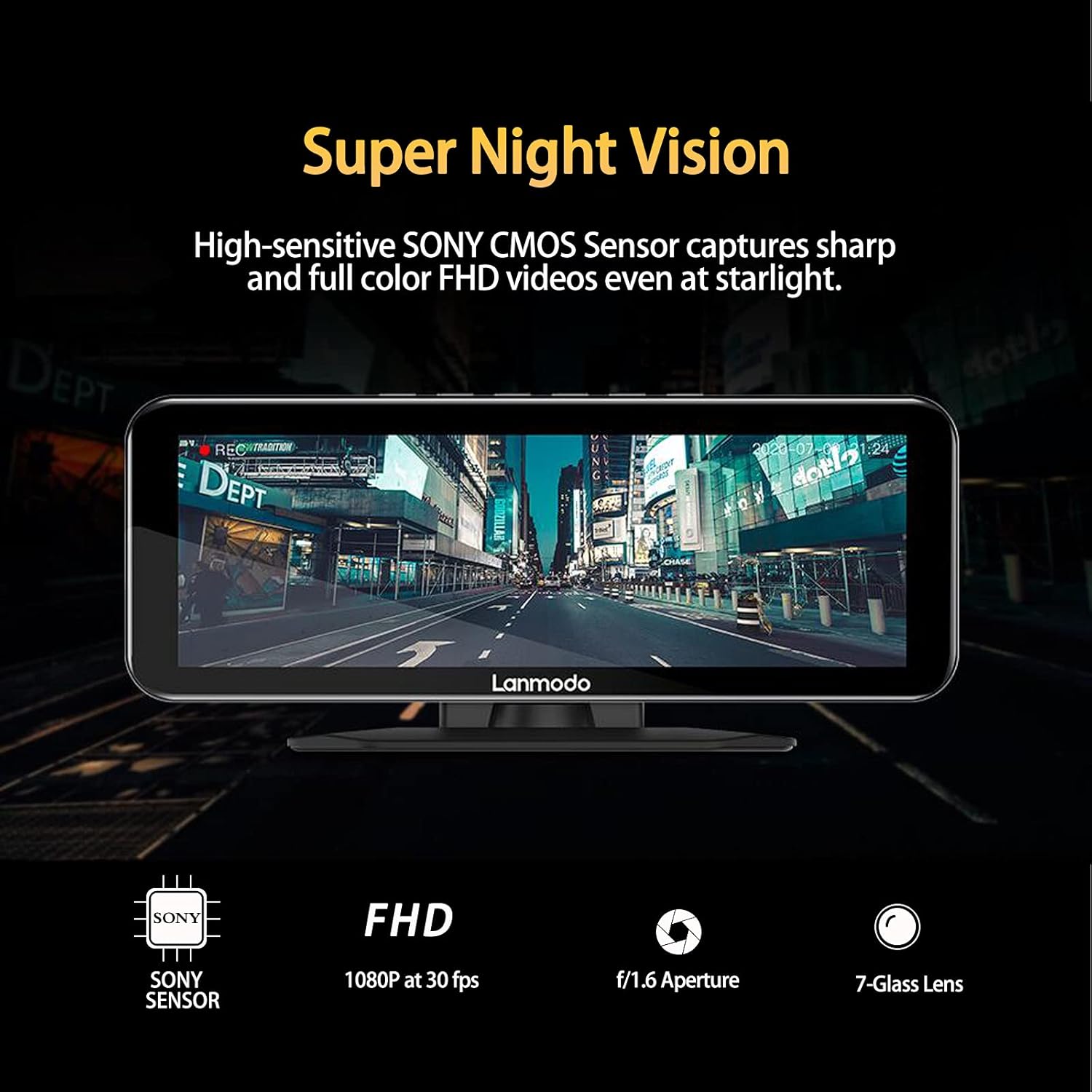
Figure 5.1: Super Night Vision capability with Sony CMOS sensor and F1.6 aperture.


Figure 5.2: Internal components contributing to enhanced night vision: Sony CMOS sensor and 7-layer glass lens.
5.2 Extended Night Vision Distance
The dash cam provides a night vision distance of up to 1350 feet (411 meters), allowing drivers to see further than traditional high beams. This feature is beneficial in various low-light conditions such as dim-lit country roads, narrow mountain roads, heavy rain, snow, storms, or fog, helping to reduce blind spots and improve awareness.

Figure 5.3: Comparison of visibility range with Vast Pro Night Vision System.

Figure 5.4: The dash cam provides clear visibility in diverse weather conditions.
5.3 Audio and Video Loop Recording
The device supports loop cycle recording, which automatically overwrites the oldest recordings when the memory reaches its storage limit. Recordings are saved in separate 1, 3, or 5-minute files to prevent data loss. H.265+ video compression technology optimizes storage space by up to 80% while improving image quality. The system supports Micro SDXC cards up to 128GB.

Figure 5.5: Real-time loop recording in action.

Figure 5.6: The dash cam supports audio recording.
5.4 G-Sensor Adjustable Sensitivity
The G-sensor automatically detects sudden impacts or collisions. Users can adjust sensitivity settings (Low/Medium/High). When triggered, the G-sensor initiates an event recording and locks the video to prevent it from being overwritten, serving as crucial evidence for insurance claims in case of an accident.

Figure 5.7: G-sensor automatically locks footage durant els impactes.
5.5 Monitor d’estacionament
The 24-hour parking guard feature captures potential incidents around your vehicle, protecting against theft or vandalism. The parking monitor automatically powers on the dash cam and records emergency videos upon collision detection by the motion sensor. This mode is available when the dash cam is OBD powered, featuring low voltage protection and low power consumption to prevent draining the car battery.

Figure 5.8: Parking monitor detection zones.
5.6 Supercondensador
Equipped with a super capacitor, the dash cam ensures surveillance and safety in various weather conditions, protecting your car year-round. It offers excellent heat and cold resistance, performing well in temperatures ranging from -4℉ to 158℉ (20℃-70℃).
5.7 Vídeo oficial del producte
Video 5.1: LANMODO Vast Pro Dash Cam Super Night Vision up to 984ft. This video demonstrates the advanced night vision capabilities and other key features of the dash cam.
6. Manteniment
Regular maintenance ensures the longevity and optimal performance of your dash cam.
- Micro SD Card Formatting: Periodically format the Micro SD card (at least once a month) to prevent data corruption and ensure smooth recording. Always turn off the device before inserting or removing the SD card.
- Neteja: Use a soft, dry cloth to clean the display screen and camera lens. Avoid using abrasive cleaners or solvents that could damage the surfaces.
- Estabilitat de muntatge: Regularly check the stability of the dashboard base or suction cup mount. If using the suction cup, clean it with soap and water and dry it thoroughly, and wipe the windshield with isopropyl alcohol for a firmer mount.
7. Solució De Problemes
This section addresses common issues you might encounter with your Vast Pro Dash Cam.
| Problema | Causa possible | Solució |
|---|---|---|
| Image noise in dark environments / Overexposure in strong light | Inherent characteristic of starlight level night vision technology. | This is normal behavior. The device is designed to optimize for faint light conditions. Adjust HDR/WDR settings if available. |
| Bouncy or unstable picture | Muntatge fluix. | Ensure the mount (dashboard base or suction cup) is firmly secured. For suction cup, clean it and the windshield thoroughly before re-mounting. |
| Device not powering on (24V vehicle) | Direct connection to 24V OBD port. | For 24V vehicles, use a car charger with a 24V to 12V voltage converter. Do not connect directly to the OBD port. |
| SD card error / Recording issues | SD card not formatted, corrupted, or removed while device was on. | Format the Micro SD card via the device settings. Always turn off the device before inserting or removing the SD card. Ensure the card is a Micro SDXC up to 128GB. |
| Real-time clock incorrect after power off | Internal clock battery depleted after extended power-off. | The clock retains time for 7-15 days. If powered off longer, reset the time when reconnecting to power. |
8. Especificacions
| Característica | Detall |
|---|---|
| Marca | LANMODO |
| Nom del model | RM |
| ASIN | B093WRYKZV |
| Dimensions del producte | 3.94 x 7.87 x 3.15 polzades |
| Pes de l'article | 2.57 lliures |
| Color | negre |
| Tecnologia de connectivitat | Auxiliar |
| Característiques especials | Loop Recording, Built-In Display, Supercapacitor, Microphone, Night Vision, Parking Monitor, G-Sensor, Motion Sensing, Automatic Incident Detection |
| Resolució de captura de vídeo | 1080p |
| Tipus de muntatge | Dashboard Mount, Windshield Mount |
| Interval de temperatura de funcionament | -4℉ to 158℉ (20℃-70℃) |
| Compatibilitat màxima amb targetes SD | Micro SDXC up to 128GB |
| Vehicle Service Type Compatibility | Minivan, Bus, Motorcycle, ATV, RV, Car, UTV, Truck, Tractor (Fits 99% car models) |
9. Garantia i Suport
LANMODO provides comprehensive support for your Vast Pro Dash Cam.
- Garantia: El producte té una garantia de 12 mesos a partir de la data de compra.
- Atenció al client: 24/7 customer service is available to assist with any inquiries or issues. Please refer to the contact information provided in your product packaging or on the official LANMODO weblloc de suport.


