1. Introducció
Thank you for choosing the Moultrie MCG-14001 A-900 Game and Trail Camera. This manual provides essential information for setting up, operating, and maintaining your camera to ensure optimal performance. The A-900 camera is designed for outdoor surveillance, featuring a 30 MP resolution, a rapid 0.4-second trigger speed, and 1280x720 HD video recording capabilities. Its Illumi-Night Sensor enhances nighttime image clarity, and the 70-foot flash range ensures clear captures at a distance. Please read this manual thoroughly before use.
2. Configuració
2.1 Desembalatge i components
Abans de començar, assegureu-vos que hi hagi tots els components:
- Moultrie A-900 Game Camera
- Heavy-duty Camera Strap
- Targeta SD de 16 GB
- 8 piles AA

Image 2.1: The Moultrie A-900 Game Camera shown with the included 16GB SD card and 8 AA batteries.
2.2 Instal·lació de la bateria
- Open the camera housing latch.
- Localitzeu el compartiment de la bateria.
- Inseriu 8 piles AA, assegurant la polaritat correcta (+/-).
- Tanqueu el compartiment de la bateria de manera segura.
2.3 Inserció de la targeta SD
- Amb la carcassa de la càmera oberta, localitzeu la ranura per a la targeta SD.
- Introduïu la targeta SD de 16 GB a la ranura fins que encaixi. Assegureu-vos que la targeta estigui orientada correctament.
- Per treure-la, premeu suaument la targeta per alliberar-la.
2.4 Muntatge de la càmera
The camera can be mounted using the provided heavy-duty strap.
- Thread the strap through the mounting slots on the back of the camera.
- Secure the camera to a tree or post at the desired height and angle.
- Assegureu-vos que la càmera estigui estable i apuntant cap a la zona que voleu monitoritzar.
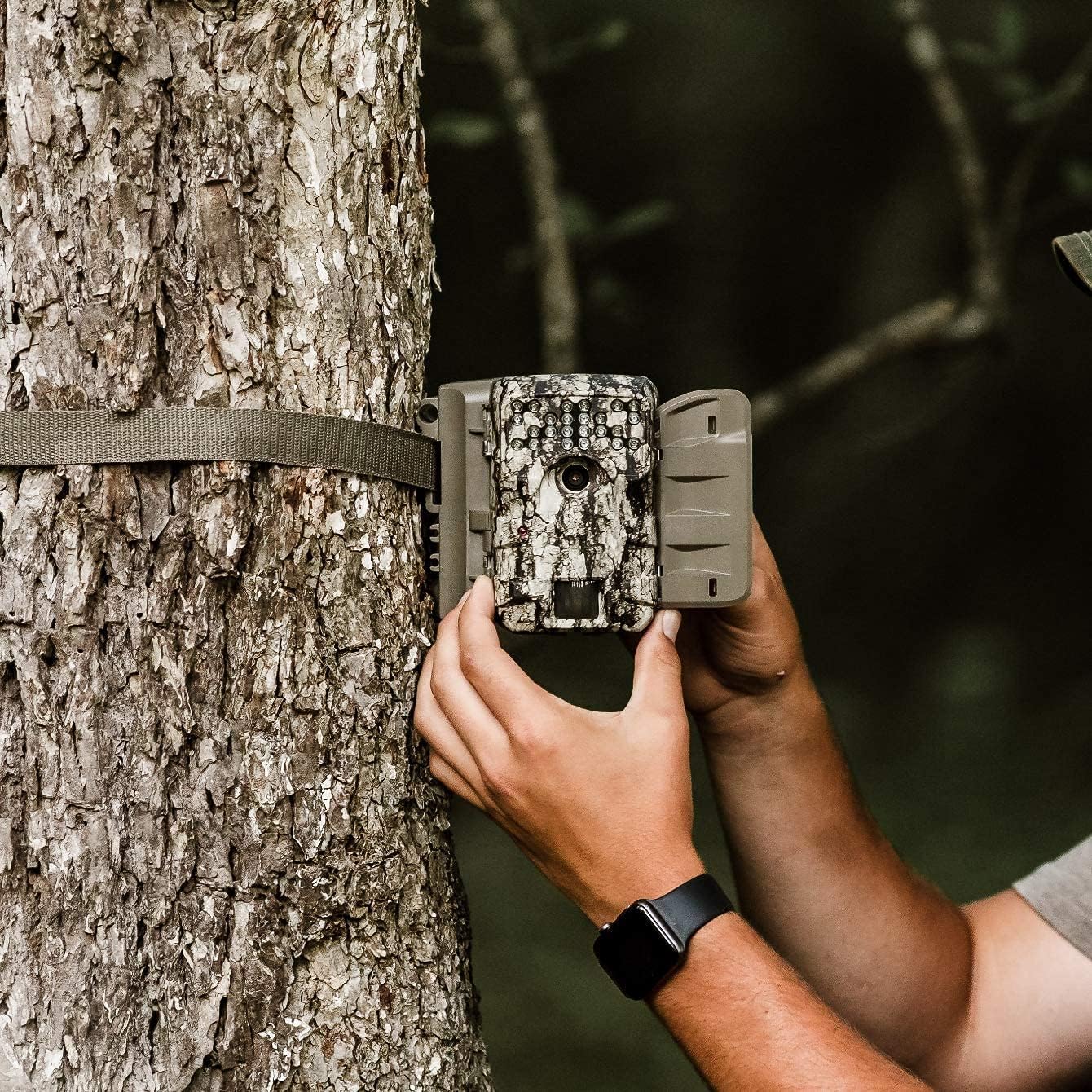
Image 2.2: A user demonstrating the process of securing the camera to a tree.

Image 2.3: The Moultrie A-900 Game Camera shown securely mounted to a tree, ready for operation.
2.5 Engegada inicial
After installing batteries and the SD card, close the camera housing. Power on the camera using the designated power switch. The camera will perform a self-check and enter standby mode.
3. Instruccions de funcionament
3.1 Modes de funcionament bàsics
The A-900 camera offers several capture options:
- Mode de fotografia: Captura imatges fixes.
- Mode de vídeo: Records 1280x720 HD video clips.
- Mode foto + vídeo: Captura una imatge fixa seguida d'un videoclip.
Refer to the camera's internal menu for selecting and configuring these modes.
3.2 Capture Options
Within Photo Mode, you can configure the number of photos taken per trigger event:
- 1 Photo: Takes a single image per trigger.
- 3 Fotos: Takes three consecutive images per trigger.
Image resolution can also be set to either low or high resolution for both single and multiple photo captures.
3.3 Illumi-Night Sensor and Night Vision
The camera is equipped with an Illumi-Night Sensor to produce bright and clear images during nighttime operation. This feature automatically activates in low-light conditions, utilizing the 70-foot flash range to illuminate subjects.
3.4 Funcionalitat del sensor de moviment
The integrated motion sensor detects movement within its range, triggering the camera to capture images or videos. The 0.4-second trigger speed ensures that fast-moving subjects are captured effectively. Adjust the sensor sensitivity in the camera settings if needed.
4. Manteniment
4.1 Substitució de la bateria
When the battery indicator shows low power, replace all 8 AA batteries with new ones. Always use high-quality alkaline or lithium batteries for best performance and longevity.
4.2 Gestió de targetes SD
Regularly check the SD card capacity. It is recommended to format the SD card periodically using the camera's menu function to ensure optimal performance and prevent data corruption. Always back up important files abans de formatar.
4.3 Neteja de la càmera
To maintain image quality, periodically clean the camera lens and the motion sensor window with a soft, lint-free cloth. For the camera housing, use a damp cloth to wipe away dirt and debris. Do not use abrasive cleaners or solvents.
5. Solució De Problemes
| Problema | Causa possible | Solució |
|---|---|---|
| La càmera no s'encén | Bateries gastades o mal instal·lades | Canvieu les piles, comproveu la polaritat |
| Mala qualitat d'imatge | Lent bruta, poca llum, configuració incorrecta | Clean lens, check Illumi-Night settings, adjust resolution |
| El sensor de moviment no s'activa | Obstruction, incorrect sensitivity, out of range | Clear sensor path, adjust sensitivity, reposition camera |
| Error de targeta SD | Card full, corrupted, or incompatible | Format SD card (backup data first), replace with compatible card |
For issues not covered here, please refer to the Warranty & Support section for contact information.
6. Especificacions
- Resolució: 30 megapíxels
- Velocitat d'activació: 0.4 segons
- Resolució de vídeo: 1280 x 720 HD
- Interval de flaix: 70 peus
- Sensor: Illumi-Night Motion Sensor
- Emmagatzematge: Admet fins a 16 GB de targeta SD
- Potència: 8 AA Batteries (not included in all bundles)
- Ús: A l'aire lliure
- Característiques especials: Sensor de moviment, visió nocturna
7. Garantia i assistència
Moultrie products are manufactured to high-quality standards. For specific warranty details, please refer to the warranty card included with your product or visit the official Moultrie website. If you encounter any issues or require technical assistance, please contact Moultrie customer support through their official channels. Keep your purchase receipt as proof of purchase for warranty claims.


