
Tronsmart Apollo Air True Wireless Earbuds
Manual d'usuari
Introducció
This manual provides detailed instructions for the proper use, setup, and maintenance of your Tronsmart Apollo Air True Wireless Earbuds. Please read this manual thoroughly before using the product to ensure optimal performance and longevity.

Image: Tronsmart Apollo Air True Wireless Earbuds in their open charging case, showcasinl'elegant disseny negre.
Contingut del paquet
Si us plau, verifiqueu que tots els elements siguin presents al vostre paquet:
- Tronsmart Apollo Air True Wireless Earbuds (Left and Right)
- Estoig de càrrega
- Cable de càrrega USB tipus C
- Múltiples mides de taps per a les orelles (S, M, L)
- Manual d'usuari (aquest document)
- Guia d'inici ràpid
Configuració
1. Càrrega dels auriculars i l'estoig
Before first use, fully charge the earbuds and the charging case. The charging case can be charged via the included USB Type-C cable.
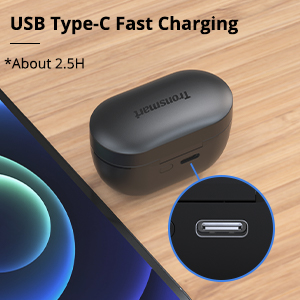
Image: Close-up of the USB Type-C charging port on the Tronsmart Apollo Air charging case, indicating fast charging capability.
- Connecteu el cable USB tipus C al port de càrrega de la carcassa i a una font d'alimentació.
- El llum indicador de la caixa mostrarà l'estat de càrrega.
- Una càrrega completa de la funda triga aproximadament 2.5 hores.
- The earbuds charge automatically when placed inside the charging case.
2. Emparellament amb el dispositiu
Els auriculars utilitzen tecnologia Bluetooth 5.2 per a una connexió estable i ràpida.

Image: A smartphone displaying a Bluetooth connection icon next to the Tronsmart Apollo Air earbuds and charging case, highlighting Bluetooth 5.2 technology.
- Open the charging case, and the earbuds will automatically enter pairing mode (indicator lights will flash).
- Al dispositiu (telèfon intel·ligent, tauleta, etc.), activeu el Bluetooth.
- Cerca "Tronsmart Apollo Air" in the list of available Bluetooth devices.
- Select "Tronsmart Apollo Air" to connect. Once connected, you will hear a confirmation tone, and the indicator lights will stop flashing.

Image: A smartphone screen showing "Connection successful" for "Tronsmart Apollo Air" in Bluetooth settings, next to the earbuds and case.
Instruccions de funcionament
Controls tàctils
The Tronsmart Apollo Air earbuds feature intuitive touch controls for various functions:
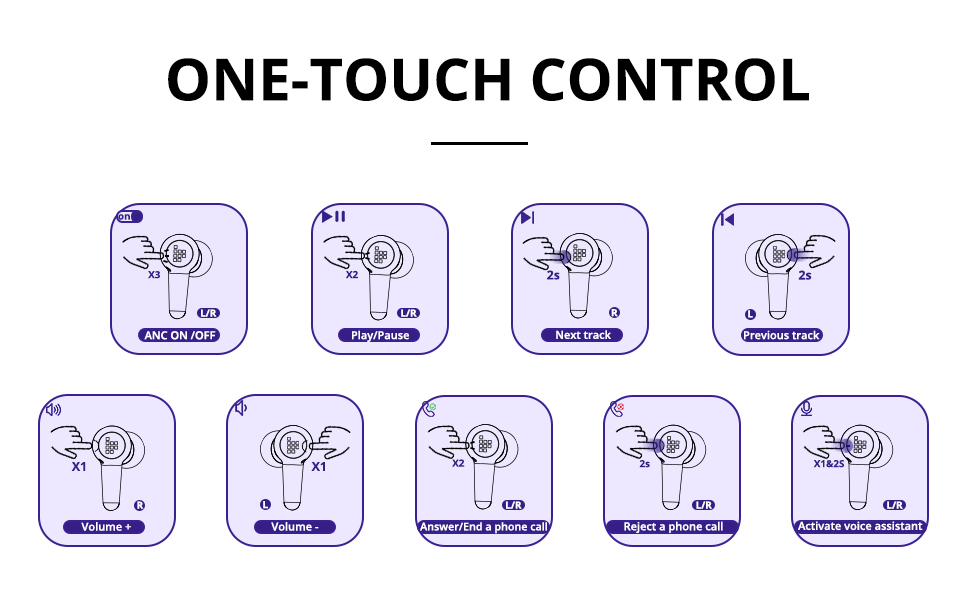
Image: A comprehensive diagram illustrating various touch control gestures on the earbuds for functions like ANC on/off, play/pause, track navigation, volume control, call management, and voice assistant activation.
- ANC ON/OFF: Triple tap (L/R earbud).
- Reproduir/pausa: Double tap (L/R earbud).
- Pista següent: Tap and hold 2 seconds (R earbud).
- Pista anterior: Tap and hold 2 seconds (L earbud).
- Volum +: Single tap (R earbud).
- Volum -: Single tap (L earbud).
- Answer/End a Phone Call: Double tap (L/R earbud).
- Rebutja una trucada telefònica: Tap and hold 2 seconds (L/R earbud).
- Activa l'Assistent de veu: Tap and hold 2 seconds (L/R earbud).
Cancel·lació activa de soroll (ANC) i mode de so ambiental
The earbuds offer different listening modes to suit your environment:
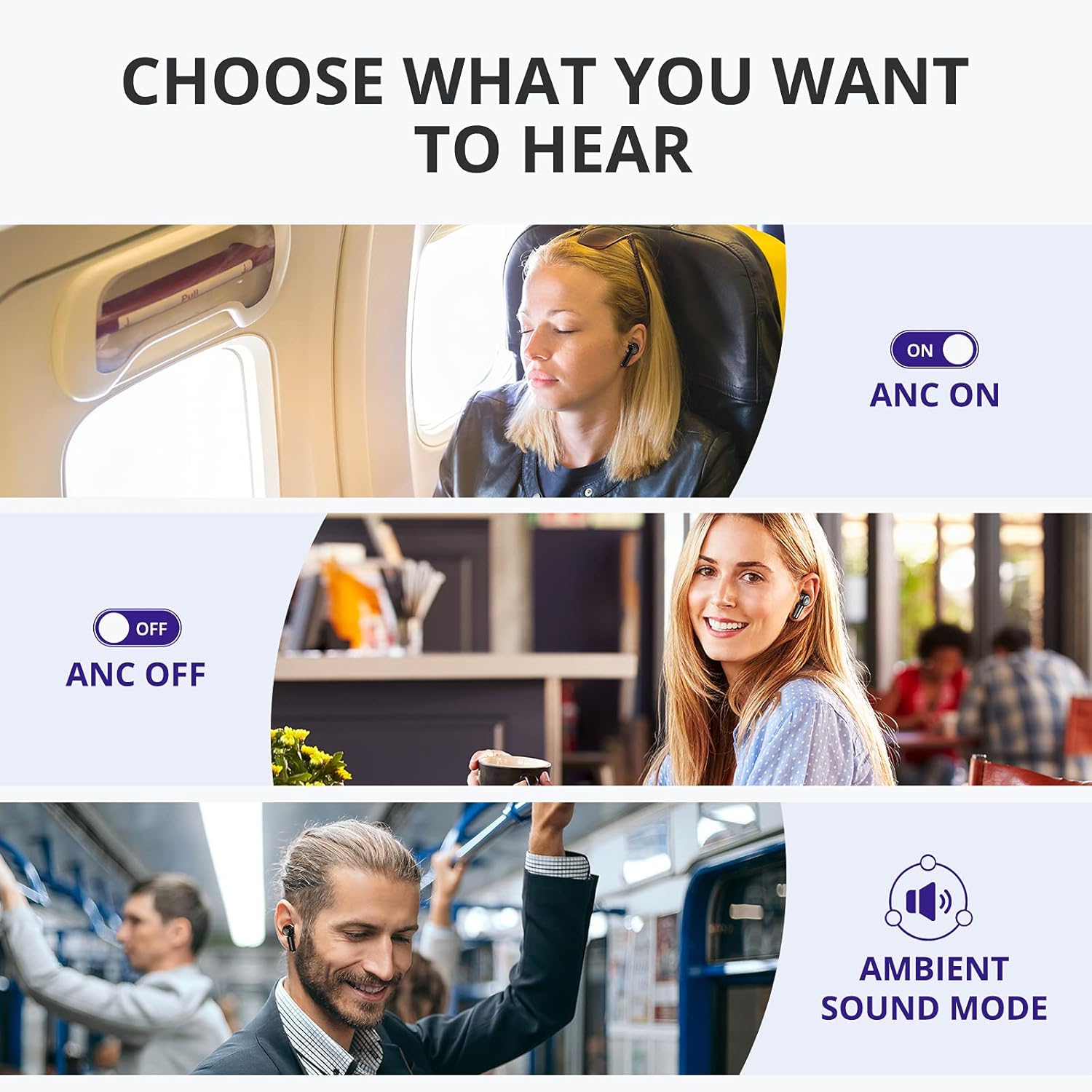
Image: Visual representation of three listening modes: ANC On for blocking noise, ANC Off for normal listening, and Ambient Sound Mode for hearing surroundings.
- ANC activat: Blocks out ambient noise, providing a more immersive audio experience. Ideal for noisy environments like public transport or offices.
- ANC apagat: Mode d'escolta estàndard sense cancel·lació activa de soroll.
- Mode de so ambiental: Allows you to hear your surroundings while still enjoying your audio. Useful for awareness in urban environments or when interacting with others.
Switch between modes by triple tapping either earbud.

Image: A woman on a bus wearing the earbuds, with a graphic illustrating how the earbuds block out up to 35 dB of noise for tranquility.
Fer i rebre trucades
The earbuds are equipped with 6 microphones and cVc 8.0 technology for clear calls.

Imatge: Una explosió view of the earbud highlighting the placement of six microphones (Feedforward Mic, Feedback Mic, Talk Mic) for crystal-clear calls.
- Respondre/Finalitzar la trucada: Toca dues vegades qualsevol dels auriculars.
- Rebutja la trucada: Manteniu premut qualsevol dels auriculars durant 2 segons.
Manteniment
Neteja i cura
To ensure the longevity and optimal performance of your earbuds, follow these care instructions:
- Netegeu els auriculars i l'estoig de càrrega amb un drap suau, sec i sense borrissol.
- No utilitzeu netejadors abrasius, alcohol ni dissolvents químics.
- Mantingueu els contactes de càrrega tant dels auriculars com de la funda nets i lliures de residus.
- Guardeu els auriculars a la funda de càrrega quan no els feu servir per protegir-los i mantenir-los carregats.
Resistència a l'aigua i la suor
The Tronsmart Apollo Air earbuds are IP45 rated, meaning they are resistant to dust and splashes of water from any direction. This makes them suitable for workouts and light rain.

Image: A man exercising in a gym, wearing the earbuds, with an overlay indicating IP45 dust and sweat resistance, assuring durability during physical activity.
Important: The charging case is NOT waterproof. Do not expose the charging case to water or moisture.
Resolució de problemes
If you encounter issues with your Tronsmart Apollo Air earbuds, please refer to the following common solutions:
| Problema | Possible solució |
|---|---|
| Els auriculars no s'emparellan/connecten |
|
| Sense so ni volum baix |
|
| Active Noise Cancellation (ANC) not effective or hissing sound |
|
| Els auriculars no es carreguen |
|
| Un auricular no funciona |
|
Especificacions
Key technical specifications for the Tronsmart Apollo Air True Wireless Earbuds:

Image: Detailed dimensional drawing of the Tronsmart Apollo Air earbuds and their charging case, showing measurements in millimeters and inches.
| Característica | Detall |
|---|---|
| Marca | Tronsmart |
| Nom del model | Apol·lo Air |
| Tecnologia de connectivitat | Bluetooth 5.2, Sense fil |
| Control de soroll | Cancel·lació activa del soroll |
| Nivell de resistència a l'aigua | IP45 (només auriculars) |
| Temps de reproducció (càrrega única) | Fins a 5 hores |
| Temps de joc (amb funda de càrrega) | Fins a 20 hores |
| Port de càrrega | USB tipus C |
| Micròfons | 6 (with cVc 8.0 technology) |
| Mètode de control | Toca |
| Material | Plàstic, silicona |
| Pes de l'article | 5.3 unces |
| Dimensions del paquet | 7.13 x 3.43 x 1.5 polzades |
Garantia i Suport
For warranty information and technical support, please refer to the warranty card included in your product packaging or visit the official Tronsmart website. You may also contact Tronsmart customer service directly for assistance with product issues or inquiries.
Tronsmart Official Weblloc: www.tronsmart.com


