Introducció
The Korg LP-380U digital piano offers a realistic piano experience with its Real Weighted Hammer Action 3 keybed and rich sound. This manual provides essential information for setting up, operating, and maintaining your instrument.

Figura 1: Frontal view del piano digital per a la llar KORG LP-380U.
Característiques clau
- Sensació i resposta realistes del piano: The Real Weighted Hammer Action 3 (RH3) keyboard replicates the feel of a grand piano, with heavier response in lower registers and lighter response in higher registers.
- Excel·lent qualitat de so: Features 30 distinct sounds, including various pianos, electric pianos, and strings. Includes Layer Mode for combining two sounds and Partner Mode for splitting the keyboard for duets.
- Disseny elegant i compacte: With a depth of merely 26cm, the LP-380U is designed to fit seamlessly into any home environment. The flat wooden key cover allows for discreet integration.
- Connectivitat moderna: USB Audio and MIDI ports enable flexible connection to recording software, virtual instruments, and piano learning applications.
- Unitat de 3 pedals: Equipped with all three standard pedals found on a concert grand piano, supporting expressive playability including realistic half-pedaling.

Figura 2: Mésview of the 30 available sounds on the LP-380U.
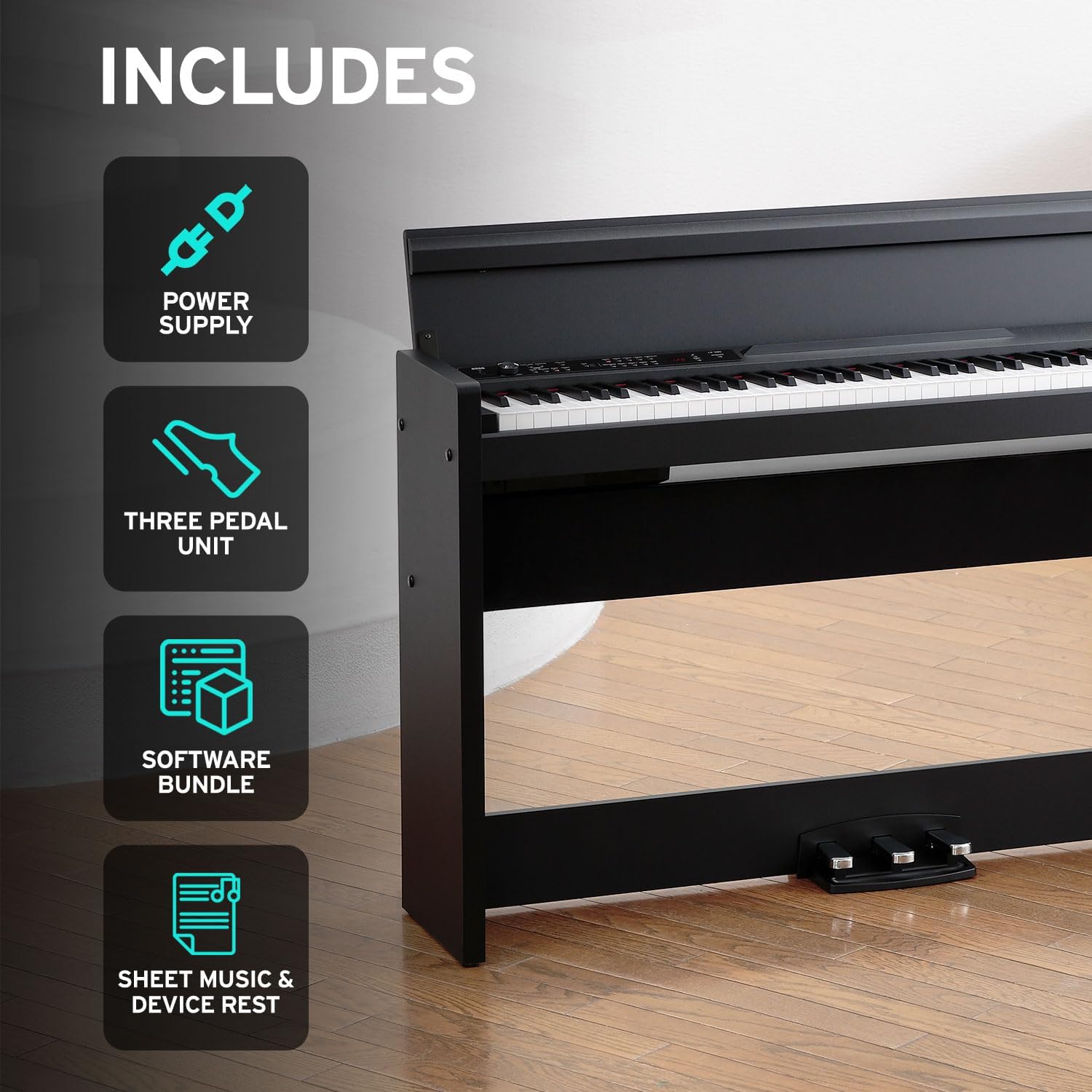
Figure 3: Close-up of the RH3 Graded Hammer Action Keybed.
Configuració
Desembalatge i muntatge
Carefully remove all components from the packaging. It is recommended to assemble the piano with assistance due to its weight and size. Follow the detailed assembly instructions provided in the separate assembly guide included with your product. Ensure all screws and fasteners are securely tightened before use.
Connecting the Pedal Unit
The LP-380U includes a 3-pedal unit. Connect the pedal cable from the pedal unit to the corresponding port located on the underside of the piano. Ensure the connection is firm.

Figure 4: Included accessories with the LP-380U.
Instruccions de funcionament
Encès/Apagat
Connect the power adapter to the DC IN jack on the piano and then to a standard electrical outlet. Press the POWER button to turn the instrument on or off.
Selecció de so
Use the VOICE buttons on the control panel to select from the 30 available instrument sounds. Refer to the display for the currently selected sound.
Mode de capa
To play two sounds simultaneously, activate Layer Mode. Consult the full user manual for specific button combinations to select and adjust layered sounds.
Mode de soci
Partner Mode divides the keyboard into two identical sections, allowing two players to use the same note range. This is ideal for lessons or duets. Refer to the full user manual for activation steps.
Connectivitat USB
The LP-380U features USB Audio and MIDI connectivity. Connect a USB cable from the piano's USB port to your computer or smart device to use with recording software, virtual instruments, or piano learning applications. Drivers may be required for certain operating systems.

Figure 5: USB connectivity for learning and recording.
Manteniment
To ensure the longevity of your KORG LP-380U, follow these maintenance guidelines:
- Neteja: Wipe the surface of the piano with a soft, dry cloth. For stubborn dirt, use a slightly damp cloth and then dry thoroughly. Avoid abrasive cleaners, solvents, or polishes that may damage the finish.
- Atenció clau: Keep the keys clean. If they become dirty, wipe them gently with a soft cloth dampened with water and a mild soap solution, then dry immediately.
- Medi ambient: Place the piano in a stable location, away from direct sunlight, heat sources, and excessive humidity or dust.
- Apagar: Always turn off the power when the instrument is not in use for extended periods.
Resolució de problemes
| Problema | Causa possible | Solució |
|---|---|---|
| No hi ha so dels altaveus. | Volume is too low; headphones are connected; power issue. | Increase volume. Disconnect headphones. Check power connection and ensure unit is on. |
| Les claus no responen. | Problema d'alimentació; avaria interna. | Ensure power is on. If problem persists, contact customer support. |
| USB connection not recognized. | Cable incorrecte; controladors que falten; problema de programari. | Use a proper USB A-to-B cable. Install necessary drivers from KORG's website. Restart computer/device. |
If you encounter issues not listed here, or if the suggested solutions do not resolve the problem, please refer to the comprehensive troubleshooting section in the full user manual or contact KORG customer support.
Especificacions
- Nom del model: LP-380U
- Número de model de l'article: LP-380-RW-U
- Marca: KORG
- Nombre de claus: 88
- Key Action: Acció de martell amb pes real 3 (RH3)
- Sons: 30
- Connectivitat: USB (Audio and MIDI), 3.5mm Headphone Jack, 1/4-inch Audio
- Font d'alimentació: USB (Power Adapter included)
- Wattage: 22 watts
- Dimensions del producte: 54.9 "P x 54.9" W x 33.8" H
- Pes de l'article: 81.6 lliures
- Color: Palissandre
- Fabricant: Korg
- Primer disponible: 12 de maig de 2021

Figura 6: Dimensions del KORG LP-380U.
Garantia i Suport
For detailed warranty information, please refer to the warranty card included with your product or visit the official KORG website. For technical support, product registration, or service inquiries, please contact KORG customer service through their official channels. Keep your proof of purchase for warranty claims.
Recursos en línia:
- Visita la botiga KORG a Amazon
- KORG oficial Weblloc (General link, specific support page not provided in data)


